AI Mentions
Ahrefs Free AI Visibility Checker: What You Get, Limitations & Alternatives
Yes, Ahrefs has a free AI Visibility Checker. You can enter a brand name, inspect its presence across six AI search experiences, and see…
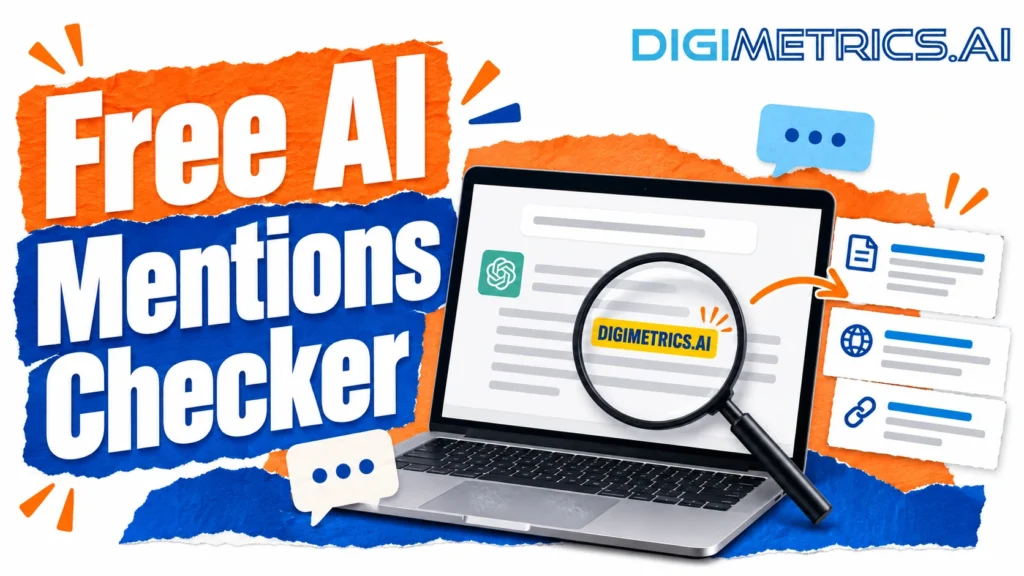
A free AI mentions checker tells you whether your brand name appears in a sample of AI answers to the prompts you run. It cannot show how an assistant describes your company to a real buyer, because that depends on prompts, dates and settings the tool does not see. The first check is simple: ask three buyer-style questions, such as “best AI visibility tool for a small agency”, in ChatGPT, Gemini and Perplexity. Record whether your brand appears, whether it is cited and whether it is described accurately.
Buyers now ask AI assistants which software to buy and which agency to trust. Those answers shape decisions before a buyer reaches a search results page. A free checker shows quickly whether your brand appears in them. Its score reflects a sample of prompts run through the tool’s own settings, not what a real buyer sees.
Which free AI mentions checker should you use? For a one-off audit, pick a free tool that lets you set your prompts, shows the cited URLs and exports results. Its trade-off is a low query cap and limited engine coverage. If you need repeated runs or trend data, a free checker will not be enough on its own.
This guide explains how these tools work, where they fall short, and how to judge one before you act on its numbers. It also gives a repeatable test protocol you can run yourself. For a wider view of AI visibility work, see the Digimetrics AI visibility resources.
An AI mentions checker sends prompts to one or more AI assistants, reads the answers and records whether your brand appears. Mentions, citations and links are different signals, and blending them hides the information you need to decide what to fix.
These signals do not always travel together. An assistant can mention your brand from its training data and cite no one. It can cite a third-party review that names you and never mentions your own site. A checker reporting “you were mentioned 40% of the time” has not confirmed if any of those answers pointed a buyer back to you.
Record the three separately for every answer: mentioned (yes or no), cited (yes or no and which URL) and linked (yes or no). Report them as separate rates.
No free checker can see an assistant’s full source-selection logic. Perplexity pairs its AI-generated answers with citations that reveal exactly where every answer comes from, so you can verify the source and check the evidence. Its help documentation describes its search and answer generation process. Google publishes guidance on how its AI features link to sources in its Search Central documentation.
From outside, we have observed a set of patterns. In our own test conditions, assistants that retrieve live web content tended to cite pages that answer the exact question in clear, self-contained text. Vague pages, pages gated behind a login and pages making unsupported claims were used less often. We use sources that appear across many independent sites more consistently. These are observations from our own test conditions, not a published specification, so treat them as hypotheses to test against your results.
Share of voice is the proportion of brand mentions in a sample that mention your brand. Calculate it like this: Run a fixed set of prompts across the same engines on the same day.
The example below is hypothetical, not observed results. If your brand appears 12 times across 60 total brand mentions, your share of voice is 20%.
The number is only as reliable as the prompt set behind it. Share of voice from brand-name queries (“What is Digimetrics?”) looks very different from share of voice from category questions (“Which AI visibility tools suit a small agency?”). Buyers mostly ask the second kind, so always state which prompts the calculation used.
A brand can rank first for a keyword and still be absent from the answer an assistant gives to the same question. That gap is why AI visibility needs its own measurement.
Rank trackers record the position of a URL in a list of ten blue links. AI answers don’t work that way. Engines such as ChatGPT, Gemini, Perplexity and Google AI Overviews assemble one response from several sources. The brand may be named in the prose, cited as a footnote, linked or omitted. None of these outcomes maps to a numbered position.
Rank tracking also assumes a stable result. A generated answer can differ between two identical prompts run minutes apart, and a rank report has no equivalent of that. A team can watch its organic position hold while its share of AI answers falls, and rank tracking will not flag it.
Referral data is the most common proxy for AI visibility. Sessions from AI assistant domains show up in analytics and are easy to segment. The limitation is that referral traffic captures only users who click through. Many AI answers resolve the question without a click, so a brand can influence a buyer with no measurable session.
Read referral figures as a floor, not a ceiling: referral traffic typically understates AI influence, and how it is classified varies by analytics platform. Small numbers don’t prove an engine ignores the brand, and rising numbers don’t prove the brand is described accurately. Pair referral trends with a logged sample of answers, recording prompt, engine and date, so you can see what drove the traffic. AI assistant traffic is often grouped into (direct) / (none), so check how your reporting labels these sources before comparing months.
AI visibility matters most when buyers ask open-ended questions that an assistant can answer directly, such as category recommendations, “best tool for” queries, and comparisons. The answer is the decision point, and a brand missing from it loses consideration before a results page is shown.
It matters less for navigational and transactional queries. A customer typing your brand name still reaches you through organic results. A useful test: if a buyer would ask an assistant before typing a search, prioritise AI visibility for that topic. If they would search for your name or a product page, organic position still carries most of the weight.
The number a free checker shows you comes from a sampling process. Each step, from which prompts run to how answers are averaged, shapes that number. Understanding the mechanics lets you decide whether the output is trustworthy. The variance point below applies throughout this section and is not repeated elsewhere.
A checker builds its result from a set of prompts sent to each engine. Because generated answers vary between runs, a single prompt tells you little. Asking the same question twice can return different brands, wording, and citation lists. Wording matters too: “best AI visibility tool” and “which AI visibility tool should I buy” can produce different answers from the same engine. Judge visibility by mention rate across many prompts, several runs and several dates.
Each engine retrieves and cites sources differently, so a checker covering one engine tells you little about the others. Free tools often cover only one or two. In our own test conditions, we ran the same prompt set across ChatGPT, Gemini and Perplexity and recorded different answers for the same brand. Please verify which engines a tool covers and include in your report the ones it did not test.
Checkers reduce variance by averaging across repeated runs. The average is only meaningful if the run count is large enough to show a real change. Without a method, a visibility change can be noise. In practice, a few-point shift between two single runs means little. Treat any change as real only when it holds across repeated runs on different days.
Free tiers differ mainly in how many queries they allow, which engines they cover and whether they show cited URLs. Check each claim against the vendor’s current page before you rely on it, because limits change.
| Tool | Query cap (free tier) | Engines covered | Shows cited URLs | Export | Sign-up required |
|---|---|---|---|---|---|
| Tool A | Check the vendor page | Check the vendor page | Check the vendor page | Check the vendor page | Check the vendor page |
| Tool B | Check the vendor page | Check the vendor page | Check the vendor page | Check the vendor page | Check the vendor page |
Fill each row only after confirming the figures on the vendor’s current page. Where a value is not published, mark it as unknown rather than estimating it.
Free tiers commonly limit queries per day or month, restrict engines, hide historical data and omit competitor sets. Some show a score without the underlying answers, which means you cannot verify what was actually said. Confirm whether you can see the full answer text and the cited URLs before you accept a score.
Be cautious of any tool that doesn’t state how many runs back a score, doesn’t say which date the answers came from, or doesn’t explain how prompts were chosen. Check the privacy policy for what happens to the prompts and brand names you submit.
Use this matrix to judge how much weight to give a result. It scores a finding on two axes: how many runs support it, and whether the answers can be verified against their cited sources.
| Few runs, no sources | Repeated runs, no sources | Few runs, cited sources | Repeated runs, cited sources | |
|---|---|---|---|---|
| Confidence | Low | Medium | Medium | High |
Read the result in the bottom-right cell as the strongest basis for action. A finding in the top-left cell is a prompt to investigate, not a conclusion. Reach the highest confidence by running the three-question test on several days and checking every cited URL.
Results need a clear decision path so you know what to do with them.
| Symptom | Likely cause | Next action |
|---|---|---|
| Brand absent from category prompts | Thin content on the topic | Publish a clear, self-contained answer page |
| Brand mentioned but never cited | No source the engine can verify | Earn references from independent sites |
| Brand cited but described wrongly | Outdated or unclear source text | Correct the source page and re-run the prompts |
| Results swing between runs | Normal answer variance | Increase run count before drawing conclusions |
| Strong mentions, no referral traffic | Answers resolve without a click | Track brand search and branded direct traffic too |
Thresholds are a starting heuristic, not a verified standard. A reasonable starting point is to act only when a change holds across repeated runs on at least two days. Ignore single-run swings, which are usually variance.
Convert findings into a short action list: the prompt, the engine, the gap and the owner. Prioritise category prompts where your brand is absent and where buyers are likely to ask. Pair each content action with a re-run date, so you can check whether the change moved the result.
A free checker is a useful first step. It shows whether your brand appears in a sample of AI answers, and it helps you find prompts where you are absent. It does not show how a buyer experiences those answers, and a single score should never drive a major decision.
Pick three buyer-style prompts, run them across engines on two days, log mention, citation and link separately, check the cited URLs and act only on changes that repeat. Keep a dated log so you can see trends over time.
A free checker is enough for a one-off audit or a first look. Choose a paid tier when you need repeated runs, historical trend data, competitor sets or exported source URLs.
A free AI mentions checker is only as reliable as its method. Before you trust a score, you need to know how the tool chose its questions, which engines it queried and how often it repeated each question. The gap between a tool that repeats prompts over several days and one that runs each prompt once is the difference between a useful signal and a single snapshot.
A checker begins with a prompt set. Some tools let you write your own prompts, but most free versions use a handful of templated questions, often brand-name queries such as “What is?” or “Is good?” The prompt set decides what the tool can possibly find.
A brand that buyers discover through category questions may never appear in a sample built around its own name. For example, “best project management software for a five-person agency” is a category question. A sample made only of brand-name questions will miss it.
Assistants are probabilistic. The same prompt can produce a different answer each time, and the wording, the sources and sometimes the set of brands can all change. A single run is one sample, not a fact about the assistant.
A useful audit repeats each prompt several times across several days, then reports how often the brand appears. A checker that runs each prompt once gives a snapshot that may not match what a buyer sees on another day.
Prompt wording changes the outcome too. “Compare X and Y” and “What should I use for Z?” can pull different sources even when the underlying question is the same. Check the prompts before you read any result, because the prompt set is the most important variable in any checker.
Each assistant has its own retrieval behavior, model versions and interface. In our own test conditions, ChatGPT, Gemini and Perplexity often answered the same mixed prompt differently, though results vary by date and setting. Some engines search the live web, while others lean more on training data. A checker that covers one engine tells you only about that engine.
Coverage is also uneven because access methods differ. Some engines expose interfaces a tool can query programmatically. Others can be reached only through their consumer product, which may be personalized, vary by location or restrict automated access.
When a free tool lists five engines, check whether it queries all five in the same way and whether some results are estimated or come from a different channel. If the tool does not say how each engine was reached, record that as a gap in your audit rather than assuming full coverage.
Google AI Overviews appear inside search results, and their output depends on the query, the location and whether an overview is triggered at all. Perplexity pairs its AI-generated answers with citations that reveal exactly where every answer comes from, so you can verify the source and check the evidence. ChatGPT and Gemini answers may or may not include links, depending on the mode used. Log these differences so that a shift on one engine is not read as a shift across all of them. For each engine’s own account of how it retrieves sources, see the official help pages: Google Search Central documentation on AI features, Perplexity Help Center, OpenAI Help Center on ChatGPT search, and Microsoft Copilot support.
Variation comes from several places: sampling randomness inside the model, updates to the underlying model, changes in the live web sources an assistant retrieves, and personalization or location signals. None of these is visible in the output, so a checker cannot remove them on its own.
Most tools handle this by averaging. They run each prompt several times, then report the share of runs in which the brand appears. Averaging reduces noise, but only if the runs are spread across time and sessions. Several runs in one minute from one session mostly reproduce the same draw. Ask whether a checker run repeats at different times from clean sessions, and whether it states how many runs sit behind each score.
Averaging also hides information. A brand mentioned in 40 percent of answers might be described accurately in all of them, or wrongly in half. A score alone cannot tell you which of these two possibilities is true. Read the mention rate alongside the answer text, and use a free checker to flag prompts worth reading closely rather than to settle the question. For a fuller walkthrough of setting up repeat testing, see the AI visibility resources at Digimetrics.
Most free AI mention checkers look alike on their landing pages. They promise a score, a list of engines and a report, and usually ask only for an email address. The differences sit in how they sample prompts, how often they run them and what they keep from you. Those differences decide whether the output is worth acting on.
The three-question test. Before you trust any free checker, ask:
If any answer is no, the tool is a one-off look, not a tracker.
Verdict in brief. Which free AI mentions checker should you use? For trend tracking, choose the one that lets you write your prompts and export raw answers, even if its query cap is lower. A higher cap with tool-picked prompts gives you more numbers that describe the tool, not your buyers. The trade-off is less volume for more control, and control is what makes a result checkable.
Use this table as a checklist for any free tool. Fill in each row using the vendor’s own documentation, and consider a missing answer as a warning sign.
| Dimension | What to check | Why it matters |
|---|---|---|
| Query cap | Prompts or engine checks allowed per day, week or month | A low cap limits how many prompt variants you can sample |
| Engines covered | Which assistants are queried, including Google AI Overviews and Copilot | Coverage gaps mean a low mention rate may describe one engine only |
| Model and date disclosure | Whether the report names the model version and run date | Without these, you cannot tell a brand change from a model update |
| Export options | CSV, JSON or raw answer text | Raw answers let you audit the scoring instead of trusting one number |
| Sign-up requirement | Email only, full account, or no sign-up | Account requirements affect what data the tool holds about you |
| Prompt control | Whether you write the prompts or the tool picks them | Tool-chosen prompts may not match how buyers ask questions |
A tool that scores well on most rows is usable for trend tracking. A tool that hides the model, the date and the raw answers suits only a one-off look.
Free access is usually a limited version of a paid product. Across the category, the same gaps recur:
None of these is a flaw in itself. They become a problem when a team builds a report on free data and presents it as complete. Our own AI visibility tools show how paid tiers add history and competitor sets, which is a fair place to compare what a free plan leaves out. You can see that comparison on the Digimetrics AI visibility tools page.
Data handling. Check whether the tool stores the prompts and brand names you submit and for how long. Prompts can reveal unreleased product names, campaign plans or competitor interest. Read the privacy policy for retention terms, and verify whether the data trains models or goes to third parties. If the policy is vague, please refrain from entering any confidential brand work.
Sampling transparency. Ask four questions of any tool:
A tool that answers none of these reports a score you cannot verify.
The matrix scores four axes: prompt control, repeatability, model transparency and source visibility. You record each score yourself; it’s a judgment, not a published rating. It is a starting heuristic, not a validated scale, so adjust the thresholds to your own needs.
| Axis | Score 0 (weak) | Score 1 (partial) | Score 2 (strong) |
|---|---|---|---|
| Prompt control | Tool picks all prompts | Tool offers some editing | You write and save your own prompts |
| Repeatability | Single run, no run count stated | Run count stated, no timing detail | Repeat runs across days, with count and timing shown |
| Model transparency | No model or date shown | Date only | Model version and run date shown per answer |
| Source visibility | Yes or no mention only | Some sources listed | Full answer text and cited sources exported |
A tool scoring 6 or more out of 8 suits trend tracking. A tool scoring 3 or less suits only a one-off look. Test the matrix on two named free tools before you rely on it, and note the evidence behind each score. Engine behaviour varies, so treat any pattern you see as observed for that tool on those dates, not a fixed rule.
A head-to-head test to run this week. Choose two free tools and run the same five buyer-style prompts through each, for example “best project management software for a small agency”. Use the same engines, record the date and the raw answers, and fill in the blanks below. Once you have scores, note which tool’s output you could check line by line.
| Prompt | Tool A mention rate | Tool B mention rate | Manual check (5 runs) |
|---|---|---|---|
| Not confirmed | Not confirmed | Not confirmed | |
| Not confirmed | Not confirmed | Not confirmed |
If the two tools disagree with each other, or with your manual runs, the gap reflects their sampling, not your brand. Finding that gap is among the most useful outputs a free checker can give you.
Running a first audit depends less on the tool than on the discipline you bring to it. Check the sampling before you trust any number a free checker produces.
An audit only earns its keep if the numbers lead to a decision. A free checker gives you a mention rate, a position and perhaps a sentiment label, but none of those says what to fix. The framework below turns each symptom into a likely cause and a next action.
Before you trust any result, check four things: whether the tool used fixed prompts, whether its answers repeat across runs, whether it names the model and date, and whether it shows its sources. A checker that cannot reproduce its own results cannot show you a trend, so repeatability matters most. A low score on these points is a reason to investigate, not a verdict on your brand. For background on how engines choose sources, see OpenAI’s help documentation on ChatGPT search and Google’s guidance on AI features in Search.
| What you see | Likely cause | Next action |
|---|---|---|
| Low mention rate across most prompts | Your brand lacks clear, citable pages for the questions buyers ask | Build or update pages that answer category and “best for” questions directly |
| Brand appears but facts are wrong | Outdated or conflicting information on your site or third-party listings | Correct source pages, then check directory and review profiles that engines may draw from |
| Mentions are present but described negatively | Negative reviews, press or forum threads dominate the sources engines read | Respond to the underlying complaints and add balanced third-party coverage |
| A competitor dominates the answers | The competitor has more authoritative, specific coverage on the topic | Compare their coverage with yours, then publish stronger evidence on the gaps |
| Results swing widely between runs | Normal generation variance, or too few prompts sampled | Re-run with more prompts and repeat runs before drawing any conclusion |
The table is deliberately conservative. A low mention rate caused by variance looks like one caused by weak content, so confirm the pattern across repeated runs before you change anything.
No universal benchmark exists for AI mention rates, and free tools rarely publish how they calculate scores. Treat the cut-offs below as a starting heuristic, not an industry standard. Set your own thresholds from your baseline once you have a few weeks of data.
Record your baseline before you change anything. Without it, you cannot tell whether a later movement reflects your work or a shift in the model.
A good action list has three columns: the finding, the owner and the verification step. Keep it short enough that someone will act on it within a month.
The aim is a loop: audit, act, re-audit on the same prompts. Record changes that cannot be checked against the original baseline as hypotheses, not results.
Run the audit in a fixed order so each result can be compared with the last. Build a prompt set from real buyer questions, not only brand-name queries. Define the brand, product and misspelling variants your checker should match. Run the same prompts across at least three engines, record the date and location of every run, and score mention rate, position and sentiment. Repeat weekly before you act on any change.
Repeated runs matter most. One run shows what one answer said on one day, while several runs show whether that answer holds. If the mention rate moves by more than you would expect from chance, treat it as noise and gather more data before you change content or PR plans.
Log four things for every run: the exact prompt, the engine and model version if shown, the date, and the query location. These determine whether you can compare two results at all. A tool that hides any of them gives you a result you cannot audit later.
Use a log template with one row per run and these fields:
A free checker is enough for a one-off health check. It can confirm whether a brand appears at all in a small set of prompts and show obvious gaps, such as an engine that never mentions you. It is also useful for an early trend view, provided the tool shows fixed prompt wording you can see and edit, results that repeat across runs, a stated model and date, and visible source links.
A paid tier is worth the cost when you need one or more of the following:
A paid tier also matters if you work with unreleased or sensitive brand information. Confirm how the vendor stores prompts and brand names before you use the tool.
The practical rule: if a decision depends on a change of a few points in mention rate, get better data before you act. If the decision only needs to know whether you are visible at all, a free checker run carefully and repeated is usually enough. Verify any claim that drives budget or content spend against repeated runs of the prompts your buyers actually type.
Treat it as a first-pass signal, not a measurement. A free checker can show whether your brand name appears in a sampled set of prompts. It usually cannot confirm how assistants describe you across the full range of questions buyers ask. Check whether the tool lets you edit the prompt wording, shows which model and date it queried, and repeats runs. If it does none of these, use its output to guide deeper manual checks, not as a basis for budget decisions. For a practical starting point, see how AI mention tracking works on our site.
Weekly is a sensible rhythm for most teams. A single run can reflect randomness in how a model generates answers, and model updates can shift results without notice. Weekly checks, logged with the date and prompt, show whether a change is a real trend or a one-off. Check more often only during a launch, a PR response or a known competitive shift.
Not reliably. A checker records what an answer says and sometimes which sources it cites. It cannot see the model’s internal reasoning or the full retrieval process behind an answer. You can form hypotheses from patterns, such as competitors being cited for the same prompts while your pages are absent. Test those hypotheses by improving the content those prompts draw on, then re-run the audit.
They can vary by location, language settings, and query wording, so one location isn’t the full picture. Many free tools sample US-English prompts from a fixed location, so regional phrasings and smaller markets may be under-represented. If your buyers cluster in particular cities or industries, write prompts that reflect how those buyers phrase their questions. Record the location used for each run.
Sometimes, but the signal is often weak and hard to attribute. Some assistants include links to sources, and those clicks can appear as referral traffic in analytics. Many answers mention a brand without a link, and a reader may act on the recommendation later through a branded search or a direct visit. Measure referral traffic from AI sources where it is visible, and treat it as one input among several.
Start by recording the exact prompt, engine, date and the incorrect statement, with a screenshot or copied text. Then check which of your own pages, third-party listings or press mentions the answer appears to draw on, since errors often trace back to outdated or inconsistent sources. Correct the source material first, publish clear and current factual pages on the subject, and re-run the prompt over the following weeks. Most assistants also offer a feedback or correction route, which is worth using alongside fixing the underlying content.

Tom is the CEO of MediaOne, a leading digital marketing agency. He is a business-experienced SEO consultant as well as a Google Gold Search Expert serving the international community. He has consulted for MNCs like Canon, Maybank, Capitaland, SingTel, ST Engineering, WWF, Cambridge University, as well as Government organisations like Enterprise Singapore, Ministry of Law, National Galleries, NTUC, e2i, SingHealth. His articles are published and referenced in CNA, Straits Times, MoneyFM, Financial Times, Yahoo! Finance, Hubspot, Zendesk, CIO Advisor. Under his stewardship, MediaOne has won dozens of prestigious digital marketing awards.
Run a free Digimetrics audit across SEO, AI search, content and technical health, and get a plan you can act on today.
Start free →Yes, Ahrefs has a free AI Visibility Checker. You can enter a brand name, inspect its presence across six AI search experiences, and see…
Your website ranks on Google. Your SEO dashboard shows healthy organic traffic, and your brand appears for several commercially valuable keywords. But when someone…
Direct answer: To rank in Perplexity and ChatGPT, answer one narrow question clearly, make each claim easy to check, and structure the page so…