
Website Audit
Website Speed Test Tool: How to Test, Read and Fix Your Site’s Performance
A website speed test tool tells you how quickly your pages load, but the score is only the start. The useful reports are the…
Your website looks fine. The pages load, the navigation works, and visitors can contact your business.
But does that mean your website is healthy?
Not necessarily.
A website can appear functional while important pages are missing from Google, mobile visitors experience slow loading times, or technical settings prevent search engines from accessing content.
These problems aren’t always obvious until traffic or enquiries begin to decline.
A free website health check gives you a starting point for identifying what may be wrong and where to investigate.
Rather than examining the entire website manually, you can use a combination of website health tools to evaluate search accessibility, technical performance, and other signals.
Digimetrics offers a free-to-start Website Health Check that examines search, speed, and AI-related readiness, then presents a ranked plan of what to fix first.
This guide explains what a website health check should cover, which tools to use, how to interpret the results, and how to prioritise improvements without wasting time on low-impact warnings.
A website health check is an initial assessment of whether a website is technically accessible, usable, and prepared to support its intended goals.
It helps identify potential problems affecting search discovery, user experience, and website performance.
For example, a health check might reveal that a page takes too long to display its main content, important URLs are restricted from indexing, or certain technical signals need further investigation.
The purpose isn’t simply to produce a score.
It’s to answer three practical questions:
A useful website health checker should also explain what to investigate next.
A report showing 30 warnings isn’t particularly helpful if it doesn’t distinguish critical problems from minor improvements.
Website health covers several connected areas.
Some free tools focus narrowly on speed or indexing. Others provide a broader assessment.
| Website Health Area | What It Checks | Why It Matters |
|---|---|---|
| Search accessibility | Whether search engines can discover and access important pages | Pages must be discoverable to compete in search |
| Indexability | Robots directives, canonical signals, and indexing restrictions | Incorrect settings can prevent search visibility |
| Website speed | Loading, responsiveness, and visual stability | Slow or unstable pages frustrate visitors |
| Mobile experience | How well the site works on smaller screens | Mobile usability affects customer experience |
| Technical SEO | Broken links, redirects, metadata, and site structure | Technical problems can interfere with discovery and navigation |
| AI readiness | Relevant crawler access and machine-readable content signals | Helps diagnose potential AI-related accessibility issues |
| Website security | HTTPS, certificates, and selected security checks | Protects connections and supports user trust |
| Content accessibility | Whether key information can be accessed and understood | Helps users and automated systems interpret the page |
Not every free checker evaluates all these areas.
That’s why understanding the scope of a tool is more useful than comparing its headline score alone.
For example, Google PageSpeed Insights is excellent for evaluating page performance, but it isn’t a complete website security audit.
Likewise, a technical crawler can identify broken links but cannot conclusively determine whether a business’s content satisfies customer needs.
You can complete an initial website assessment using free tools and a structured process.
The following steps help identify the most common issues before moving to a deeper audit.
Start with Google Search Console.
Its Page indexing report helps website owners understand which URLs Google has indexed and which have not been indexed.
Focus on commercially important pages, such as:
If an important page is missing from the index, investigate why.
Possible explanations include an intentional noindex directive, a canonical pointing to another URL, crawl access problems, or other indexing considerations.
Not every non-indexed page represents an error.
Login pages, duplicate URLs, filtered pages, and other low-value destinations may be intentionally excluded.
The goal is to ensure the pages you actually want customers to discover are accessible and eligible for indexing.
Website speed affects how quickly visitors can use your pages.
A page may eventually finish loading but still feel slow because its main content appears late.
Another page might load quickly but shift around while the visitor tries to interact with it.
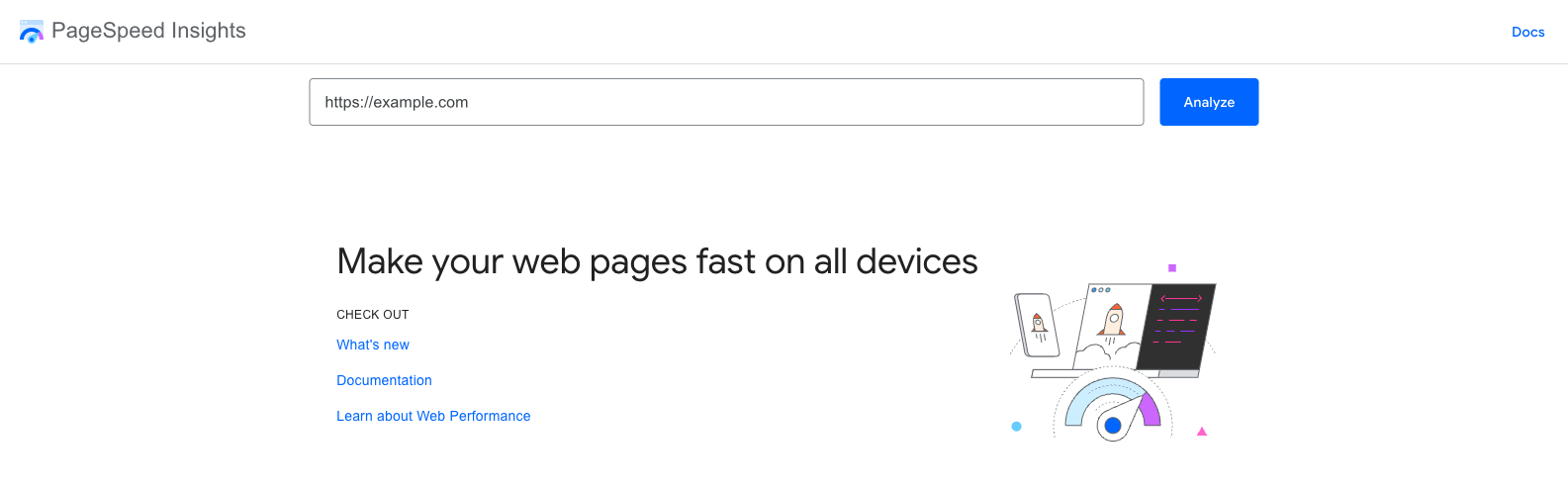
Google’s PageSpeed Insights provides a free way to investigate these problems.
It reports performance information and the Core Web Vitals associated with loading, responsiveness, and visual stability.
| Metric | What It Measures | Good Threshold |
|---|---|---|
| Largest Contentful Paint (LCP) | How quickly the main content becomes visible | 2.5 seconds or less |
| Interaction to Next Paint (INP) | How quickly the page responds to interactions | 200 milliseconds or less |
| Cumulative Layout Shift (CLS) | How much the layout unexpectedly moves | 0.1 or less |
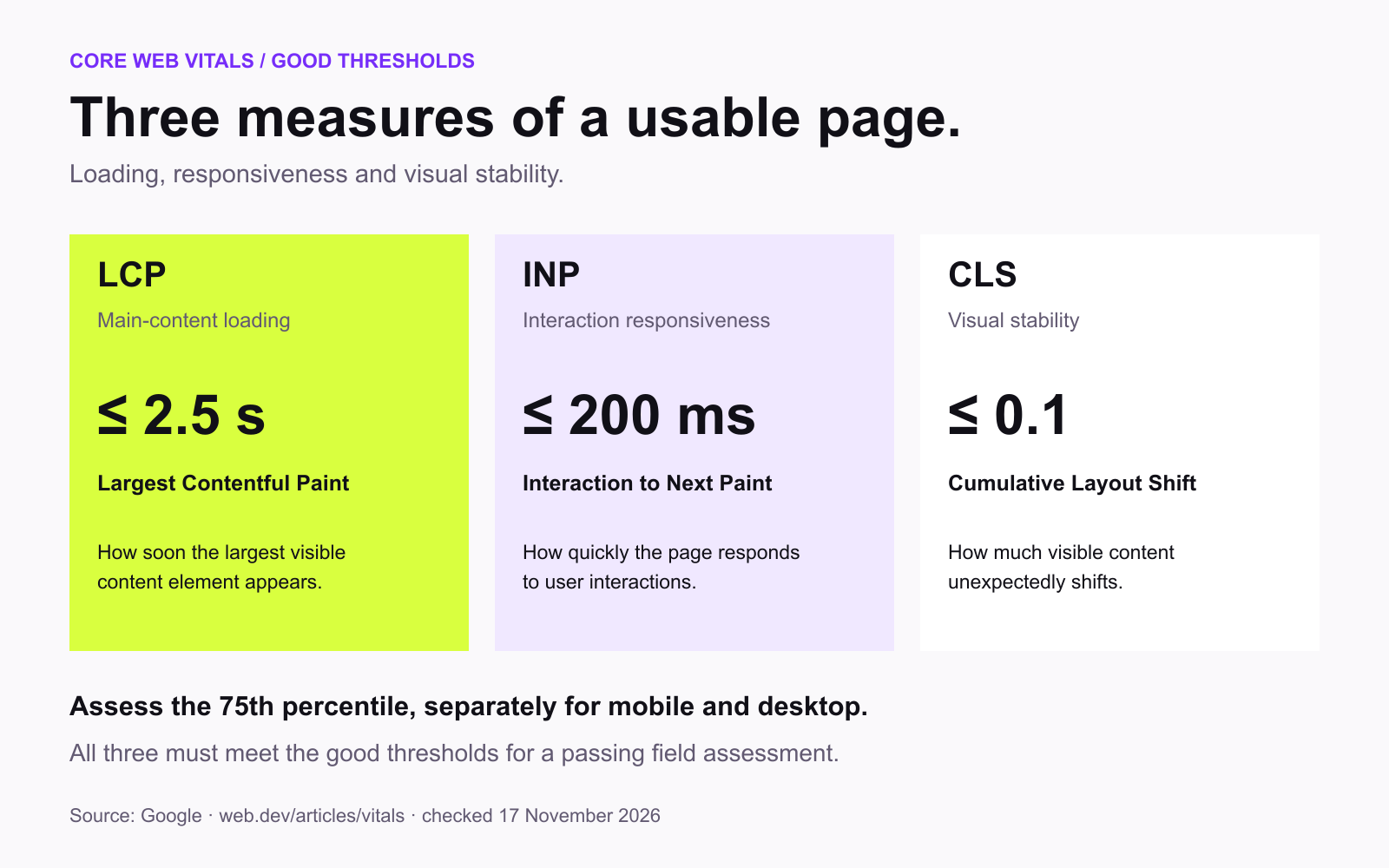
These are Google’s published thresholds for good Core Web Vitals experiences.
Suppose your homepage takes 4.8 seconds to display its largest content element.
That suggests visitors may experience a noticeable delay.
You could investigate oversized images, slow server responses, render-blocking resources, and unnecessary scripts.
However, the best fix depends on the actual cause.
Compressing images won’t solve every slow-loading website.
Technical SEO issues can affect website discovery even when individual pages look normal.
Common problems include broken internal links, redirect chains, accidental indexing restrictions, and inconsistent canonical tags.
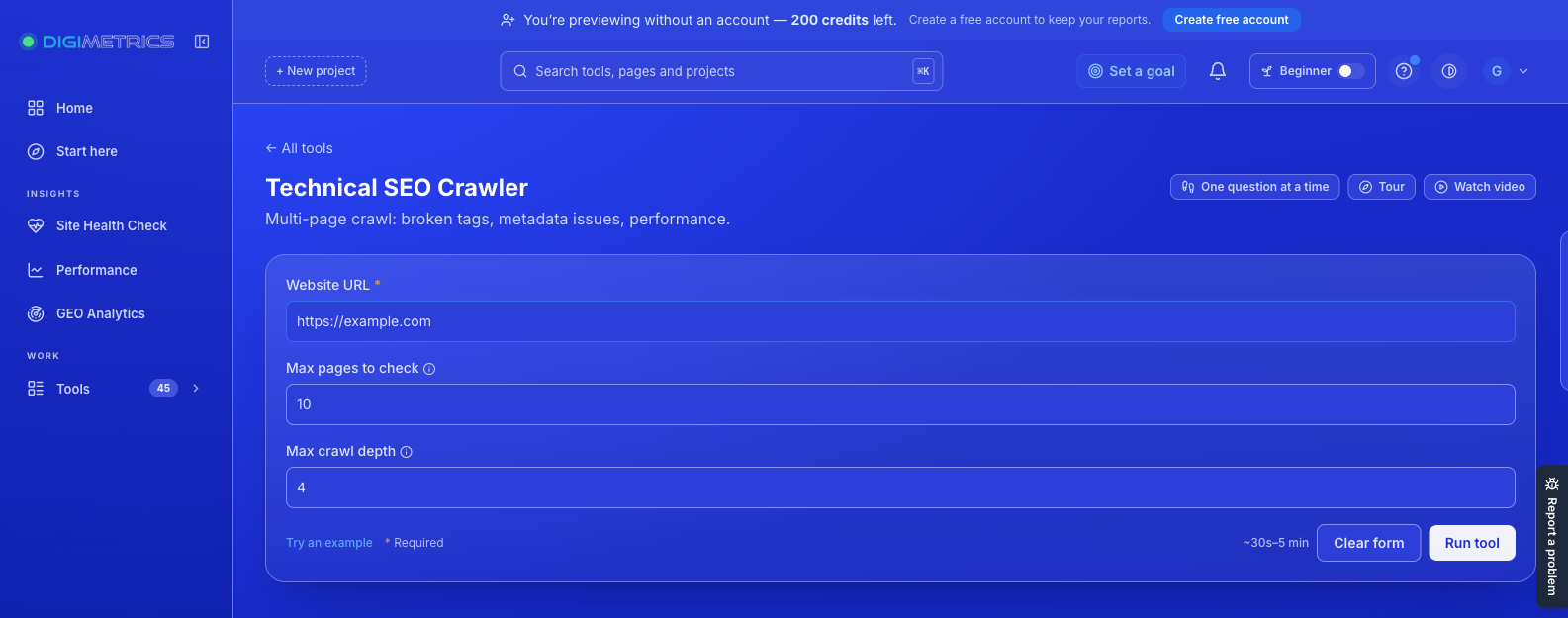
A technical crawler can identify these conditions across accessible URLs.
Digimetrics provides a Technical SEO Crawler that reports detected problems with descriptions, severity levels, and affected-page counts.
For smaller websites, a focused crawl may be enough to identify important problems.
Larger websites may require more extensive crawling, particularly when they contain thousands of product or article URLs.
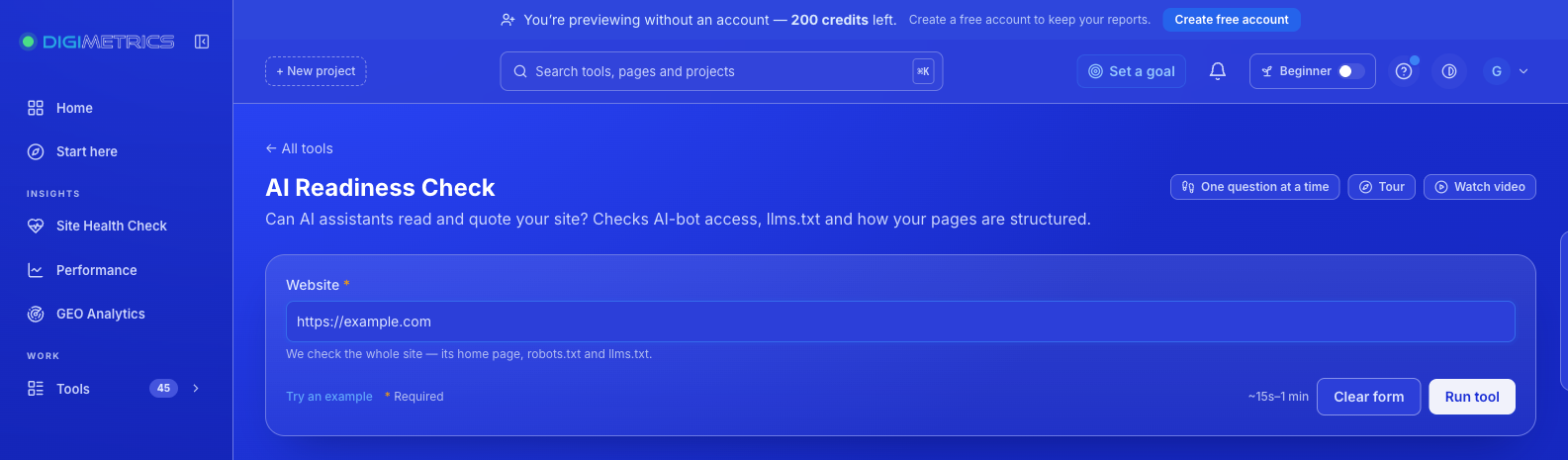
Traditional SEO health focuses on search engines such as Google and Bing.
Businesses are also increasingly interested in whether their content can be accessed and used by AI-powered search and answer systems.
The technical requirements aren’t identical across every platform.
For example, some AI services use dedicated crawlers, while others retrieve content through search indexes or additional systems.
Digimetrics offers an AI Readiness Check that evaluates signals including selected AI crawler permissions, structured data, and optional llms.txt-related files.
These checks can identify areas worth reviewing.
However, passing an AI readiness audit does not guarantee that ChatGPT, Gemini, or another assistant will recommend your business.
An llms.txt file is also not a confirmed Google ranking factor. Its absence should not be treated as a critical search problem.
The purpose of readiness testing is to investigate technical conditions, not promise AI search visibility.
Once you’ve collected the findings, separate critical problems from optional improvements.
A useful starting framework is:
| Priority | Problem Type | Example |
|---|---|---|
| Critical | Important pages cannot be indexed or accessed | Accidental noindex on a primary service page |
| High | Significant user or technical problems | Broken navigation or severe mobile loading delays |
| Medium | Improvements to important pages | Oversized images or unnecessary redirect chains |
| Low | Minor or optional optimisations | Missing nonessential metadata |
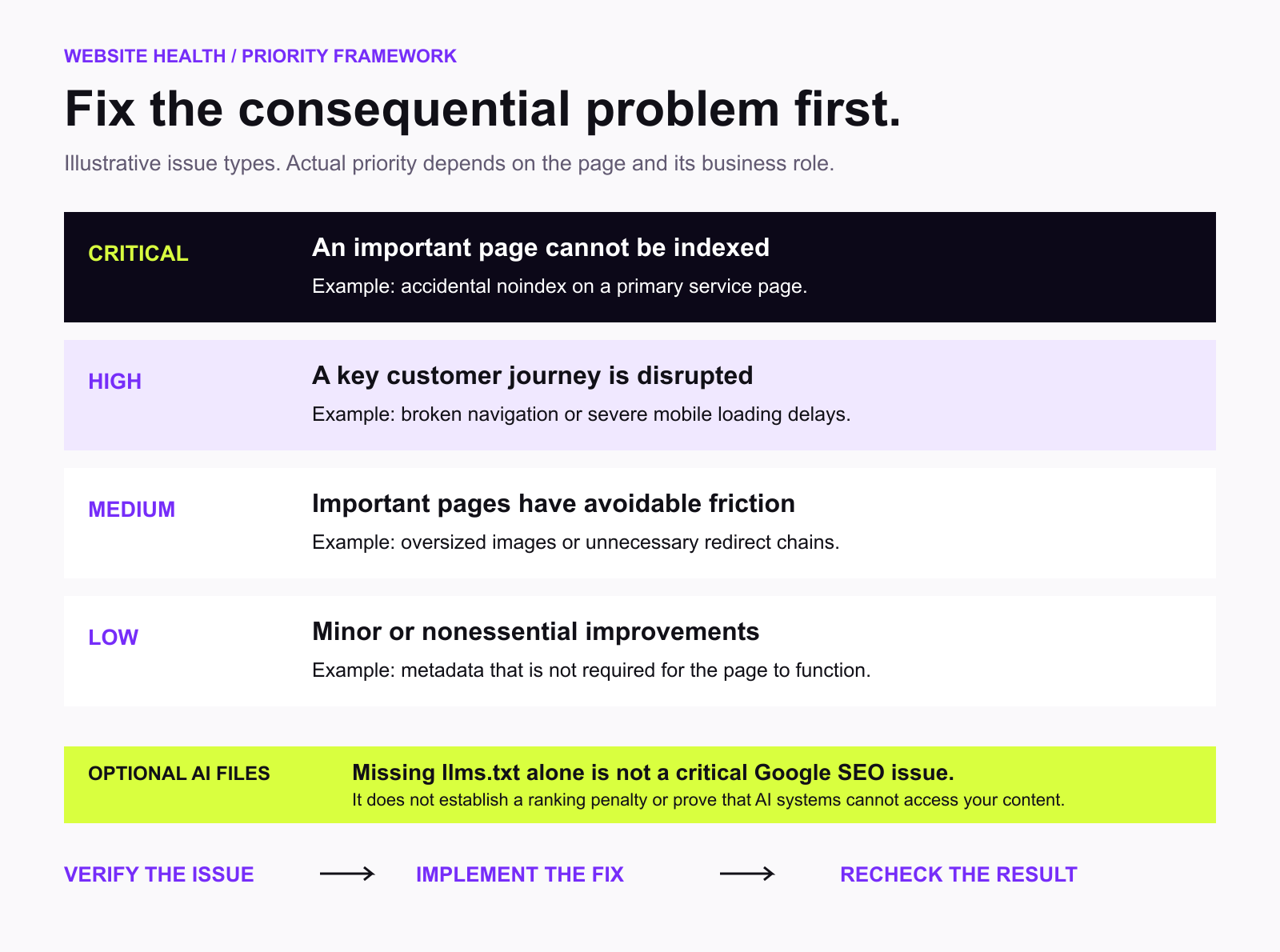
The actual priority depends on the affected page and its business importance.
An issue affecting one high-value product page may deserve more attention than a warning affecting dozens of rarely visited pages.
Running several free tools can provide useful information, but the results are often disconnected.
Search Console explains indexing problems. PageSpeed Insights provides performance data. A technical crawler identifies structural issues.
The next challenge is deciding what deserves attention first.
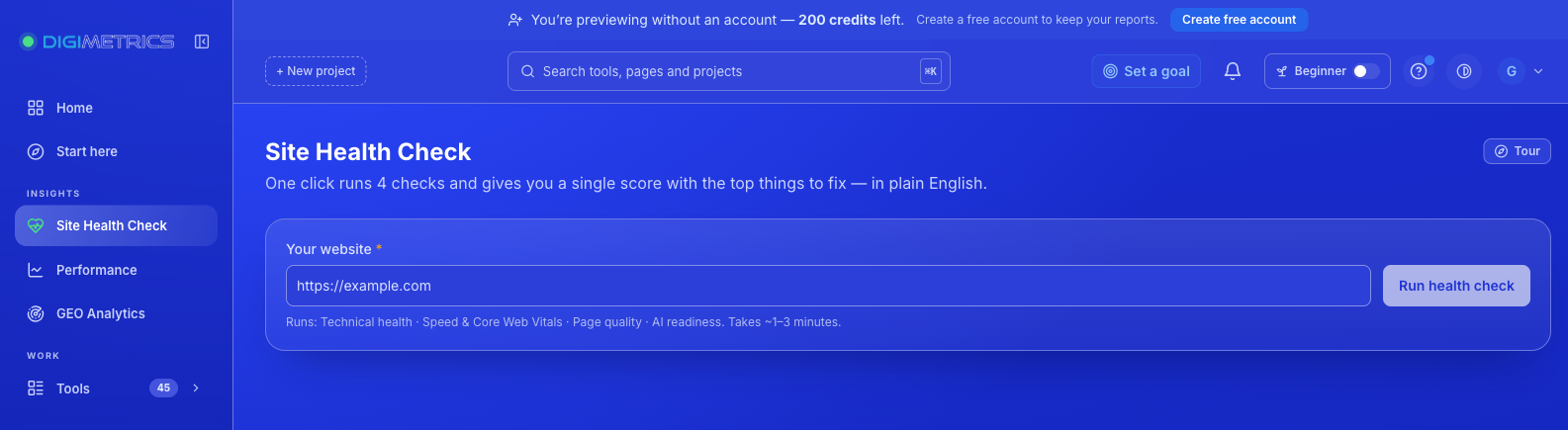
The Digimetrics Site Health Check is designed around that problem.
Instead of starting with a complicated configuration, you enter your website address.
The tool assesses three major areas and produces a ranked action plan.
| Area | Main Question | Recommended Follow-Up |
|---|---|---|
| Search | Can search engines discover and understand the website? | Technical SEO Crawler |
| Speed | Does the website load and respond effectively? | Page Speed Check |
| AI readiness | Are relevant technical signals prepared for AI-related discovery? | AI Readiness Check |
| Prioritisation | Which issue deserves attention first? | Ranked action plan |
The health check provides an initial overview rather than an exhaustive inspection of every technical condition.
Its main value is connecting different findings to a practical next step.
The process is straightforward.
1. Enter your website address. Start with the homepage or primary domain. The initial website input is the only information required to begin the check.
2. Review the findings. Digimetrics evaluates search, speed, and AI-related website signals, then identifies areas that may require attention.
3. Follow the ranked plan. Start with the highest-priority recommendation and use the relevant deeper tool to investigate or verify the issue.
Digimetrics advertises a quick initial check and provides a seven-day free trial for accessing its wider toolset.
New users can try the tools without providing a credit card, subject to the trial’s usage limits.
The initial Site Health Check focuses on a ranked action plan.
For a numerical score out of 100, Digimetrics provides a separate Full Site Audit (SEO + AI).
That distinction is important.
A quick health check is useful for deciding where to begin.
A deeper audit is more appropriate when you need a broader report with categorised findings and additional website signals.
Although people sometimes use these terms interchangeably, the level of detail can differ considerably.
A health check is generally an initial diagnostic assessment.
A full website audit investigates issues more thoroughly and may examine additional pages, technical conditions, and supporting data.
| Feature | Quick Website Health Check | Full Website Audit |
|---|---|---|
| Main objective | Identify priority problems | Investigate website health in more detail |
| Setup | Usually minimal | May include additional configuration |
| Search accessibility | Initial assessment | More detailed technical findings |
| Speed | Identifies potential concerns | Expanded performance context |
| AI readiness | Initial signals | More detailed categorisation |
| Number of findings | Focused summary | Broader report |
| Health score | Depends on the tool | Often included |
| Best use | Initial diagnosis | Planning and verifying improvements |
Digimetrics Full Site Audit provides a health score out of 100, key website signals, and a prioritised list of recommendations tagged SEO, speed, or GEO.
According to its documentation, the deeper audit typically takes between 1 and 3.5 minutes.
For marketers managing multiple websites, this provides a more structured way to investigate problems identified during the initial check.
Imagine a hypothetical local service business with a website that looks professional but attracts fewer enquiries than expected.
The owner runs an initial health check and then investigates the results.
The following problems are discovered:
| Finding | Potential Impact | Recommended Action |
|---|---|---|
Main service page marked noindex |
Prevents intended indexing | Review and correct indexing directive |
| Homepage LCP of 4.6 seconds | Slow main-content display | Investigate images, server response, and rendering |
| Broken navigation link | Poor user experience | Repair the destination |
| Missing descriptive page headings | Reduced content clarity | Improve heading structure |
| Optional llms.txt file absent | No established Google ranking penalty | Review only if relevant to the AI tools used |
These are illustrative findings, not results from an actual Digimetrics audit.
The important point is that they should not receive equal priority.
The accidental noindex directive could be significantly more consequential than an optional AI-related file.
Fixing the indexing issue and verifying the result would therefore be a sensible early action.
Website health scores can be useful, but they have limitations.
A score of 90 out of 100 doesn’t necessarily mean a website is performing better commercially than one scoring 80.
Different tools use different scoring methods.
Some emphasise the number of technical errors. Others incorporate issue severity, speed, accessibility, or additional factors.
A score may also depend on which pages were actually inspected.
Consider two hypothetical websites.
| Metric | Website A | Website B |
|---|---|---|
| Health score | 92/100 | 78/100 |
| Important service pages indexable | No | Yes |
| Mobile performance | Strong | Needs improvement |
| Main conversion path | Broken | Working |
Website A has the higher score but contains serious problems affecting discoverability and customer enquiries.
Website B has a lower score but its primary business pages remain accessible.
That doesn’t mean scores are useless.
It means they should be treated as diagnostic summaries rather than definitive measures of business performance.
A better website health evaluation asks which problems affect important users and pages, not simply how many points the website received.
There isn’t one free checker that is best for every website problem.
Different tools answer different questions.
| Tool | Best For | Access |
|---|---|---|
| Google Search Console | Indexing and organic search performance | Free |
| Google PageSpeed Insights | Loading speed and Core Web Vitals | Free |
| Digimetrics Site Health Check | Initial search, speed, and AI-readiness assessment | Free to start; wider tools on seven-day trial |
| Digimetrics Full Site Audit | Broader SEO, speed, and GEO review | Seven-day trial |
| Digimetrics Technical SEO Crawler | Page-level technical issues | Seven-day trial |
| Digimetrics AI Readiness Check | AI-related technical accessibility | Seven-day trial |
For website owners looking for a completely free, ongoing workflow, Search Console and PageSpeed Insights are useful starting points.
For those who want a consolidated assessment with prioritised next steps, Digimetrics offers another approach.
The most practical solution may involve more than one tool.
Use the broader health check to identify possible problems, then verify important findings with specialised tools and relevant source data.
Digimetrics offers a seven-day free trial that includes access to its tools, subject to usage limits.
No credit card is required to start.
After the trial, paid plans provide different project, usage, and scheduling allowances.
| Plan | Annual Billing (Monthly Equivalent) | Monthly Billing | Projects |
|---|---|---|---|
| Free trial | $0 for seven days | — | 1 |
| Starter | $31 | $39 | 3 |
| Pro | $87 | $109 | 10 |
| Expert | $159 | $199 | 25 |
All prices are in USD.
Paid plans include access to Digimetrics’ broader collection of SEO, content, advertising, and AI visibility tools, with different monthly credit allowances.
Businesses managing multiple sites may benefit from additional projects and scheduled checks, while smaller website owners may only need an occasional assessment.
You can compare current plan details and allowances on the Digimetrics pricing page.
The appropriate frequency depends on how often your website changes.
A small business website with relatively stable content may need a periodic review, while an ecommerce store publishing new products and making regular technical changes may require closer monitoring.
| Website Type | Suggested Frequency |
|---|---|
| Small business website | Monthly or quarterly |
| Active business blog | Monthly |
| Ecommerce store | Monthly, plus checks after major changes |
| Large content website | Regular scheduled monitoring |
| Recently redesigned website | Immediately after launch and after subsequent fixes |
These are suggested schedules, not universal requirements.
Certain events should trigger an additional check regardless of the regular schedule.
Examples include a website migration, redesign, hosting change, major plugin update, or unexpected organic traffic decline.
Digimetrics Full Site Audit supports scheduled reruns, allowing users to monitor changes over time.
A website can look normal while important pages are excluded from search results.
Visual inspection alone cannot confirm technical health.
A fast website is beneficial, but it can still have indexing problems, broken links, or poor content.
Speed should be evaluated alongside other important factors.
Automated reports often identify issues with different levels of importance.
A missing optional tag should not automatically receive the same priority as an inaccessible service page.
Technical accessibility does not guarantee that AI systems will mention or cite a brand.
AI visibility also depends on content relevance, available sources, and the behaviour of individual platforms.
A reported issue should be verified after the fix is implemented.
Running another audit helps determine whether the problem has actually been resolved.
A website health check focused on SEO and performance is not equivalent to a malware scan, penetration test, or security certification.
If you need pre-launch checks for SSL, broken links, security headers, and other technical issues, Digimetrics provides a separate Website UAT Audit.
For unfamiliar websites, use appropriate browser safety tools and security services rather than relying on an SEO health score.
Yes. A website health check can reveal problems that aren’t visible from simply browsing your website.
You may discover important pages excluded from Google, slow-loading content, broken internal links, or technical settings that deserve attention.
Free tools such as Google Search Console and PageSpeed Insights provide valuable information, but they focus on different aspects of website performance.
Digimetrics brings search, speed, and AI-related readiness into one initial assessment, then presents a ranked plan for what to investigate first.
When you need more detail, its Full Site Audit and specialised tools provide additional diagnostic information.
A healthier website starts with understanding which problems matter—not collecting the most warnings or chasing a perfect score.
The next step is to identify the highest-impact issue, verify it, implement an appropriate fix, and check the result.
Not sure whether search visibility, loading performance, or technical accessibility is holding your website back?
Start with the Digimetrics Free Website Health Check to review your website’s search, speed, and AI-related readiness.
You’ll receive an initial assessment and a ranked plan showing what deserves attention first, with access to deeper auditing tools through Digimetrics’ seven-day free trial.
Find the problem. Understand the priority. Start with the fix that matters.
Yes. Google Search Console and PageSpeed Insights are free tools for checking specific aspects of website health. Digimetrics also offers a free-to-start Site Health Check and a seven-day trial of its wider auditing tools.
Start by checking whether important pages are indexed, testing mobile performance, reviewing technical errors, and investigating relevant accessibility issues. A combined health checker can help organise these findings.
Digimetrics offers an initial website health assessment and a seven-day free trial of its tools. The trial does not require a credit card, but usage limits apply. It is not an unlimited permanently free full-audit subscription.
There is no universal website health score because different tools use different methodologies. A higher score generally indicates fewer issues under that tool’s rules, but individual problems matter more than the score itself.
Running the check does not improve rankings automatically. It can identify problems worth fixing, such as accidental indexing restrictions, broken links, or performance issues. The effects of any changes depend on the website and broader search conditions.
Yes. Tools with plain-language explanations and prioritised recommendations can help non-specialists understand initial findings. Some fixes may still require a developer or SEO specialist.
Not necessarily. Most SEO-focused health checkers do not provide comprehensive malware detection. Use appropriate security tools for malware, vulnerabilities, and other threats.
Some website conditions, such as crawler access and content accessibility, can affect how automated systems obtain information. However, passing technical checks does not guarantee brand mentions or citations in AI-generated answers.
It depends on the tool. A quick check may take seconds, while deeper audits can require minutes or longer. Digimetrics’ initial Site Health Check is designed to be quick, while its Full Site Audit typically takes 1 to 3.5 minutes.
A website health check provides an initial assessment of important website conditions. A deeper SEO audit investigates technical and search-related issues in greater detail, often across more pages and with additional reporting.

Tom is the CEO of MediaOne, a leading digital marketing agency. He is a business-experienced SEO consultant as well as a Google Gold Search Expert serving the international community. He has consulted for MNCs like Canon, Maybank, Capitaland, SingTel, ST Engineering, WWF, Cambridge University, as well as Government organisations like Enterprise Singapore, Ministry of Law, National Galleries, NTUC, e2i, SingHealth. His articles are published and referenced in CNA, Straits Times, MoneyFM, Financial Times, Yahoo! Finance, Hubspot, Zendesk, CIO Advisor. Under his stewardship, MediaOne has won dozens of prestigious digital marketing awards.
Run a free Digimetrics audit across SEO, AI search, content and technical health, and get a plan you can act on today.
Start free →A website speed test tool tells you how quickly your pages load, but the score is only the start. The useful reports are the…
A website technical SEO checker can return long lists of warnings, but most don’t cost traffic. A stray noindex tag or a robots.txt rule…
Manual SEO checks stop working once a site passes a few dozen pages. An SEO audit tool crawls your site and flags technical, on-page,…