
Structured Data
Schema Markup Generator: How to Choose, Use and Validate One for Search and AI Visibility
Most sites add schema markup once and never check it again. A JSON-LD generator can produce valid output on day one, then a template…

Schema markup generators promise to simplify one of the more technical parts of SEO. Instead of writing JSON-LD manually, you choose a schema type, enter information about your page, and let the tool produce structured data.
The process sounds straightforward. However, generating schema markup and generating useful, Google-compliant structured data are not always the same thing.
A generator might produce perfectly formatted JSON-LD while leaving out information that Google recommends for a product listing. A WordPress plugin might automatically include outdated prices. Another tool might generate FAQPagemarkup correctly, even though Google no longer displays FAQ rich results.
That last example is particularly important in 2026. Google retired FAQ rich results in May, meaning a valid FAQ schema implementation shouldn’t be mistaken for an opportunity to earn an expandable FAQ search result.
This changes how schema markup generators should be evaluated.
The useful question isn’t simply whether a tool produces code. It’s whether the output accurately represents the page, follows the relevant Schema.org vocabulary, satisfies Google’s requirements where applicable, and remains correct after the website changes.
In this guide, we’ll compare six schema markup generators across two practical implementation scenarios: a product page and an FAQ page.
We’ll examine Merkle’s Schema Markup Generator, Schema.dev, Rank Math, Yoast SEO, AIOSEO, and Schema App. We’ll also explain how to check their output using Google’s Rich Results Test, the Schema Markup Validator, and Google Search Console.
Rather than assigning unsupported test scores, we’ll provide a repeatable validation framework, including the exact fields to check, the problems to look for, and the conditions under which each product makes sense.
Editorial methodology: This comparison is based on documented product functionality and Google’s current structured-data requirements, reviewed October 22, 2026. The shared two-page test described below is a reproducible evaluation procedure, not a claim that we completed and timed six controlled implementations. No fabricated validator results or speed measurements are presented.
For most smaller websites, a free generator or existing CMS plugin may be sufficient. Larger websites should pay more attention to automation, template management, data consistency, and monitoring.
A schema markup generator creates structured data describing the information on a webpage.
Most modern generators produce JSON-LD, a structured-data format that Google recommends for eligible search features because it’s relatively straightforward to implement and maintain.
For example, a product page may use Product markup to describe the product’s name, brand, image, price, and availability.
An article may use Article or BlogPosting markup to identify its headline, author, publication date, and related information.
A business can also describe its organisation, address, website, and other relevant details using supported structured-data types.
These descriptions help machines interpret the information on a page.
However, schema markup isn’t a replacement for useful content, accurate business information, or technical SEO fundamentals.
Google’s structured data introduction explains that structured data provides explicit clues about a page’s meaning and may make it eligible for supported rich-result features.
It doesn’t guarantee higher rankings or a particular search appearance.
This distinction explains many confusing validation results.
Schema.org defines a broad vocabulary of types and properties for describing information.
Google supports selected structured-data types and additional requirements for specific search features.
A JSON-LD document can therefore be valid Schema.org markup without producing a Google rich result.
For example, a page can contain valid FAQPage structured data, but Google discontinued its FAQ rich-result feature in May 2026.
Similarly, a Product object may be structured correctly while lacking properties required for a particular Google shopping experience.
The generator needs to be evaluated against the intended use—not just whether its JSON-LD parses successfully.
Before comparing software, understand the validation tools.
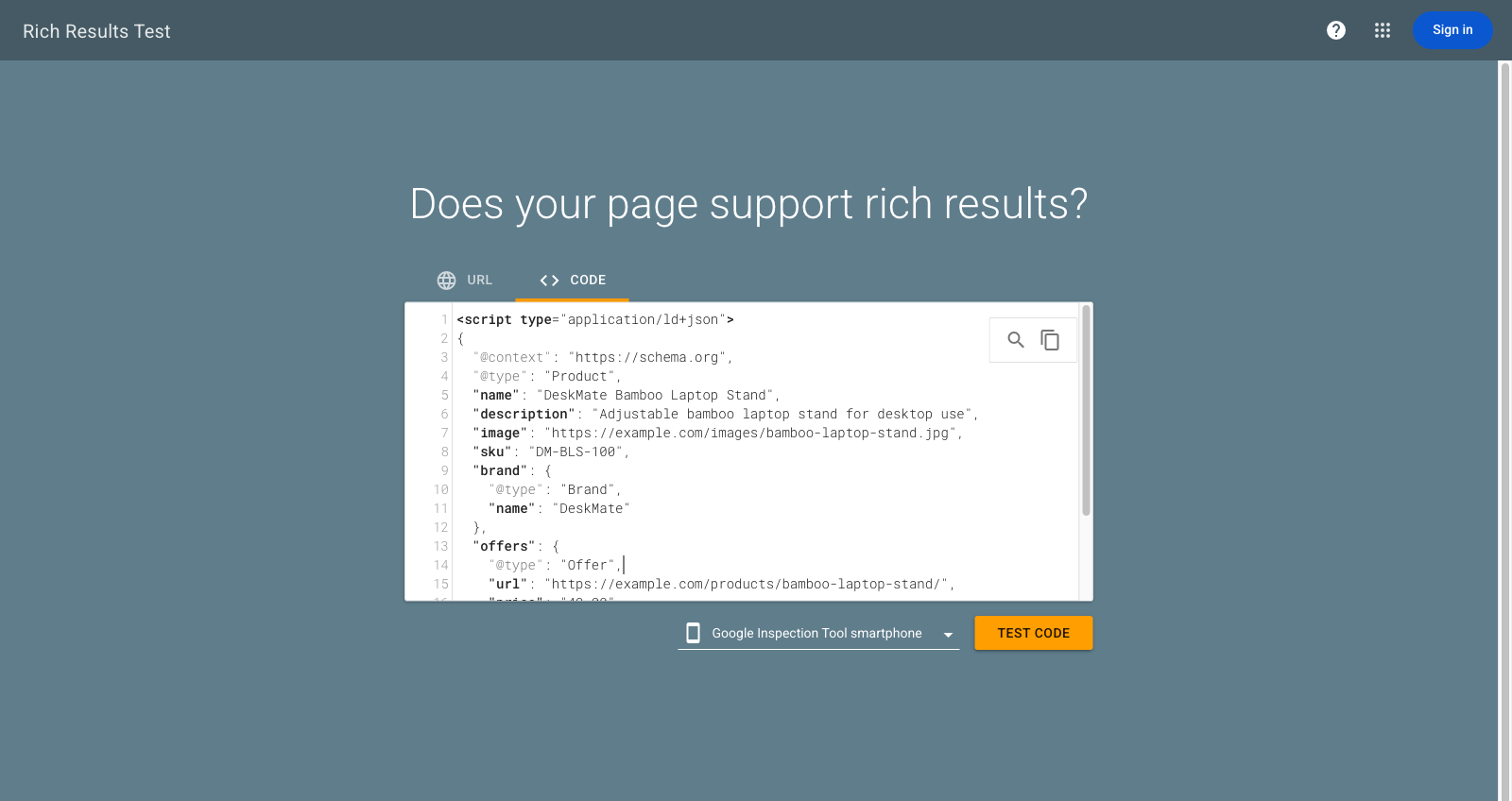
Google’s Rich Results Test determines whether structured data is eligible for supported Google rich-result features.
It’s particularly useful when working with product snippets, merchant listings, and other documented search enhancements.
The tool identifies recognised structured-data items and reports relevant errors and warnings.
For example, a Product implementation may produce a warning about missing recommended information even when the minimum required properties are present.
That distinction matters. A warning doesn’t always make the page ineligible, but it can indicate that the markup is less complete than it could be.
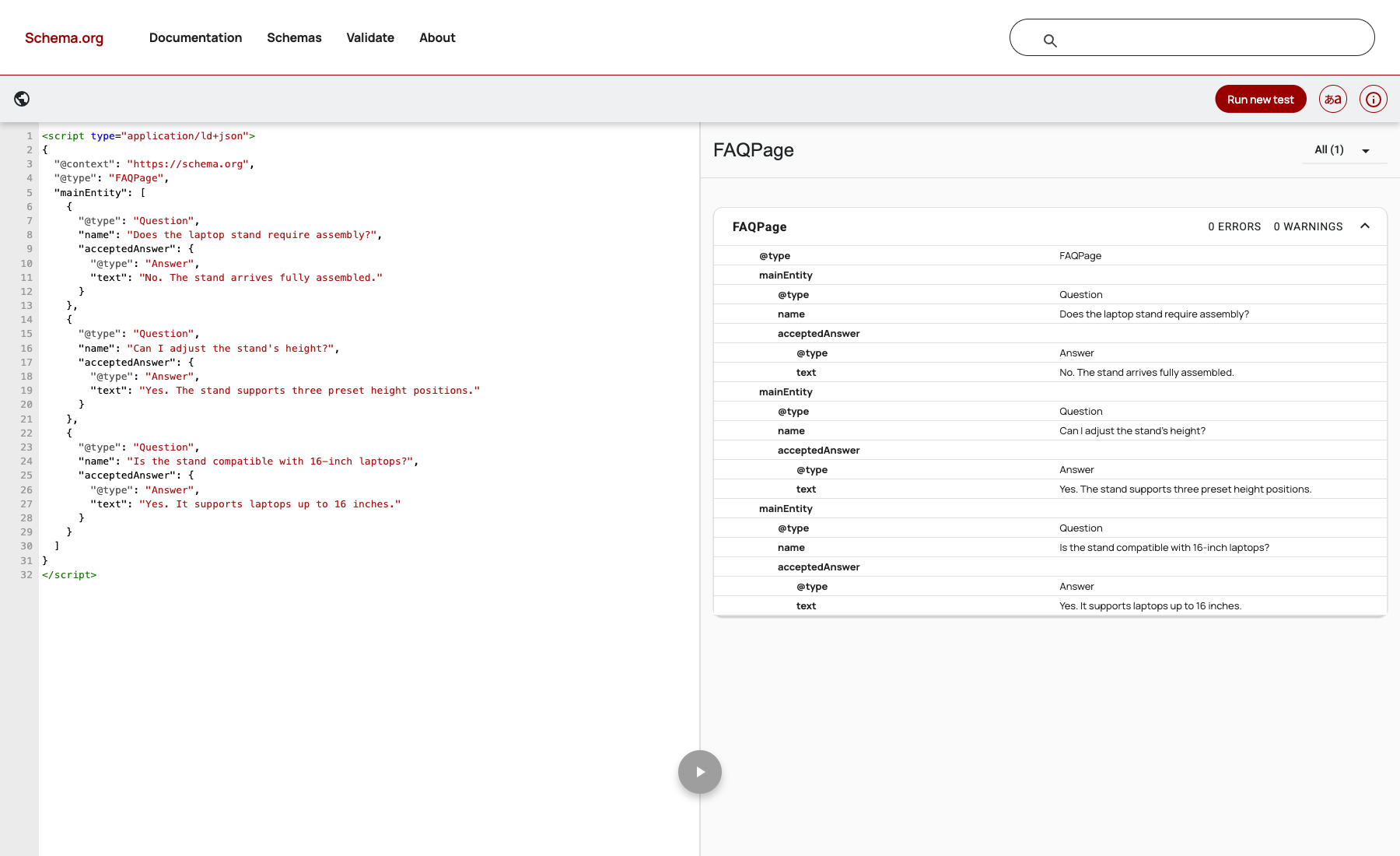
The Schema Markup Validator checks structured data against Schema.org vocabulary and syntax.
It’s useful for validating types that don’t have a corresponding Google rich-result feature.
The validator can help determine whether properties have appropriate names and value types, but it doesn’t establish eligibility for every Google search enhancement.
| Validation Question | Rich Results Test | Schema Markup Validator |
|---|---|---|
| Is the JSON-LD readable? | Yes, within supported testing | Yes |
| Are Schema.org types and properties valid? | Within Google’s supported features | Broad Schema.org validation |
| Does the page meet a supported Google rich-result requirement? | Yes | Not its purpose |
Can I validate general FAQPage structure? |
No current FAQ rich-result feature | Yes |
| Does the tool verify that every claim matches the visible page? | Not reliably | Not reliably |
| Does passing guarantee a rich result? | No | No |
For the strongest implementation check, use both validators and compare the structured data with the actual rendered webpage.
A passing result doesn’t prove that a product is genuinely in stock, a review is authentic, or a price matches the current checkout price.
Those are content and data-quality questions that require separate verification.
The original idea for this comparison is straightforward: six generators, one product page, and one FAQ page.
To make that useful, all tools should receive the same content brief.
Comparing different sample pages would make it impossible to determine whether a difference came from the generator or the underlying information.
The test should also distinguish manual generators from CMS-integrated platforms. A standalone tool creates code, while a plugin may retrieve values automatically from a website’s existing data.
Both approaches can be useful, but they involve different implementation and maintenance requirements.
For this scenario, use a fictional ecommerce product.
| Product Detail | Test Value |
|---|---|
| Product name | DeskMate Bamboo Laptop Stand |
| Brand | DeskMate |
| Product URL | https://example.com/products/bamboo-laptop-stand/ |
| Image URL | https://example.com/images/bamboo-laptop-stand.jpg |
| SKU | DM-BLS-100 |
| Price | $49.00 |
| Currency | USD |
| Availability | In stock |
| Product description | Adjustable bamboo laptop stand for desktop use |
| Reviews | None published |
| Shipping details | Not provided in the initial brief |
| Return policy | Not provided in the initial brief |
These are fictional values for a controlled test, not information about a real product.
The generator should create appropriate Product markup without inventing ratings, testimonials, delivery promises, or return terms.
For the Google Merchant Listing scenario, the page must also represent a product that shoppers can actually purchase.
At minimum, the evaluation should check whether the generator accurately represents the product’s name and applicable offer information.
A more complete implementation should also be assessed for image, description, brand, product identifiers, price currency, availability, and any relevant merchant information.
The exact requirements depend on whether you’re targeting Google’s Product Snippet feature or Merchant Listing experiences.
Google maintains separate documentation for Product Snippets and Merchant Listings.
Shipping and return details may provide additional merchant-listing enhancements, but they must represent the merchant’s actual policies.
The test should never reward a generator for producing more properties if it has fabricated the underlying information.
The second scenario uses a fictional customer-support page containing three visible questions:
| Question | Visible Answer |
|---|---|
| Does the laptop stand require assembly? | No. The stand arrives fully assembled. |
| Can I adjust the stand’s height? | Yes. The stand supports three preset height positions. |
| Is the stand compatible with 16-inch laptops? | Yes. It supports laptops up to 16 inches. |
The expected structured data is FAQPage containing the three questions and their corresponding accepted answers.
Every question and answer in the markup should appear visibly on the page.
The generator shouldn’t add unrelated questions, change the meaning of the answers, or replace them with generic AI-generated text.
Google discontinued FAQ rich results on May 7, 2026, and removed the associated feature documentation in June.
This means the FAQ scenario should be assessed primarily through general schema validation and content consistency.
A valid FAQPage implementation doesn’t make a site eligible for a discontinued Google FAQ enhancement.
It’s also important not to substitute QAPage automatically. Google’s QAPage guidance covers specific question-and-answer experiences, such as pages where users can submit answers to an individual question.
A conventional business FAQ page with several publisher-written answers is a different content format.
| Tool | Best For | Product Markup Approach | FAQ Markup Approach | Main Trade-Off |
|---|---|---|---|---|
| Merkle Schema Markup Generator | Quick manual JSON-LD creation | Form-based output | Depends on supported template | Manual deployment and maintenance |
| Schema.dev | Point-and-click schema authoring | Browser-based Schema Builder | FAQPage support | Requires browser extension and deployment |
| Rank Math | WordPress SEO workflows | Product Schema and WooCommerce integration | FAQ block and generator | WordPress-specific workflow |
| Yoast SEO | Connected sitewide schema graphs | WooCommerce integration | FAQ structured-data block | Advanced product features depend on extension |
| AIOSEO | Guided WordPress schema editing | Product Schema Generator | FAQ Schema Generator | Relevant controls require paid access |
| Schema App | Complex sites and scaled deployments | Editor, templates, ecommerce integrations | FAQPage Editor | Greater setup and commercial complexity |
These are documented product capabilities, not observed head-to-head test results.
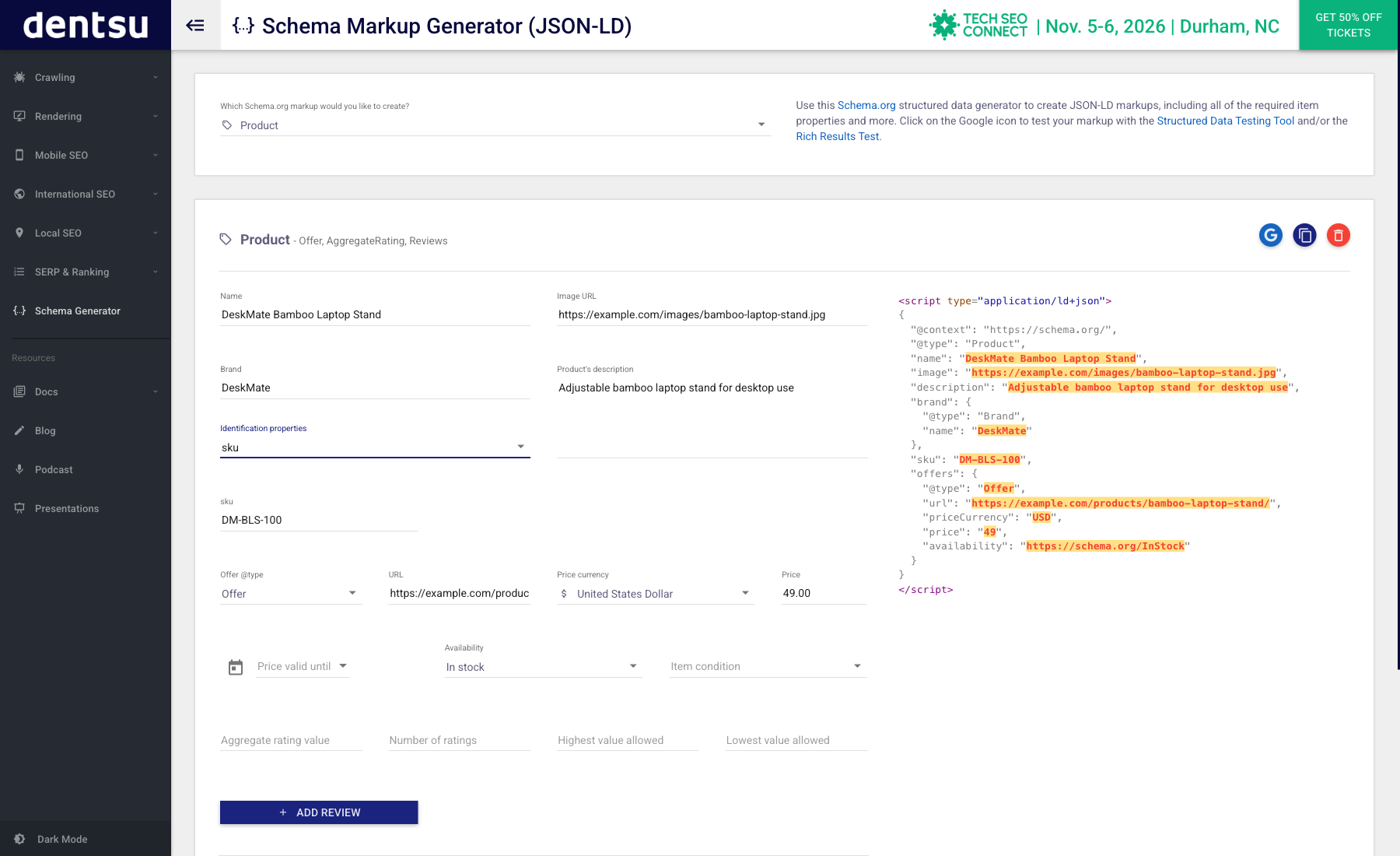
Best for: Marketers and developers who need occasional structured-data snippets without installing a plugin.
The Merkle Schema Markup Generator is a straightforward way to create JSON-LD from predefined forms.
Rather than writing all the syntax yourself, you select a supported structured-data type, complete its fields, and copy the resulting code.
The interface also provides access to testing tools.
The strongest advantage is that it separates schema creation from the content management system.
A marketer working on a static website, a custom-built landing page, or a development staging environment can generate markup without modifying the production site first.
That makes it useful for testing sample data, understanding JSON-LD structure, or preparing a snippet for a developer.
For the product scenario, the key question is whether the available template exposes the fields needed to represent the product and its offer.
For the FAQ scenario, check whether the required type is currently supported in the live interface rather than assuming every schema type is available.
A standalone generator doesn’t automatically keep product information synchronised.
If the merchant changes a price from $49 to $59, the copied JSON-LD could remain unchanged unless someone updates it.
The same issue applies to availability, shipping information, and other changing properties.
A generator that creates accurate code once can still become a poor long-term solution for a catalogue containing hundreds of products.
Choose Merkle if: You need quick, occasional JSON-LD generation and can maintain the implementation manually.
Consider another option if: Product information changes frequently or your website requires reusable schema templates.
Bottom line: Merkle is useful as a lightweight creation tool, but ongoing accuracy depends on the implementation process.
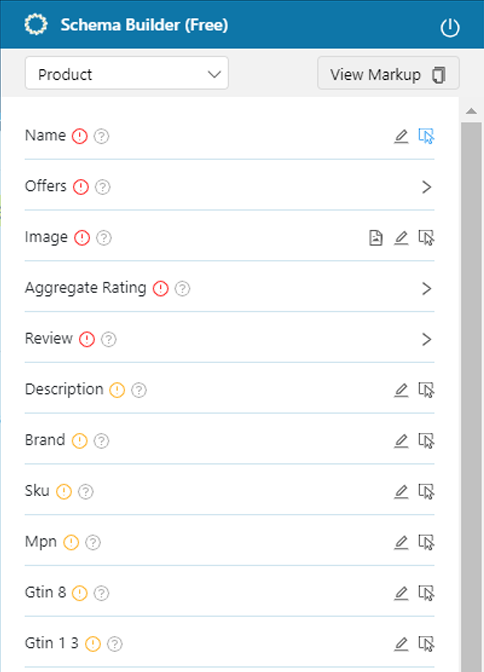
Best for: Users who want to identify information directly on a webpage and turn it into structured data.
Schema.dev’s Schema Builder is a browser-based authoring workflow available through a Chrome extension.
Instead of completing every field in a separate form, users can select information from a webpage and map it to the relevant structured-data properties.
The product also supports manual customisation and JSON-LD output.
The point-and-click workflow can reduce transcription work when the information already exists visibly on the page.
For example, the product name, description, and price may be selectable directly from an ecommerce page.
That is convenient because it encourages the markup to be based on actual published content rather than a separate spreadsheet of assumptions.
Schema.dev’s documentation lists support for Product and FAQPage among its schema types.
The generated markup can be copied for manual implementation or used with additional deployment tooling.
Selecting the correct visible element doesn’t guarantee that every required or recommended property has been captured.
Some values may exist only in product metadata, while others may require additional configuration.
The final output still needs validation.
Point-and-click mapping can also become fragile if the site’s HTML structure changes and the implementation depends on selectors.
Choose Schema.dev if: You want a visual authoring process and prefer working directly from the webpage.
Consider another option if: You need a complete CMS-integrated system that automatically maintains product records.
Bottom line: Schema.dev is an approachable option for visual structured-data authoring, but it doesn’t eliminate the need to check output completeness.
Best for: WordPress websites that want structured data integrated into their publishing workflow.
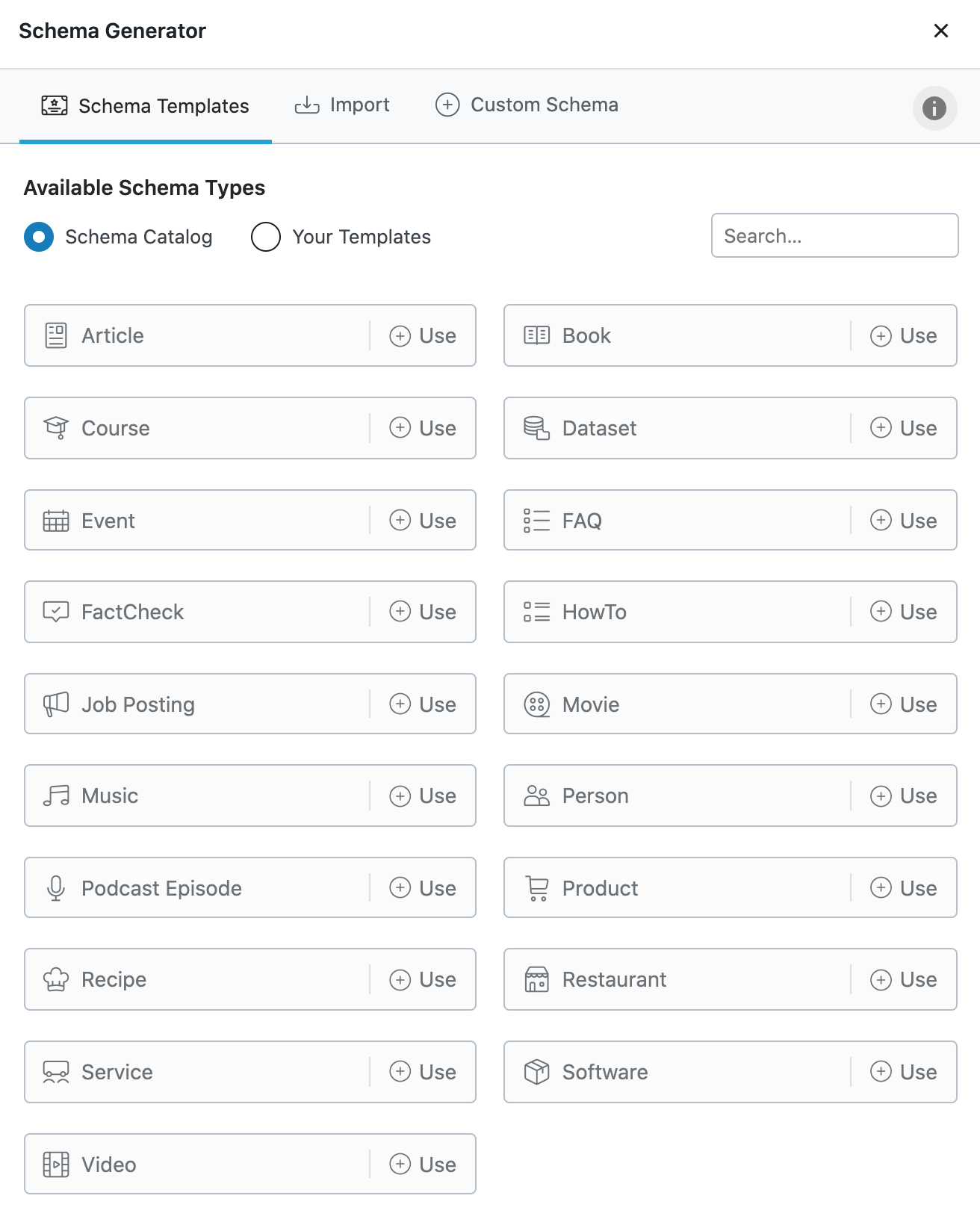
Rank Math includes a Schema Generator alongside its wider SEO tools.
It supports several structured-data types, including Product, and provides an FAQ block for WordPress.
For WooCommerce websites, Rank Math can use product information from the existing store configuration.
The main advantage is reducing duplicate work.
Instead of manually copying information into JSON-LD, WordPress users can configure structured data within the editor.
On supported WooCommerce pages, product information such as prices and availability can be pulled from the site’s product data.
This is particularly useful when inventory information changes frequently.
Rank Math’s FAQ block also lets users create visible questions and answers while adding the corresponding structured data.
That is preferable to maintaining separate FAQ content and schema when both should describe the same information.
Different Rank Math capabilities require different configurations, and some advanced schema options are restricted to paid plans.
Users also need to watch for duplicate markup.
If Rank Math and another plugin both generate an FAQPage or Product object, the rendered page may contain overlapping descriptions of the same content.
Rank Math’s own documentation describes duplicate FAQ errors caused by using multiple FAQ implementations.
Choose Rank Math if: Your website runs on WordPress and you want structured data managed within existing content workflows.
Consider another option if: You use another CMS or need centralised governance across many unrelated websites.
Bottom line: Rank Math is a practical option when the goal is maintaining schema inside WordPress rather than repeatedly generating code by hand.
Best for: WordPress publishers and WooCommerce stores wanting a consistent, connected structured-data model.
Yoast SEO approaches schema differently from a basic form-based generator.
Its framework creates a connected graph describing the website, organisation, webpages, authors, content, and other relevant entities.
That can reduce the fragmentation caused by generating separate, disconnected JSON-LD snippets on every page.
Yoast automatically creates foundational schema information based on the site’s configuration.
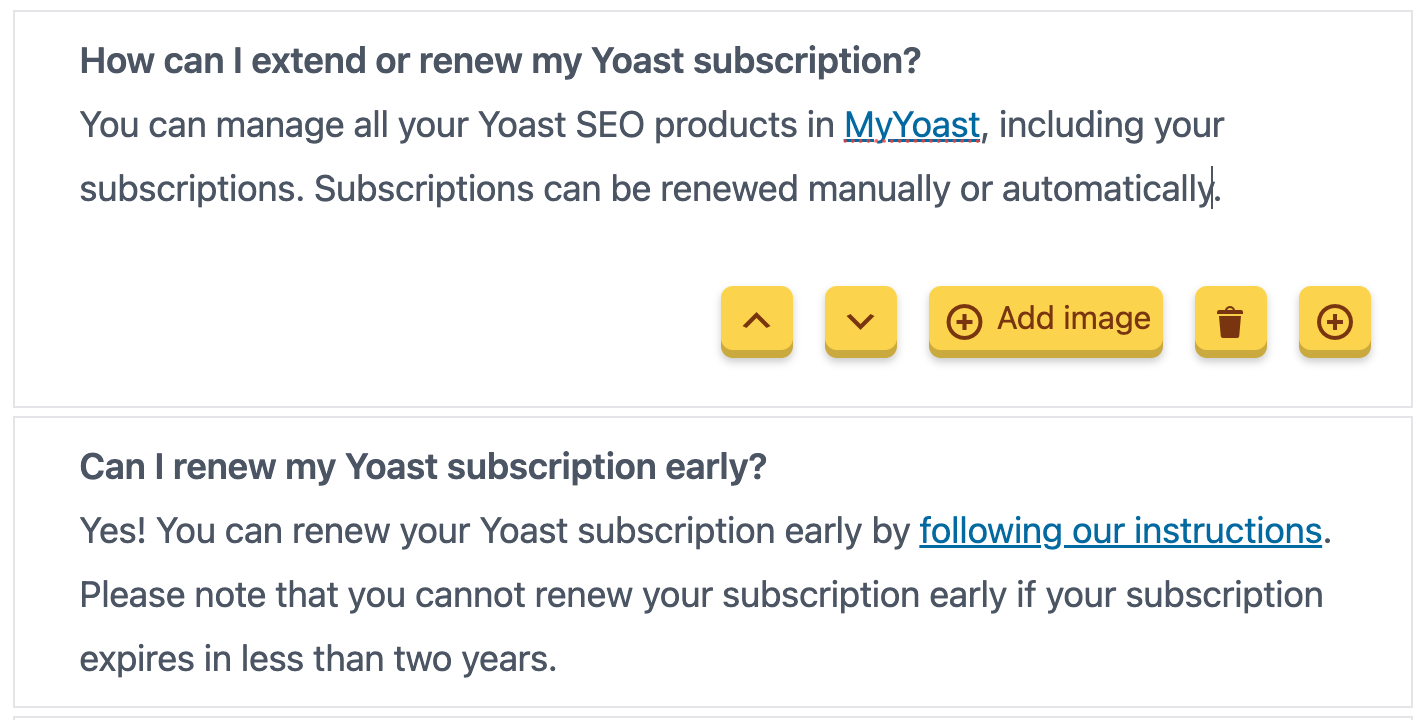
Its FAQ block supports visible questions and answers with associated FAQPage markup.
For ecommerce, Yoast WooCommerce SEO expands product-specific structured data.
Its documented output includes product information, offers, identifiers, product variants, reviews when available, and relationships between the product and the wider site graph.
This is relevant when a business needs its schema to reflect information already maintained in WooCommerce.
The free Yoast SEO plugin and its WooCommerce extension don’t provide identical functionality.
An evaluator shouldn’t compare a basic Yoast installation with a fully configured product markup workflow and assume the results represent the same product.
The connected graph should also be reviewed after adding custom structured data or other schema-generating plugins.
Overlapping schema IDs, product entities, and plugins can introduce confusion even when individual snippets appear syntactically correct.
Choose Yoast if: You value consistent WordPress schema generation and want the website’s entities connected through one framework.
Consider another option if: You mainly need to create one standalone JSON-LD snippet for a non-WordPress website.
Bottom line: Yoast is particularly suitable for sites treating structured data as a maintained part of their publishing architecture.
Best for: WordPress users who prefer explicit schema controls within an SEO plugin.
All in One SEO includes a Schema Generator with configurable templates.
Its documentation describes workflows for adding Product and FAQ structured data to individual WordPress pages.
The relevant controls are available through eligible paid plans.
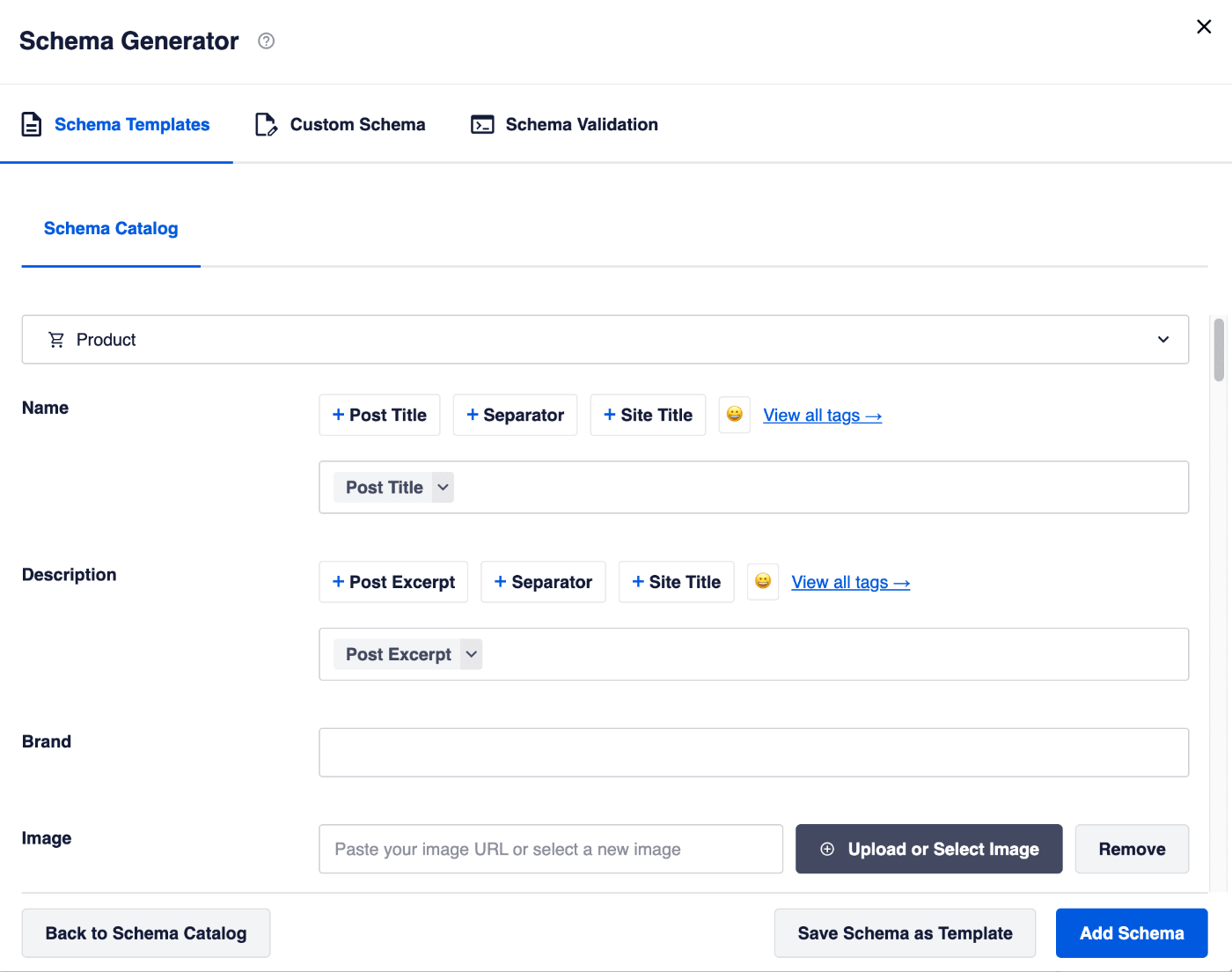
AIOSEO’s Product schema interface provides fields for product information such as name, description, brand, images, and identifiers.
The FAQ workflow lets users add questions and answers and configure the corresponding FAQPage data.
The interface also supports editing existing schema information.
This can be convenient for website owners who prefer to review structured-data fields explicitly rather than rely entirely on automatically generated defaults.
AIOSEO’s FAQ documentation notes that entering FAQ schema information in its settings doesn’t automatically make that content visible to website visitors.
That creates a potential mismatch if the publisher adds questions to the structured data but forgets to include equivalent content on the page.
Google’s structured-data guidelines require markup to accurately represent visible information.
The review process should therefore compare the generated FAQ answers with the actual page content, rather than treating successful form submission as proof of compliance.
Choose AIOSEO if: You use WordPress and want accessible controls for setting and editing individual schema types.
Consider another option if: You need a standalone generator without a CMS plugin or extensive multi-site template management.
Bottom line: AIOSEO provides a guided WordPress workflow, but editors must still verify that manually entered schema matches the published content.
Best for: Ecommerce brands, agencies, and organisations managing structured data across many pages.
Schema App offers a broader structured-data management system rather than just a form that generates JSON-LD.
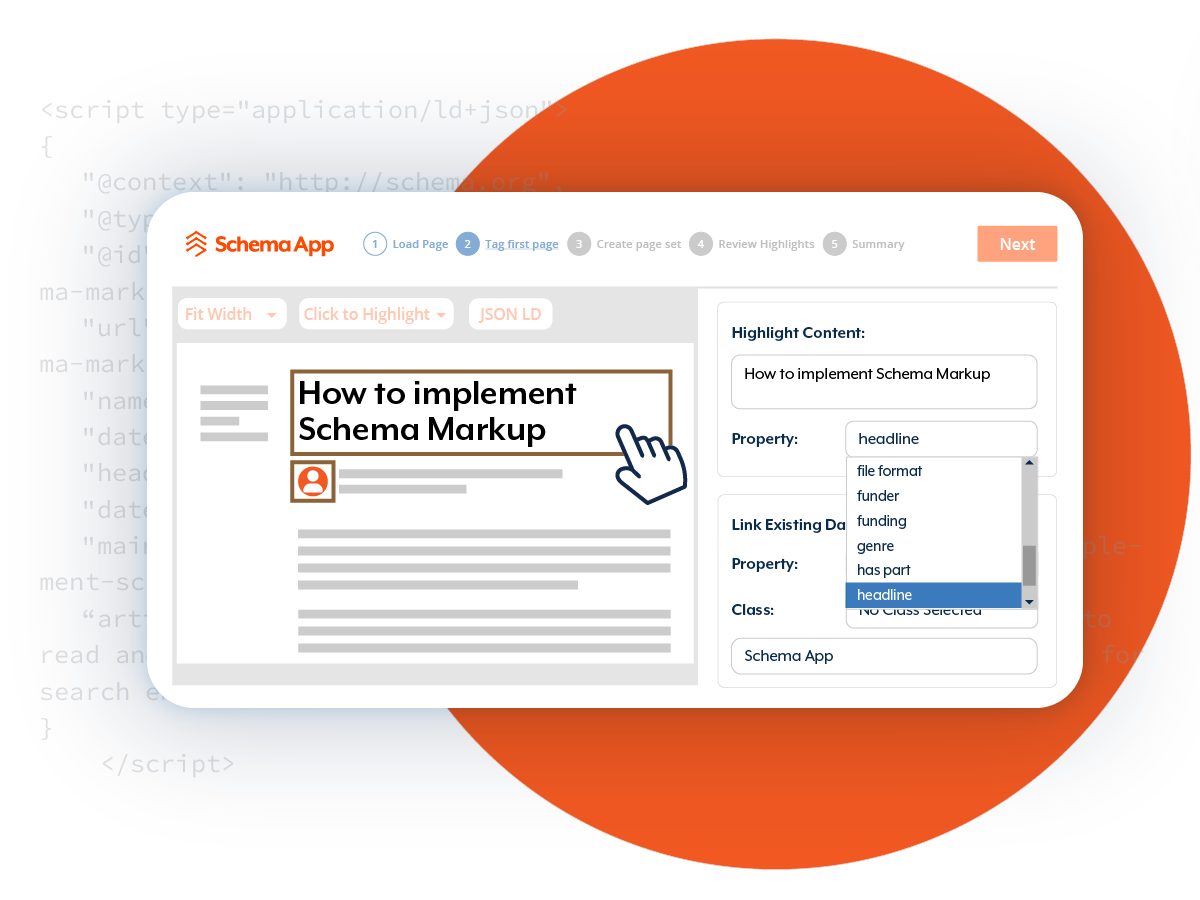
Its tools include an Editor for individual pages, a Highlighter for templated content, and integrations with several website platforms.
Schema App also provides ecommerce workflows and options for using product information from existing systems.
The main advantage is scale.
Creating markup for one product page is relatively straightforward.
Creating, deploying, and maintaining accurate structured data across thousands of products, variants, categories, and regional pages is a different problem.
Schema App’s Highlighter can map structured data to website templates, helping organisations apply consistent markup across many pages.
Its Editor supports more detailed authoring, including FAQPage structured data and relationships between entities.
For product catalogues, the platform can work with fields such as price, availability, identifiers, product variants, and related items through supported integrations.
Greater functionality introduces more implementation work.
Teams need to determine which integration method fits their site and whether markup is delivered through CMS plugins, JavaScript, or another supported approach.
They also need to maintain mappings, identifiers, and source data.
For a website publishing only a few articles and products, that complexity may not be justified.
Choose Schema App if: Your main problem is maintaining accurate structured data across a large or complicated website.
Consider another option if: You only need occasional manual JSON-LD generation.
Bottom line: Schema App is most compelling when schema maintenance becomes a data-management problem rather than a one-page SEO task.
A useful comparison needs to record more than whether the validator displays a green result.
For the product page, the evaluation should examine whether the output represents the intended product and offer accurately.
For the FAQ page, the evaluation should focus on general schema validity and visible-content consistency.
The test record should include separate fields for both scenarios.
| Check | What a Successful Implementation Requires |
|---|---|
| JSON-LD syntax | Readable structured data without parsing errors |
| Schema type | Appropriate Product description |
| Product name | Exact match with visible product name |
| Image | Relevant, accessible product image |
| Offer | Correct price, currency, and availability where applicable |
| Identifiers | Correct SKU and other genuine product identifiers |
| Reviews | No fabricated ratings or testimonials |
| Google requirements | No blocking errors for the intended product feature |
| Content consistency | Markup reflects the actual page |
| Maintenance | Updates when product data changes |
The test should also record missing recommended properties separately from blocking errors.
A generator that omits optional shipping information because none was provided should not automatically lose points for refusing to invent it.
| Check | What a Successful Implementation Requires |
|---|---|
| JSON-LD syntax | Readable structured data |
| Schema type | FAQPage with appropriate Question and Answer objects |
| Question count | Three questions corresponding to visible content |
| Answer accuracy | Answers match the published page |
| Unrelated content | No invented questions or answers |
| Schema validation | No relevant errors in Schema Markup Validator |
| Google rich-result expectation | No FAQ enhancement expected in 2026 |
| Maintenance | Questions and answers remain aligned after edits |
The FAQ test is also a useful way to discover how much manual input a tool requires.
A WordPress block that generates visible content and schema together may reduce maintenance risk. A standalone generator may require the editor to update both separately.
Neither approach should automatically receive a higher score without recording the work involved.
A repeatable test can be completed in six stages.
Build the fictional product page and FAQ page in a staging environment.
Make sure the visible product information and FAQ answers exactly match the test brief.
Use the same URLs, wording, and product attributes for every tool wherever the workflow permits.
If you’re using multiple WordPress plugins, test them in separate clean installations rather than enabling all of them simultaneously.
This avoids attributing another plugin’s schema to the product being evaluated.
Use each product’s normal documented workflow.
For standalone generators, enter the supplied information and capture the JSON-LD output.
For WordPress plugins, configure the relevant page and inspect the generated structured data.
For Schema App, use its appropriate authoring and deployment method.
Record any configuration required before producing usable markup.
Test product markup using Google’s Rich Results Test.
Test the general structure using Schema Markup Validator.
For the FAQ example, use general schema validation rather than expecting a discontinued Google FAQ feature to appear.
Record the warnings and errors exactly as reported, along with the date and tool configuration.
Compare the markup against the visible page.
Check product names, descriptions, availability, prices, images, questions, and answers.
Pay particular attention to information that might have been generated automatically.
A validator may accept an offer containing an outdated price without knowing that the website displays a different amount.
That is why automated validation needs an additional content-consistency check.
Change the fictional product price from $49 to $59 in the source website data.
Then examine whether the markup updates automatically or requires a manual change.
Also revise one FAQ answer and repeat the check.
This reveals a distinction that the initial generation test cannot: whether the tool helps prevent stale structured data after ordinary website edits.
After deployment, use the URL rather than relying only on copied code.
Google recommends testing live or accessible URLs because the rendered page may differ from the initial code sample, particularly when JavaScript is involved.
Use Google Search Console’s URL Inspection tool to verify how Google accesses the deployed page.
Also check whether multiple plugins or templates are creating duplicate or conflicting entities.
Record the outcome before declaring the implementation complete.
A scoring framework should reward accurate output and maintainable implementation, not simply the number of schema types advertised.
| Criterion | Weight | How to Measure It |
|---|---|---|
| Product output correctness | 25% | Appropriate properties, values, and Google feature requirements |
| FAQ structure and content consistency | 15% | Correct FAQPage representation without invented content |
| Validation and error handling | 15% | Errors identified, guidance provided, correction workflow |
| Maintenance reliability | 20% | Price and FAQ updates reflected correctly |
| Time to first usable implementation | 10% | Time from initial setup to ready-to-review output |
| Deployment suitability | 10% | Fit for standalone pages, CMS workflows, or templates |
| Cost and operational effort | 5% | Subscription, setup, and maintenance workload |
These are recommended test weights. They don’t represent completed vendor scores.
Record the raw findings first, then apply the scorecard.
For example, if a tool generates accurate Product markup but requires manual edits whenever prices change, it may perform well on the initial generation criteria but less well on maintenance.
Another product might take longer to configure but become easier to manage across hundreds of pages.
The best result depends on the operating environment.
A product may have an outdated price in JSON-LD while the visible page shows its current price.
Both values may be valid as data types, but the mismatch creates a quality problem.
The source of truth should be the actual, current product information.
For changing ecommerce data, automatic generation from the product catalogue can reduce this risk.
Some generators include fields for Review and AggregateRating.
That doesn’t mean every product should use them.
Only include genuine review information that meets the applicable guidelines.
Don’t create a five-star rating simply because a validator recommends additional review-related information or because competitors display ratings.
Multiple WordPress plugins, themes, or custom scripts may generate overlapping structured data.
Duplicate markup can create conflicting product information or validation issues.
Before installing another schema plugin, inspect what the existing CMS, theme, ecommerce system, and SEO plugin already generate.
Adding more markup isn’t always an improvement.
Google’s Rich Results Test distinguishes blocking errors from warnings associated with recommended information.
Missing recommended properties may reduce the completeness of a result without always making the feature ineligible.
Prioritise actual errors and incorrect data first.
Then add recommended properties where the information exists and accurately describes the page.
Correct structured data can help a page become eligible for supported rich-result features.
It doesn’t guarantee that Google will display them.
The page must also comply with relevant guidelines, remain accessible, and provide appropriate content.
Google’s structured-data quality guidelines explain why syntactically correct markup can still fail to produce an enhanced search appearance.
Schema markup can help systems interpret structured information about a website.
However, that isn’t evidence that adding more schema types will automatically increase mentions or citations in AI-generated answers.
Google’s guidance for generative AI search continues to emphasise established SEO fundamentals, useful content, and accessible information.
Structured data should accurately represent the visible page rather than function as a separate collection of claims written for AI systems.
For example, Product markup can describe a product and its offer, while Organisation markup can identify the business behind a website.
But a technically correct JSON-LD object doesn’t guarantee that ChatGPT, Gemini, or Google AI Mode will recommend the associated business.
Our guide to GEO tools explains the difference between technical website optimisation and monitoring appearances in AI-generated answers.
If your goal is to understand whether a webpage is being cited, use appropriate AI search and citation reporting rather than interpreting schema validation as proof of GEO performance.
The right choice depends on whether you’re creating one snippet or maintaining structured data across an entire website.
| Your Main Requirement | Start With |
|---|---|
| Generate a one-off JSON-LD snippet | Merkle Schema Markup Generator |
| Create schema by selecting webpage elements | Schema.dev |
| Manage structured data inside WordPress | Rank Math |
| Maintain a connected schema graph in WordPress | Yoast SEO |
| Edit Product and FAQ schema through guided controls | AIOSEO |
| Deploy and maintain schema across many templates | Schema App |
If you already use Rank Math, Yoast, or AIOSEO, first evaluate its existing structured-data output before installing another plugin.
For a custom-built website with only occasional schema requirements, a standalone generator may be sufficient.
For ecommerce catalogues, the maintenance model deserves greater attention because prices, stock status, variants, and policies can change regularly.
For large websites, reusable templates, source-data integrations, and governance may be more valuable than the speed of creating a single snippet.
Free generators may have little or no subscription cost, but the total cost includes creating, validating, implementing, and maintaining the markup.
Consider two hypothetical workflows.
Workflow A: A marketer manually generates structured data for twenty product pages. Each page takes ten minutes to prepare, validate, and implement.
That represents 200 minutes of initial work, excluding later updates.
Workflow B: A developer spends two hours configuring a supported product schema integration that automatically uses existing product records.
The initial setup requires more technical work, but the ongoing maintenance may be lower if the website has a large catalogue.
These are illustrative examples rather than observed vendor timings.
The actual costs will depend on the website, product complexity, source data, and implementation method.
A sensible cost assessment should include the software subscription, initial setup, validation work, recurring maintenance, and time spent fixing meaningful errors.
For small websites, an existing plugin may already provide most of the functionality needed.
For larger organisations, avoiding repeated manual work and preventing incorrect structured data can be more valuable than saving money on the initial subscription.
Schema markup generators can save time, but producing JSON-LD isn’t the same as implementing structured data correctly.
Merkle and Schema.dev are useful options for manual authoring when you need a relatively lightweight workflow.
Rank Math, Yoast SEO, and AIOSEO make more sense when WordPress is already responsible for your content and product information.
Schema App deserves consideration when structured data needs to be generated and maintained across complex templates or large ecommerce catalogues.
The correct choice depends on how the website operates.
More importantly, the validation process should reflect Google’s current requirements rather than outdated assumptions about rich results.
For product pages, inspect the actual Product and Offer information, use the correct Google documentation, and validate the deployed URL.
For FAQ pages, confirm that the FAQPage structure matches the visible questions and answers, but don’t expect Google’s discontinued FAQ rich-result feature to return.
The most dependable workflow is straightforward:
Create the markup → Validate its structure → Check Google’s requirements → Compare it with visible content → Deploy → Test the rendered URL → Monitor changes.
A generator that helps you maintain accurate structured data over time is more valuable than one that creates an impressive-looking snippet that becomes outdated after the next website update.
Merkle’s Schema Markup Generator and Schema.dev are useful starting points for manual schema creation.
WordPress users may already have structured-data functionality through their SEO plugin or ecommerce system.
The best choice depends on which schema type you need and how the markup will be deployed and maintained.
Use Google’s Rich Results Test to check eligibility for supported Google search enhancements.
Use the Schema Markup Validator for general Schema.org validation.
Then inspect the rendered page and confirm that the structured data accurately represents visible information.
No.
The Rich Results Test evaluates structured data for specific Google search features.
The Schema Markup Validator checks general structured-data syntax and vocabulary.
A page may pass general schema validation without being eligible for a Google rich result.
FAQPage remains a Schema.org type, and tools can still generate valid FAQ structured data.
However, Google discontinued FAQ rich results in May 2026.
Adding valid FAQ markup doesn’t make a page eligible for that discontinued Google search feature.
Structured data can help Google understand a page and may make it eligible for supported rich-result features.
It doesn’t guarantee higher rankings or a rich-result appearance.
Page quality, search relevance, accessibility, and Google’s broader ranking systems still matter.
Generators can create Product markup suitable for evaluation against Google’s requirements.
However, actual eligibility depends on the structured data, page content, and applicable Product Snippet or Merchant Listing guidelines.
Google ultimately determines whether an eligible enhancement appears in search results.
Google’s product rich-result guidance focuses on pages describing a single product or variants of the same product.
Broad category pages listing several unrelated products generally shouldn’t be treated as single-product pages merely to obtain Product rich results.
Use schema that accurately describes the page’s content and purpose.
You can have several plugins installed, but overlapping schema generation can cause duplicate or conflicting output.
Inspect the markup already created by your theme, ecommerce software, and SEO plugins before enabling another generator.
Where possible, establish a clear owner for each structured-data type.
Schema.org defines the vocabulary used to describe entities and relationships.
JSON-LD is one format for expressing that information.
Google recommends JSON-LD for structured data when the implementation environment supports it.
Some CMS-integrated tools can generate structured data from the product information maintained in the ecommerce system.
Standalone generators typically require manual updates unless their output is connected to another data source.
For frequently changing prices and availability, an automated integration can reduce maintenance risk.
Warnings often indicate missing recommended information rather than a critical error.
Check which feature Google is evaluating and whether the missing information exists on your website.
Correct blocking errors first, then add relevant recommended properties when appropriate.
Don’t invent data simply to remove a warning.
Structured data can help describe information in a machine-readable format.
However, this doesn’t guarantee inclusion or citation in AI-generated answers.
Use schema to represent accurate information and evaluate AI search visibility through appropriate monitoring and first-party reporting.
This article evaluates documented schema generator capabilities and explains a repeatable two-page validation framework based on Google’s structured-data guidance as of October 22, 2026.
It does not claim that all six generators were installed, timed, and tested in an identical controlled environment. No proprietary accuracy rankings or validator pass rates have been invented.
Before publishing measured performance rankings, complete the shared product and FAQ tests, retain the generated JSON-LD, capture validator results, and document configuration and maintenance effort.
DigitalMarketingTools.ai is sponsored by Digimetrics.ai, developed by MediaOne. Digimetrics is not included or promoted in this comparison.
Our editorial standards and disclosure rules are available in the Editorial Methodology.

Tom is the CEO of MediaOne, a leading digital marketing agency. He is a business-experienced SEO consultant as well as a Google Gold Search Expert serving the international community. He has consulted for MNCs like Canon, Maybank, Capitaland, SingTel, ST Engineering, WWF, Cambridge University, as well as Government organisations like Enterprise Singapore, Ministry of Law, National Galleries, NTUC, e2i, SingHealth. His articles are published and referenced in CNA, Straits Times, MoneyFM, Financial Times, Yahoo! Finance, Hubspot, Zendesk, CIO Advisor. Under his stewardship, MediaOne has won dozens of prestigious digital marketing awards.
Run a free Digimetrics audit across SEO, AI search, content and technical health, and get a plan you can act on today.
Start free →Most sites add schema markup once and never check it again. A JSON-LD generator can produce valid output on day one, then a template…
Teams are told that schema markup gets pages into Google AI Overviews. The evidence does not support that. Structured data is a useful, low-cost…
You’ve found a potential SEO client, reviewed their website, and identified several problems worth fixing. Now you need a professional audit report that explains…