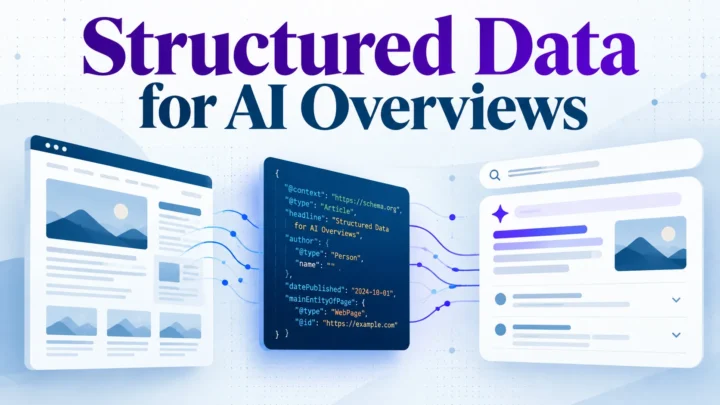
Structured Data
Structured Data for AI Overviews: A Practical Checklist
Teams are told that schema markup gets pages into Google AI Overviews. The evidence does not support that. Structured data is a useful, low-cost…

Most sites add schema markup once and never check it again. A JSON-LD generator can produce valid output on day one, then a template change quietly breaks it. The workflow around the generator is usually the failure, not the tool.
For most US sites, the best schema markup generator is the one that validates before you publish and fits your existing process. Choose for validation and CMS integration first, then for the schema types you need. Google recommends validating structured data with its testing tools before release, which matters for Google search eligibility.
Three picks by site type: a small business on WordPress often does well with a free browser generator plus a validator, a Shopify store may benefit from the platform’s own app, and a multi-author publisher suits a custom template-based approach.
A schema markup generator earns its place only if its output validates before publication, fits your CMS and stays accurate as pages change. Choose on those grounds, not on how many schema types the tool offers. A free generator plus disciplined validation is enough for most sites, and an enterprise platform is worth paying for only when you publish at a scale that manual checks cannot cover. The best generator is the one that fits your platform and workflow, whether that is a Yoast or Rank Math plugin, a standalone JSON-LD generator or a platform’s built-in tools.
A schema markup generator writes JSON-LD from the details you supply, such as an organization name or product price. The code goes into the page, and search engines read it when they crawl. The generator does not check whether the markup stays correct next month, so validation and maintenance should guide your choice.
This guide is for marketers who need rich results without writing code, SEO leads justifying tool spending, and site owners on WordPress, Shopify, Squarespace or Webflow.
Structured data describes a page in a format search engines can parse. Most sites use the vocabulary defined at Schema.org and encode it as JSON-LD, the format Google recommends. Keeping it accurate after it goes live is harder, and special schema types often need extra review.
Google shows a rich result only when the marked-up details match what appears on the page. Structured data that Google deems spammy can lead to a manual penalty. Accuracy matters more than volume. Check that each entry your generator produces still reflects the page before you rely on it in Google search. Only a handful of the common types a generator offers apply to most business sites.
Structured data supports AI search more narrowly than many articles suggest. It helps machines identify who published a page and which facts belong to which entity. It does not guarantee that an AI answer engine will cite your page.
Map your existing URLs to page types, then match each type to the schema that describes it. For a typical business site, the priorities are:
Schema types should follow business goals. Lead-generation firms gain most from Organization, LocalBusiness and Service markup. Ecommerce stores gain most from Product and BreadcrumbList. Publishers gain most from Article, author and Organization markup.
Rank page types before you mark them up. Score each type from 1 to 5 on three factors:
Score 5 means the factor is strong for that page type, 3 means moderate, and 1 means weak or absent. A page that gets heavy traffic but has no commercial goal might score 5, 1, or 3. A product page with modest traffic and a high margin might score 3, 5, 5. Multiply the three scores. Page types scoring above 40 go first, and types scoring below 15 usually wait. These thresholds are a starting heuristic, not a formula Google publishes, so review the scores each quarter.
Work through these in order. Validate each type with Google Rich Results Test before moving on, and record which templates produce it.
Google says no special schema is needed to appear in AI Overviews or AI Mode. Standard structured data that matches the visible page is enough. Check the AI features and your website page before buying tools that promise special AI markup.
Google’s FAQ structured data documentation explains the rules for FAQPage. Mark up FAQs that appear on the page and answer real customer questions, not questions written only to host keywords. Yoast SEO and Rank Math both offer FAQ blocks, and that is where most WordPress sites first meet this requirement.
Free browser tools are the fastest way to produce JSON-LD for one page. Fill in a form, copy the script and paste it into the page head or a custom HTML block. Many also work as a WordPress plugin setup, but output quality varies. Some omit required properties, use outdated type names or add properties Google does not use for rich results.
The main risk is copy-paste without validation. Valid JSON is not the same as valid structured data, and a missing required field can stop a page from earning a rich result without any visible error. Run every output through the Google Rich Results Test and Schema.org Validator before publishing. Free tools also have no memory of your site, so duplicate or conflicting markup across pages goes unnoticed. Teams that already run Yoast SEO or Rank Math should check that generated markup does not clash with what the plugin outputs.
The results below are a method you can repeat, not published test data. Run the same product page through two generators and compare the outputs in Google Rich Results Test. Give each generator identical inputs: product name, description, price in US$, availability and one review. Then check that:
A tool that drops the availability field or formats the price as text fails on the first check, even if its interface looks polished. The best schema markup generator for your article’s site is the one whose output passes every check on the same test page.
Templates suit teams with developers and a few repeatable page types, such as product or location pages. A template stores the structure once and fills fields from your CMS or database. This keeps pages consistent, avoids typing errors and gives full control over nested entities, where a plugin or a tool like Rank Math may struggle. A schema markup generator or a JSON-LD generator can help build the initial structure, and the best starting point is usually a generator for the most common types.
The cost is maintenance. A template is code, so it needs an owner, a review step and a change log. The main danger is drift: a redesign renames a field or a feed changes its price format, and the markup quietly breaks. Re-validate a sample of URLs after every release.
Agree on what you are scoring before you compare tools. Six criteria cover most buying decisions for a free schema markup generator or a paid platform. Google says its rich results depend on accurate structured data, so validation and type coverage matter most. For a quick sense of how competing tools position themselves, the Yoast or Rank comparison is a useful starting point, though you should still check its claims against your own requirements.
Weight validation and CMS integration double, since manual copy-paste and unchecked output are where most markup errors start. Our team at Digimetrics applies the same checks when auditing client sites, and we believe a free generator paired with disciplined validation beats an enterprise platform for most sites.
This table is an editorial judgement, not measured results. Each score runs from 1 (weak) to 5 (strong) and reflects the typical capability of that route. Assign scores by asking whether the route meets the criterion for your own page types: a 5 means it covers that criterion without workarounds, a 3 means it works with manual effort, and a 1 means it cannot do the job at all. Check any specific tool against the same criteria before you buy.
| Criterion | CMS plugins | Free web generators | Hand-written templates | Enterprise platforms |
|---|---|---|---|---|
| Schema type coverage | 3 | 3 | 5 | 5 |
| Pre-publish validation | 3 | 2 | 2 | 4 |
| CMS integration | 5 | 1 | 4 | 4 |
| Ease of use | 4 | 5 | 1 | 3 |
| Cost | 4 | 5 | 3 | 1 |
| Scaling across large sites | 3 | 1 | 4 | 5 |
Free generators are easy and cheap but fail on integration and scale. Hand-written templates scale well once built, but depend on developers and drift unless maintained.
Rule out any option that scores below 3 on validation or integration, whatever its total.
Free web generators suit a single page or a quick test. You paste in details, copy the JSON-LD and place it in the page head. That breaks down at scale: each page needs manual work, nothing ties the output to your templates, and most free tools offer weak pre-publish validation. The best use of a free article-level generator is to learn JSON-LD structure, not to keep a site of hundreds of pages accurate.
Enterprise platforms earn their cost when markup is a site-wide system rather than a page-by-page task. Justification usually rests on three conditions:
With fewer than a few dozen templated page types, a CMS plugin or a well-maintained template usually covers your needs at a fraction of the price.
Before you buy, verify in writing:
Confirm each item in the vendor’s documentation, not the sales deck. Then check the output in Google’s Rich Results Test before you sign.
Most schema problems come from skipped steps, not from the wrong generator. Treat the best schema markup generator as one stage in a loop. A free schema generator can produce markup quickly, but you still need to check the output before it goes live. Google says its guidance applies the same loop to every structured data type, so each stage matters.
Crawl a sample of key page types and record which schema types appear, which are missing and which contain errors. Google’s Rich Results Test and the Schema Markup Validator show this page by page. Check templates too, since one broken theme file can repeat an error across hundreds of URLs. Look for duplicate types, such as two Article blocks on one post, which a WordPress plugin sometimes adds without warning.
Compare the output against the type definition on Schema.org and against Google’s guidelines for that rich result. Google divides properties into required, recommended and optional. A schema markup generator may produce valid Schema.org markup that is still ineligible for a rich result. Confirm that every value matches visible page content. Never mark up a rating or price that users cannot see, as this can lead to a manual penalty. Any special schema, such as a custom type, should be checked against the same rules.
Validate before the page goes live. Use the Rich Results Test for eligibility and the Schema Markup Validator for syntax and Schema.org conformance. Treat warnings as work to review: a missing recommended property rarely blocks a result, but it often limits it. Product and event markup need extra checks against Google’s documentation.
After publication, watch the Enhancements reports in Google Search Console for each structured data type in use. New errors often appear after a template update or content edit. Re-validate monthly for high-traffic templates, quarterly for the rest, and after any theme or plugin change. Please address errors at the template level where possible, so one correction can cover every affected URL, regardless of the platform the site runs on.
Score each candidate on the Generator Fit Scorecard: type coverage, validation, CMS integration, ease of use, total cost at your page volume, and scaling to hundreds of URLs. Rule out any tool that scores below 3 on validation or integration, whatever its total.
Small WordPress or Shopify teams usually do best with a free plugin such as Rank Math that validates before publishing. Growing teams with a few hundred URLs need bulk updates and an approval step, which points toward a paid platform. Developer-led sites with repeatable page types suit tested JSON-LD templates, if someone owns their upkeep.
Prioritize the types your pages can earn. Inaccurate markup adds maintenance cost, so a smaller, correctly maintained set outperforms a broad, unchecked one. Review the FAQ rich result eligibility rules before adding FAQ markup, as Google has limited knowledge of where these results appear. Treat any special schema type as a deliberate choice, and only add it when your page genuinely matches its definition.
For most teams, a free schema markup generator is enough. Write JSON-LD by hand only for custom entities, complex nested relationships or page templates you want to control directly. If the output passes validation with no manual edits, keep the generator. If you keep patching it, your needs have outgrown it.
Not as broadly as it once did. Google stopped showing FAQ rich results on May 7, 2026, so FAQ markup alone will not generate them. FAQPage markup is still valid on Schema.org and accurately describes your questions. Check Google’s current Search Central documentation before you plan around it.
Use Organization on your homepage, ‘Article’ on blog posts, ‘LocalBusiness’ if you serve a physical area, and Product on items you sell. Add FAQPage only where the questions genuinely appear on the page. Ten correct types across core pages beat fifty types nobody maintains.
Both support schema markup and integrate directly with WordPress. Rank Math offers more extensive schema options in its free version. Gaps appear with custom post types, deeply nested entities and pre-publish validation. Run a check in Google’s Rich Results Test after any template change.
Structured data helps machines identify what a page is about, but it is not a direct ranking signal for AI answers. Google says no special schema is needed to appear in AI Overviews. Clean, accurate markup supports clarity, but the content itself still does most of the work.
Paste the JSON-LD into the Schema Markup Validator and the Rich Results Test. Fix every error before publishing, and treat warnings as prompts to add recommended fields. Repeat the check whenever a template changes, since markup that was valid at launch can drift.

Tom is the CEO of MediaOne, a leading digital marketing agency. He is a business-experienced SEO consultant as well as a Google Gold Search Expert serving the international community. He has consulted for MNCs like Canon, Maybank, Capitaland, SingTel, ST Engineering, WWF, Cambridge University, as well as Government organisations like Enterprise Singapore, Ministry of Law, National Galleries, NTUC, e2i, SingHealth. His articles are published and referenced in CNA, Straits Times, MoneyFM, Financial Times, Yahoo! Finance, Hubspot, Zendesk, CIO Advisor. Under his stewardship, MediaOne has won dozens of prestigious digital marketing awards.
Run a free Digimetrics audit across SEO, AI search, content and technical health, and get a plan you can act on today.
Start free →Teams are told that schema markup gets pages into Google AI Overviews. The evidence does not support that. Structured data is a useful, low-cost…
Schema markup generators promise to simplify one of the more technical parts of SEO. Instead of writing JSON-LD manually, you choose a schema type,…
You’ve found a potential SEO client, reviewed their website, and identified several problems worth fixing. Now you need a professional audit report that explains…