Website Audit
Free Website Health Check: How to Test Your Site’s SEO, Speed & AI Readiness
Your website looks fine. The pages load, the navigation works, and visitors can contact your business. But does that mean your website is healthy?…
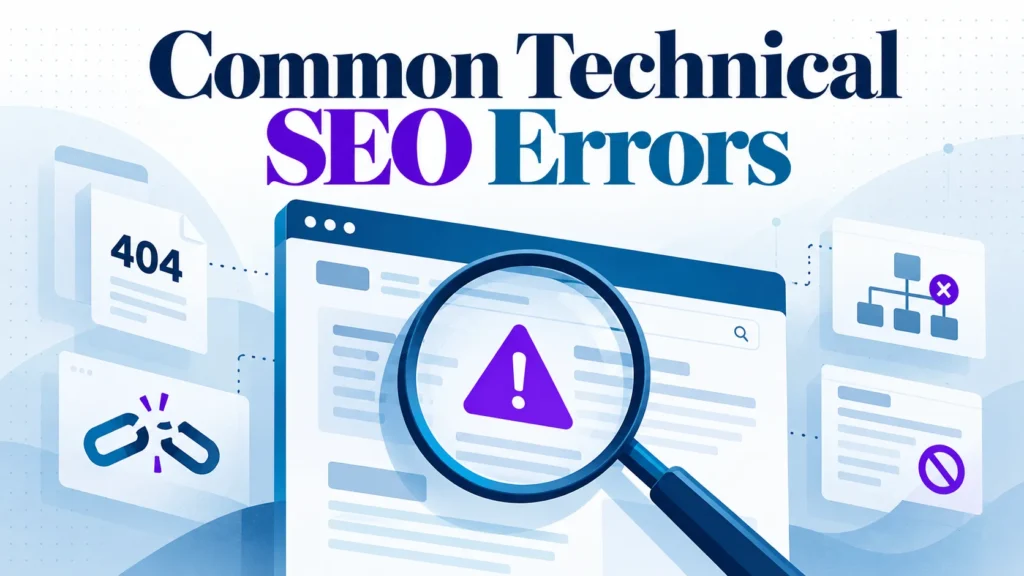
Most websites lose search visibility through small, repeatable technical faults that nobody checks after launch. Ahrefs and other researchers find that many sites carry issues a proper audit would catch.
This guide covers common technical SEO errors, how to find them in Google Search Console, and how to prioritise fixes. A short, recurring audit of crawl, index and metadata faults protects more traffic than a one-off clean-up.
Focus on the errors that stop search engines reading and indexing pages, not cosmetic warnings.
Technical SEO is the work that helps search engines crawl, render, index and rank your pages. It covers how your website is built and served, not only what it says. If one step breaks, a page cannot rank, however good the writing. Many of the most damaging seo issues happen in this layer, and they quietly reduce a site’s visibility in search results.
Good content cannot make up for a site search engines cannot read. A service page with a noindex tag will not appear in results, whatever its copy says. Most common technical SEO errors can be found with a short, repeatable audit, and fixing them often improves the experience for users as well as crawlability, with a clearer user experience that helps visitors reach what they need.
Errors build up through routine changes. A redesign drops a title tag, a migration leaves redirect chains, or a plugin update adds a noindex directive. Meta tags are especially easy to lose during these changes, so a recurring check matters more than a single clean-up at launch.
Most crawl and indexing faults sit in three places: the robots.txt file, the XML sitemap, and noindex directives on individual pages. Each can keep a page out of search with no visible sign on the site, so audit them early. Many common seo mistakes in this area go unnoticed until rankings drop. Sound internal links, a clean site structure and correct meta tags help search engines find the right pages across the whole website.
The robots.txt file tells crawlers which parts of a site they may request. A broad rule such as Disallow: /services/ stops crawling of every service page, even though those pages load fine for visitors. Ahrefs reports that sites with fewer than 1,000 pages rarely have a robots.txt problem, so check other causes first on a small site. Google’s robots.txt documentation explains how the rules are read.
Sitemaps often list URLs that search engines should not index, such as redirected pages, non-canonical variants and deleted pages. Check that every listed URL returns a 200 status and is its own canonical, then remove the rest. In Search Console, open Indexing > Sitemaps to see which submitted URLs failed.
| Symptom | Likely cause | Check to run |
|---|---|---|
| Page crawled but not indexed | Noindex meta tag or X-Robots-Tag header | View source and HTTP headers for “noindex” |
| Indexed page vanished after a redesign | Template or plugin added noindex | Compare the template before and after the change |
| Page reported as soft 404 | Thin content or empty template returning 200 | Confirm the page carries substantive content |
In Search Console, Page indexing > Why pages aren’t indexed lists each exclusion reason. Duplicate URLs and bad canonical signals cause many of these, and each looks harmless on its own. Technical issues like these can also hold back site speed and overall performance, so review them alongside your speed reports.
A canonical tag tells search engines which version of a page to treat as primary. When it points to a broken or redirecting URL, the signal is lost. One study found this on 2.6% of sites, and in a large catalogue even a small rate affects many pages.
Each page in a paginated series should normally point its canonical to itself, not to page one, or deeper products may never be indexed. To audit canonical targets in bulk:
Session IDs, sort orders and printer-friendly versions create extra URLs for the same content. Consolidate them with canonicals, with redirects where the duplicate has no purpose, or by managing parameters in Google Search Console.
A redirect chain is a series of redirects a crawler must follow before reaching the final page. Each extra hop wastes crawl effort and dilutes link signals, so aim for one hop from any internal link to its destination. Google’s redirect guidance explains how these are handled.
Return a 404 when content is permanently gone with no suitable replacement. Redirect when a close equivalent exists. Check redirects after every migration, because a chain can form quietly when a page is moved twice.
Slow pages usually come from unoptimised images, render-blocking scripts and heavy third-party tags such as chat widgets and ad pixels. A render-blocking script stops the browser showing the page until it has loaded. Fixing these issues helps search engines understand page structure and supports the site’s performance, which in turn helps visitors stay and convert. Speed problems also frustrate users, who are less likely to stay on a page that loads slowly. Faster pages improve the overall user experience and help keep search engine traffic on the site long enough to convert.
Google’s crawling documentation states that Googlebot fetches only the first 2 MB of supported file types, including HTML. This was verified against Google’s February 2026 documentation update. Confirm the current wording before relying on it. Keep HTML lean and move inline scripts to external files.
Speed fixes that work on most small business sites:
Core Web Vitals measure how fast the main content appears, how quickly the page responds to taps or clicks, and whether content jumps around while loading. web.dev’s Core Web Vitals guidance explains each in detail. Field data is aggregated over a 28-day window, so a fix takes about a month to show fully.
| Metric | Good | Needs improvement | Poor |
|---|---|---|---|
| Largest Contentful Paint | 2.5 seconds or less | 2.5 to 4 seconds | Over 4 seconds |
| Interaction to Next Paint | 200 milliseconds or less | 200 to 500 milliseconds | Over 500 milliseconds |
| Cumulative Layout Shift | 0.1 or less | 0.1 to 0.25 | Over 0.25 |
Check field data in PageSpeed Insights before the lab score. Field data reflects real visitors, whereas a lab score is a simulated test. In Search Console, open Experience > Core Web Vitals to see which URL groups fall in the poor band. If a metric sits there, fix the largest element first, usually the hero image or heading.
Common mobile faults include layouts that overflow the screen, tap targets packed too closely and intrusive interstitials, which are pop-ups that cover the content. Many of these are technical issues that only appear on certain devices, so they are easy to miss on a desktop review. Fixing them improves the mobile user experience and helps internal links stay tappable.
Use this mobile-first checklist:
Structured data and metadata label what a page is about for search and answer engines. When they are wrong or missing, the page is harder for users to read, quote and click.
Schema markup is usually JSON-LD in the page code. Common faults include invalid syntax, markup describing content visitors cannot see, and deprecated types. Run Google’s Rich Results Test on each template type and fix flagged errors one template at a time.
Meta descriptions were missing on 72.9% of studied sites, and over 68% show a gap between the search-result title and the page’s title tag. Missing titles carry the highest risk, and these are among the most common seo mistakes that a search engine can penalise. Check your top twenty landing pages first, and fix any page whose title and meta tags disagree. In Search Console, the Performance report’s queries and pages views show which titles are earning clicks.
Fix crawling and indexing errors first, since they remove pages from search. Canonical faults and redirect chains weaken ranking signals. Speed and schema issues rarely decide rankings alone.
A regional home-services firm ran a crawl on its website that turned up three groups of common technical SEO mistakes, ranked by impact on how a search engine indexes and displays its pages:
Indexing faults outrank click faults, and click faults outrank cosmetic warnings on low-demand pages.
Faults rarely stay isolated. A redirect chain can feed a canonical fault and leave the destination page unindexed. Read a crawl as a chain of causes, not separate tickets. A broken internal link can stop a crawler reaching the pages behind it.
Bilingual Singapore sites risk hreflang and canonical mismatches between English and Chinese pages. Plugin updates on Shopify or WordPress can break a working site. Missing titles or meta descriptions on service pages reduce enquiries.
Name an owner for each check before the first crawl. A sensible monthly routine takes an hour: a crawl, a Search Console review and a short list of fixes.
Readers choosing software can see our guides to seo tools, seo tools for small businesses, best local seo tools and best seo tools for ecommerce.
Most sites can ignore cosmetic crawler warnings, such as minor schema gaps or image sizes. Chasing them dilutes effort from the fixes that affect indexing and clicks. Only recently rebuilt, migrated or heavily reworked sites need a complete audit. For everyone else, the monthly routine above covers what matters.
Common technical SEO errors are measurable and fixable. NYTRO SEO reports that 94% of websites have technical SEO issues that auditing could avoid, yet they persist because many sites are checked only once, at launch.
Fix them in this order:
This week, run a full crawl, compare indexed pages in Google Search Console with your target pages, and fix the highest-traffic errors first.
The most common technical SEO errors are crawlability blocks such as stray robots.txt rules or noindex tags, canonical tags pointing at the wrong page, slow pages, missing or mismatched titles, and duplicate content from URL parameters. Check these first, as most are high-impact, low-effort fixes.
Run a full audit after any major site change, such as a redesign, migration or platform update. For an active site, add a monthly crawl and regular checks in Search Console.
Yes. Errors can stop pages being indexed, split ranking signals across duplicate URLs and give visitors a poor experience. Fix crawling and indexing blocks first.
Start with Google Search Console, then use PageSpeed Insights for key pages.
Usually not at first. Larger, multilingual or e-commerce sites with thousands of URLs benefit most. A smaller Singapore business site can often manage with a free crawl plus Search Console.

Tom is the CEO of MediaOne, a leading digital marketing agency. He is a business-experienced SEO consultant as well as a Google Gold Search Expert serving the international community. He has consulted for MNCs like Canon, Maybank, Capitaland, SingTel, ST Engineering, WWF, Cambridge University, as well as Government organisations like Enterprise Singapore, Ministry of Law, National Galleries, NTUC, e2i, SingHealth. His articles are published and referenced in CNA, Straits Times, MoneyFM, Financial Times, Yahoo! Finance, Hubspot, Zendesk, CIO Advisor. Under his stewardship, MediaOne has won dozens of prestigious digital marketing awards.
Run a free Digimetrics audit across SEO, AI search, content and technical health, and get a plan you can act on today.
Start free →Your website looks fine. The pages load, the navigation works, and visitors can contact your business. But does that mean your website is healthy?…
A website speed test tool tells you how quickly your pages load, but the score is only the start. The useful reports are the…
A website technical SEO checker can return long lists of warnings, but most don’t cost traffic. A stray noindex tag or a robots.txt rule…