Content
Ad Copy Generator Tool: How to Create Better Ads With AI
Writing a good advertisement sounds simple until you have to create 15 different headlines, stay within character limits, communicate your product’s benefits, and make…

Your website has 150 published articles. Some attract consistent organic traffic, others haven’t generated a meaningful visit in months, and several cover nearly identical topics.
Which pages should you update? Which ones should you combine? And which should you leave alone?
Publishing more content won’t necessarily solve these problems. In some cases, improving what already exists is a better use of your time than creating another article.
That’s where a free website content audit tool becomes useful.
A content audit helps you evaluate existing website pages, identify performance gaps, and decide which content deserves attention. Depending on the tool, you can assess search visibility, readability, keyword relevance, outdated information, content overlap, and potential quality issues.
But not every tool evaluates the same things.
Google Search Console can show which pages are losing clicks. A content quality checker can identify unclear writing and unsupported claims. A sitewide content analysis can help determine whether pages should be refreshed, consolidated, or retained.
This guide explains how to conduct a website content audit using free tools, what metrics to examine, and how Digimetrics can help turn the findings into a practical improvement plan.
A website content audit is a structured review of existing pages to determine how well they serve their intended audience and business objectives.
The process typically examines three areas:
Content performance: Whether pages attract relevant search impressions, clicks, engagement, and conversions.
Content quality: Whether information is accurate, useful, readable, current, and aligned with search intent.
Content organisation: Whether pages cover distinct topics, support one another through internal links, and avoid unnecessary duplication.
The goal isn’t simply to identify poorly performing content. It’s to understand why a page may be underperforming and decide what to do next.
For example, a blog post with declining organic traffic might need updated information. Two articles targeting the same search intent may benefit from consolidation. An older case study with no organic traffic might still be valuable to the sales team.
A useful audit considers these differences rather than treating every low-traffic page as unnecessary.
Different tools provide different levels of analysis.
Some focus on search performance, while others examine content quality or technical website health.
A complete content audit may require more than one free tool.
| Audit Area | What to Examine | Why It Matters |
|---|---|---|
| Organic performance | Clicks, impressions, CTR, average position | Identifies visibility trends |
| Search intent | Whether content answers the intended query | Improves relevance |
| Content freshness | Outdated facts, prices, examples, screenshots | Maintains accuracy |
| Readability | Sentence complexity, structure, clarity | Makes information easier to understand |
| Keyword alignment | Target keyword, headings, related questions | Helps establish page relevance |
| Content overlap | Pages competing for similar queries | Identifies consolidation opportunities |
| Internal linking | Relevant incoming and outgoing links | Supports discovery and navigation |
| Factual accuracy | Unsupported statistics and product claims | Reduces misinformation |
| Conversion relevance | Whether content supports a useful next step | Connects content to business objectives |
A single numerical score cannot reliably capture all these factors.
For example, a page may have excellent readability but answer the wrong search question. Another may perform well organically despite having an older publication date.
The most valuable content audit is one that helps you make better editorial decisions, not simply generate more warnings.
You don’t necessarily need an expensive SEO platform to begin.
Several tools can provide useful information about how your content performs and where it needs improvement.
Google Search Console is one of the most useful free tools for evaluating existing website content.
Its Performance report provides data including search clicks, impressions, click-through rate, and average position.
You can compare date ranges to identify pages gaining or losing visibility.
For example, an article that previously generated 400 monthly clicks but now receives 150 deserves investigation.
However, declining clicks don’t automatically mean the article is outdated.
Potential causes include changing search demand, increased competition, changes in search results, or technical issues.
Search Console helps identify where to investigate, but you’ll still need to review the content itself.
Best for: Identifying pages with declining search visibility and evaluating performance trends.
Google Analytics helps evaluate how users interact with website content.
Depending on your configuration, you can review landing-page activity, engagement, and important business events.
This adds context that Search Console alone cannot provide.
For instance, a page might generate relatively little organic traffic but consistently attract users who submit qualified enquiries.
Deleting it because of low traffic would ignore its commercial value.
Best for: Understanding engagement and content contribution to business outcomes.
PageSpeed Insights evaluates website performance using laboratory results and available field data.
Although it’s primarily a performance tool, its findings can support a content audit.
A page containing useful information may still frustrate readers because of oversized images, layout shifts, or slow loading.
These problems aren’t writing-quality issues, but they can affect the experience of consuming the content.
Best for: Investigating page-speed and user-experience problems on important content pages.
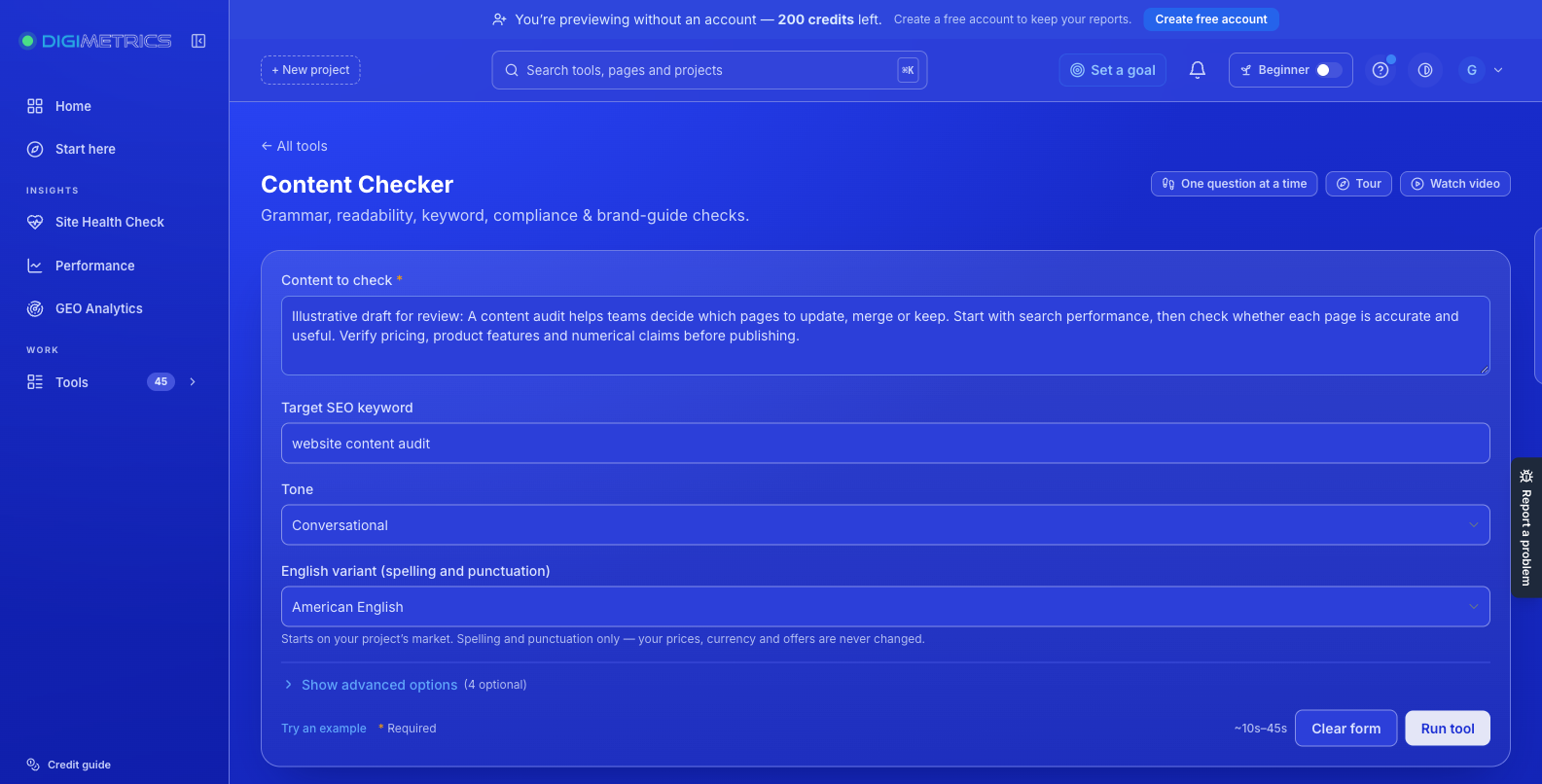
The Digimetrics Content Checker evaluates individual pieces of content for grammar, readability, keyword use, tone, and potentially risky claims.
Unlike a traditional crawler, it focuses on the actual copy.
You paste your content, choose a tone, and optionally provide a target keyword, brand guidelines, reference material, or compliance rules.
The tool returns identified issues with suggested corrections.
Digimetrics states that a typical check takes under a minute.
Best for: Reviewing individual articles, landing pages, and marketing copy before publication or after identifying a page that needs improvement.
The tool is available during Digimetrics’ seven-day free trial, rather than as an unlimited permanently free service.
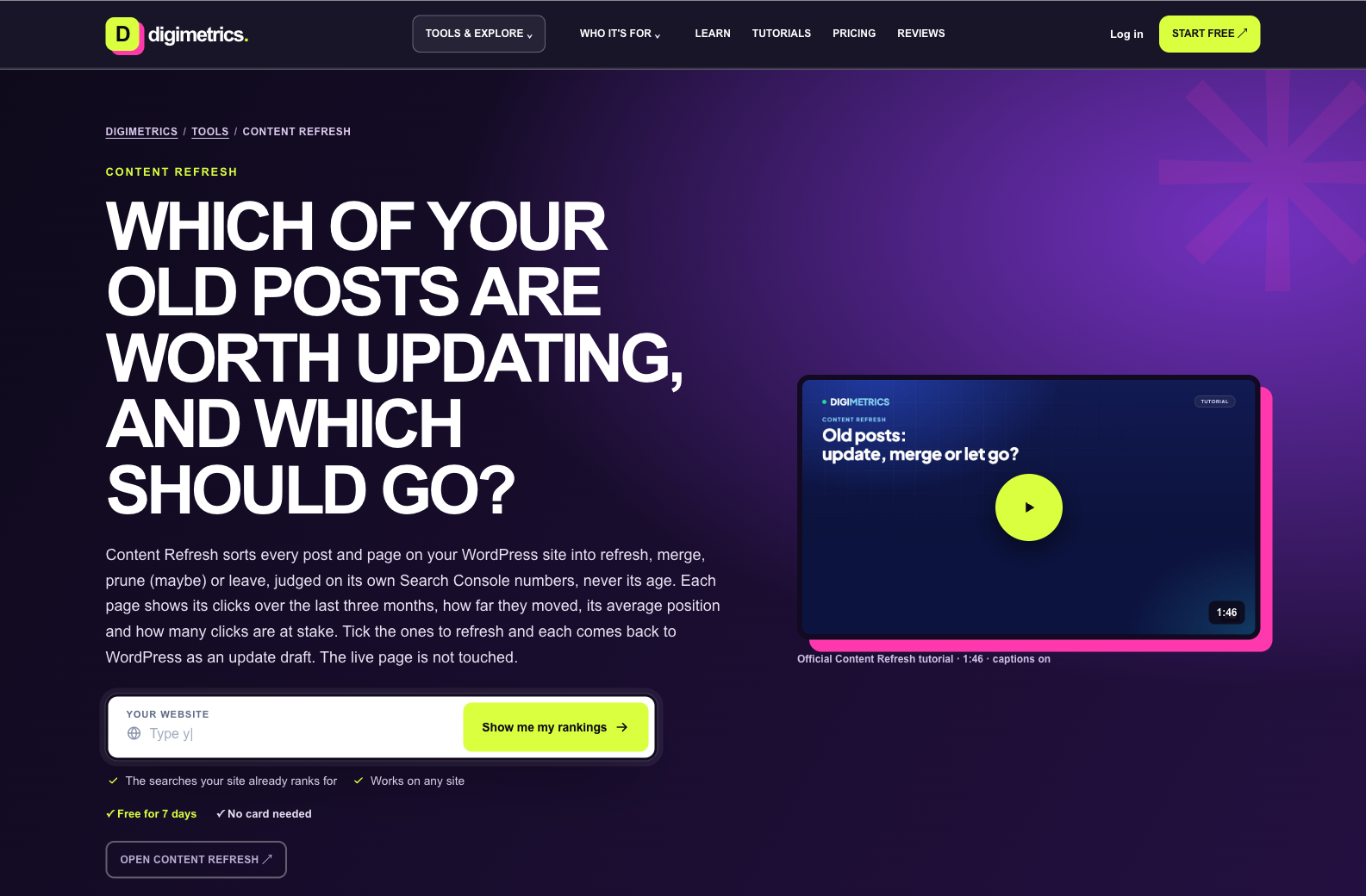
Digimetrics Content Refresh provides a more sitewide approach for connected WordPress websites.
It evaluates posts and pages using their Google Search Console performance and assigns an editorial recommendation.
The available actions include refreshing, merging, considering pruning, or leaving content unchanged.
For selected pages, it can create WordPress update drafts without immediately modifying the live articles.
This makes it relevant for businesses managing a growing content library.
Best for: Identifying existing WordPress pages that may need refreshing or consolidation based on actual search performance.
You can perform a useful initial audit with a spreadsheet, Google Search Console, and a content quality checker.
The process below works for blogs, service websites, and ecommerce content.
Start by listing the pages you want to audit.
For a smaller website, you may be able to collect the URLs manually. Larger websites may require a sitemap export or crawler.
Your inventory should include:
A simple spreadsheet is sufficient.
| Page | Primary Topic | Organic Trend | Initial Action |
|---|---|---|---|
| Blog A | Email marketing tools | Declining | Investigate refresh |
| Blog B | Email automation platforms | Stable | Review overlap |
| Blog C | CRM software comparison | Growing | Maintain |
| Blog D | Outdated industry statistics | Minimal visibility | Verify and update |
These are illustrative examples.
The important objective is creating a consistent record of what exists before making changes.
Open Google Search Console and review the Performance report.
Compare equivalent date ranges, such as the previous three months against the preceding three months.
For highly seasonal businesses, year-over-year comparisons may provide a more useful context.
Look for pages showing:
Google’s Search Console performance documentation explains how to filter pages, queries, devices, and date ranges.
Don’t treat every traffic decline as a content-quality failure.
A page might lose clicks because fewer people are searching for the topic. In that situation, rewriting the article may not restore its previous traffic.
Search intent describes what users are trying to accomplish when they enter a query.
A person searching for “best payroll software” may expect a comparison of products, features, costs, and suitability.
If your article primarily explains what payroll software means, it may not satisfy that intention.
Review the page against the questions users are likely trying to answer.
Ask whether the content:
This stage requires editorial judgement.
An automated score can help identify possible issues, but it cannot conclusively determine whether a page satisfies every reader’s needs.
Once you’ve identified a page worth improving, evaluate its writing.
Look for confusing sentences, repetitive explanations, unclear headings, unsupported claims, and inconsistent terminology.
The Digimetrics Content Checker can help with this review.
Its workflow involves pasting the copy, setting the intended tone, and adding a keyword or editorial guidelines where relevant.
The report identifies issues and suggests corrections.
For example, an article claiming that a tool “guarantees the cheapest prices” may need to remove that claim unless reliable evidence supports it.
The same applies to fabricated statistics, unsupported performance guarantees, and outdated product information.
Digimetrics checks readability but does not perform plagiarism detection, so originality needs a separate verification process where necessary.
Content freshness is not simply about changing the publication date.
A meaningful update should improve information that is no longer accurate, complete, or useful.
Common examples include outdated software pricing, discontinued product features, broken references, superseded regulations, and screenshots of interfaces that have significantly changed.
Consider a comparison article originally published in 2024.
If its pricing table still reflects plans that no longer exist, the article may mislead readers even if its general recommendations remain useful.
The correct action is to verify and update the affected information.
Avoid changing the date to make content appear new without making meaningful improvements.
Two pages can compete for similar search queries when they address substantially the same intent.
For example:
These pages may serve different purposes, but the titles suggest potentially significant overlap.
Compare their target audiences, search queries, and content.
If the pages essentially answer the same question, consider consolidating the strongest useful information into one resource.
However, overlapping keywords alone do not establish harmful cannibalisation.
Different pages can legitimately rank for related terms when they serve distinct user needs.
After reviewing your findings, assign an appropriate action to each page.
A practical system uses four categories.
| Action | When to Consider It | Example |
|---|---|---|
| Refresh | Useful content is outdated or losing relevant visibility | Update pricing and features in a software comparison |
| Merge | Multiple pages substantially duplicate the same intent | Consolidate two overlapping guides |
| Prune, with review | Content is obsolete and has little remaining value | Remove an expired promotion after assessing links and alternatives |
| Leave | Content remains accurate, useful, and relevant | Maintain an evergreen tutorial performing consistently |
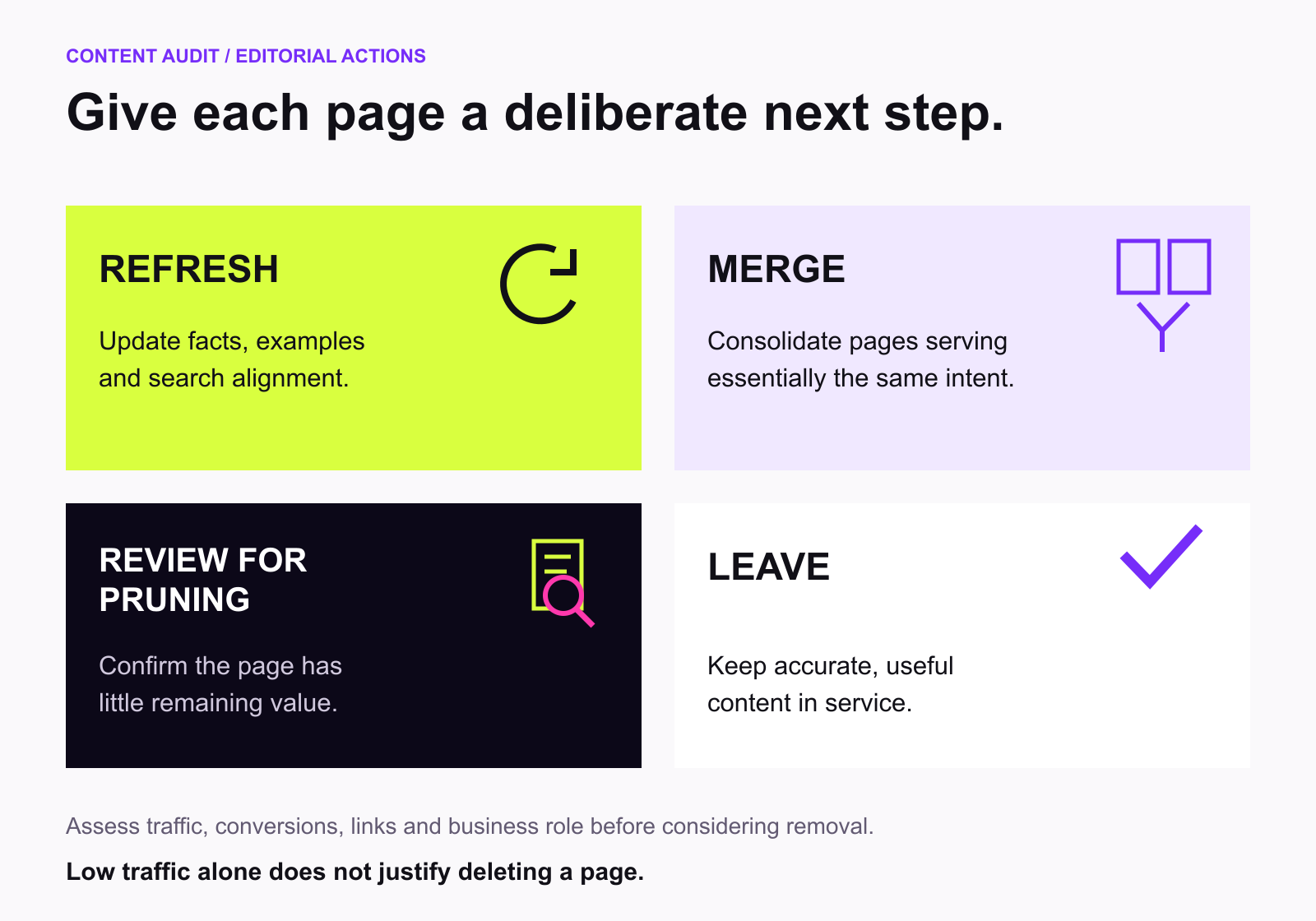
These decisions should account for traffic, conversions, backlinks, internal links, and business value.
Low traffic alone is not sufficient justification for deleting a page.
A product support article might receive very few visits but remain essential for existing customers.
A manual website content audit is manageable when you have a small number of pages.
The process becomes more difficult as the content library grows.
A website with 500 blog posts may require substantial time to compare search performance, identify overlapping topics, review writing quality, and plan improvements.
Digimetrics provides tools that address different stages of this process.
For connected WordPress websites, Content Refresh uses Search Console data to evaluate existing pages.
The tool reports metrics such as recent clicks, changes in performance, average search position, and the potential clicks associated with an improvement opportunity.
It then assigns a recommendation: refresh, merge, prune for consideration, or leave unchanged.
Importantly, a prune recommendation is not an instruction to delete immediately.
The page still requires human review.
When you select pages for improvement, Digimetrics can prepare WordPress update drafts without automatically replacing the live content.
Its documentation also describes comparing performance 28 and 56 days before and after updates.
This supports a more systematic workflow from identifying a problem to measuring the result.
Once you’ve decided that a page needs an update, Content Checker helps evaluate the text.
It reviews grammar, readability, keyword presence, tone, and claims that may require evidence or revision.
Users can also provide reference material and brand guidelines to make the review more specific.
This is useful for content teams trying to maintain consistent quality across multiple writers or AI-assisted drafts.
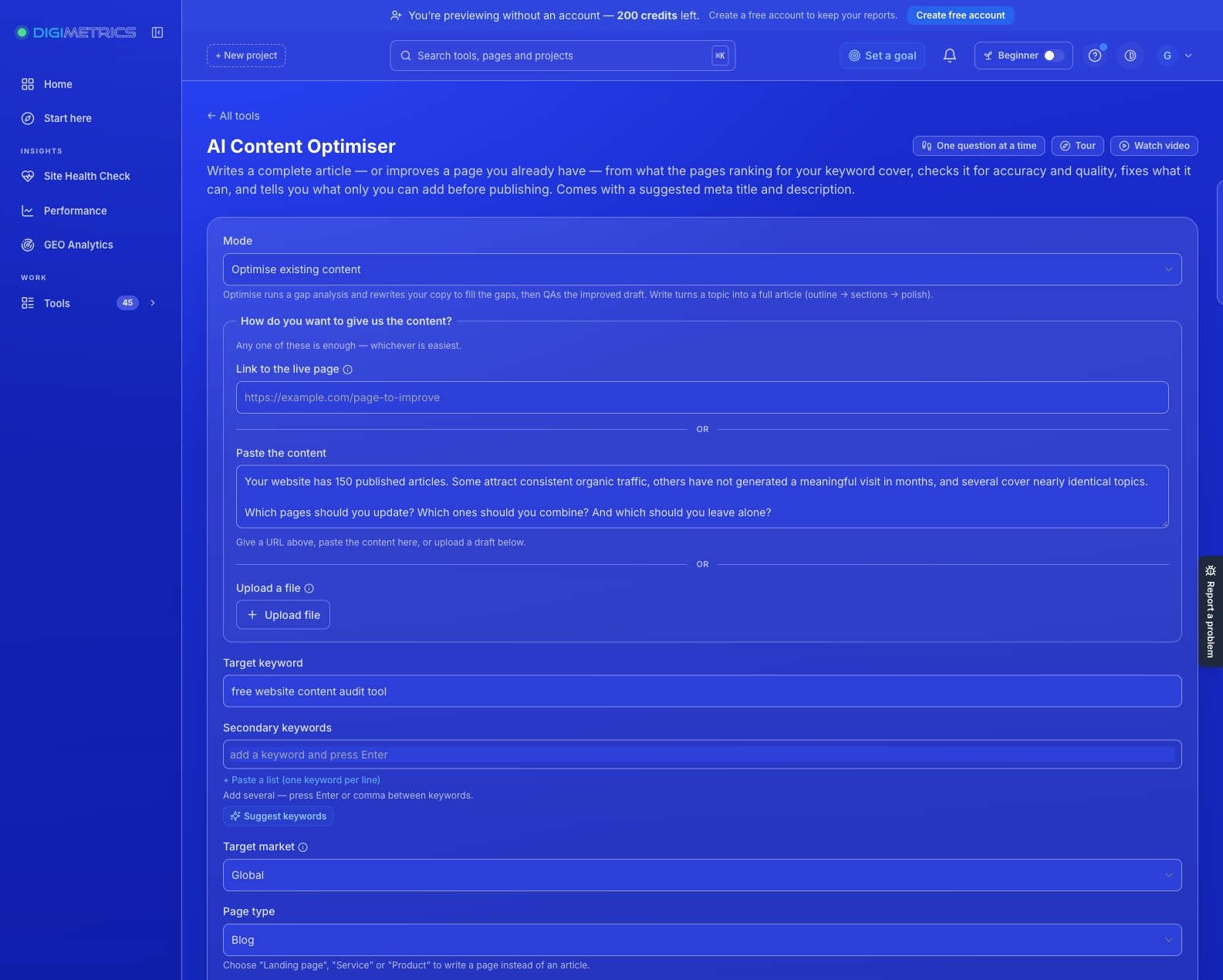
Digimetrics also provides an AI Content Optimiser for existing pages.
It accepts a page URL, pasted content, or an uploaded draft alongside a target keyword.
The tool returns readability information, keyword-placement checks, identified issues, and a revised opening.
This can support the editing process when a page needs better structure or clearer keyword alignment.
However, a keyword-placement improvement is not proof that the revised content will rank higher.
Treat suggested changes as editorial recommendations to review, not guaranteed ranking fixes.
Consider a hypothetical business website containing 100 blog posts.
Its editorial team reviews the previous six months of search performance and evaluates the relevance of its content.
The audit produces the following initial findings.
| Audit Outcome | Articles | Recommended Action |
|---|---|---|
| Stable or improving performance | 45 | Maintain |
| Declining relevant search traffic | 25 | Review for refresh |
| Significant topical overlap | 15 | Investigate consolidation |
| Outdated or potentially inaccurate content | 10 | Verify and update |
| Low-value or obsolete content | 5 | Review for pruning |
| Total | 100 |
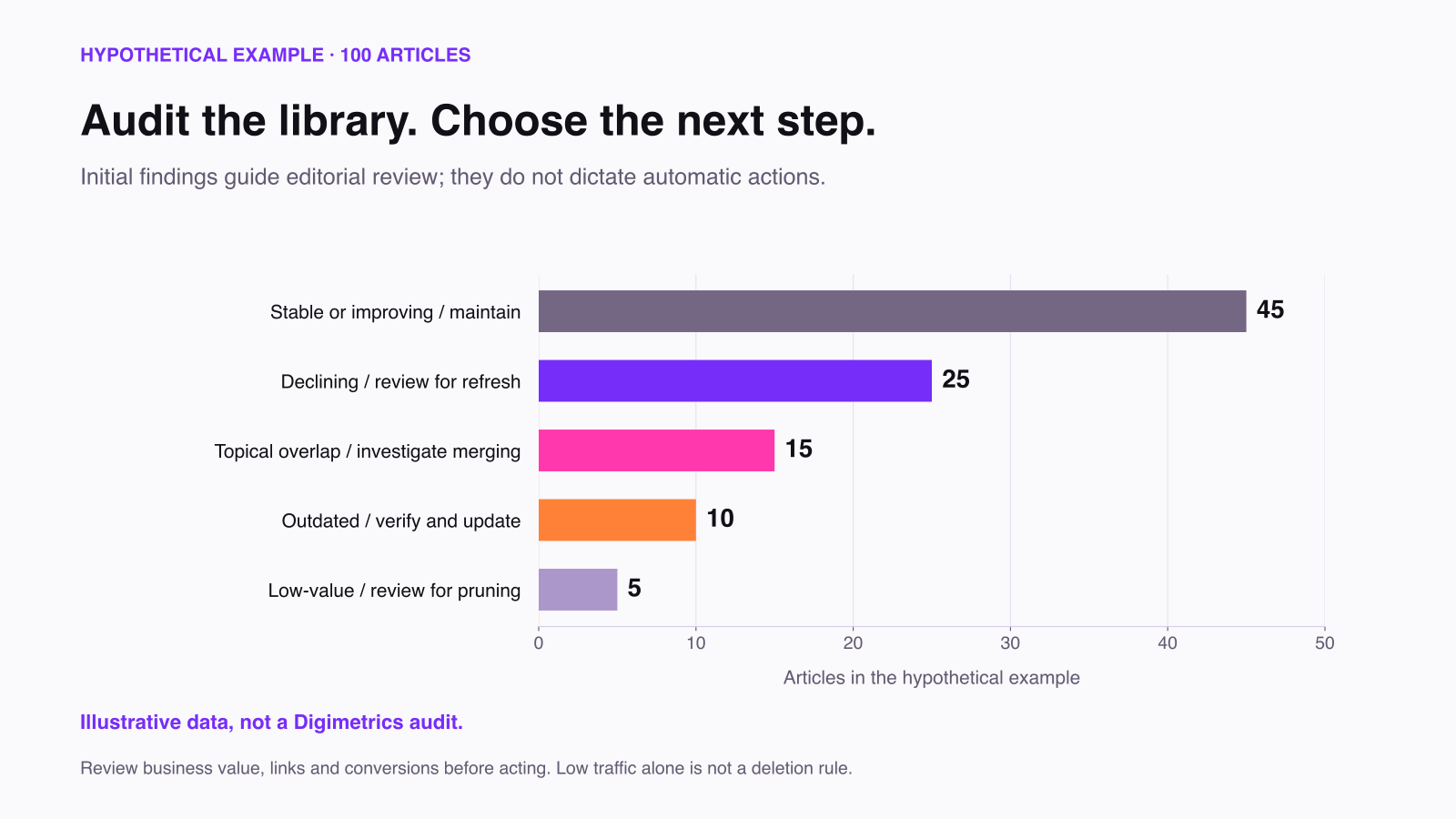
These figures are illustrative, not an actual Digimetrics audit.
The team should not automatically rewrite 50 articles or delete five pages.
Instead, it can focus on the highest-impact opportunities.
For example, refreshing five commercially important articles may be more valuable than rewriting 25 posts with minimal search demand.
A practical priority score could use three factors:
Priority score = Business impact × Confidence in the opportunity ÷ Estimated effort
Each factor can be rated consistently using an internal scale.
This is an editorial prioritisation framework, not a proprietary Digimetrics scoring formula.
The purpose is to make decisions more consistent.
A content audit and an SEO audit overlap, but they are not interchangeable.
A content audit focuses primarily on the usefulness, performance, accuracy, and organisation of published information.
A technical SEO audit focuses on problems affecting website accessibility, crawlability, indexing, and other technical conditions.
| Evaluation Area | Content Audit | Technical SEO Audit |
|---|---|---|
| Content relevance | Primary focus | Sometimes |
| Readability and clarity | Primary focus | Limited |
| Outdated information | Primary focus | Usually not |
| Content overlap | Important | May identify duplicate signals |
| Search performance | Important | Supporting context |
| Broken links | Supporting check | Core check |
| Indexability | Supporting check | Core check |
| Website performance | Supporting context | Core check |
| Content refresh decisions | Core outcome | Usually not |
| Technical remediation | Sometimes | Core outcome |
For example, an article may provide excellent information but be accidentally blocked from indexing.
A content audit alone would not necessarily explain its lack of visibility.
Conversely, a technically healthy article may still struggle because it fails to answer the intended question.
For broader website diagnostics, the Digimetrics Full Site Audit evaluates technical SEO, speed, and AI-related readiness alongside prioritised recommendations.
The appropriate frequency depends on publishing activity, industry changes, and the size of the content library.
A small business publishing a few pages each month may find a quarterly review sufficient.
A large publisher updating hundreds of pages may benefit from monthly performance monitoring and a more comprehensive periodic audit.
An effective process can combine several review intervals.
| Frequency | Recommended Activity |
|---|---|
| Monthly | Identify major traffic declines and urgent factual inaccuracies |
| Quarterly | Review priority content and consolidation opportunities |
| Every 6–12 months | Conduct a broader content inventory and quality review |
| After major changes | Reassess pages affected by site migrations, product launches, or substantial market changes |
These intervals are planning suggestions rather than fixed requirements.
Certain pages need more frequent review.
For example, software pricing comparisons may become outdated quickly, while foundational educational guides may remain accurate for years.
Use actual change frequency and business importance to decide when to review content.
Completing an audit is not the same as improving website performance.
You need to evaluate what happens after making changes.
Possible metrics include organic clicks, relevant impressions, conversions, and engagement.
| Objective | Metric | What to Watch |
|---|---|---|
| Restore lost search visibility | Organic clicks and impressions | Compare equivalent periods |
| Improve search relevance | Queries and relevant positions | Check whether the page attracts intended searches |
| Increase engagement | Engagement metrics | Interpret alongside traffic quality |
| Improve lead generation | Qualified enquiries | Avoid relying on raw form submissions |
| Reduce content overlap | Search query and page performance | Evaluate affected pages together |
| Improve accuracy | Verified factual corrections | Check the revised information |
Suppose a product comparison article receives 200 clicks during a 28-day period before being updated.
Following the refresh, it receives 260 clicks during a comparable 28-day period.
That’s a 30% increase.
However, the increase does not prove the refresh alone caused the improvement.
Search demand, rankings, seasonality, competitor activity, and other changes may contribute.
The result is useful evidence, but it should be interpreted alongside query trends and broader website performance.
For pages that support sales or lead generation, commercial outcomes may be more important than additional clicks.
Some pages serve support, conversion, or customer retention purposes.
Others may attract valuable backlinks even if they receive little organic traffic.
Evaluate the page’s role before removing it.
Adding more words does not necessarily improve relevance.
A concise article that answers a question directly may outperform a longer article that adds unnecessary explanations.
Readability scores, content grades, and keyword checks are useful diagnostic signals.
They cannot independently establish factual accuracy, expertise, or customer usefulness.
Publishing several nearly identical articles may create unnecessary maintenance work and confuse your content strategy.
Investigate overlap before creating another page targeting the same intent.
Measure the results.
If a revised page continues to decline, investigate whether the underlying problem was correctly diagnosed.
Updating a page without considering its relationships to other content can leave valuable navigation and contextual opportunities unused.
Add relevant internal links where they genuinely help users explore related topics.
Yes. A content audit can help you identify opportunities hidden within your existing website.
You may discover articles that need updating, pages competing for similar queries, and content that is accurate but difficult to read.
You don’t need a paid platform to begin.
Google Search Console provides valuable search performance data, while a spreadsheet can help organise your findings.
However, managing the process becomes more demanding as your content library grows.
Digimetrics provides complementary tools for content auditing and improvement.
Its Content Refresh tool helps connected WordPress websites identify pages worth updating, merging, or retaining using Search Console data.
Content Checker reviews individual articles for readability, keyword use, tone, and claims that need attention.
AI Content Optimiser supports further improvements to existing content.
The goal of a content audit isn’t to produce more content. It’s to make the content you already have more accurate, useful, relevant, and effective.
If your website contains outdated articles, declining pages, or content that isn’t performing as expected, start by identifying the problems before rewriting everything.
Digimetrics helps you review content quality and identify opportunities for improvement within one marketing workspace.
Try Digimetrics Content Checker to review your existing copy, or explore Content Refresh to evaluate your WordPress content library.
Start with a seven-day free trial, with no credit card required.
The best tool depends on what you need to evaluate. Google Search Console is useful for organic performance, while Digimetrics Content Checker helps review writing quality, readability, and keyword alignment during its seven-day free trial.
Yes. You can use Google Search Console, Google Analytics, spreadsheets, and other free tools to perform an initial audit. Some dedicated content analysis platforms, including Digimetrics, also offer limited free trials.
A content audit evaluates factors such as search performance, accuracy, readability, relevance, duplication, internal linking, and contribution to business objectives.
No. A content audit focuses on published information and its effectiveness. A technical SEO audit focuses more heavily on crawling, indexing, links, performance, and other website infrastructure issues.
AI tools can assist with readability checks, keyword alignment, quality reviews, and identifying possible improvements. They still require human verification, particularly for factual claims, search intent, and strategic decisions.
Digimetrics offers a seven-day free trial with access to Content Checker, Content Refresh, and other tools within the applicable usage limits. It is not a permanently free unlimited service.
Content Refresh provides editorial recommendations, including possible pruning, but those recommendations require review. Selected optimised pages are returned to WordPress as update drafts rather than immediately replacing the live pages.
Start by reviewing publication dates, known changes in your industry, product information, links, and Search Console performance. Prioritise pages containing time-sensitive facts and commercially important information.
That depends on the page’s usefulness, accuracy, traffic, backlinks, and business role. Refresh pages with relevant potential, consolidate genuine duplication, and consider removal only after reviewing the consequences.
A focused review of a handful of pages may take a few hours. A comprehensive sitewide audit can require much longer, particularly when pages need manual fact-checking, performance analysis, and editorial review.

Tom is the CEO of MediaOne, a leading digital marketing agency. He is a business-experienced SEO consultant as well as a Google Gold Search Expert serving the international community. He has consulted for MNCs like Canon, Maybank, Capitaland, SingTel, ST Engineering, WWF, Cambridge University, as well as Government organisations like Enterprise Singapore, Ministry of Law, National Galleries, NTUC, e2i, SingHealth. His articles are published and referenced in CNA, Straits Times, MoneyFM, Financial Times, Yahoo! Finance, Hubspot, Zendesk, CIO Advisor. Under his stewardship, MediaOne has won dozens of prestigious digital marketing awards.
Run a free Digimetrics audit across SEO, AI search, content and technical health, and get a plan you can act on today.
Start free →Writing a good advertisement sounds simple until you have to create 15 different headlines, stay within character limits, communicate your product’s benefits, and make…
Verifiability matters more than speed when publishing AI-generated content. An AI content generator turns a short brief into draft copy, and its usefulness depends…
A content score is only a proxy. What matters is whether the tool changes your page so Google and AI answer engines can find,…