Website Audit
Free Website Health Check: How to Test Your Site’s SEO, Speed & AI Readiness
Your website looks fine. The pages load, the navigation works, and visitors can contact your business. But does that mean your website is healthy?…
Nine website crawlers can analyse the same site and return nine different reports. One flags 300 issues, another finds 180, and a third highlights only 75.
Which one did the better job?
You might assume the first crawler is more thorough. But what if 200 of its findings concern low-priority metadata on archive pages, while the second identifies a canonical problem affecting your most valuable product category?
The report with fewer issues could be more useful.
That’s the problem with comparing technical SEO audit tools based on the number of warnings they generate. Finding more issues doesn’t necessarily mean finding more important problems.
Crawlers also work differently. Some give experienced SEOs extensive control over how websites are explored. Others combine crawling with guided recommendations, Google Search Console data, server logs, and team workflows.
Those differences matter when you’re dealing with redirect chains, orphaned pages, JavaScript rendering, international SEO, or websites generating thousands of unnecessary URLs.
In this guide, we’ll compare nine technical SEO crawlers, explain what each is designed to find, and show how to evaluate detection accuracy and prioritisation without relying on inflated site-health scores.
We’ll also walk through a controlled-testing framework using a deliberately broken staging website, including what a meaningful benchmark would actually need to prove.
The goal isn’t to buy the crawler that produces the longest report. It’s to find the one that helps your team make the right technical changes.
The nine platforms in this comparison range from desktop crawling software to enterprise website intelligence systems.
They aren’t all direct substitutes. A specialist desktop crawler serves a different workflow from a platform designed to combine website crawling, server logs, and development-team reporting.
Here’s where each tool fits.
| Technical SEO Tool | What It Is Particularly Useful For | Main Buying Consideration |
|---|---|---|
| Screaming Frog SEO Spider | Detailed URL-level auditing, custom extraction, redirects, canonicals, structured data, and JavaScript investigation | Powerful configuration, but requires technical knowledge to interpret findings |
| Sitebulb | Technical crawling with guided Hints, crawl visualisations, and prioritised reporting | Good for turning crawl information into understandable recommendations |
| Ahrefs Site Audit | Technical audits integrated with keyword, backlink, and organic search research | Best value often depends on whether you already need Ahrefs’ wider toolkit |
| Semrush Site Audit | Scheduled audits, issue monitoring, and technical reporting within an SEO platform | Convenient recurring workflow; advanced investigation may require additional tools |
| SE Ranking Website Audit | Technical checks, site-health monitoring, crawl comparisons, and client reporting | Suitable for teams seeking auditing within a broader SEO workflow |
| JetOctopus | Large-site crawling combined with server logs, Search Console, and analytics | Particularly relevant when crawler behaviour and website scale matter |
| Oncrawl | Combining technical crawl data, log files, and SEO performance information | Most useful when a team can access and interpret several data sources |
| Lumar | Enterprise technical SEO, continuous monitoring, prioritisation, and developer workflows | Built for organisations with substantial website and operational complexity |
| Botify | Enterprise crawling, search-engine behaviour analysis, and action prioritisation | Evaluate the workflow and data access requirements alongside commercial terms |
These distinctions reflect the products’ documented capabilities, not comparative detection scores from an independent benchmark.
Before comparing individual tools, it helps to understand what they can actually observe.
A website crawler discovers URLs and collects information about how pages respond, link to one another, and communicate instructions to search engines.
It may inspect HTTP status codes, redirects, canonical tags, indexing directives, internal links, metadata, structured data, and rendered content.
But there’s a difference between detecting a condition and deciding whether it’s harmful.
For example, a crawler can identify a page with no meta description. It can’t automatically know whether improving that description is more valuable than fixing a blocked product category.
The same issue becomes more complicated with canonicals, orphaned pages, and JavaScript rendering.
Here are nine categories worth examining when comparing crawlers.
| Technical Issue | What a Crawler Can Investigate | Where Additional Evidence Is Needed |
|---|---|---|
| Canonical problems | Canonical targets, redirecting canonicals, conflicting tags, and unexpected chains | Whether the selected canonical is strategically appropriate |
| Orphaned pages | URLs found in sitemaps or imported datasets but missing from discovered internal links | A separate URL source is usually needed to find pages that linking alone cannot reveal |
| Redirect loops and chains | Repeated redirects, excessive hops, loops, and failing targets | Whether the redirect destination matches the intended migration or page relationship |
| Duplicate titles | Pages sharing title elements | Whether duplication reflects a genuine content or targeting problem |
| Hreflang errors | Invalid references, missing return links, and inconsistent language relationships | Whether the pages correctly serve the intended languages and markets |
| Blocked resources | CSS, JavaScript, or other resources inaccessible under selected crawl conditions | Whether search engines actually need those resources for the relevant page |
| Thin or low-value content | Low word counts, repeated text, and potentially weak page templates | Content usefulness, search intent, and whether a short page is appropriate |
| Mixed content | HTTP resources referenced from HTTPS pages | Whether the browser blocks the resources and whether they affect users or rendering |
| Pagination and crawl traps | Excessive URL generation, repeated parameters, and unusual crawl patterns | Whether the URLs are legitimate, whether search engines access them, and how to contain the pattern |
The last column matters.
A crawler can collect technical evidence, but it doesn’t automatically understand your business’s intended website architecture.
An audit becomes useful when the tool’s observations are combined with technical knowledge, search performance information, and the website’s purpose.
For a broader introduction, see our guide to SEO audit tools.
Best suited for: Technical SEO specialists, consultants, developers, and teams that need extensive control over website crawling.
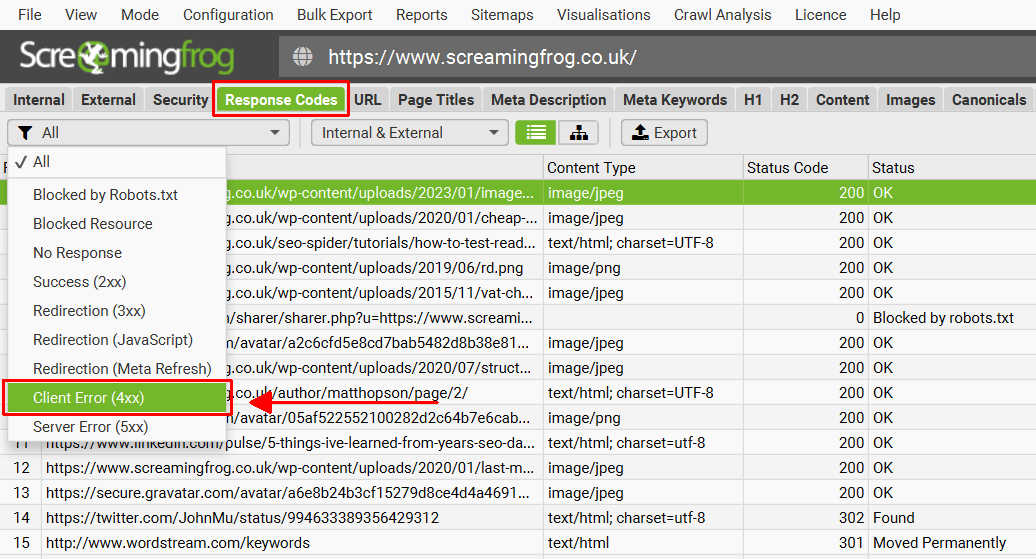
Screaming Frog SEO Spider is a desktop crawler that allows users to investigate URLs and technical signals in detail.
It can identify broken links, redirects, canonical configurations, duplicate metadata, hreflang issues, structured data, and other website conditions.
It also supports JavaScript rendering, custom extraction, integrations, and different crawl modes.
This makes it particularly useful when you already know what you’re investigating.
Imagine an e-commerce website recently migrated from one URL structure to another.
Some internal links point to old product URLs. Those URLs redirect through several intermediate pages before reaching their final destinations.
Screaming Frog can help identify redirect chains and the internal pages linking to them, allowing the team to update the relevant links.
It can also investigate canonical relationships and help determine whether pages are consistently pointing to their intended preferred versions.
For a JavaScript-heavy site, its rendering capabilities allow reviewers to investigate content and links that may differ between the original HTML and the rendered page.
Screaming Frog provides extensive information, but a detailed dataset doesn’t automatically become a prioritised action plan.
An experienced specialist may know exactly how to filter, segment, export, and investigate its findings.
A less experienced user may find it difficult to distinguish a minor warning from a serious indexing problem.
This isn’t necessarily a weakness in detection. It’s a consideration about usability and workflow.
Screaming Frog provides a free version that can crawl up to 500 URLs.
Its official website advertises a paid licence at £199 per year, removing the free crawl limit and unlocking additional features.
For consultants conducting detailed audits, that makes it one of the more accessible specialist crawling options.
Our assessment: Screaming Frog is worth considering when detailed investigation and configuration matter more than having the software make most of your prioritisation decisions.
Best suited for: SEO consultants, agencies, and teams that need detailed technical findings presented in a more understandable format.
Sitebulb combines website crawling with a reporting system designed to help users interpret the results.
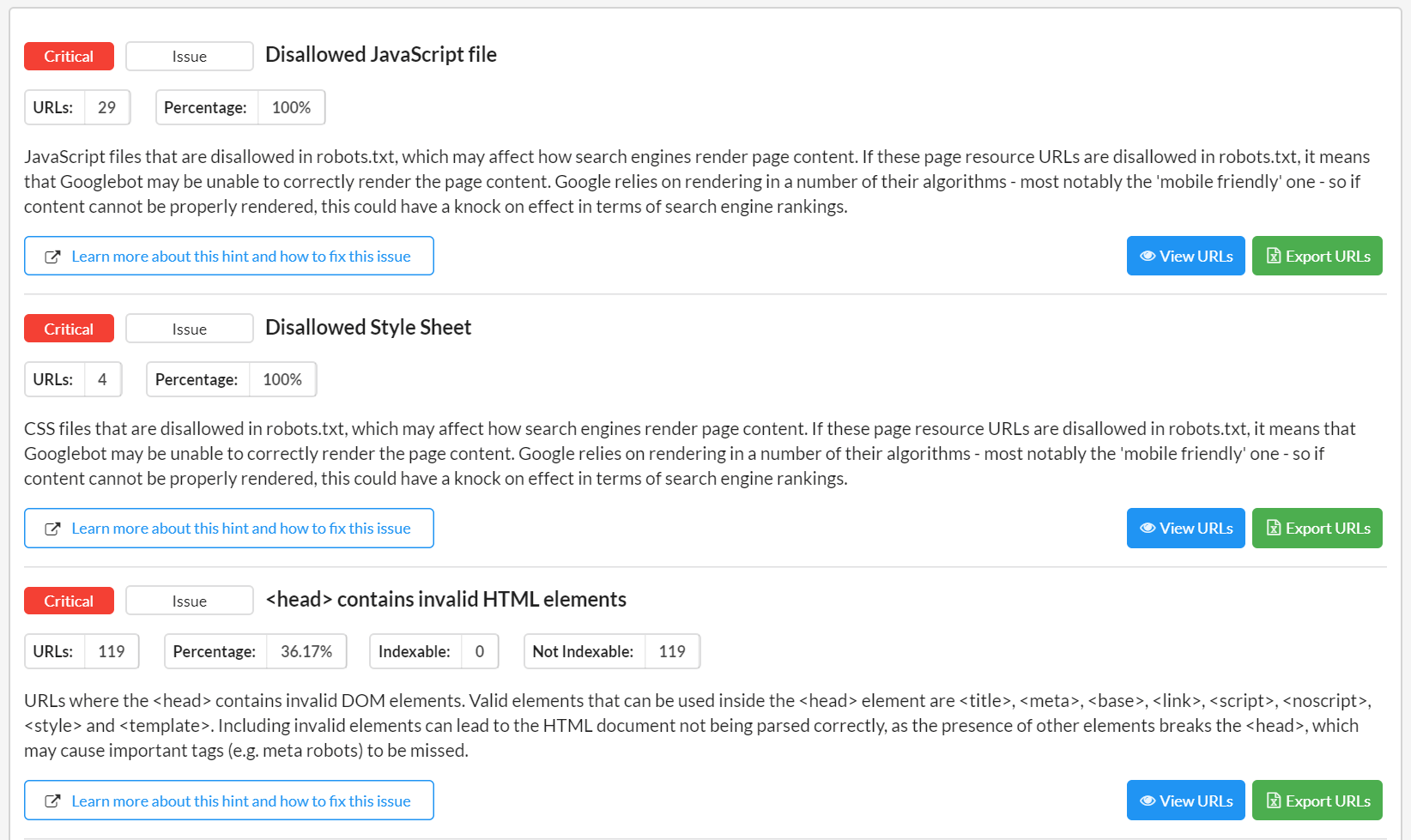
Its software is available in desktop and cloud versions, with features including crawl maps, technical reports, JavaScript rendering, and a system of prioritised Hints.
These Hints identify possible issues and explain why they may matter.
Sitebulb can investigate indexability, internal links, redirects, XML sitemaps, duplicate content, performance, and several other technical areas.
Its crawl visualisations are particularly relevant for websites with complicated internal linking structures.
For example, imagine a website with 2,000 product pages, but some important categories sit several clicks away from the homepage.
A crawl map can help visualise the architecture, making it easier to investigate whether important sections are difficult to reach.
Sitebulb’s Hints can also help translate a technical finding into an explanation that a client or developer can understand.
Sitebulb’s priority system makes audits easier to navigate, but its recommendations still need to be assessed against the website.
A severe issue affecting an unimportant archive page may be less commercially urgent than a moderate issue affecting a high-value service page.
The Hint provides useful guidance. The reviewer still needs to determine the impact.
Sitebulb offers both desktop and cloud subscriptions, with pricing and capacity depending on the selected arrangement.
Buyers should check the current Sitebulb subscription options, particularly whether they need local desktop use or cloud-based access for multiple team members.
Our assessment: Sitebulb is especially relevant when the challenge is turning complex technical findings into reports that people can understand and act on.
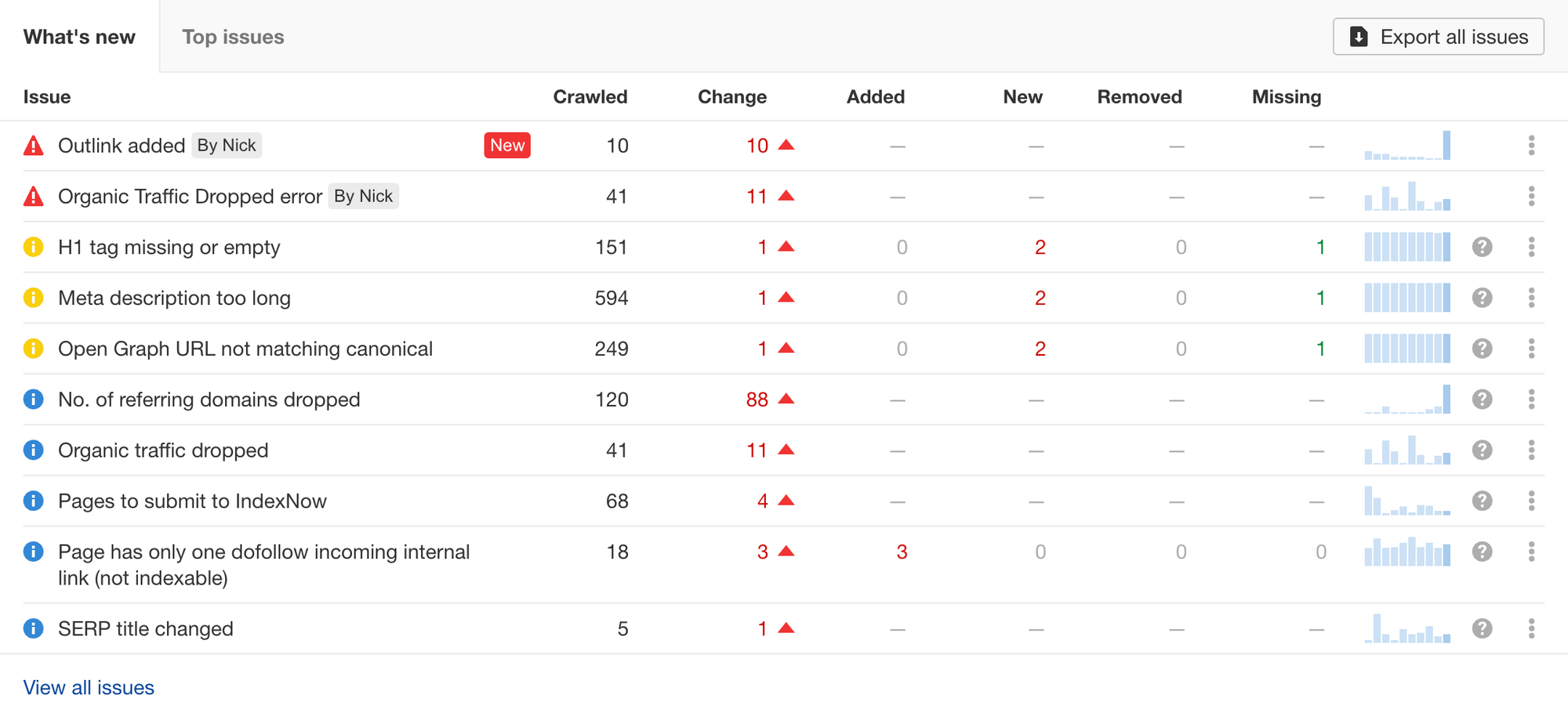
Best suited for: SEO teams already using Ahrefs for keyword research, backlink analysis, and organic search performance.
Ahrefs Site Audit is part of the wider Ahrefs platform.
Its official documentation describes more than 170 predefined technical and on-page SEO checks, covering areas such as crawlability, internal linking, redirects, international SEO, and markup.
Rather than functioning only as a standalone crawler, Site Audit connects technical investigation with the platform’s wider SEO research environment.
Suppose your website has several important product categories with weak internal linking.
Site Audit can help identify technical conditions and linking opportunities, while the wider Ahrefs toolkit provides additional keyword and backlink context.
Its Data Explorer and segmentation features also allow users to investigate groups of pages rather than treating the entire website as one uniform collection.
That matters when the same technical issue appears across several templates.
A problem affecting 500 product pages may require a different solution from an isolated issue on one article.
Ahrefs reports technical conditions observed by its crawler, but it does not automatically establish how Google has indexed every page.
For indexing disputes, you may need Google Search Console and manual verification.
The value of Ahrefs also depends on whether you use its other services. If your only requirement is occasional forensic crawling, a specialist desktop tool may be more economical.
Ahrefs Site Audit is available within the Ahrefs ecosystem, subject to the plan’s project and crawl allowances. Ahrefs also offers free auditing access for eligible verified websites through its webmaster tools.
Check the current Ahrefs Site Audit documentation and applicable plan limits.
Our assessment: Ahrefs is a practical option when technical issues need to be investigated alongside keyword, backlink, and broader SEO research.
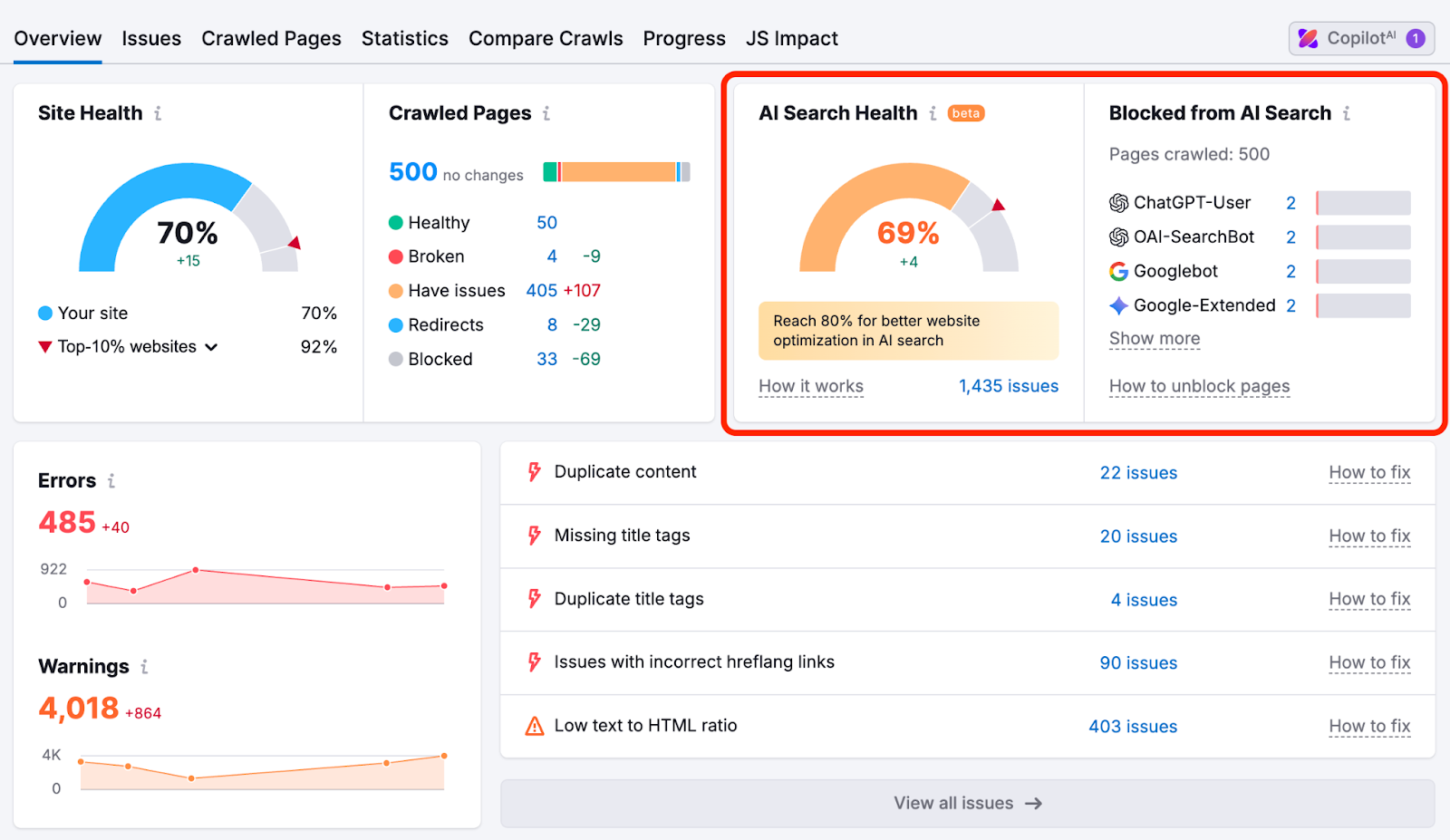
Best suited for: Marketing teams and agencies that want recurring technical audits within a larger SEO platform.
Semrush Site Audit is designed to crawl websites, identify technical and on-page issues, and monitor site health over time.
Its reports group findings by severity and affected pages, making it easier to observe whether technical conditions are improving or deteriorating.
The tool also supports recurring audits.
Imagine a growing business publishes new content every week.
Over time, broken links, redirect problems, duplicate metadata, and indexing issues may appear as website changes accumulate.
Semrush Site Audit can help monitor those conditions and highlight newly detected problems.
Its reports allow users to investigate the URLs affected by specific issues and compare changes across audits.
This can be particularly useful for marketing teams that need regular visibility without manually configuring a fresh technical investigation every time.
An issue classified as an error by the software isn’t automatically the most important SEO problem on the website.
For example, a large number of missing meta descriptions may look worrying.
But if most belong to pages intentionally excluded from search results, they may deserve less attention than an indexing problem affecting a key commercial page.
The health score is useful for monitoring the tool’s defined issues, but it shouldn’t be treated as a direct measure of search traffic or revenue.
Semrush Site Audit operates within subscription-specific crawl and project allowances.
Its documentation describes limits of up to 20,000 pages per audit for certain tiers, with larger limits available on higher plans.
The exact allowance depends on the subscription.
Our assessment: Semrush is worth considering when you need recurring technical audits integrated into an established marketing reporting workflow.
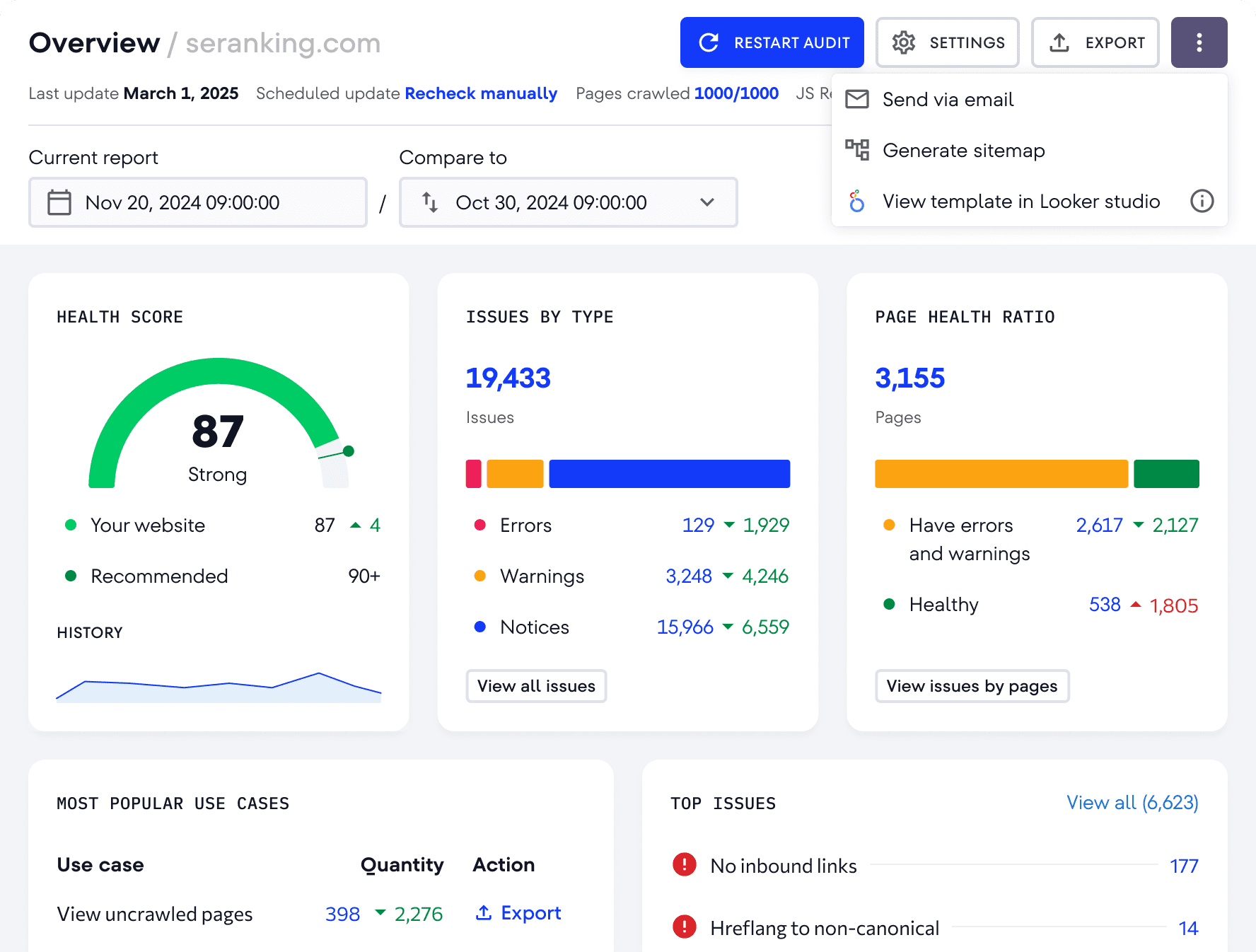
Best suited for: Small agencies, in-house SEO teams, and businesses seeking technical auditing alongside rank tracking and other SEO functions.
SE Ranking Website Audit combines technical checks with site-health reporting, crawl comparisons, and scheduled monitoring.
Its official product information describes more than 115 technical checks involving page responses, redirects, indexing directives, canonical tags, hreflang, site speed, and related issues.
The platform also provides reporting and export options.
SE Ranking can investigate common technical SEO issues across a website and group them into reports.
For example, it can identify pages returning errors, broken internal links, redirect problems, and inconsistent HTML elements.
It also examines canonical tags and international SEO signals, which can be useful for multilingual websites.
A team handling several small or medium-sized websites may find this type of standardised audit useful for recurring monitoring.
As with other tools, severity-based categorisation isn’t necessarily the same as business-impact prioritisation.
A warning on a high-value landing page may deserve attention before a more numerous issue on low-priority pages.
For a complex JavaScript application or unusual crawl problem, you should confirm that the selected plan and crawl settings support the depth of investigation required.
SE Ranking offers Website Audit within its SEO subscriptions and also advertises a standalone auditing option.
Features, crawl capacity, and reporting allowances vary by plan.
Our assessment: SE Ranking is worth comparing when you want an accessible audit workflow rather than a specialist crawler used only for deep technical investigation.
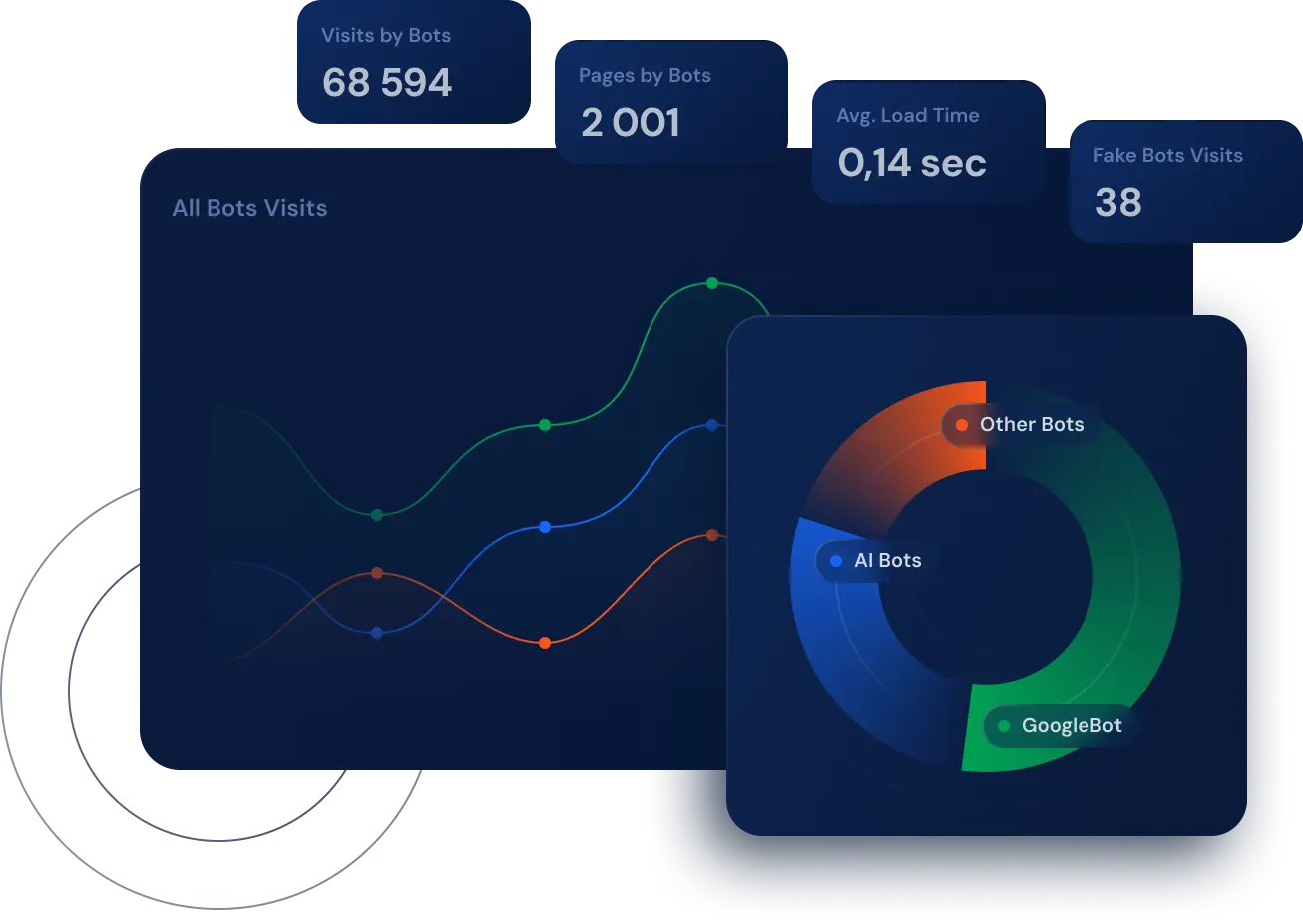
Best suited for: Large websites, technical SEO teams, e-commerce platforms, and organisations investigating search-engine crawling behaviour.
JetOctopus combines a technical SEO crawler with log file analysis, Google Search Console data, and other performance information.
This matters because a crawler tells you what it discovered under its configured conditions.
Server logs can provide a different perspective: which URLs actually received requests from search-engine bots, when those requests occurred, and what the server returned.
Suppose an e-commerce website contains 100,000 URLs.
Its crawler may discover thousands of unnecessary parameter combinations, while some important product pages receive limited search-engine attention.
Combining crawl information with server logs can help investigate whether search engines are repeatedly accessing low-value URLs while important sections receive fewer requests.
JetOctopus also supports joining technical information with Search Console and analytics data, helping teams analyse problems at the URL level.
This is particularly useful when the challenge isn’t simply identifying broken pages but understanding how a large website is being explored.
Log analysis depends on having appropriate server data and the ability to interpret it.
Without reliable access to relevant logs, part of the platform’s value may remain unused.
A small website that only needs occasional broken-link checks may not require this level of analysis.
JetOctopus offers cloud-based packages with allowances depending on the selected plan. Its official pricing page also advertises a seven-day trial covering several modules.
Review the current JetOctopus plans against your website size and log data requirements.
Our assessment: JetOctopus is especially useful when the main technical SEO question concerns crawl behaviour, large URL inventories, and the relationship between crawled pages and organic search performance.
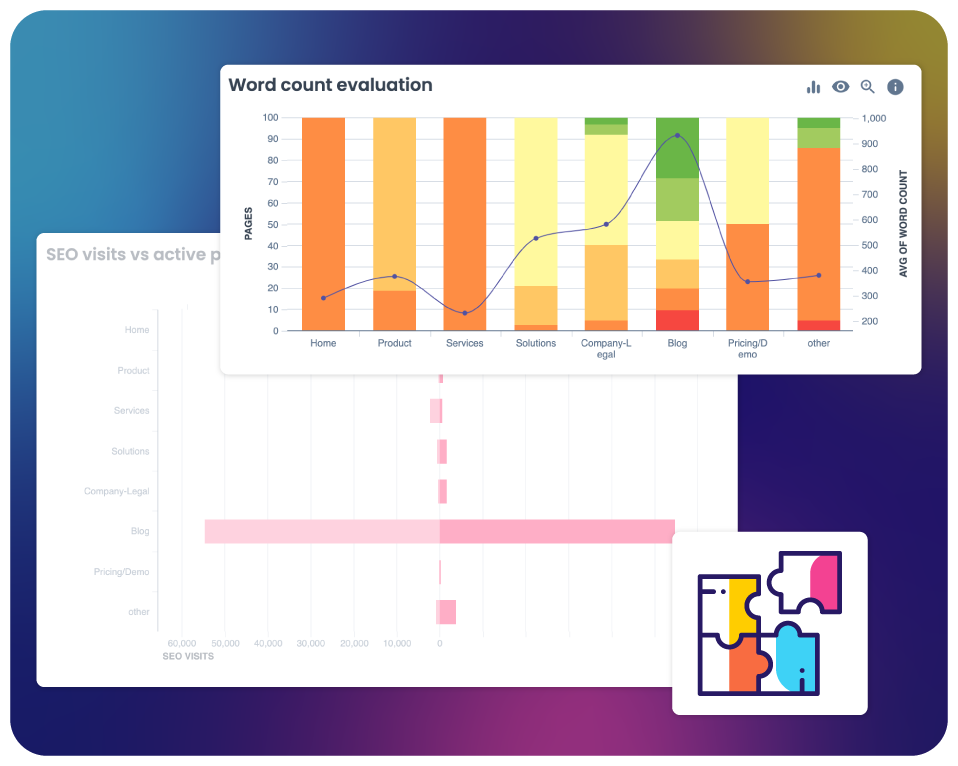
Best suited for: Technical SEO teams with access to server logs, analytics, and large website datasets.
Oncrawl combines website crawling with log analysis and data segmentation.
Its platform is designed to help teams investigate website architecture, crawl behaviour, internal linking, and SEO performance using multiple sources of information.
That makes it relevant to larger organisations where one crawler report cannot explain the complete situation.
Imagine a publishing website with several million URLs.
Some sections attract substantial organic traffic, while others contain large numbers of similar pages that search engines rarely visit.
Oncrawl can help segment those URLs by page type, crawl characteristics, and connected performance information.
Its log analysis capabilities can also help identify patterns in search-engine requests.
By combining these datasets, the team can investigate whether important content is being discovered and crawled as expected.
Oncrawl’s deeper capabilities become valuable when the team has enough data and expertise to use them.
If server logs are unavailable or website sections aren’t clearly defined, the resulting analysis may be less informative.
It is also important not to confuse third-party crawler observations with Google’s actual indexing decisions.
Oncrawl’s commercial arrangements depend on the scope and requirements of the website.
Buyers should request information about crawl capacity, log ingestion, integrations, reporting, and support for the relevant project.
Our assessment: Oncrawl is worth considering when technical SEO requires combining website structure, bot behaviour, and performance information across large datasets.
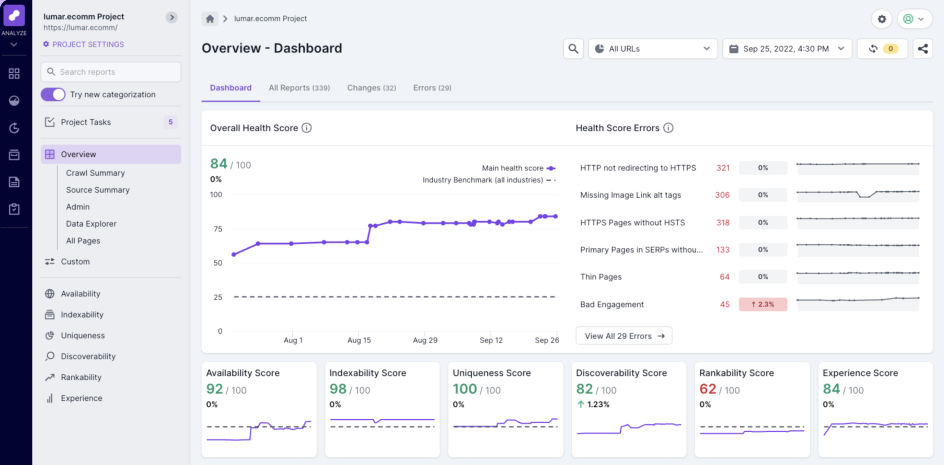
Best suited for: Enterprise websites, development-heavy organisations, and teams needing technical monitoring integrated with implementation workflows.
Lumar, formerly Deepcrawl, provides website intelligence capabilities covering technical SEO, site performance, accessibility, and monitoring.
Its platform is designed for organisations managing substantial websites and multiple teams.
This is a different operational problem from running a one-time audit for a small business.
Lumar can investigate website structure, crawling and indexing signals, performance conditions, and other technical issues.
Its reporting and monitoring capabilities can help teams identify problems across large inventories of URLs.
One relevant feature is its task-management workflow.
Lumar describes the ability to turn audit findings into developer-oriented tickets, including supporting technical information.
That’s valuable when the main challenge isn’t identifying a problem but ensuring that the right team receives enough detail to resolve it.
Imagine an enterprise website has six development teams responsible for different sections.
An SEO consultant identifies a redirect problem affecting a product category.
The issue may be correctly diagnosed, but it won’t be resolved until the responsible development team receives a clear ticket, accepts the work, and deploys the fix.
A platform supporting that process can reduce coordination overhead.
However, ticket generation doesn’t automatically mean the problem will be fixed. Ownership, prioritisation, development capacity, and verification still matter.
Lumar uses enterprise-oriented commercial arrangements, with pricing dependent on the required modules, website scale, and other factors.
Its advanced workflows may be unnecessary for a small website with occasional technical issues.
Our assessment: Lumar is particularly relevant when technical SEO needs to connect with monitoring, development processes, and large-scale website management.
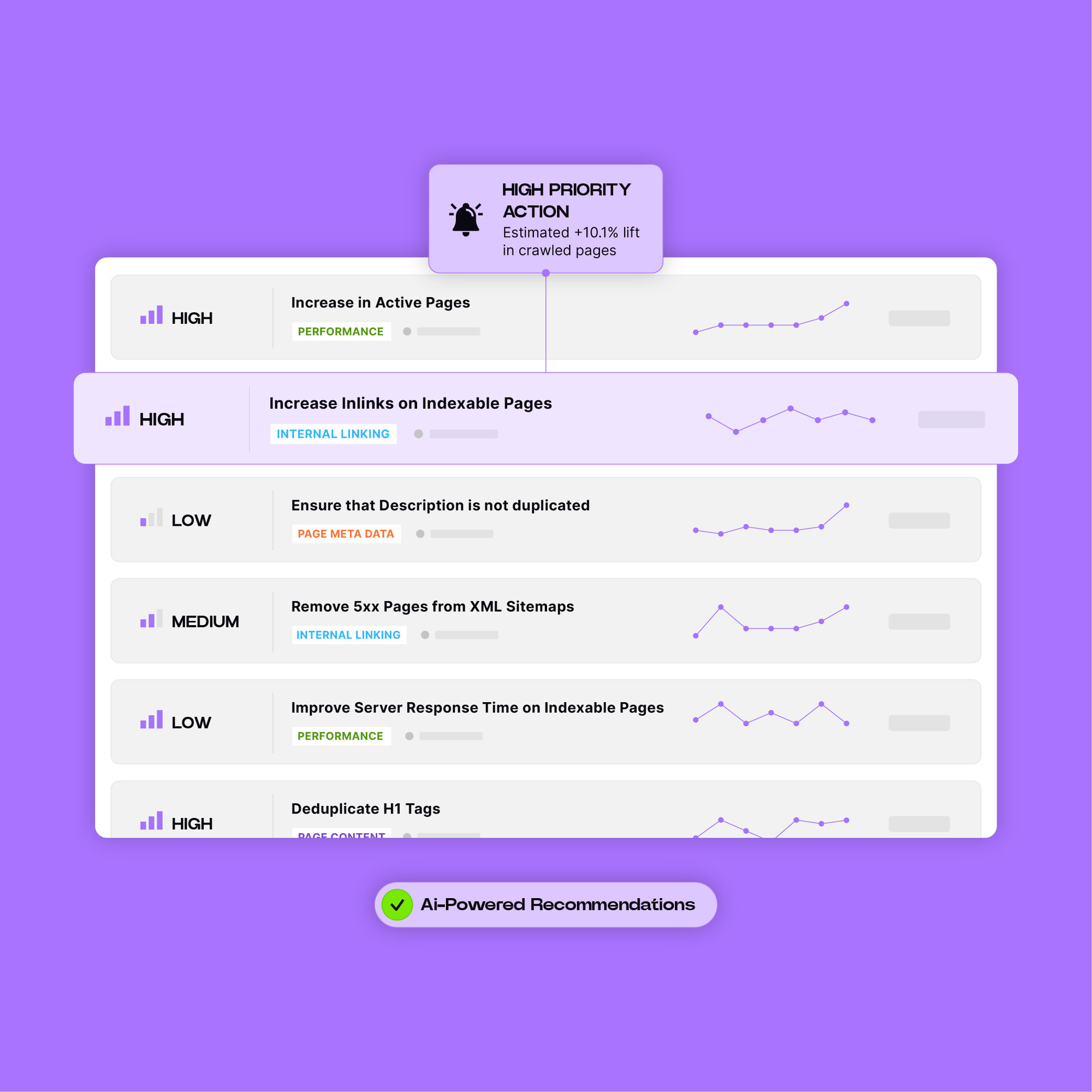
Best suited for: Large organisations that need to connect technical SEO data with search performance and operational priorities.
Botify provides enterprise SEO software covering website crawling, search-engine behaviour, and optimisation workflows.
Its SiteCrawler collects technical information, while other parts of the platform support analysis and prioritisation.
Botify’s documentation also describes ActionBoard, which helps identify recommended actions according to estimated impact.
Consider a large website where thousands of pages contain technical warnings.
The challenge isn’t necessarily finding every warning.
It’s determining which issues are worth investigating first.
Botify’s documentation describes prioritisation based on available crawl information and, for certain machine-learning priorities, additional log and traffic data.
That distinction matters.
A recommendation based only on a technical rule is different from a recommendation informed by traffic and search-engine crawling behaviour.
For organisations with access to those datasets, combining them may help narrow the list of potential actions.
Botify’s capabilities and usefulness depend on the products, integrations, and datasets available in the chosen arrangement.
A team without relevant log or analytics data may not receive the same benefit from advanced prioritisation.
Similarly, recommendations generated by a tool still require validation before they become development tasks.
Botify’s enterprise pricing and implementation arrangements should be confirmed directly with the vendor.
Our assessment: Botify is worth evaluating when the main requirement is prioritising technical SEO work across a large website and connecting findings to search-performance evidence.
The answer depends partly on the type of issue and how the tool is configured.
A desktop crawler may be excellent for detailed redirect investigation. A cloud platform connected to server logs can provide additional information about how search-engine bots interact with a large website.
That doesn’t mean one product is universally more accurate.
Here’s a practical comparison of the workflows each tool is particularly suited to.
| Technical SEO Task | Tools Worth Evaluating | Why |
|---|---|---|
| Detailed redirect and canonical investigations | Screaming Frog, Sitebulb | Detailed URL analysis and technical reporting |
| Internal linking and crawl architecture | Screaming Frog, Sitebulb, Ahrefs | Link data, crawl depth, segmentation, and visualisation |
| Recurring technical health monitoring | Semrush, SE Ranking, Ahrefs | Scheduled audits and report comparisons |
| JavaScript rendering investigations | Screaming Frog, Sitebulb, Lumar | Rendering and technical investigation capabilities |
| Large-scale crawl and log analysis | JetOctopus, Oncrawl, Botify | Combining crawl observations with bot behaviour data |
| Technical SEO issue prioritisation | Sitebulb, Lumar, Botify | Guided recommendations and prioritisation workflows |
| Developer-focused enterprise reporting | Lumar, Botify | Operational support for larger organisations |
This table identifies relevant capabilities, not independently measured detection winners.
A tool’s ability to support a task doesn’t establish that it would correctly identify every instance of that problem during a controlled test.
The original concept behind this article is worth preserving: to compare crawlers fairly, create a test environment where the expected issues are known before the tools are run.
An earlier draft described a 4,000-page staging website with 91 deliberately introduced issues across nine categories.
However, without the original URL-level issue register, crawl exports, and product configuration records available for verification, those claimed results cannot be presented as confirmed comparative findings.
Instead, here’s how that experimental design can become a reproducible benchmark.
Use a non-production environment that you own or have permission to test.
The staging site should contain a documented collection of pages, templates, internal links, directives, and expected technical behaviours.
For every deliberately introduced issue, record its URL, category, expected behaviour, intended detection method, and how it will be independently verified.
A 4,000-page site with 91 known cases could be a useful benchmark, but the count itself isn’t what makes the test credible.
The important thing is having a reference record that clearly identifies what the crawler should find.
A controlled benchmark could include the same nine categories from the original article.
| Test Category | Example Scenario | What Should Be Checked |
|---|---|---|
| Canonical problems | A category page points to an unintended canonical URL | Does the crawler identify the canonical relationship, and can the reviewer verify the intended destination? |
| Orphaned pages | A valid URL exists in the sitemap but has no internal links | Can the tool find it when the sitemap is included as a source? |
| Redirect loops | Two URLs redirect repeatedly to one another | Does the tool identify the loop without continuing indefinitely? |
| Duplicate title clusters | Several different pages share the same title | Does the tool identify the group and affected URLs? |
| Hreflang problems | A translated page lacks a reciprocal language reference | Does the tool identify the relationship problem? |
| Blocked resources | An important script or stylesheet is inaccessible | Does the tool identify the resource and relevant page? |
| Low-value content | A page contains minimal or duplicated content | Does the tool flag the condition, and is the recommendation justified? |
| Mixed content | An HTTPS page references an HTTP resource | Is the insecure resource detected and accurately classified? |
| Pagination trap | Repeated parameter combinations create expanding crawl paths | Can the crawler avoid exhausting the permitted crawl budget, and can it explain the pattern? |
Notice that not every category is a simple yes-or-no detection test.
An orphaned page may not be discoverable through internal links alone.
A canonical tag can be syntactically valid but strategically wrong.
And a short page isn’t automatically low-quality content.
The benchmark must distinguish those cases instead of expecting every tool to make the same editorial decisions.
A fair test needs documented settings.
For each product, record the version, subscription, user agent, crawl scope, robots.txt handling, JavaScript rendering mode, URL limits, and enabled data integrations.
Where possible, match the same crawl budget and testing period.
However, don’t assume that running a crawler against the same domain automatically creates equal conditions.
One product may render JavaScript while another uses HTML-only crawling.
Another may ingest an XML sitemap or Google Search Console dataset that reveals URLs unavailable through internal links.
Those differences need to be documented.
It is reasonable to accept legitimate vendor onboarding, but assistance and configuration changes should be recorded so readers understand the conditions of the test.
A pagination trap is useful for evaluating crawler controls, but it should only be introduced on an authorised staging environment with safeguards.
Set request limits, timeouts, and server protections before testing.
The objective is to determine whether a tool can identify or contain an expanding URL pattern without overwhelming the test environment.
A crawler continuing to discover URLs isn’t necessarily malfunctioning. The test must establish what behaviour was expected and how the tool was configured.
A credible crawler benchmark needs more than a count of flagged issues.
It should distinguish correctly detected cases, missed cases, and false positives.
A useful starting framework includes:
| Measurement | Definition | Why It Matters |
|---|---|---|
| True positives | Known issues correctly identified | Measures successful detection |
| False negatives | Known issues the tool failed to identify | Reveals missed problems |
| False positives | Reported issues that aren’t present under the defined test conditions | Reveals potentially misleading alerts |
| Precision | True positives ÷ all positive findings | Shows how much of the reported issue set is correct |
| Recall | True positives ÷ all known issues | Shows how much of the benchmark issue set was detected |
For example, imagine a hypothetical crawler correctly identifies 80 of 91 known issues and reports ten additional findings that are verified as false positives.
Its recall would be:
80 ÷ 91 = 87.9%
Its precision would be:
80 ÷ 90 = 88.9%
These figures are illustrative. They are not measured results for any product in this comparison.
The correct benchmark should also explain which issue categories were missed.
Missing a duplicated title on an unimportant page is different from failing to identify an indexing problem affecting a major product category.
A total score alone doesn’t capture that distinction.
A website can contain hundreds of technically valid audit warnings without every warning being equally important.
Consider these three findings:
noindex directive.A crawler may report all three.
But which should be fixed first?
That depends on the website’s priorities, current indexing state, affected URLs, implementation effort, and potential impact.
The number of affected pages is useful, but it isn’t enough.
I’d evaluate each confirmed issue against five factors.
| Factor | Question |
|---|---|
| Search impact | Does the issue affect crawling, indexing, discovery, or an important search experience? |
| Business importance | Are commercially valuable pages or strategically important content affected? |
| Scope | Is the problem isolated or repeated across a template or website section? |
| Confidence | Has the issue been verified, and is the proposed fix appropriate? |
| Implementation effort | Can the team resolve it quickly, or does it require substantial development work? |
For example, a confirmed indexing problem affecting an important category page may deserve immediate attention.
A duplicate title affecting a deliberately excluded archive page may be a much lower priority.
Neither conclusion can be drawn from the issue label alone.
A useful crawler should provide enough information to support these decisions, even if the final prioritisation requires human judgement.
The real advantage isn’t automatically fixing everything the crawler flags. It’s reducing the time between discovering a meaningful issue and implementing the correct fix.
You may run two crawlers against the same website and get significantly different URL counts.
That doesn’t automatically mean one tool is broken.
Several factors can explain the discrepancy.
One crawler might start from the homepage and follow internal links.
Another might also ingest XML sitemaps, a list of known URLs, or data from Google Search Console.
The second crawler may discover pages the first never encountered.
This is particularly important when investigating orphaned pages.
Tools may respect different access rules depending on configuration.
A crawler blocked by the website’s robots.txt file or security system may be unable to inspect certain pages.
Before treating missing URLs as a software failure, confirm whether the relevant content was accessible.
JavaScript-heavy websites can expose different content and links in their initial HTML and rendered output.
Google’s JavaScript SEO guidance explains how rendered content can affect discovery and indexing.
When comparing crawlers, document whether rendering was enabled and whether equivalent page content was available.
A website may respond differently when requests arrive rapidly.
Rate limiting, bot protection, temporary server problems, and changing content can affect results.
Crawling a live website also introduces timing differences.
A reliable comparison should investigate these conditions before classifying a missing URL or reported error as a crawler failure.
For a small marketing team, the most important question usually isn’t whether a crawler offers 300 or 500 technical checks.
It’s whether the team can understand the findings and complete the recommended work.
If the website is relatively small, start with Google Search Console and an accessible crawling tool.
Screaming Frog’s free version may be enough for occasional audits of websites under its 500-URL limit.
Sitebulb is worth evaluating if the team needs more guidance interpreting technical reports, while Ahrefs, Semrush, or SE Ranking may make sense when the business already uses those platforms for other SEO tasks.
Don’t buy an additional subscription unless it addresses a specific problem your existing tools cannot handle.
For example, if you’re spending several hours every month manually combining audit exports, better reporting features may justify the cost.
But if the team rarely resolves the issues already identified, another crawler probably won’t improve the situation.
Our guide to how many SEO tools a business actually needs explains how to avoid unnecessary subscription overlap.
For larger organisations, the problem often shifts from detection to coordination.
A company might have separate teams responsible for its product pages, content platform, e-commerce checkout, mobile experience, and international websites.
Finding a technical issue is only the first step.
Someone needs to identify the affected section, assign responsibility, explain the proposed fix, and verify the result after deployment.
This is where platforms such as Lumar and Botify deserve closer evaluation.
Their enterprise workflows can help organisations connect technical findings with prioritisation and operational processes.
JetOctopus and Oncrawl are also relevant when teams need to combine crawl data with server logs and search performance information.
However, don’t assume every enterprise platform automatically assigns the correct development owner.
The actual routing process, integrations, permissions, and ticket-management capabilities need to be demonstrated against the organisation’s workflow.
Imagine an audit identifies 600 technical findings.
A useful enterprise workflow should help the team:
The value isn’t the number of alerts.
It’s reducing the work required to move from technical evidence to confirmed resolution.
You don’t need to build a 4,000-page benchmark to evaluate whether a crawler suits your team.
A smaller, properly documented trial can reveal useful differences in usability, reporting, and technical capabilities.
Here’s a practical evaluation process.
Use a website you own or have permission to audit.
Ideally, it should contain the types of pages and problems your team regularly handles.
For an e-commerce business, that might include product categories, filters, redirects, and internal linking.
For a publisher, it could involve article archives, pagination, duplicate titles, and crawl depth.
Identify approximately 10–15 conditions using independent checks, existing audit records, or an authorised staging environment.
Include a mixture of straightforward and more complicated cases.
For example, you might use a confirmed broken internal link, a redirect chain, a sitemap mismatch, a canonical inconsistency, and a page requiring JavaScript rendering.
Don’t introduce intentionally broken SEO signals into a live production website merely to test software.
Record the crawl limits, user agents, rendering settings, and data integrations.
If a product offers onboarding or configuration assistance, record what was changed.
This helps separate differences caused by settings from genuine capability differences.
When two crawlers return different findings, inspect the relevant URLs.
Check HTTP responses, rendered HTML, canonical tags, redirects, robots directives, and other supporting evidence.
For indexing-related questions, Google Search Console can provide additional information about Google’s observed state.
Remember that a third-party crawler’s current observation and Google’s last recorded indexing status may refer to different times.
Finally, ask each tool to help you turn the findings into a practical list of tasks.
Look for enough detail to answer:
What is wrong? Which URLs are affected? Why might it matter? How can it be verified? What should the team change? How will the fix be checked?
If the tool cannot support that workflow efficiently, the size of its issue database may matter less than it initially appeared.
The right subscription depends on how frequently you audit websites, how large those websites are, and how much work the tool helps your team complete.
A freelancer investigating a few small websites has different requirements from an enterprise with millions of URLs.
Here’s a practical buying framework.
| Buyer Type | Suggested Starting Point | What to Prioritise |
|---|---|---|
| Small business with a simple website | Search Console and a free or existing crawler | Broken links, indexing problems, redirects, and clear action steps |
| Freelancer or technical SEO consultant | Screaming Frog or Sitebulb | Detailed investigation, exports, and flexible crawl settings |
| In-house SEO team | Ahrefs, Semrush, SE Ranking, or specialist tools as needed | Recurring audits, reporting, and integration with existing SEO work |
| Large publisher or e-commerce business | JetOctopus, Oncrawl, or another scalable specialist | Large-site crawling, logs, segmentation, and performance context |
| Enterprise with several development teams | Lumar or Botify | Prioritisation, workflow integration, and implementation accountability |
This is a buying shortlist based on use case, not a ranked test result.
A tool should be judged by the work it enables rather than its position in a generic list.
For more options, see our best SEO audit tools comparison.
This article evaluates documented crawler capabilities, technical SEO requirements, and a proposed controlled-testing framework.
The individual product descriptions come from current official vendor documentation. We have not published comparative detection rates because the raw crawl exports and reference issue records needed to verify such claims were not available for this revision.
The proposed 4,000-page staging experiment and 91-issue framework should therefore be treated as a reproducible test design, not a completed benchmark.
A future hands-on comparison should publish the tested products, software versions, crawl settings, issue register, false positives, missed issues, and supporting exports.
It should also distinguish issues that can be detected automatically from those requiring business context or additional data.
For the editorial standards used across our software comparisons, see How We Review SEO Tools.
There’s no single best option for every website. Screaming Frog is worth considering for detailed technical investigation, Sitebulb for guided audit reporting, and Ahrefs or Semrush for auditing within a wider SEO workflow.
Larger organisations may need specialised cloud platforms that combine crawling, server logs, and development workflows.
Both are specialist technical SEO crawlers.
Screaming Frog provides extensive crawl configuration, URL-level investigation, and export capabilities. Sitebulb combines technical crawling with guided Hints, visualisations, and prioritisation features.
The best choice depends on whether your team prioritises flexibility or guided interpretation.
Yes, when it has an additional source of known URLs to compare against the pages discovered through internal links.
A crawler following only internal links cannot necessarily discover a page that has no discoverable internal links pointing to it.
XML sitemaps, Search Console data, analytics exports, or other URL lists can help identify potential orphaned pages.
Crawlers can identify canonical tags, their destinations, and many technical inconsistencies.
However, they may not automatically know whether a technically valid canonical points to the strategically correct page.
Human verification and an understanding of the website’s intended structure are sometimes necessary.
Not completely.
A third-party crawler shows what it discovered under its own settings.
Server logs can provide evidence of requests from search-engine bots, while Search Console provides additional information about Google’s crawling and indexing.
Combining these sources can produce a more complete investigation.
Not necessarily.
Site-health scores are calculated using tool-specific criteria and weighting.
A score can improve after fixing numerous low-priority warnings while a serious problem affecting an important page remains unresolved.
Use the score as a monitoring signal, not as proof of SEO success.
Screaming Frog offers a free version limited to 500 URLs per crawl. Its paid licence unlocks larger crawls and additional features.
For small websites, the free version can be a useful starting point.
That depends on how frequently your website changes.
A small, stable website may need less frequent full audits, while large e-commerce sites or publishers may benefit from scheduled crawling and monitoring.
Important migrations, redesigns, or technical deployments may also justify targeted checks before and after launch.
Most crawlers primarily identify and report technical conditions.
Some platforms provide automation, workflow integration, or implementation assistance, but the extent varies.
Even where automated fixes are available, changes should be validated before and after deployment.
Technical SEO crawlers have become capable of identifying a wide range of website problems.
Broken links, redirects, duplicate metadata, indexing directives, internal linking problems, and other technical conditions can be investigated by several products.
The real differences are often found in how those tools collect evidence, handle complex websites, support further investigation, and help teams prioritise work.
For a small business, a free or affordable crawler may be enough.
For a specialist, Screaming Frog or Sitebulb may offer the control and reporting needed for detailed audits.
For an enterprise managing large websites and several development teams, platforms such as JetOctopus, Oncrawl, Lumar, or Botify may provide additional value through logs, segmentation, monitoring, and workflow support.
But no tool removes the need to understand the website.
The best technical SEO crawler isn’t necessarily the one that finds the most warnings. It’s the one that helps your team identify the right problem, understand its impact, and verify that the fix actually worked.

Tom is the CEO of MediaOne, a leading digital marketing agency. He is a business-experienced SEO consultant as well as a Google Gold Search Expert serving the international community. He has consulted for MNCs like Canon, Maybank, Capitaland, SingTel, ST Engineering, WWF, Cambridge University, as well as Government organisations like Enterprise Singapore, Ministry of Law, National Galleries, NTUC, e2i, SingHealth. His articles are published and referenced in CNA, Straits Times, MoneyFM, Financial Times, Yahoo! Finance, Hubspot, Zendesk, CIO Advisor. Under his stewardship, MediaOne has won dozens of prestigious digital marketing awards.
Run a free Digimetrics audit across SEO, AI search, content and technical health, and get a plan you can act on today.
Start free →Your website looks fine. The pages load, the navigation works, and visitors can contact your business. But does that mean your website is healthy?…
A website speed test tool tells you how quickly your pages load, but the score is only the start. The useful reports are the…
A website technical SEO checker can return long lists of warnings, but most don’t cost traffic. A stray noindex tag or a robots.txt rule…