SEO Audit
Free White Label SEO Audit Tool: What Agencies Actually Get
You’ve found a potential SEO client, reviewed their website, and identified several problems worth fixing. Now you need a professional audit report that explains…
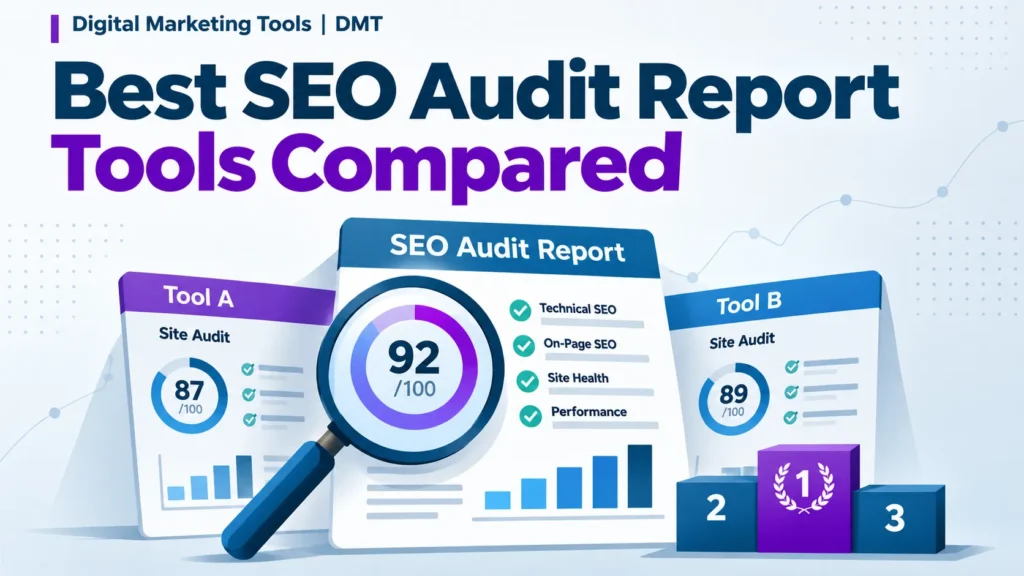
Most SEO audit tools find problems. Fewer tell you which to fix first or produce something you can send to a client without rework. That gap decides whether a tool is worth the subscription, especially among the best SEO audit report tools for your team.
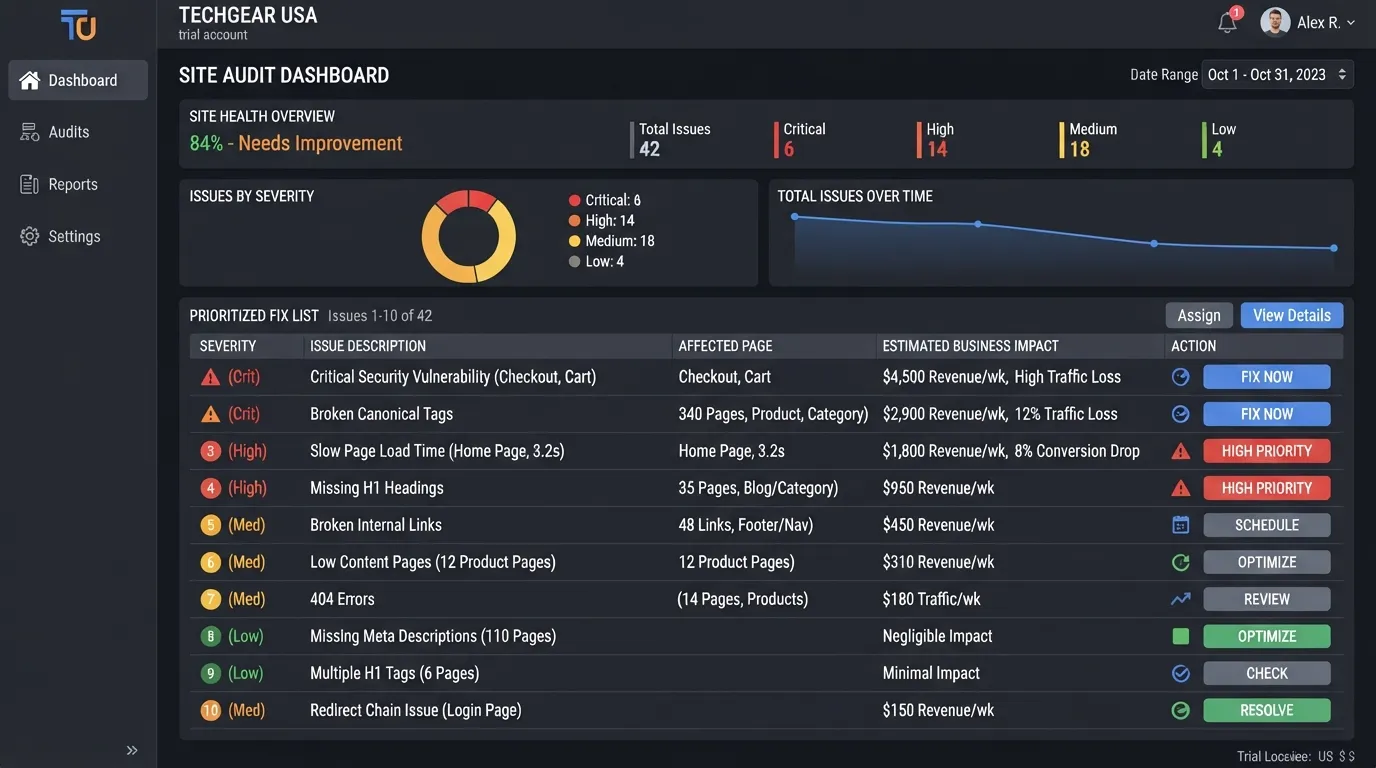
This guide compares leading options for 2026 on one question: how quickly does a raw crawl become a prioritized action list? For an agency with around 50 clients, the question is which tool gives every account a usable audit without rebuilding the output each month. Look for a repeatable audit checklist that surfaces each site’s key features and key issues rather than generic warnings, with clear site health scoring and performance tracking across months.
An SEO audit tool crawls a website the way a search engine does, collects technical and content signals, and flags where they fall short of what search engines expect. Typical findings include broken links, missing or duplicate titles, slow pages, blocked URLs, thin content and crawl errors. The tool does the collection. Deciding which findings matter, and in what order, is the job of the team running the audit, including its on-page SEO and technical SEO specialists. Key features only pay off when SEO professionals read the output with a plan in mind.
A tool that flags 6,000 issues on a 40,000-page site has done its part, but the team has not gained a plan. The purpose of an audit tool is to turn a site’s health into a set of actions, using an audit checklist to keep that work consistent.
Agencies rely on audit tools for coverage, repeatability and speed. A crawler gives an agency a consistent baseline across every client, and rerunning the same audit each month shows whether fixes held. Teams also track rankings alongside these results to see whether fixes translate into visibility, with performance tracking and keyword research feeding the same picture. Findings from SEO tools also inform content optimization decisions.
Speed matters most in retainer work. Findings exported already grouped by severity save more time than a longer feature list that needs manual cleaning. Page speed and site performance data should appear in the same export.
| Report type | Audience | What it should contain |
|---|---|---|
| Baseline audit | New client, first 30 days | Full issue inventory, grouped by severity, with a priority list and backlink analysis |
| Monthly progress report | Existing retainer client | Changes since last audit, fixes completed, traffic and ranking movement |
| Fix-verification report | Developer or marketing lead | Specific URLs, status before and after, pass or fail per item |
The baseline audit is where prioritization matters most, because the client judges the whole engagement by its first list. Monthly reports need trend views and clean exports. Fix-verification reports need URL-level detail a developer can act on directly. A tool that handles only one of these well may force rework for the others.
Most buyers start by comparing feature lists, which is the wrong starting point. A tool that flags 40,000 issues is no more useful than one that flags 4,000 if neither tells you what to fix first. Test each candidate against the technical SEO and crawl errors your own website actually produces. Judge it on whether it shows which problems to fix first, so site performance improves on the issues that matter most. Track results over time with performance tracking to see whether each fix moves the numbers. Evaluate every candidate as one of the SEO tools your team will use daily, not as a standalone purchase.
Answer three questions before you look at any feature.
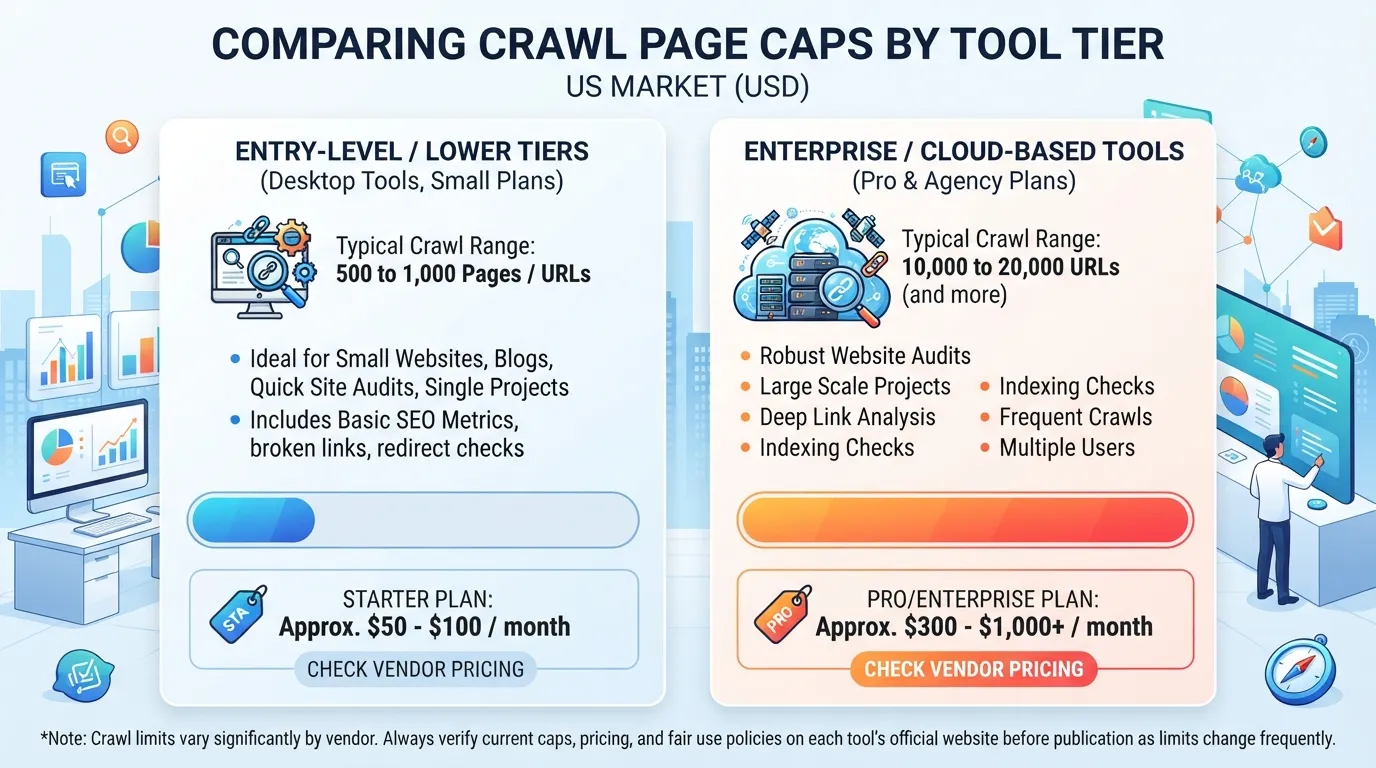
How big is the largest site you manage? Crawl capacity is the hard ceiling. According to Digital Marketing Tools’ review of site audit tools, lower tiers often cap crawls at 500 or 1,000 pages, while cloud tools commonly cap at 10,000 to 20,000 URLs. Check current limits in each vendor’s documentation before you buy.
How many audits do you run each month? Compare cost per audit across your client portfolio, not the headline price.
Who reads the output? An in-house engineer needs raw crawl data. A client needs a plain-language summary. Check that one tool can serve both, and that the summary states the site health of each property clearly.
Look for these, roughly in order of importance:
Feature checklists reward breadth. Test prioritization and report export first, then time how long it takes to turn one real audit into something a client can read. Use an audit checklist to record each candidate’s results side by side.
Score each candidate from 1 to 5 on five questions, using this scorecard as the single test when comparing tools. SEO professionals who run many of these comparisons often find the scorecard keeps the key features in view without favoring the longest feature list. Include on-page SEO checks in the scorecard so that page-level fixes are weighed alongside crawl findings.
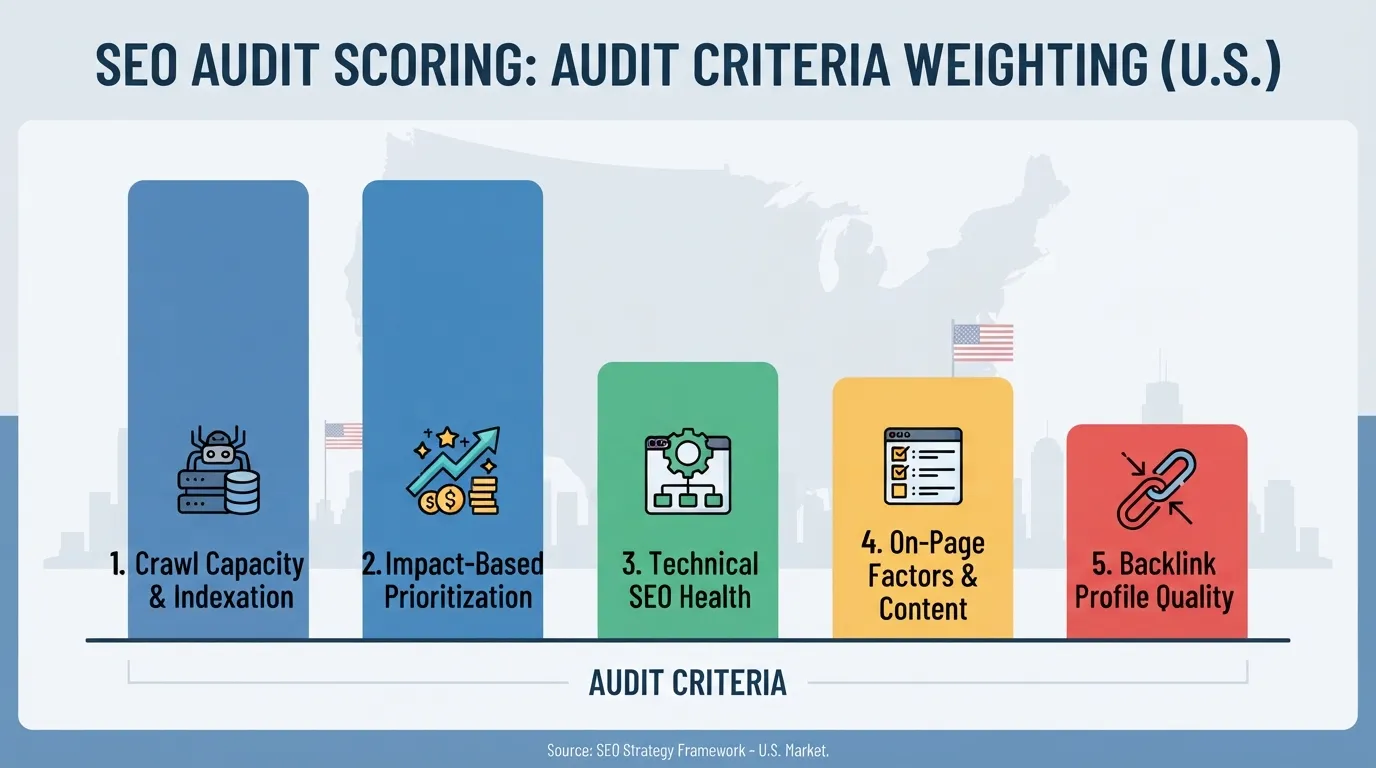
| Question | A score of 5 looks like | A score of 1 looks like |
|---|---|---|
| 1. Can it crawl your real site size? | Covers your largest site with headroom | Hits a cap on your first large client |
| 2. Does it rank issues by business impact? | Shows a prioritized fix list | Returns a flat count of warnings |
| 3. Can you share output without rebuilding it? | Export is client-ready | Every report is rebuilt by hand |
| 4. Does the price fit your audit volume? | Low cost per audit at your volume | Cost per audit climbs as you grow |
| 5. How much platform risk does the vendor carry? | Stable ownership, clear roadmap | Ownership or product direction is uncertain |
Weight questions 1 and 2 highest. A tool that cannot crawl your site, or cannot say what to fix first, fails the job whatever its other strengths.
Detection depth matters less than most buyers assume. Digital Marketing Tools’ ranking methodology weights problem detection and prioritization at 20% each, so the two count equally. Backlink analysis and content optimization matter too, but should rank below crawl capacity and prioritization. Pair the audit with keyword research to confirm that the pages you fix are the ones searchers actually look for.
For a small brochure site, a free crawler may be all you need. Match the scorecard to the site in front of you, not to the most sophisticated option on the market.
Paid suites are the default choice for agencies running SEO audits every week. The difference between them lies less in detection than in what happens after the crawl. Semrush and Ahrefs dominate most shortlists, and both detect a wide range of technical issues, including crawl errors that affect how search engines reach a website. They differ in how quickly SEO professionals can turn findings into a client deliverable. Weigh each tool against your own workflow, and check the audit checklist each one produces against the work your team already does.
Semrush Site Audit crawls a website, groups issues by category and flags errors, warnings and notices. Its strength is breadth. It sits inside a wider toolkit covering keyword research, rankings tracking and competitive analysis, so one login can produce an audit and the surrounding context a client expects.
Two points matter for buyers. First, Adobe completed its acquisition of Semrush in April 2026, so ask how the roadmap and pricing will evolve over a multi-year contract. Second, verified projects receive 5,000 Site Audit crawl credits each month, according to Digital Marketing Tools’ review of audit tools. That suits a small portfolio but may limit an agency running frequent full crawls. Confirm the current allowance on Semrush’s own documentation.
Ahrefs Site Audit scores site health and lists issues by severity, backed by one of the largest backlink indexes available. Crawl findings and referring-domain data sit side by side, which helps teams see which issues affect link equity through backlink analysis. The tool also tracks Core Web Vitals, including page speed, and overall SEO performance.
For agencies, the practical question is whether the report can reach a client with minimal editing. Both suites export data, but each usually needs commentary, branding and prioritization before it is client-ready. Budget that rework time when comparing monthly costs.
| Suite | Strongest for | Watch for |
|---|---|---|
| Semrush | All-in-one toolkit with audit, keywords and tracking | Ownership change after the Adobe acquisition |
| Ahrefs | Audits paired with a large backlink index | Audit output usually needs extra editing before a client sees it |
| Moz Pro | Teams wanting a simpler, guided interface | Check crawl capacity against your largest client website |
| SE Ranking | Smaller agencies seeking a lower entry price | Confirm crawl limits on higher-volume plans |
| BrightEdge | Enterprise teams managing very large sites | Enterprise contracts are a long-term commitment |
Score each suite on the five scorecard questions, weighting crawl capacity and prioritization highest. A suite that cannot crawl your largest client or rank technical issues by business impact will cost time, however many tools it bundles.
Before paying for a suite, most teams should use what is free. The four tools below cover indexing, traffic, page performance and crawl health at no cost beyond setup time. Free tools answer many early questions about site health and rankings. The gap to paid tools is mainly about scale, prioritization and reporting.
These four tools answer different questions, so use them together.
A practical starting routine: check Search Console coverage for indexing errors, sort the performance report by high-impression, low-click-through pages, then run PageSpeed Insights on your top ten landing pages. Record findings in one sheet with columns for URL, issue, estimated traffic at stake and owner, so the analysis stays easy to review and forms a usable audit checklist.
Teams often skip Bing Webmaster Tools, which is a mistake for any audience using Microsoft Edge, Copilot or Bing-powered search. It offers crawl reports, indexing status and keyword research data, and it can import verified properties from Search Console, so setup takes minutes. Its reports also help flag duplicate content across a website that might otherwise go unnoticed.
Free tools suffice when your site is small and you need basic checks on indexing, speed and on-page SEO health. They fall short in four situations:
A simple rule: if assembling your audit takes longer than acting on it, or you cannot finish a crawl within your free limit, evaluate paid options. Backlink analysis is one area where free tools rarely give a complete picture.
Crawlers are where audit reports begin. A cloud suite can tell you a page is slow, but a crawler shows every URL, status code, redirect chain and canonical tag, the raw material every finding depends on. A thorough audit checklist starts with this crawl data before any findings are prioritized, so SEO professionals can track site health from an accurate baseline. Crawl data also surfaces crawl errors such as broken links and redirect loops that can quietly undermine on-page SEO and the quality of your site’s content.
Screaming Frog SEO Spider is the default desktop crawler for most practitioners. Its free edition crawls up to 500 URLs. According to Digital Marketing Tools’ review of crawl tools, the paid licence costs around $259 per year as of the review date and removes the cap. Its key features include reporting broken links, redirect chains, duplicate titles, missing headings and orphaned pages, and it can connect to Google Search Console and Google Analytics, supporting ongoing performance tracking of the website.
The limitation is that it runs on your own machine. Large crawls use a lot of memory and can take hours, and reports arrive as spreadsheets rather than client-ready documents.
Sitebulb turns crawl data into prioritized insights and visual reports that clients can read. It has a 14-day trial and starts from $18 per month.
Oncrawl and JetOctopus suit sites where a single crawl misses the picture. JetOctopus adds server log analysis, which shows what Googlebot actually requests, useful when crawl budget and page speed are real constraints. It is overkill for a 300-page business site, and annual pricing from $549 per month is a real commitment.
Check crawl capacity first. Lower tiers often cap crawls at 500 or 1,000 pages, while cloud tools commonly cap at 10,000 to 20,000 URLs, according to OneLittleWeb’s review of audit tools. A 1,000-page plan on a 15,000-page site gives a partial audit that looks complete, which is worse than no audit.
Platform risk is the factor most comparisons skip. Adobe completed its acquisition of Semrush in April 2026, so teams standardizing on a suite should ask how pricing, roadmaps and data access might change. Desktop crawlers carry less of this risk because the data stays on your machine, which also keeps technical SEO, keyword research and competitive analysis data under your own control.
The best SEO audit report tools are the ones your team can prioritize, act on and show a client without rebuilding the report by hand. Score each candidate on crawl capacity, prioritization by business impact, client-ready output, price and platform risk, weighting crawl capacity and prioritization highest.
Start with free tools. Google Search Console, PageSpeed Insights and Lighthouse cover much of the basics at no cost, and they help track site performance and page speed at no cost. For sites over 500 pages, Screaming Frog’s free edition will stop you early.
Next steps:
Yes, for small sites only. Screaming Frog SEO Spider has a free edition that crawls up to 500 URLs. Sites with more pages need a paid plan, and the paid licence costs around $259 per year.
Match the crawl limit to your largest site. Lower-tier plans often cap crawls at 500 or 1,000 pages, while cloud tools commonly handle 10,000 to 20,000 URLs, according to this audit tool review.
Choose the tool whose findings you can turn into a client deliverable with the least rework. Sitebulb suits this well, with prioritized insights and visual reporting. It offers a 14-day trial, per its listing.
Often, yes. Search Console shows indexing status but does not crawl every page or rank fixes. A paid crawler checks broken links, duplicate content and crawl depth, which supports a fuller technical SEO audit checklist.
Run a full audit at least once a quarter, and a crawl after any major change such as a redesign or migration. Fast-moving websites may need monthly crawls.
There is no universal benchmark. Across more than 100,000 websites audited in 2026, the median score was 71 out of 100, according to seomator’s network data. Treat the score as a trend line for SEO performance rather than a fixed target.

Tom is the CEO of MediaOne, a leading digital marketing agency. He is a business-experienced SEO consultant as well as a Google Gold Search Expert serving the international community. He has consulted for MNCs like Canon, Maybank, Capitaland, SingTel, ST Engineering, WWF, Cambridge University, as well as Government organisations like Enterprise Singapore, Ministry of Law, National Galleries, NTUC, e2i, SingHealth. His articles are published and referenced in CNA, Straits Times, MoneyFM, Financial Times, Yahoo! Finance, Hubspot, Zendesk, CIO Advisor. Under his stewardship, MediaOne has won dozens of prestigious digital marketing awards.
Run a free Digimetrics audit across SEO, AI search, content and technical health, and get a plan you can act on today.
Start free →You’ve found a potential SEO client, reviewed their website, and identified several problems worth fixing. Now you need a professional audit report that explains…
Your website has hundreds of pages, organic traffic is declining, and you’re not sure what’s causing the problem. Is Google struggling to crawl important…
The best SEO software for a small business is not necessarily the product with the most features. It is the tool that tells you…