SEO Audit
Free White Label SEO Audit Tool: What Agencies Actually Get
You’ve found a potential SEO client, reviewed their website, and identified several problems worth fixing. Now you need a professional audit report that explains…
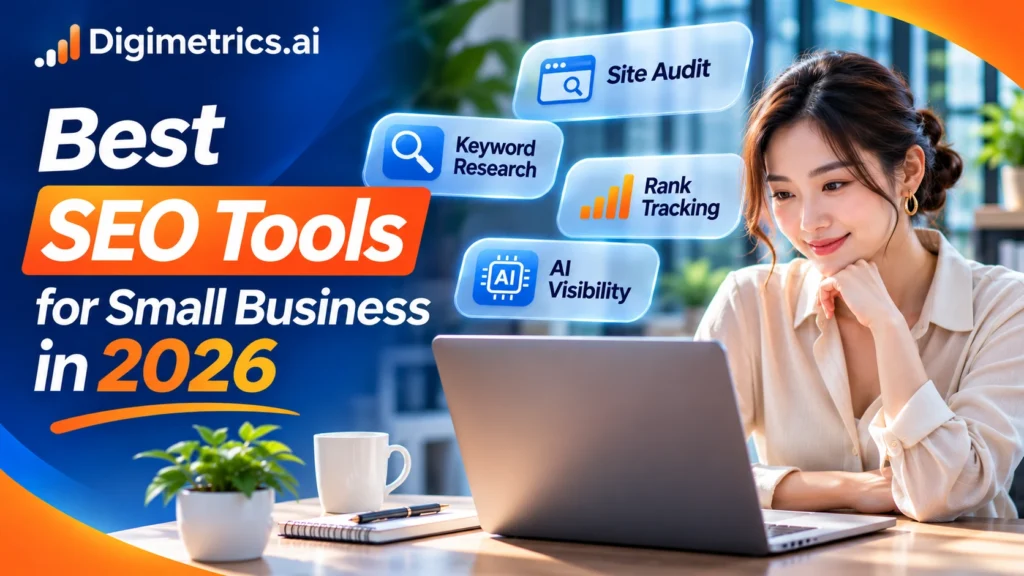
The best SEO software for a small business is not necessarily the product with the most features. It is the tool that tells you what to improve, helps you take action, and fits your time and budget. This practical guide compares free and paid options, puts Digimetrics.ai alongside established alternatives, and shows how to build a manageable SEO routine.
An owner rarely has time to investigate rankings, technical errors, competitor pages, and conversions separately. SEO tools help answer practical questions: Which searches already show our website? Which pages are losing clicks? Is a technical problem preventing people from finding us? Which improvements could attract more relevant visitors?
The tools themselves do not increase rankings automatically. Their value comes from giving you evidence to decide what to change. A local salon may benefit most from Google Business Profile and location-specific search checks. An online retailer may need technical crawling and product-page improvements. A service company seeking leads may focus on Search Console and conversion tracking.
In 2026, some businesses also want to know whether AI assistants mention their brand when potential buyers ask for recommendations. That is a reason to consider a platform such as Digimetrics.ai alongside the established free Google tools, not a reason to abandon conventional SEO.
This shortlist evaluates fit for a small business, breadth of capability, usability, and the published access model. The order is an editorial recommendation, not the result of a controlled product test, and it should not be interpreted as a customer review ranking. The vendors list prices in their own currencies, which may change.
| Tool | Best fit | Free access and starting cost | Main capabilities |
|---|---|---|---|
| Digimetrics.ai | Affordable all-in-one SEO, content, and AI visibility | 7-day trial; from US$31/mo annually or US$39 monthly | Audit, keyword research, rank checker, on-page optimization, AI mentions |
| Google Search Console | Free search and indexing data from Google | Free | Queries, clicks, impressions, CTR, indexing and Core Web Vitals reports |
| Screaming Frog SEO Spider | Detailed technical SEO crawling | 500 URLs free; £199 per user/year for paid license | Broken links, metadata, status codes, redirects, duplicate pages |
| Ahrefs | Competitive research and backlink analysis | Free tools / Ahrefs Free; Starter US$29/mo, Lite US$129/mo | Keywords, backlinks, competitor content, site auditing on eligible plans |
| Semrush | Fuller competitive SEO research and monitoring | SEO plans from about US$139/mo; trial offered | Keyword research, competitive research, site auditing, position tracking |
| SE Ranking | Growing teams needing SEO projects and rank tracking | 14-day trial; Core US$129/mo monthly | Daily rankings, website audit, backlinks, research, AI visibility |
| AnswerThePublic | Content questions and audience research | Limited free access; paid plans vary | Search questions, related topics, content ideation |
| BrightLocal | Businesses serving a local area | Selected tools free; broader service paid | Localized results checks, local listings, rankings and reviews |
| Seline | Lightweight website and conversion analytics | Trial and paid plans; check current terms | Website visits, journeys, funnels and conversions |
| Keyword.io | Fast long-tail keyword suggestions | Free keyword suggestion functionality | Keyword discovery across search and marketplace platforms |
| DataForSEO | Developers building custom SEO reporting | Pay-per-use APIs | Raw SERP, keyword, backlink and other marketing data |
Our standout consolidated choice: Digimetrics.ai is particularly worth a trial if you want a broad SEO and AI visibility toolkit without subscribing to several separate platforms. If you need only Google performance data, Search Console is still the stronger starting point because it is free.
Digimetrics.ai brings together keyword research, rank checking, technical SEO checks, a full site audit, on-page optimization, backlink exploration, and AI Mentions Tracker in a single workspace. The biggest advantage for a small business is a simpler path from spotting a problem to deciding what to fix.
Access and pricing: New accounts receive a seven-day trial with the available tools unlocked and no credit card required. Starter costs US$31 per month billed annually or US$39 monthly. The Starter tier provides three projects and 25 tracked keywords; usage is credit-based.
Strength: Broad coverage at an accessible entry price, plain-English explanations, and useful SEO plus AI-search measurement.
Trade-off: The free access is a trial rather than a permanent free plan. Monthly credits, project limits, and tracked-keyword allowances must match the workload.
Google Search Console reveals Google Search queries, clicks, impressions, average click-through rate (CTR), and average position for verified sites. It also provides indexing and other diagnostic reports. Because it reflects Google’s recorded performance for your property, it should be a foundational data source.
Access and pricing: Free, but you need to verify ownership or access to the website.
Strength: Direct Google Search performance and indexing data, without a software subscription.
Trade-off: No comprehensive competitor backlink research or general-purpose keyword difficulty database. Average position is not a guaranteed position for every user and location.
Screaming Frog SEO Spider is desktop software for inspecting URLs, status codes, redirects, internal links, titles, and other technical elements. It is an effective way to locate issues you can hand directly to a developer.
Access and pricing: The free version crawls up to 500 URLs per run. The paid licence is listed at £199 per user per year and unlocks advanced features.
Strength: Granular technical findings and spreadsheet-friendly exports.
Trade-off: Desktop setup and terminology can feel technical. Advanced features, such as JavaScript rendering and certain integrations, require a paid licence.
Ahrefs provides keyword and competitor research, backlink data, and site analysis. Its free tools and verified-site access are useful entry points, while the full plans offer broader data and tracking.
Access and pricing: Ahrefs Starter is listed at US$29 per month, while Lite starts at US$129 per month; these are different access levels. Review plan allowances before choosing.
Strength: Link research and competitor intelligence that can support strategic content decisions.
Trade-off: A small business might pay for far more data than it can act on. The lower-cost Starter product is not equivalent to the full Lite subscription.
Semrush combines keyword discovery, rank tracking, site audits, and competitive analysis. It is strongest when a team regularly uses several of those workflows rather than opening the dashboard a few times a year.
Access and pricing: Its SEO entry offer is around US$139 per month with monthly billing; annual plans may reduce the effective monthly cost. Verify the applicable plan before purchase.
Strength: Well-established research suite and recurring monitoring.
Trade-off: Higher recurring cost than a lean small-business stack. Packages and AI search inclusions can vary by plan.
SE Ranking offers recurring rank tracking, website audits, competitor research, backlink data, and AI visibility options. It can make sense when several websites need structured monitoring.
Access and pricing: The Core tier is listed at US$129 per month with monthly billing (US$103.20 per month when billed annually) and offers a 14-day trial.
Strength: Useful project-based workflows and frequent ranking checks.
Trade-off: Its current entry price and available limits may exceed what a single small website requires.
AnswerThePublic turns a starting topic into questions and related phrases that customers might search. It can help owners plan useful FAQs and comparison articles instead of guessing what to publish.
Access and pricing: Limited free use is available; subscription prices and usage limits vary by plan.
Strength: Simple route from a broad idea to content questions.
Trade-off: It does not replace a technical website crawl or a source of first-party search performance data.
BrightLocal is particularly relevant to businesses with a physical location or a defined service area. Its free Local SERP Checker, review-link generator, and other utilities help assess location-specific search results.
Access and pricing: Selected local SEO utilities are free with usage limits; paid subscriptions cover wider monitoring, listings, and review workflows.
Strength: Location-aware search checks that general SEO tools may not prioritize.
Trade-off: Free tools are narrow and do not amount to a complete, continuously monitored local SEO platform.
Seline is better understood as a lightweight analytics option than a full SEO suite. It helps a team understand site visits, visitor journeys, and conversions once customers arrive.
Access and pricing: Check its current trial and subscription terms before choosing.
Strength: Accessible site analytics that can complement Google search performance metrics.
Trade-off: It does not replace keyword research, technical site audits, or link analysis.
Keyword.io generates keyword suggestions from multiple search and shopping platforms. For a small business creating its first content plan, it can quickly surface common phrasing and longer searches.
Access and pricing: Free keyword suggestion functionality is offered; verify any export or advanced-data restrictions.
Strength: Easy, quick brainstorming of topics and phrases.
Trade-off: Keyword suggestions alone do not establish search volume, organic ranking difficulty, or commercial value.
DataForSEO delivers raw SEO and advertising-related data through APIs. It belongs on the shortlist for developers building a custom reporting product, not most owner-operated businesses.
Access and pricing: Usage-based API pricing rather than a standard small-business SEO dashboard subscription.
Strength: Flexible data access for custom software and workflows.
Trade-off: Requires development and maintenance effort to build a useful user interface and reporting workflow.
Begin with the decision you need to make this month. Is the pIs the problem that too few people are finding your business, that you have weak click-through rates, that your pages are slow, that you have poor local visibility, or that you are uncertain about what content to publish?e tool that can answer that question before comparing interfaces or subscription bundles.

A local plumber generally needs leads from nearby customers, not a national editorial content suite. A retail store might want product category pages to rank for purchase-intent searches. A professional services firm might need to identify which service pages receive impressions but few enquiries.
Assign one person to own the routine. A reliable 20-minute weekly review is more useful than a feature-rich platform that nobody opens. Plan extra time after significant site changes, such as a redesign, migration, or a new batch of product pages.
A free tool can remain useful without a subscription; a free trial ends. Google Search Console and PageSpeed Insights are free. Screaming Frog has a permanent 500-URL free version. Digimetrics offers a seven-day free trial of its tools, then paid plans. SE Ranking offers a 14-day trial. Compare the cost of continued use, not only the first week.
Before adding a subscription, ask yourself three questions. If the answer to any is no, a purchase may be premature.
If you only want to identify pages that already receive Google impressions but do not earn many clicks, Search Console may be sufficient. If the next decision is to research competitor keywords, benchmark top-ranking pages, and monitor selected queries, adding Digimetrics or a larger SEO suite may make sense. Paying for broader access is worthwhile only if you use that additional data.
For a brochure website with fewer than 500 URLs, Screaming Frog’s free crawler may cover routine technical checks. For a business owner who would rather receive a prioritized list of SEO, speed, and AI-readiness issues in one workflow, Digimetrics Full Site Audit is a strong alternative to trial. A large e-commerce website should test crawl limits and technical coverage before buying either option.
Use a light schedule that leaves room for action. The point of monitoring is to make a change, not to produce another report.

Rankings and organic traffic can fluctuate for reasons outside your control. Avoid attributing a change to a single edit without looking at search demand, seasonality, indexing status, and other relevant context.
Keyword research tells you which terms and questions your customers use. Assess intent and page relevance alongside search volume. Google Keyword Planner helps identify search phrases, while Digimetrics Keyword Research adds keyword difficulty and intent data. A broad keyword can look attractive but attract visitors who are unlikely to buy.
Website crawlers check broken links, redirects, titles, canonicals, crawlability, and related technical issues. Their coverage varies by plan. Use a tool that clearly identifies the affected URL and an actionable correction, then verify the fix in the browser and relevant search tools.
Rank checks monitor a chosen keyword in a market or device. They are different from the average positions reported by Search Console. Digimetrics Rank Checker allows country and optional city checks, and Ahrefs, Semrush, and SE Ranking provide additional competitive research. Compare ranking changes with clicks and useful business outcomes rather than chasing positions in isolation.
Organic traffic does not automatically translate into leads or sales. Google Analytics 4 can help show engagement and conversions after users reach your website. A lighter analytics platform such as Seline may suit teams that prefer a simpler interface. Set up meaningful conversion events before judging the ROI of an SEO subscription.
Businesses that meet customers in person or serve a geographic area should prioritize accurate business information and the quality of their local presence. Google Business Profile is an important free foundation for eligible businesses; BrightLocal adds location-specific checking and paid local marketing workflows.
AI assistants can introduce new discovery paths, but a mention in an AI-generated answer does not guarantee a recommendation, traffic, or revenue. Digimetrics AI Mentions Tracker examines mentions and citations across multiple AI answer experiences. Repeat the same relevant questions over time, and interpret the results as a sample, not a census of everything AI systems might say.
These tools provide a foundation that remains useful even if you later subscribe to Digimetrics or another SEO platform.

Google Search Console reports queries, impressions, clicks, average CTR, and average position in Google Search. It also helps you inspect indexing problems. Look for valuable pages that appear frequently in search results but attract fewer clicks than expected, then assess whether their titles accurately reflect the page content.
Google Analytics can connect organic visits to engagement, enquiries, form submissions, and purchases when configured properly. Search Console and Analytics answer different questions; used together, they can show both how customers arrive and what they do next.
Google Business Profile helps eligible businesses manage how they appear in Google Search and Maps. Keep your business name, categories, opening hours, contact details, and services accurate. It is particularly important for physical locations and businesses that serve customers face-to-face.
PageSpeed Insights helps diagnose mobile and desktop performance. It reports lab diagnostics and, when available, field-based Core Web Vitals data. A fast-loading page supports usability; a performance score does not guarantee a specific search ranking.
| Business situation | Start with | Upgrade when |
|---|---|---|
| Local service business | Business Profile + Search Console + a free local SERP check | You need repeated location tracking, review management, or stronger competitor research |
| Small informational website | Search Console + free Screaming Frog crawler | You need content research, ongoing rank tracking, or more convenient audit guidance |
| Small e-commerce store | Search Console + Analytics + targeted crawl checks | Site scale, product errors, or competitive research require more capacity |
| Small team wanting an integrated platform | Search Console + Digimetrics.ai trial | Its audit, keyword, rank, and AI visibility tools prove useful enough to justify Starter |
| Developer-led business | Search Console + Analytics + custom data as needed | API-based workflows justify DataForSEO or a more extensive technical stack |
Example budget: A Digimetrics Starter plan at US$39 paid monthly costs US$468 over 12 months before applicable tax. Annual billing at the advertised US$31 monthly equivalent is US$372 per year. These figures are simple subscription comparisons, not predicted SEO returns. Consider the time spent implementing recommendations as well as software cost.
Start with Google Search Console and the other free Google tools you genuinely need. Add a specialist crawler for technical issues, a local tool if nearby visibility drives your sales, or a broader platform when you routinely need keyword research, competitive context, rankings, and AI visibility.

For small businesses looking for a practical all-in-one SEO and AI search toolkit, Digimetrics.ai deserves a place near the top of the shortlist. Its range of tools and relatively low entry price are compelling, but the right decision still depends on projects, credits, and how often you use the features. Try the Digimetrics tool suite during the seven-day trial, compare its output with the free Google data you already trust, and keep the subscription only if it drives useful decisions.
Start with Google Search Console because it provides free first-party Google Search performance data. Use Google Business Profile for an eligible local business, and add a technical crawler or keyword research tool when a specific task requires one.
Yes. It offers keyword research, SEO audits, on-page checks, rank tracking, and AI visibility in one product. The Starter plan provides three projects and begins at US$31 per month when billed annually, or US$39 with monthly billing. The free trial lasts seven days.
Often. Free Google tools plus Screaming Frog’s 500-URL crawl version can cover a small website’s foundational monitoring and technical review. Paid tools become useful when you need deeper competitor research, more sites, scheduled checks, or an integrated workflow.
Keep the number of paid platforms as low as practical. Two or three core tools, alongside any free Google services you need, are often sufficient for a small team. The workflow matters more than a strict numerical cap.
Some remain free; integrated paid platforms may start at a few dozen US dollars monthly, while larger suites cost more than US$100 per month. Check plan limits, annual billing terms, credits, and whether required integrations are included.
Technical improvements can be verified as soon as they are deployed, but changes in rankings, clicks, and conversions depend on crawling, indexing, competition, and search demand. Review directional trends over several weeks or months rather than assuming every fix has an immediate effect.
No. AI mentions tracking is a complementary measurement. Search visibility, useful content, accurate structured information, and accessible pages remain important regardless of how a customer discovers your business.
Pricing, trials, and feature descriptions were checked against the official pages linked below in November 2026. Plans, limits, currencies, and access terms can change. Any editorial preference in this article is based on the stated small-business workflow criteria, not a hands-on benchmark or independent customer survey.

Tom is the CEO of MediaOne, a leading digital marketing agency. He is a business-experienced SEO consultant as well as a Google Gold Search Expert serving the international community. He has consulted for MNCs like Canon, Maybank, Capitaland, SingTel, ST Engineering, WWF, Cambridge University, as well as Government organisations like Enterprise Singapore, Ministry of Law, National Galleries, NTUC, e2i, SingHealth. His articles are published and referenced in CNA, Straits Times, MoneyFM, Financial Times, Yahoo! Finance, Hubspot, Zendesk, CIO Advisor. Under his stewardship, MediaOne has won dozens of prestigious digital marketing awards.
Run a free Digimetrics audit across SEO, AI search, content and technical health, and get a plan you can act on today.
Start free →You’ve found a potential SEO client, reviewed their website, and identified several problems worth fixing. Now you need a professional audit report that explains…
Your website has hundreds of pages, organic traffic is declining, and you’re not sure what’s causing the problem. Is Google struggling to crawl important…
The best SEO tool stack helps an agency deliver better work without wasting money or hours switching between dashboards. This practical guide explains which…