SEO Audit
Free White Label SEO Audit Tool: What Agencies Actually Get
You’ve found a potential SEO client, reviewed their website, and identified several problems worth fixing. Now you need a professional audit report that explains…
Most buyers compare SEO audit tools by the monthly fee on the pricing page. That figure is only part of the story. A plan that looks cheap can be unable to crawl your site at all, which means you pay for an audit that never finishes. This guide explains what SEO audit tool pricing looks like in 2026, how crawl limits change the price per usable result, and why the price per usable URL is a better yardstick than the monthly fee. Prices here are in US dollars, as billed to US buyers.
When buyers compare audit tools, they usually start with the monthly fee. That is the wrong first number. The figure that decides whether a tool can diagnose your site is the crawl cap, the maximum number of URLs a plan will crawl in one run or per billing period. A plan that cannot reach every indexable page leaves problems hidden, however clear its interface looks.
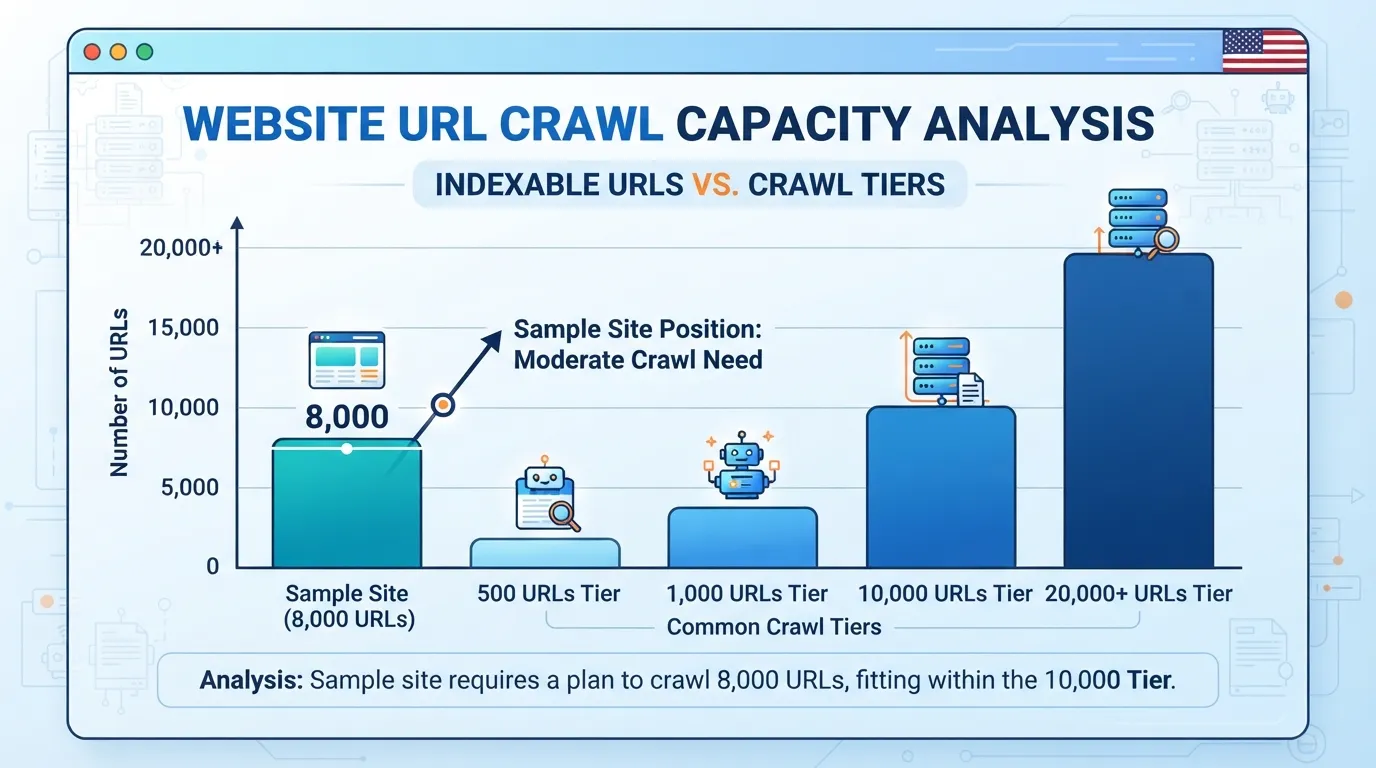
The crawl cap sets the ceiling on what you learn. If a tool stops at 500 pages and your site has 8,000, the report describes only a fraction of the site, yet presents that partial view with the same confidence as a full audit. Check the cap on the specific plan you intend to buy, not the headline price, because plans with similar names often differ in their limits.
Entry-level plans commonly cap crawls at 500 or 1,000 pages, a pattern noted in OneLittleWeb’s review of audit tools. These limits suit a small brochure site, a local business page set, or a new project in its first months.
The free version of Screaming Frog SEO Spider crawls up to 500 URLs, a useful starting point for a small site. Once your indexable count passes that figure, the free version becomes a sample rather than a full diagnostic. The paid licence costs $259 per year and removes the URL limit on the desktop version.
Cloud platforms work at a larger scale. They commonly cap crawls at 10,000 or 20,000 URLs and bill on a monthly or annual subscription tied to crawl volume and scheduled runs. This suits mid-sized e-commerce catalogs, publishers and multi-site agencies, though the commitment is larger.
The cap is not the whole story. Two platforms with a 10,000-URL limit can differ in how many pages they count toward it, and parameter variants and faceted URLs often inflate totals. Count your indexable URLs first, then check how each vendor defines a crawled URL.
If your site exceeds the cap, the tool cannot diagnose the problem. The report may still look complete, with scores, charts and a list of issues, but the tool has never seen the pages it skipped. Broken internal links, duplicate titles and crawl traps in the unseen section stay invisible.
Consider a hypothetical example. A retailer with 8,000 indexable URLs buys a plan capped at 1,000 pages. The audit flags 40 issues and the team fixes them. Months later, organic traffic to a product category is still falling, because the faulty pages sat in the 7,000 URLs the tool never reached. The audit answered a narrower question than the one the team needed answered.
Before you buy, match your URL count against the cap. The URL-to-Plan Fit Check below does this in three steps.
A price comparison alone will mislead you. Two tools can list the same monthly fee and still differ sharply in what they will diagnose on your site. Comparing them properly means looking at how a tool scores, what it can physically crawl, how easy it is to use day to day, and what you get for the money. Ask first how many URLs your site has and whether each plan can crawl them all. The seo audit tool pricing that matters is the price per URL you can actually audit.
The scores used on digitalmarketingtools.ai come from its audit tool review. Not every criterion carries equal weight. Problem detection and prioritization each count for 20%. Crawl capability counts for 15%. Usability, value and free entry count for less.
This weighting reflects the real job of an audit. Finding issues matters. But a tool that lists two hundred problems without ranking them leaves you guessing which to fix first.
The harder question is which issues block pages from being crawled and indexed, and which can wait. A high score on detection and prioritization suggests the tool answers that question well. A low score on crawl capability is a warning, because the tool may stop short on a large site whatever its other strengths.
Use the score as a shortlist filter, not a final verdict. A strong score tells you the tool is capable. It does not tell you that its crawl cap fits your site.
Crawl capability is the criterion buyers most often skip. It also most directly sets the cost you actually pay. Lower tiers often limit crawls to 500 or 1,000 pages, while cloud tools commonly cap at 10,000 to 20,000 URLs, according to the same review. A tool that cannot reach the end of your site is not a cheap audit, however low its fee.
Usability and value matter once capability is confirmed. Ask three practical questions:
Value is the output per dollar. That is different from the lowest fee.
Be careful with free entries. The free version of Screaming Frog SEO Spider crawls up to 500 URLs. That is a sensible starting point for a small site, but it is a ceiling, not an unlimited trial. Judge a free entry by whether it covers your URL count.
The table uses figures published in the digitalmarketingtools.ai review. Where a value is not listed, it is left out. Prices change, so confirm each figure on the vendor’s pricing page before you buy.
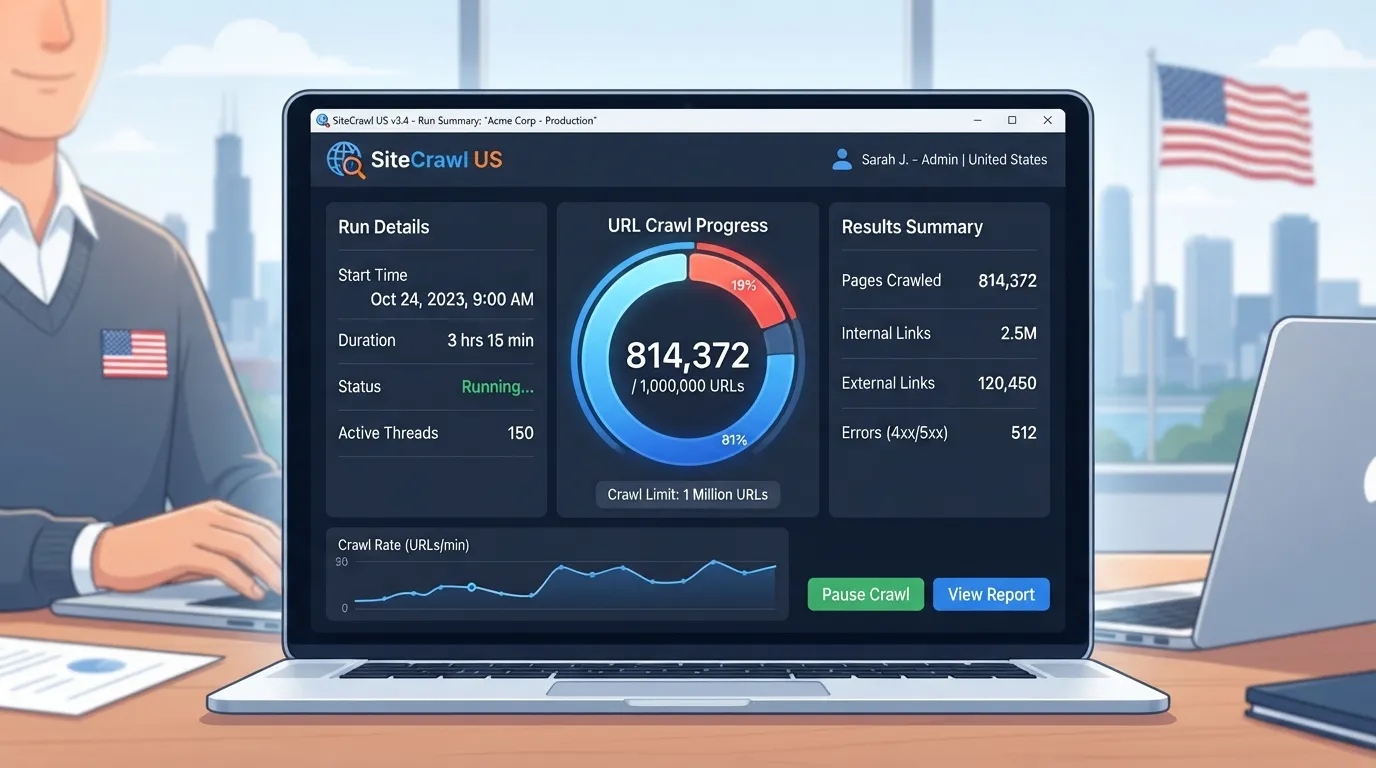
| Tool | Score (out of 100) | Free entry | Paid from | Trial |
|---|---|---|---|---|
| Screaming Frog SEO Spider | n/a | Up to 500 URLs | $279 per year | n/a |
Read the table as a starting point. Score and price together tell you what a tool costs and how capable it is. They do not yet tell you whether it fits your site, which is why the URL check below comes before any final decision.
Some audit tools sell server log analysis as an add-on, and it changes the cost picture. Log analysis shows what Googlebot actually requests from your server. A crawler simulating a visit cannot show that.
JetOctopus adds server log analysis, showing what Googlebot actually requests, but its annual pricing from $549 per month is a real commitment for smaller teams. Check whether the log feature is included at the entry price before you assume it is.
The cost of commitment is the part most buyers overlook. An annual contract lowers the effective monthly rate, but it locks you in for twelve months whether or not your site needs the extra capability. If you only need a one-off diagnosis after a migration, a monthly plan or a short trial may cost less in practice.
Ask two questions. Is the log feature available month to month? Is the annual discount worth the lock-in for your team size? US-based teams often buy annual contracts for budget reasons, so the gap between annual and monthly pricing is a key decision factor.
Audit tools change hands. Adobe completed its acquisition of Semrush in April 2026, so weigh that platform risk. Ownership changes can alter pricing, feature sets and support over time.
Before you sign a multi-year contract, check the current owner of any platform you are considering and read the vendor’s latest announcements. Prefer shorter terms. Check whether your data can be exported, and keep your audit history in a format you own. If a tool changes hands, you should still be able to leave with your reports and crawl data intact. Contract terms vary by vendor, so read them before you buy.
The most expensive mistake is buying a plan that cannot crawl your site. Some lower tiers stop at 500 or 1,000 pages, and cloud tools commonly cap crawls at 10,000 or 20,000 URLs. The fit check works in three steps:
Here is the check applied to an illustrative example. The URL count is hypothetical and the plan rows are not real prices.
| URL count | Crawl cap | Price | Fit (pass/fail) |
|---|---|---|---|
| 8,000 (illustrative) | 500 | Lowest tier | Fail: cannot audit the full site |
| 8,000 (illustrative) | 1,000 | Mid tier | Fail: cannot audit the full site |
| 8,000 (illustrative) | 10,000 | Cloud tier | Pass: headroom remains |
Work through the rows that pass, then calculate the annual cost per audited URL for each. Price per usable URL, not price per month, is the fairer measure of value. A cheap plan with a 500-page cap gives you no diagnosis for a larger site. Confirm the crawl cap on the exact plan you intend to buy, not the headline price, and only then move on to features and scores.
Buyers usually compare tools in the wrong order. They shortlist by score or price first, then discover the plan cannot crawl their site. The method below reverses that order. Size the URL count first, match it to a crawl cap, and only then compare what each tool does.
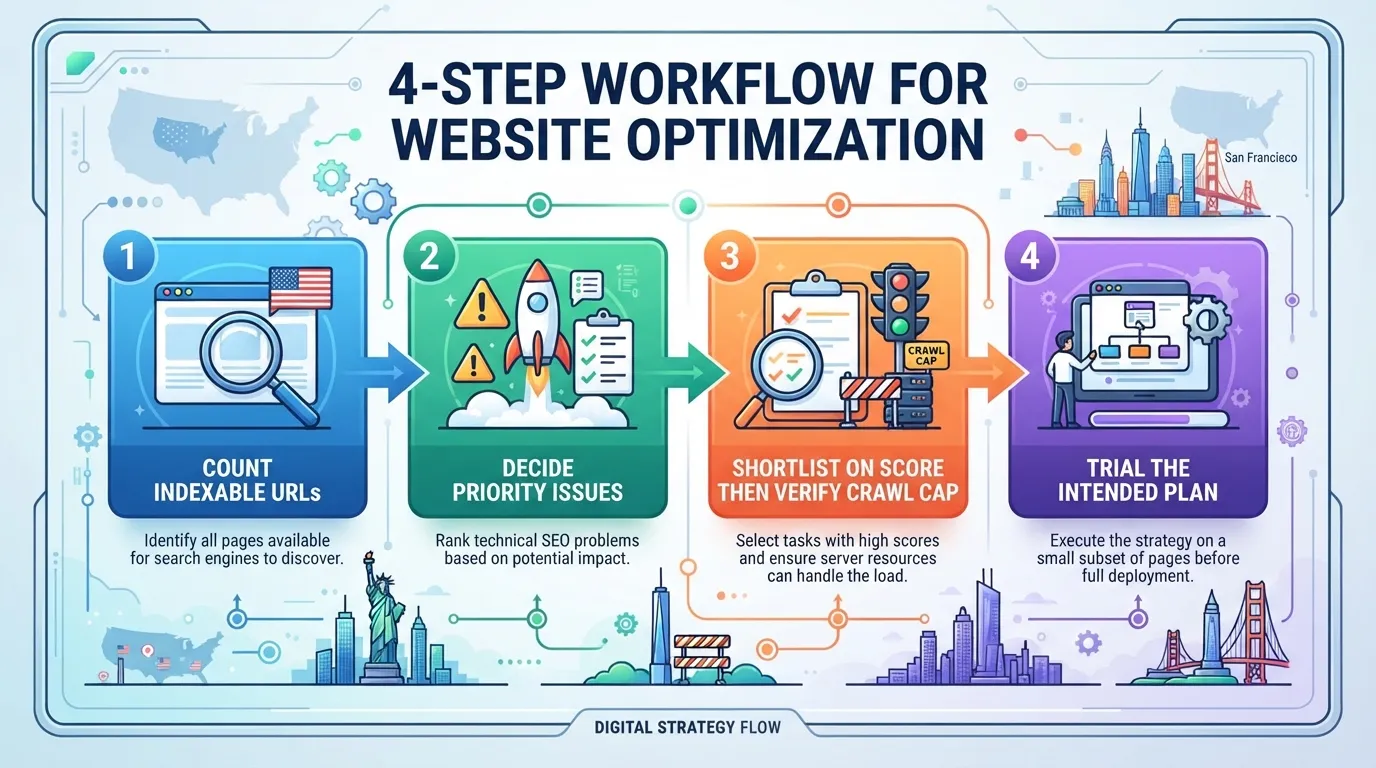
Start with the number of URLs a crawler would actually need to fetch, not the number of pages you think you have. Include parameter variants and faceted navigation URLs. A store with filters can generate far more crawlable addresses than it has products.
Pull the figure from your CMS, your XML sitemap, or a quick crawl in a free tier. Then add a margin for growth over the next year. Plan for a count well above your current page total if your catalogue or archive is expanding.
If you run an e-commerce store or a large content library, this count is almost always higher than the page total your team quotes in meetings. That gap is where a plan with a 500-page cap fails without warning.
Next, list the problems you most need to find. The harder question is which issues block pages from being crawled and indexed, and which can wait. Digital Marketing Tools’ review of crawl and indexation tools puts indexation blockers first. Broken canonicals, noindex tags on live pages and redirect chains deserve priority. Minor title length warnings can wait.
Write down your top three to five concerns. Then favour tools that score well on problem detection and prioritisation. A long list of warnings with no ranking gives you little to act on.
Now shortlist tools on score, and only then check the crawl cap against your Step 1 count. This order matters. Scores tell you how good a tool is at diagnosis. The cap tells you whether it can see your site at all.
| URL count | Crawl cap | Price | Fit |
|---|---|---|---|
| 8,000 | 500 pages | Confirm on vendor page | Fail |
| 8,000 | 1,000 pages | Confirm on vendor page | Fail |
| 8,000 | 10,000 URLs | Confirm on vendor page | Pass |
| 8,000 | 20,000 URLs | Confirm on vendor page | Pass |
This table is an illustrative example, not a real plan price. Lower tiers often limit crawls to 500 or 1,000 pages. Cloud tools commonly cap at 10,000 to 20,000 URLs, according to OneLittleWeb’s review of audit tools. If your site exceeds the cap, the tool cannot diagnose the problem at all.
Once plans pass, compare them on cost per usable URL rather than the monthly fee. A plan at 20,000 URLs that costs more may still be cheaper per audited page than one that fails your site.
Finally, trial the exact plan you plan to purchase. Do not trial a higher tier shown in the marketing. Run a full crawl of your live site within the trial window. Confirm three things. The crawl completes without hitting the cap. The issues it reports match what you already know. The prioritisation makes sense for your business.
Screaming Frog SEO Spider is a useful reference point. Its free version crawls up to 500 URLs. Its paid license costs $279 per year. A trial of the paid version on a larger site is a low-risk way to test whether a desktop crawler fits your workload.
Every tool in the digitalmarketingtools.ai review gets a score out of 100. The score helps you choose a tool, and it also shows how much diagnostic work that tool can do. It is not a grade your site has to reach.
Across more than 100,000 websites audited in 2026, the median audit score was 71 out of 100, and about 7% of sites earned an A. These figures come from seomator’s network data. seomator is a rival audit provider, so the numbers are a directional benchmark, not an independent census. Most sites still sit in the middle of the range. A score of 71 is ordinary, not broken.
The benchmark is useful in practice. A result of 71 points to a normal profile with a set of fixable issues. A result of 40 usually points to structural problems, such as crawl blocks, broken internal links or indexation gaps. The score signals how urgently you should act and what kind of fix to expect.
A score only reflects what a tool could check, and that depends on its crawl cap. If your site is larger than the cap, the audit is incomplete. A high score may mean the tool examined only part of your site. Confirm coverage against your URL count before you trust the number.
The sticker price of an SEO audit tool tells you little about what it will cost you. The crawl cap decides whether a tool can diagnose your site at all. Count your indexable URLs first, check the cap on the plan you plan to buy, and only then compare price and features. Price per usable URL, not price per month, is the measure that holds up. Confirm current figures on each vendor’s pricing page before you buy.
Before you sign, work through this checklist:
If your site is small, the free version of Screaming Frog SEO Spider, which crawls up to 500 URLs, may be enough to start. Larger sites should expect to pay for a plan whose cap matches their real page count. A cheap plan that cannot reach every page leaves you with an audit that never fully happens.
No. Free SEO audit tools apply some limit, most often a URL cap, a feature restriction or a scan quota. The free version of Screaming Frog SEO Spider crawls up to 500 URLs. That suits a small brochure site but not a catalogue, blog archive or e-commerce store. A larger site needs a paid plan whose crawl cap is above its URL count.
Count your indexable URLs before you buy. Include parameter variants, faceted navigation pages (filtered versions of a page) and paginated archives, since these often inflate the total. Then compare that figure with the cap on the plan you intend to buy. If your count is above the cap, the tool stops early and misses whole sections of the site.
It depends on how often you crawl and how many sites you manage. A desktop crawler such as Screaming Frog is a license that runs on your own machine, and its paid license costs $279 per year. A cloud platform charges a subscription tied to crawl volume, scheduled runs and team seats. For a single site audited a few times a year, the desktop license usually costs less. Confirm current prices on each vendor’s pricing page, because they change.
Not for most small or mid-sized sites. Server log analysis shows which pages Googlebot actually requests, which helps when you suspect crawl budget is going to low-value URLs. Sites with tens of thousands of pages, frequent content changes or a history of indexation problems benefit most. For a modest site, a standard crawl and a review of Search Console coverage reports usually surface the problems that matter.
No. The digitalmarketingtools.ai review weights problem detection and prioritisation most heavily, at 20% each, with crawl capability at 15%. A high score means a tool finds and ranks issues well. It says nothing about whether the tool can crawl your site within its cap, or whether its pricing suits your team. Use the score to shortlist, then check the crawl cap against your URL count and confirm the plan’s price before you decide.

Tom is the CEO of MediaOne, a leading digital marketing agency. He is a business-experienced SEO consultant as well as a Google Gold Search Expert serving the international community. He has consulted for MNCs like Canon, Maybank, Capitaland, SingTel, ST Engineering, WWF, Cambridge University, as well as Government organisations like Enterprise Singapore, Ministry of Law, National Galleries, NTUC, e2i, SingHealth. His articles are published and referenced in CNA, Straits Times, MoneyFM, Financial Times, Yahoo! Finance, Hubspot, Zendesk, CIO Advisor. Under his stewardship, MediaOne has won dozens of prestigious digital marketing awards.
Run a free Digimetrics audit across SEO, AI search, content and technical health, and get a plan you can act on today.
Start free →You’ve found a potential SEO client, reviewed their website, and identified several problems worth fixing. Now you need a professional audit report that explains…
Your website has hundreds of pages, organic traffic is declining, and you’re not sure what’s causing the problem. Is Google struggling to crawl important…
The best SEO software for a small business is not necessarily the product with the most features. It is the tool that tells you…