Most teams ask which tool has the biggest backlink index first. That is the wrong starting point. An index measures coverage, not fit, and a tool you never query is wasted spend.
This comparison judges each tool against your team’s jobs: content research, prospecting, outreach and monitoring. Prices range from free browser extensions to enterprise platforms at US$300 to US$500+ per month. Run a trial before you commit to the best link building tools for your workflow.
Best for, at a glance:
Budget (free): a free browser extension, for solo consultants checking a few domains.
Budget (mid-range), small team: a mid-range platform, for in-house teams running a steady monthly program.
Budget (enterprise), large team: an enterprise platform, for agencies with heavy prospecting volume.
Fit beats index size. A smaller index of relevant, high-authority niche sites often beats a bigger one you never query.
Map each tool to one job. Research, prospecting, outreach and monitoring are separate jobs, so score tools on the jobs you run.
Free tools cover the basics. Paid platforms pay back as prospecting time and link volume grow.
Relevance outweighs authority. A DA 60 link from an irrelevant site underperforms a DA 30 link from an industry leader.
Monitor your links. Alerts for lost links from DA 30+ domains, within 24 hours, protect links you already earned.
Personalize outreach. Tooling should speed research, not replace it.
Table of Contents
Introduction: Why Tool Choice Changes Your Link Building Results
What Link Building Tools Do and How They Fit Your Workflow
Full-Suite Platforms: Ahrefs, SEMrush, Majestic, Serpstat and SE Ranking
Pricing Tiers: Free, Mid-Range and Enterprise Tools
Choosing the Right Tool: Decision Framework and Checklist
Conclusion and Recommendations
Frequently Asked Questions
Introduction: Why Tool Choice Changes Your Link Building Results
Two teams running the same outreach campaign can get very different results, and the gap often comes down to software. A tool that surfaces the right sites in your niche saves hours each week. One that buries you in irrelevant data costs the same and delivers nothing usable. The right best seo link building tools match your content marketing goals and outreach process, and rank sites by relevance the way Google weighs topical fit, so you can build a backlink profile with real authority rather than sheer volume.
Teams that pick a platform on index size alone tend to overpay. A large index measures coverage, not fit. Teams report 40-60% reduction in prospecting labor time when they use integrated platforms that match their workflow, according to Digital Marketing Tools’ guide to link building tools. A reliable backlink checker and a clear view of trust flow help separate a useful prospect from a noisy one.
Who this comparison is for
This comparison is for US-based SEO teams and agencies buying link building software in US dollars, including:
In-house SEO managers at SaaS and e-commerce brands with a steady monthly link program.
Agency owners selling link building as a service who need to protect margin.
Solo consultants deciding whether a paid platform beats a free browser extension.
If you are still choosing a general toolkit, review our seo tools overview first.
How we evaluated each tool
We scored every candidate on four jobs: competitor backlink research, link prospecting, outreach and contact finding, and backlink monitoring. Each job receives a score from 1 to 5.
We judged each tool on these criteria:
Pricing tier: from free browser extensions up to enterprise platforms at US$300 to US$500+ per month.
Data depth: how much usable backlink data the tool returns, and how fresh it is.
Link quality signals: whether the tool finds relevant, high-authority sites rather than sheer volume, including trust flow where it is reported.
Outreach features: contact discovery, verification and workflow support.
Monitoring: lost-link and new-link alerts, and how quickly they arrive.
A tool is shortlisted only if it scores at least 3 on every job your team runs.
What Link Building Tools Actually Do and How They Fit Into Your Workflow
Link building tools do four separate jobs, and most teams use only one or two. Knowing which job a tool performs shows whether it belongs in your stack and whether the setup time is worth it.
Competitor backlink research and link gap analysis
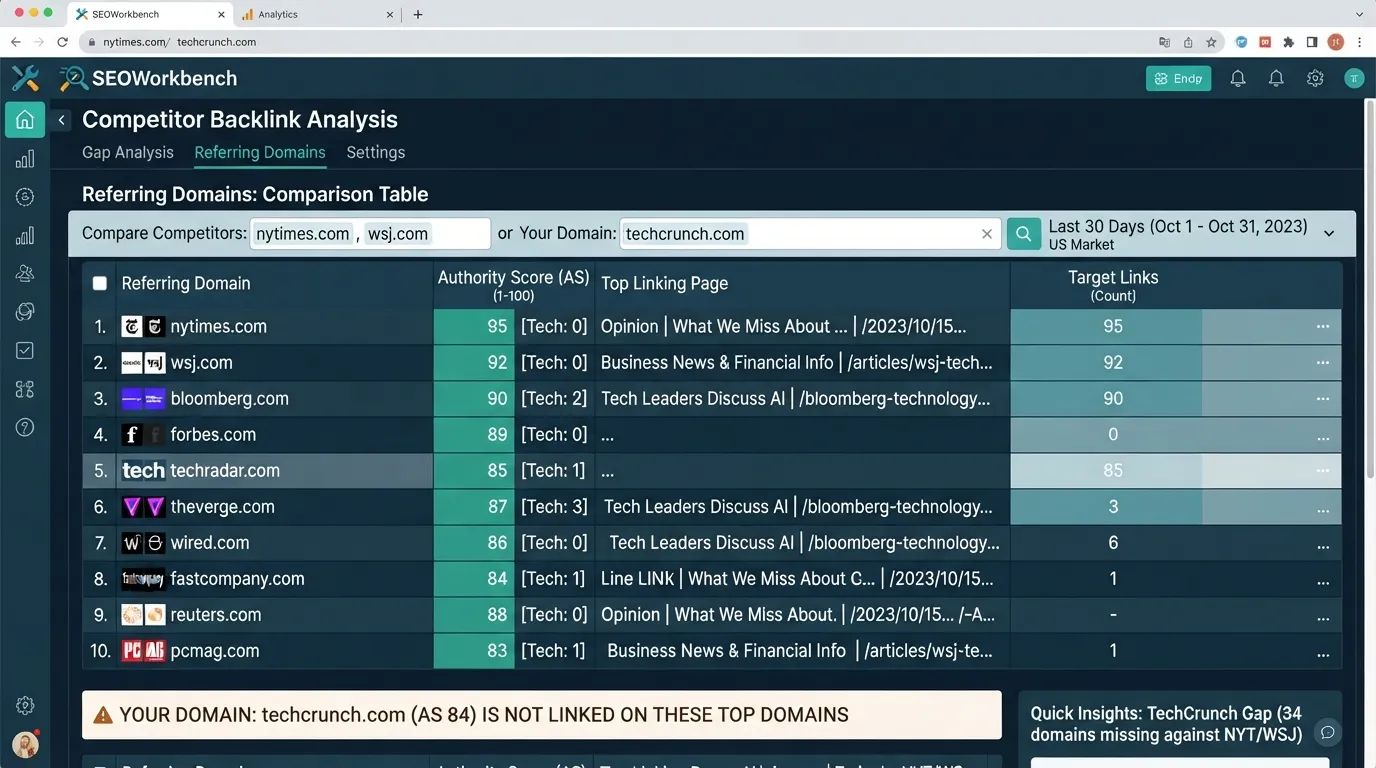
Enter a competitor’s domain to see who links to it and which pages attract those links. A link gap analysis compares your profile with several competitors and lists the domains that link to them but not to you. Those domains are your first outreach targets. A backlink checker supplies the raw data behind this analysis, and building a clear picture of competitor link profiles starts here.
Link prospecting and discovery
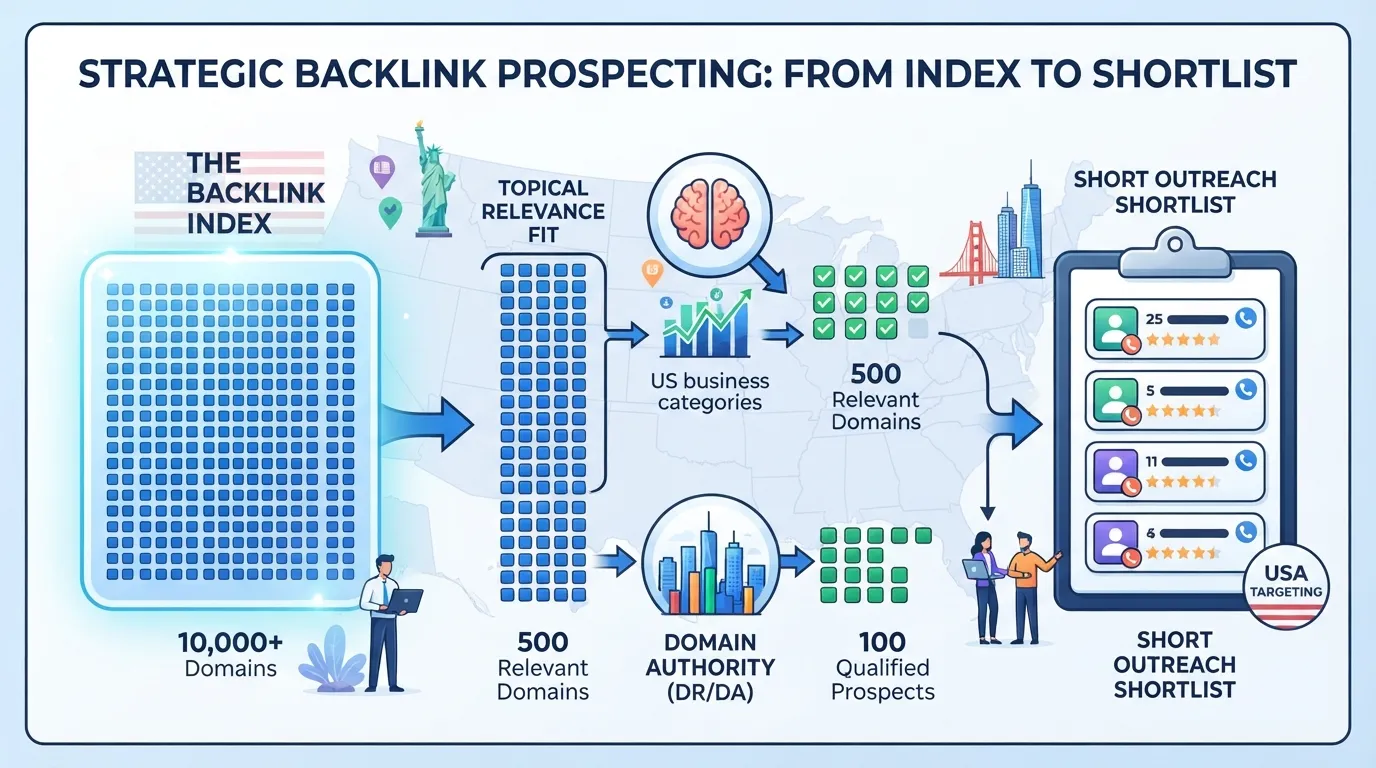
Prospecting finds sites that could link to your content. Good discovery tools let you filter by keyword, country and domain rating, then export the results. Filters matter more than index size.
Authority is not relevance. A DA 60 link from an irrelevant site underperforms a DA 30 link from an industry leader in your field. Filter for topical fit first, then rank the shortlist by authority.
Backlink monitoring and alerts (lost-link and new-link tracking)
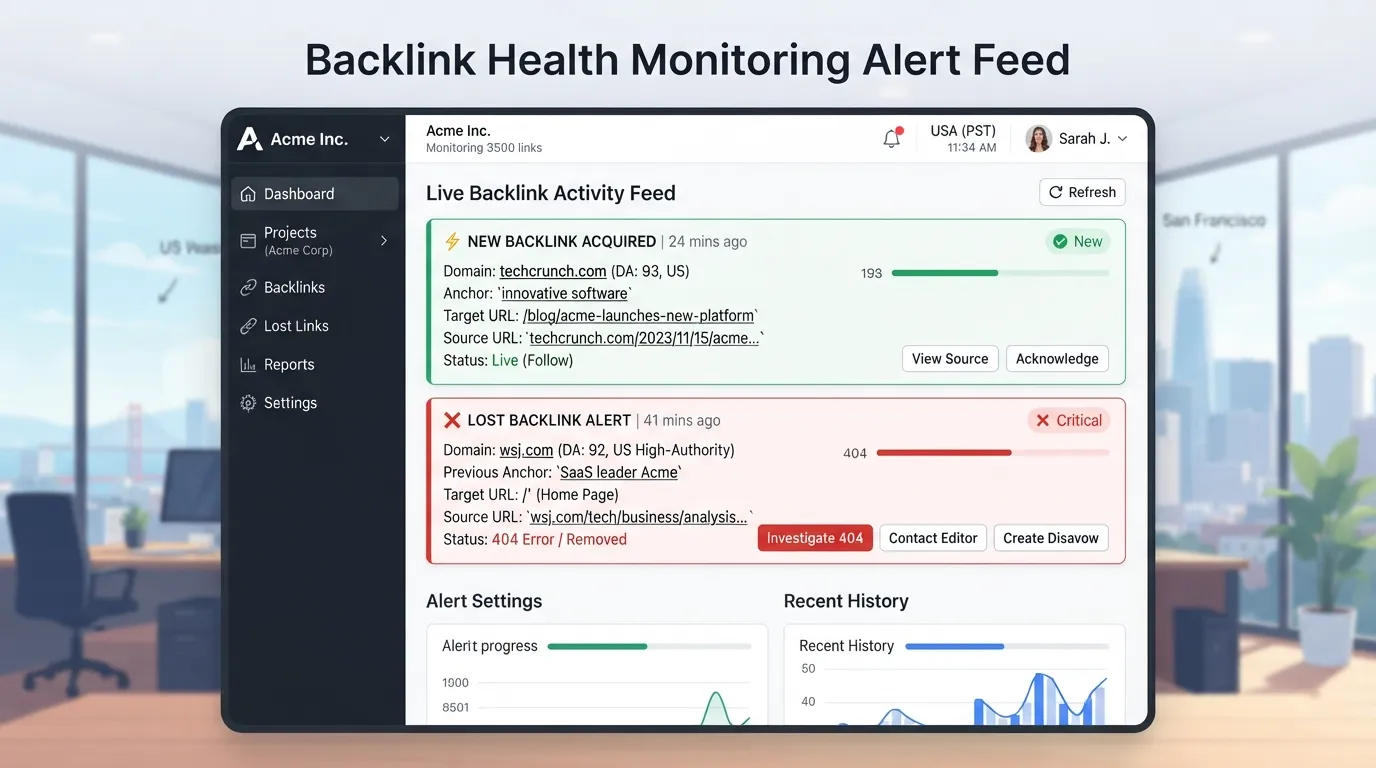
New-link alerts tell you when a site links to your campaign pages. Lost-link alerts flag a removed link, often after a page redesign.
Set thresholds deliberately. A sensible working rule is to alert on any lost link from a domain with DA 30 or higher, with notification within 24 hours. This is a working rule, not an industry standard.
Broken link and unlinked mention detection
Broken link detection finds dead outbound links on relevant pages. You offer your own working page as the replacement, which helps the site owner and earns you a link. Unlinked mention detection finds pages that name your brand without linking to it, so you can ask for a link.
Paid tools compress prospecting from hours to minutes. Teams using integrated platforms report a 40-60% reduction in prospecting labor time, according to Digital Marketing Tools’ guide to link building tools. For how these jobs sit alongside technical checks, see our guides to seo tools and the seo audit tool.
Full-Suite Platforms: Ahrefs, SEMrush, Majestic, Serpstat, and SE Ranking Compared
Full-suite platforms bundle backlink research, prospecting and monitoring into one subscription. The question is rarely which index is largest. It is which platform covers the jobs you run, at a price you can justify. Using the Link Building Tool Fit Matrix, score each platform from 1 to 5 on competitor research, prospecting, outreach support and monitoring. Shortlist only tools that score 3 or higher on every job you run. A backlink checker is one of the core functions to score first, since it shows the link profile a competitor has built, and that view helps shape your overall building strategy. Running a backlink analysis on competitors within each campaign shows where those links come from.
Ahrefs and SEMrush: depth, data and link prospecting features
Ahrefs and SEMrush suit teams that run link gap analysis and prospecting at volume. Link gap analysis compares a competitor’s links with yours to find sites that link to them but not to you. Both tools let you pull a competitor’s referring domains and filter prospects by relevance and authority.
The practical test is whether you will query the data. A team that exports one report a quarter will not recover its cost. Ahrefs is generally regarded for broad backlink coverage. SEMrush suits teams that already use its content and keyword modules.
Majestic: link metrics and trust-focused analysis
Majestic focuses on link metrics. Its Trust Flow score reflects the quality of links a site receives, and its Citation Flow score reflects their quantity. These are proprietary scores that do not measure search engine ranking impact. They help you judge whether a referring site looks trustworthy and topically connected. A DA 60 link from an irrelevant site underperforms a DA 30 link from an industry leader, according to Digital Marketing Tools.
Majestic suits teams that vet every prospect by hand. It scores lower on workflow convenience, so pair it with a prospecting tool if you need faster discovery.
Serpstat and SE Ranking: value-oriented alternatives
Serpstat is a more affordable all-in-one alternative to premium suites, covering backlinks alongside keyword research and site audits. SE Ranking offers competitor backlink checks and monitoring for smaller teams. Both cover competitor backlinks, new and lost link alerts, and basic prospecting, but usually lack the deepest historical data.
For a small team that needs monitoring and competitor checks but not exhaustive gap analysis, these platforms can clear the 3-point threshold at a lower price. Score their outreach separately, because they generally do less here.
Raven Tools: reporting and agency workflows
Raven Tools is less a prospecting engine than a reporting layer. It consolidates link data into client-ready dashboards, which suits agencies that report monthly. Pair it with a dedicated prospecting platform rather than treating it as a replacement.
Hunter: email finding features and pricing
Hunter is a common starting point for finding a contact, checking that an address will deliver, and deciding how much automation outreach can take.
Its domain search returns email addresses associated with a website, along with a confidence indicator. Results vary, so check each address before relying on it. For a prospect list of 50 domains, this replaces manual page-hunting with a single lookup per site.
Pricing is tiered by monthly search and verification credits, with a free plan for light use. Check Hunter’s current price page before budgeting, because credit allowances change.
Email verification and contact discovery
Finding an address is not the same as confirming it will receive mail. Verification checks whether a mailbox exists and flags catch-all domains, which accept any address and so tell you nothing about a specific mailbox. Verify before you send, and remove risky or invalid addresses. Bad addresses raise your bounce rate, which damages the sender reputation your outreach relies on.
Use contact discovery in layers. Start with domain search and verify the result. If no verified address appears, check the site’s contact or author pages. Record where each contact came from, so you can see which method gets the best reply rate over time.
Outreach automation for link building, and why personalization still matters
Sequencing tools let you schedule follow-ups and send at volume, and that is where the time saving is real. The risk is that automation tempts you to send generic pitches. The average cold email gets a 4.1% reply rate, according to Digital Marketing Tools. Generic messages do worse, so volume cannot replace relevance.
Automate sending, scheduling and follow-up timing. Write the first line of each pitch for the specific page you want a link from. Limit automated sequences to prospects you have already vetted for topical relevance. A team sending 100 pitches a week should personalize the opening of every one, not a sample.
Pricing Tiers: What You Pay for Free, Mid-Range and Enterprise Tools
Most teams compare the best SEO link building tools by plan price alone, which hides what each tier includes. The real question is which features you lose when you move down a tier, and whether you would use them. Teams that start with a free trial can test each tier’s features before committing, and a backlink checker is often the first feature they evaluate.
Free browser extensions and their limits
Free browser extensions show a page’s backlink profile or domain authority as you browse. They usually cap daily lookups, show only a sample of links, and offer no prospecting lists, outreach features or monitoring. Some free extensions also surface a trust flow score, but it is a simplified signal, not a full link audit.
That is enough for a handful of prospects a week. Once you track link changes over time or review two hundred domains, manual copying costs more than a subscription.
Mid-range platforms and typical monthly costs
Mid-range platforms bundle backlink research, prospecting and monitoring into one dashboard, with set project limits and crawl credits. Expect roughly US$100 to 300 per month for a small team. Check each vendor’s pricing page for current figures.
Before you buy, check three things: whether monitoring alerts you within 24 hours when a link from a DA 30+ domain disappears, how many prospect exports the plan allows each month, and whether contact data is included or billed separately.
Enterprise platforms and when the spend is justified
Enterprise platforms run from about US$300 to US$500+ per month. The extra cost buys a larger index, historical data, API access and multiple user seats. Digital Marketing Tools’ guide to link building tools places these tools across the full range, from free extensions to enterprise platforms.
The spend is justified when the data feeds a process you already run, such as weekly prospecting and client reporting. The same guide reports that integrated platforms cut prospecting labor by 40 to 60%. That is the publisher’s own figure, so measure your hours before and after.
Without those processes, an enterprise plan is overpaying. Index size alone is not a reason to buy.
Link building services vs. tools: the cost trade-off
A tool provides data and workflow. A person still has to write outreach, build content and manage relationships. A service does that labor for you, and the price reflects it. Tools also surface link opportunities that a person would otherwise have to find by hand. Search engines such as google weigh the quality of those links, so a tool’s filter for relevant, trusted sites saves time.
According to Backlinko’s link building services guide, PR agencies that work with small businesses tend to charge between $2k-$15k/month. A tool subscription of US$100 to 500 is a fraction of that. With an in-house person who has spare capacity, a tool plus that person costs less. With no one to run outreach, a service is the only option, and the tool budget should go toward monitoring the links you buy.
Choosing the Right Tool: A Decision Framework and Checklist
The best seo link building tools are the ones that fit your workflow and budget, not the ones with the largest backlink index. Shortlist first, then compare features. Before you commit, run a free trial of each shortlisted backlink checker on a live campaign. Treat each tool as part of your content marketing workflow, and judge it by how well it supports the content you publish.
Match the tool to your team size and link volume
Start with two numbers: how many people work on link building each week, and how many prospects they review. A solo operator reviewing 20 prospects a week rarely needs an enterprise platform.
Free browser extensions suit occasional research. Paid platforms, which start at around US$300 to US$500+ per month, earn their cost when prospecting drops from hours to minutes. Test the payback: do your weekly hours saved exceed the monthly fee? For general SEO software, see our seo tools guide.
Step-by-step selection checklist
List the jobs you actually run. Choose from competitor backlink research, link prospecting, outreach and contact finding, and backlink monitoring. Drop any job you will not do this quarter.
Weight each job from 1 to 3 by your priorities.
Score each candidate from 1 to 5 per job, then multiply by the weight.
Apply the shortlist rule. Keep only tools scoring at least 3 on every job you run.
Test link quality, not volume. Run the same three target domains through each shortlisted tool and count the matching opportunities.
Check monitoring. Confirm you can alert on lost links from DA 30+ domains and receive notice within 24 hours.
Calculate payback. Multiply weekly hours saved by your hourly cost, then compare against the monthly fee.
Red flags: link quality, penalty risk and automation traps
Red flag
What it signals
What to do
Prospect lists built on index size alone
Volume without relevance
Score on topical fit before authority
Templated outreach with no personalization
Low reply rates
Add a researched, specific opening line
Guest post links above 5 to 10% of your profile
Possible penalty risk
Diversify link types and cap guest posting
Tools promising link volume with no quality filter
Spam directory exposure
Exclude directories and low-trust domains
The 5 to 10% guest-post figure is a rule of thumb, not a Google rule. Google’s link spam guidance is the reference point for penalty risk.
Automation is the main trap. Let the tool find and qualify prospects, then write the message yourself. For most teams, fit beats size.
Conclusion and Recommendations
The right link building tool depends on the job, not the index size. Score candidates from 1 to 5 across competitor backlink research, prospecting, outreach and monitoring, and shortlist only tools scoring at least 3 on every job you run. Small teams can start with a free browser extension. Enterprise platforms, priced at US$300 to 500+ per month, pay back only with weekly use. Measure your own hours before switching, and find the option that fits your content workflow.
Frequently Asked Questions
Which is the best SEO link building tool for a small business?
The best tool covers the jobs you actually run, not the largest index. List your weekly tasks, such as finding competitor links, prospecting and finding contacts. Score each candidate from 1 to 5 on those jobs, and shortlist only tools scoring at least 3 on every job you need. Most small teams need one backlink analysis tool plus a low-cost contact finder.
Do I need both a backlink analysis tool and an outreach tool?
Not always. If you send fewer than about 20 outreach emails a week, one platform with basic email finding may be enough. As volume grows, separate tools usually help. Digital Marketing Tools’ guide reports that integrated platforms can cut prospecting labor by 40 to 60%, so check whether your platform already bundles these features.
How do I know if a link from a tool-found prospect is worth pursuing?
Check relevance before authority. A DA 60 link from an irrelevant site often underperforms a DA 30 link from a respected niche leader. Ask whether the site covers your topic and whether the page is editorially sound rather than a link list.
Are paid link building tools worth it compared with free options?
Paid tools pay off once prospecting volume and monitoring needs outgrow manual checks. Paid platforms, which typically run from about US$300 to US$500+ per month at the enterprise end, cut prospecting from hours to minutes. Estimate payback by multiplying hours saved per week by your hourly cost, then compare that with the monthly fee.
How can I avoid a penalty when using automated link building?
Keep automation personal and your link profile natural. Write each outreach message around a specific page and reason. Backlinko’s link building services guide suggests guest post links above roughly 5 to 10% of total links can put you at risk, though this is a rule of thumb rather than a Google rule. Review new links regularly for spam or unnatural patterns.
About the author
Tom Koh
Tom is the CEO of MediaOne, a leading digital marketing agency. He is a business-experienced SEO consultant as well as a Google Gold Search Expert serving the international community. He has consulted for MNCs like Canon, Maybank, Capitaland, SingTel, ST Engineering, WWF, Cambridge University, as well as Government organisations like Enterprise Singapore, Ministry of Law, National Galleries, NTUC, e2i, SingHealth. His articles are published and referenced in CNA, Straits Times, MoneyFM, Financial Times, Yahoo! Finance, Hubspot, Zendesk, CIO Advisor. Under his stewardship, MediaOne has won dozens of prestigious digital marketing awards.
Your website has 150 published articles. Some attract consistent organic traffic, others haven’t generated a meaningful visit in months, and several cover nearly identical…
Writing a good advertisement sounds simple until you have to create 15 different headlines, stay within character limits, communicate your product’s benefits, and make…
Verifiability matters more than speed when publishing AI-generated content. An AI content generator turns a short brief into draft copy, and its usefulness depends…