You’re editing a 60-minute podcast. Around minute 18, your guest changes their mind about something they’ve been defending for the entire conversation. It’s a genuinely interesting exchange, with enough tension, context, and payoff to become a strong short-form video.
Then, at minute 31, someone tells a joke. Both speakers burst into laughter. The audio peaks, their expressions change, and the moment looks exciting.
Which one should your AI video repurposing tool select?
The first moment has a story. The second has energy.
That distinction gets to the heart of what makes AI video clipping software useful—or frustrating.
Tools such as OpusClip, Vizard, Klap, quso.ai, Riverside, and Descript promise to turn long recordings into short, shareable videos. They can find potential highlights, generate captions, resize footage for vertical platforms, and automate parts of the editing process.
The technology is convenient. But automatically finding an attention-grabbing moment isn’t the same as identifying a clip that’s worth watching.
An AI clipper might select a burst of laughter, a dramatic facial expression, or an enthusiastic statement. Yet the resulting clip may be meaningless without the surrounding conversation.
Meanwhile, a quieter exchange that explains a problem, challenges an assumption, or delivers a surprising conclusion could make a far stronger video.
That’s why we recommend evaluating AI repurposing tools on editorial judgement, not merely the number of clips they generate or the virality scores they assign.
In this guide, we’ll compare six popular tools, explain their editing capabilities, and show how to assess clip selection, trimming, automatic reframing, caption accuracy, and production costs.
We’ll also provide a controlled-testing framework you can reproduce with one long-form episode.
The goal isn’t to generate the most short videos. It’s to create more publishable clips without sacrificing the judgement that made the original content interesting.
AI clip creation, text-based editing, captions, speaker framing
Free plan; paid plans available
Pricing in USD. Annual-billing amounts are identified where applicable. Current subscription allowances, processing limits, exports, and features should be confirmed before purchase.
The most important differences don’t necessarily appear in the pricing table.
A tool might generate 15 suggested clips from one episode, but only two contain ideas that can stand alone.
Another might return fewer clips but give editors greater control over the final result.
To understand those trade-offs, let’s look at the individual products.
1. OpusClip: Best for Fast Automated Highlight Discovery
Best suited for: Podcasters, video creators, and marketers who want AI-generated clip suggestions with minimal initial setup.
OpusClip is one of the more recognisable products in AI video repurposing.
Its workflow focuses on turning long videos into short-form content with AI-selected highlights, captions, reframing, and editing tools.
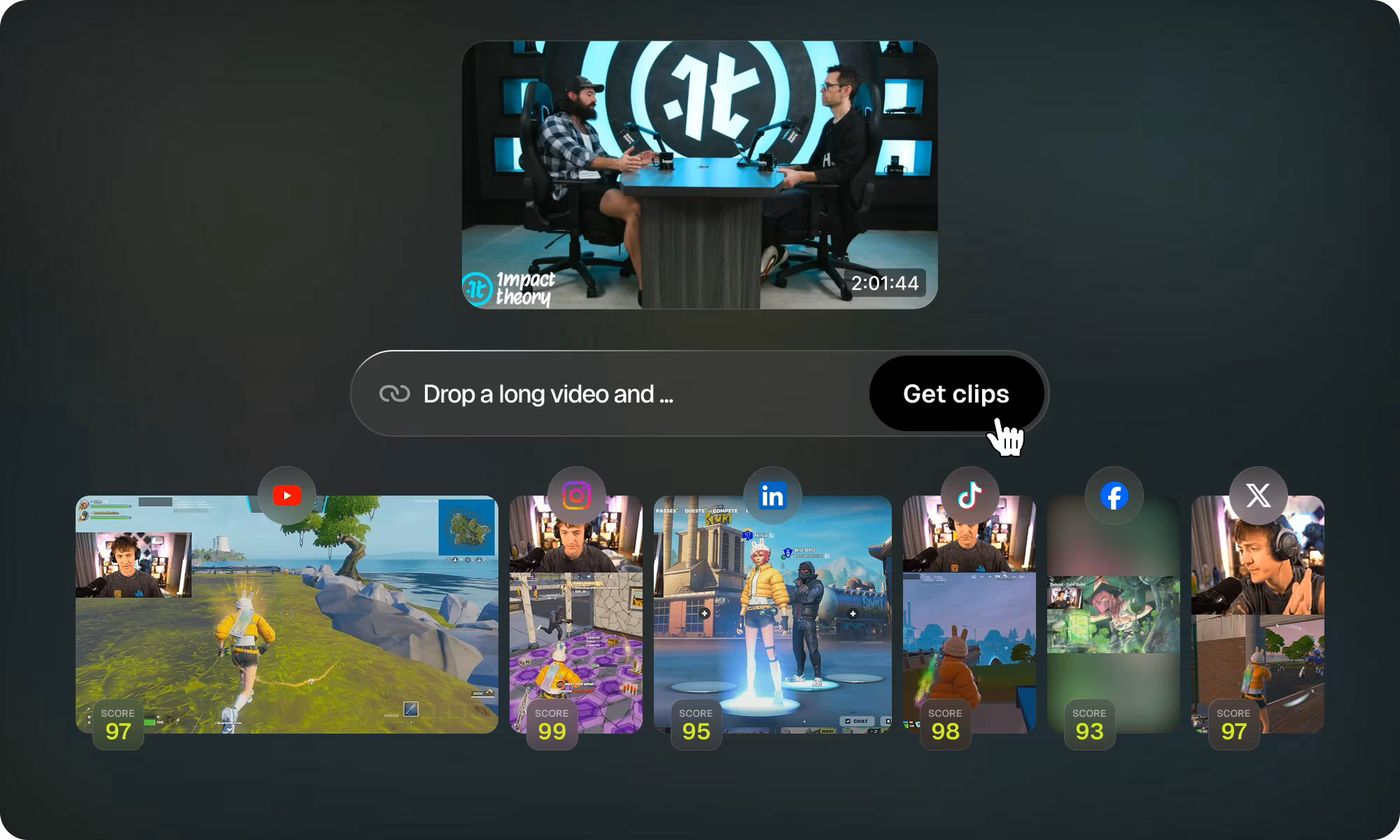
A distinctive feature is its Virality Score, which attempts to assess the potential appeal of generated clips.
The platform also supports different clip lengths, social formats, and automated editing features.
What Makes OpusClip Useful?
Imagine uploading a 45-minute business podcast.
Instead of searching through the entire episode manually, you can use OpusClip to produce candidate highlights and review them.
The software can generate vertical clips, add captions, and adjust framing for social platforms.
This is useful for teams that regularly publish podcasts, interviews, webinars, or educational videos.
OpusClip also advertises genre-specific reframing capabilities, including layouts for gameplay and screen-sharing footage.
That broader formatting support may matter if your video library includes more than standard talking-head interviews.
What You Still Need to Check
The Virality Score shouldn’t be treated as a prediction of actual views or engagement.
A high-scoring clip might be attention-grabbing but lack the context needed to communicate a meaningful idea.
For example, if a generated clip begins with someone saying, “That’s completely wrong,” the line may sound compelling.
But if the preceding conversation explains an important qualification, removing that context could misrepresent the speaker.
Inspect the beginning and end of every suggested clip.
Also check whether the score reflects editorial usefulness for your specific audience, rather than simply promoting moments with dramatic hooks.
Pricing
OpusClip’s official pricing page advertises a free plan with 60 monthly credits and a watermark, alongside a $15/month Starter plan and a Pro option.
Its pricing table also distinguishes editing capabilities, exports, brand templates, and advanced features by subscription.
Our assessment: OpusClip is a logical starting point for automated clip discovery. Evaluate it on how many suggestions you would genuinely publish after reviewing their context—not on how many clips it generates.
2. Vizard: Best for Repurposing Videos Into Multiple Social Formats
Best suited for: Content teams, creators, and agencies that need clipping, formatting, editing, and publishing features within one workflow.
Vizard provides AI-assisted clipping for podcasts, webinars, interviews, and other long-form recordings.
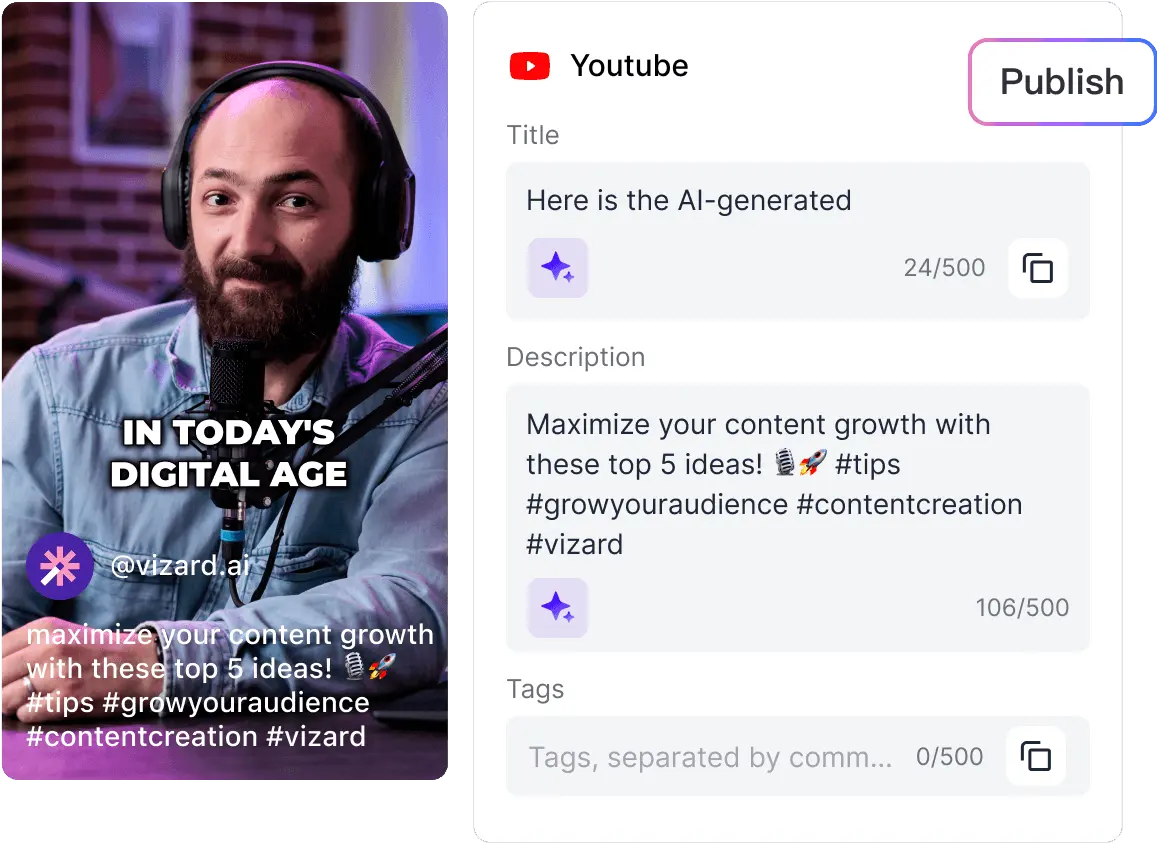
It also includes automatic subtitles, reframing, manual editing, and social media scheduling capabilities.
Its product is structured around processing credits, allowing buyers to select plans according to their source-video workload.
What Makes Vizard Useful?
Suppose your marketing team produces a one-hour webinar every week.
You want to turn each recording into several short videos, add captions, adjust the framing, and prepare posts for different social platforms.
Vizard can support several parts of that workflow without requiring a separate application for every operation.
Its browser-based editor also gives users opportunities to revise automatically generated clips before exporting them.
This matters because the first selected highlight isn’t always the final version you should publish.
Where to Pay Attention
Vizard’s official documentation notes that background music, unclear speech, accented speakers, and low audio quality can affect transcription.
That has consequences beyond subtitle accuracy.
If the system misunderstands the conversation, it may also struggle to identify where an idea begins and ends.
For a business producing multilingual interviews or videos with varied accents, those conditions should be included in a trial.
Also, check whether the credit allowance covers all the source-video minutes you intend to process.
Pricing
Vizard advertises a free plan with 60 monthly credits, AI-generated clips, editing access, and limited storage.
Its paid Creator and Business plans offer additional processing capacity and features. The public pricing page describes one credit as one minute of uploaded video, but the displayed paid subscription amount varies with the selected configuration.
Our assessment: Vizard is worth investigating when your main challenge is regularly turning long recordings into several platform-ready videos while keeping the editing workflow manageable.
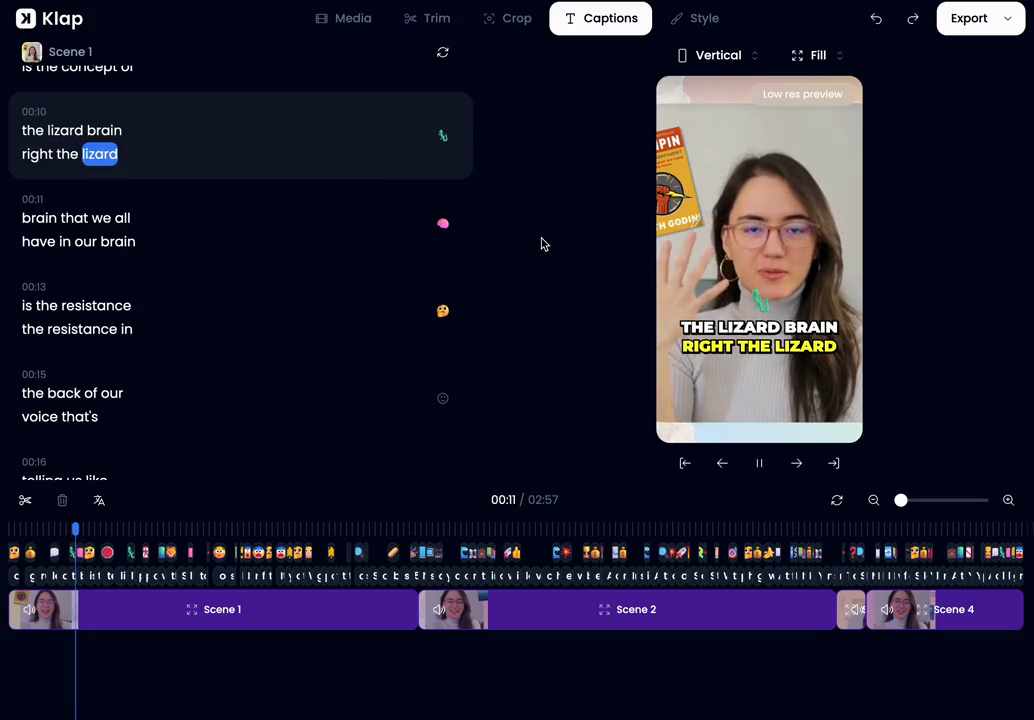
3. Klap: Best for Simple Long-Form-to-Short-Form Conversion
Best suited for: Solo creators and marketers who want a straightforward workflow for converting existing videos into vertical clips.
Klap focuses on turning long recordings into short-form content suitable for social platforms.
Its product combines AI clipping, automated formatting, and subtitle generation.
Compared with broader social content suites, the central proposition is relatively focused: upload a video and create shorter clips without manually finding every highlight.
What Makes Klap Useful?
Consider a creator publishing two YouTube interviews per month.
They may not need an extensive publishing platform, team approval system, or complex analytics setup.
Instead, they want to identify useful moments, format them for TikTok or Instagram Reels, and make basic adjustments before publishing.
Klap is positioned around this type of workflow.
Its pricing is also based on generated clip allowances, making the number of outputs relevant to subscription selection.
What You Still Need to Test
A plan allowing 100 generated clips doesn’t mean all 100 will be worth publishing.
If the system repeatedly selects unhelpful moments, a high output allowance may create more review work.
Check how much control you have over choosing different moments and adjusting boundaries.
Also evaluate whether the available editing functions are enough for your needs or whether clips regularly need to be moved into another editor.
Pricing
Klap’s official pricing page advertises a Basic plan starting at $14/month with annual billing, with higher-tier plans for additional clip allowances.
Our assessment: Klap is a reasonable option to trial when you want straightforward automated clipping. Prioritise selection relevance and revision effort over the headline number of generated clips.
4. quso.ai: Best for Video Repurposing and Social Media Management Together
Best suited for: Small marketing teams, social media managers, and creators who want to combine clipping with scheduling and content planning.
quso.ai, formerly vidyo.ai, combines AI video repurposing with broader social media management functionality.
Its product includes AI-generated clips, subtitles, editing, scheduling, a content planner, and social media analytics.
This makes it different from a tool concerned only with highlight extraction.
What Makes quso.ai Useful?
Imagine a marketing team publishing weekly interviews on YouTube.
They need short clips for Instagram, TikTok, LinkedIn, and Facebook.
The editing work is only part of the process.
Someone also needs to prepare posts, maintain a calendar, adapt formats, and monitor publishing activity.
quso.ai brings several of these operations into one product.
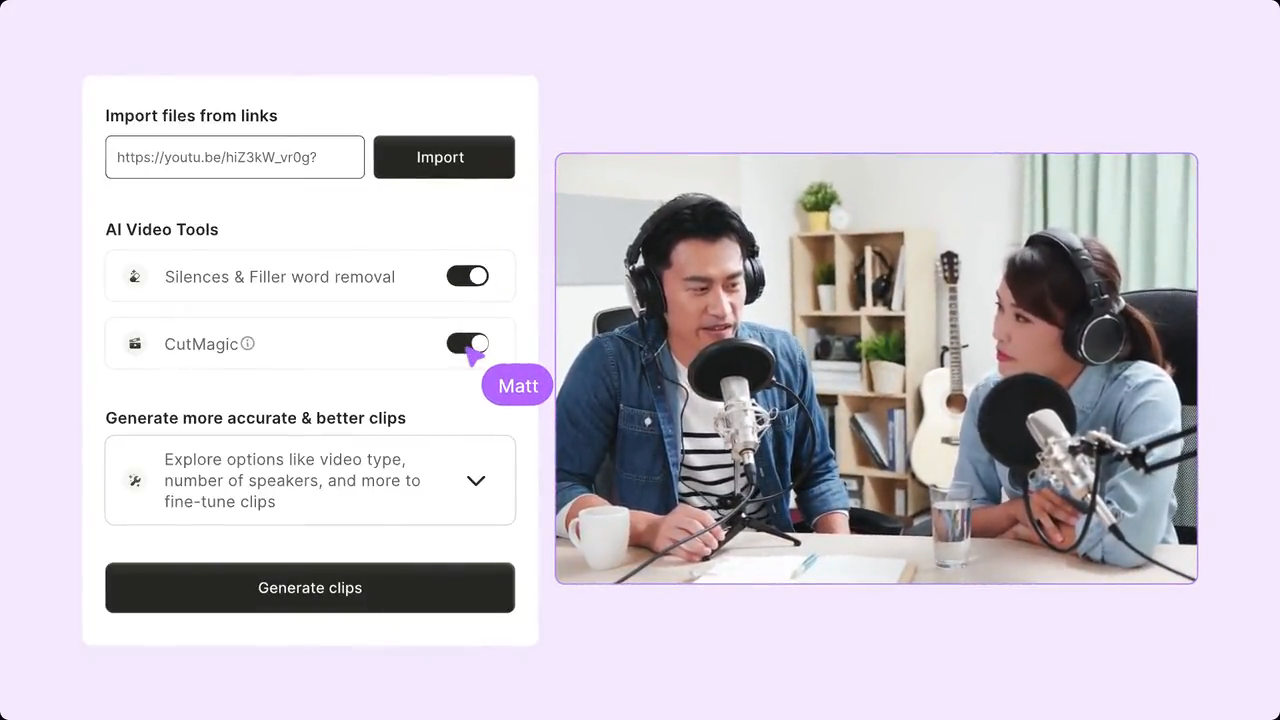
Its features include Intelliclips for AI-selected moments and CutMagic for scene-related editing assistance.
Where to Pay Attention
An all-in-one workflow is useful only when the included features match the team’s actual process.
For example, you may already have a dedicated social media scheduler and prefer to continue using it.
In that situation, paying for additional scheduling and planning features may offer limited value.
Likewise, sophisticated publishing tools won’t compensate for poor highlight selection.
Evaluate the quality of the generated clips separately from the convenience of the surrounding workflow.
Pricing
quso.ai advertises a free plan with 75 monthly credits.
Its paid Lite, Essential, and Growth tiers are listed at $29, $39, and $49 per month respectively, with discounted annual options.
According to its pricing FAQ, one credit corresponds approximately to one minute of processed video, although different operations can consume credits.
Our assessment: quso.ai is worth considering when your video repurposing process includes both editing and regular social distribution.
5. Riverside Magic Clips: Best for Podcast Teams Already Recording in Riverside
Best suited for: Podcasters, interviewers, and content teams that want highlight generation integrated with recording and editing.
Riverside is primarily known as a recording and editing platform.
Its Magic Clips feature automatically identifies potential highlights from recorded or uploaded content.
The clips can include animated captions and edited formatting for short-form use.
A major advantage is workflow integration.
If you’re already recording interviews in Riverside, generating candidate clips inside the same environment may remove an additional upload and processing step.
What Makes Riverside Useful?
Consider a weekly interview podcast recorded directly through Riverside.
After recording, the team can access generated Magic Clips, review suggestions, and edit the selected highlights.
Riverside’s documentation explains that eligible recordings can receive automatically generated clips, with additional generation options available on certain plans.
Users can also specify preferences such as clip duration, speaker focus, and relevant keywords.
What Makes Its Scoring Interesting?
Riverside introduced Magic Clip scoring for clips generated after October 2025.
Its documentation describes scores ranging from 70 to 99, representing the relative appeal or relevance of clips within a generated batch.
That distinction matters.
A high score indicates how the tool evaluates a clip against its own suggestions. It doesn’t establish that the clip will outperform another video on social media.
For example, a clip scoring 95 may still need its beginning extended to explain the conversation properly.
Where to Pay Attention
Check whether Riverside selects the moments you would choose independently.
Also examine how well it handles interruptions, overlapping speech, and changing speakers.
If you already use Riverside for recording, the workflow convenience may outweigh differences in individual clipping features.
But if you only need to repurpose externally recorded footage, compare its editing efficiency with dedicated clipping tools.
Our assessment: Riverside Magic Clips is particularly attractive for existing Riverside users, provided the selected highlights and editing workflow meet their publishing standards.
6. Descript: Best for Editors Who Want More Control Over the Final Clip
Best suited for: Podcast editors, content teams, and marketers who want AI assistance without giving up detailed editorial control.
Descript uses a transcript-based editing workflow.
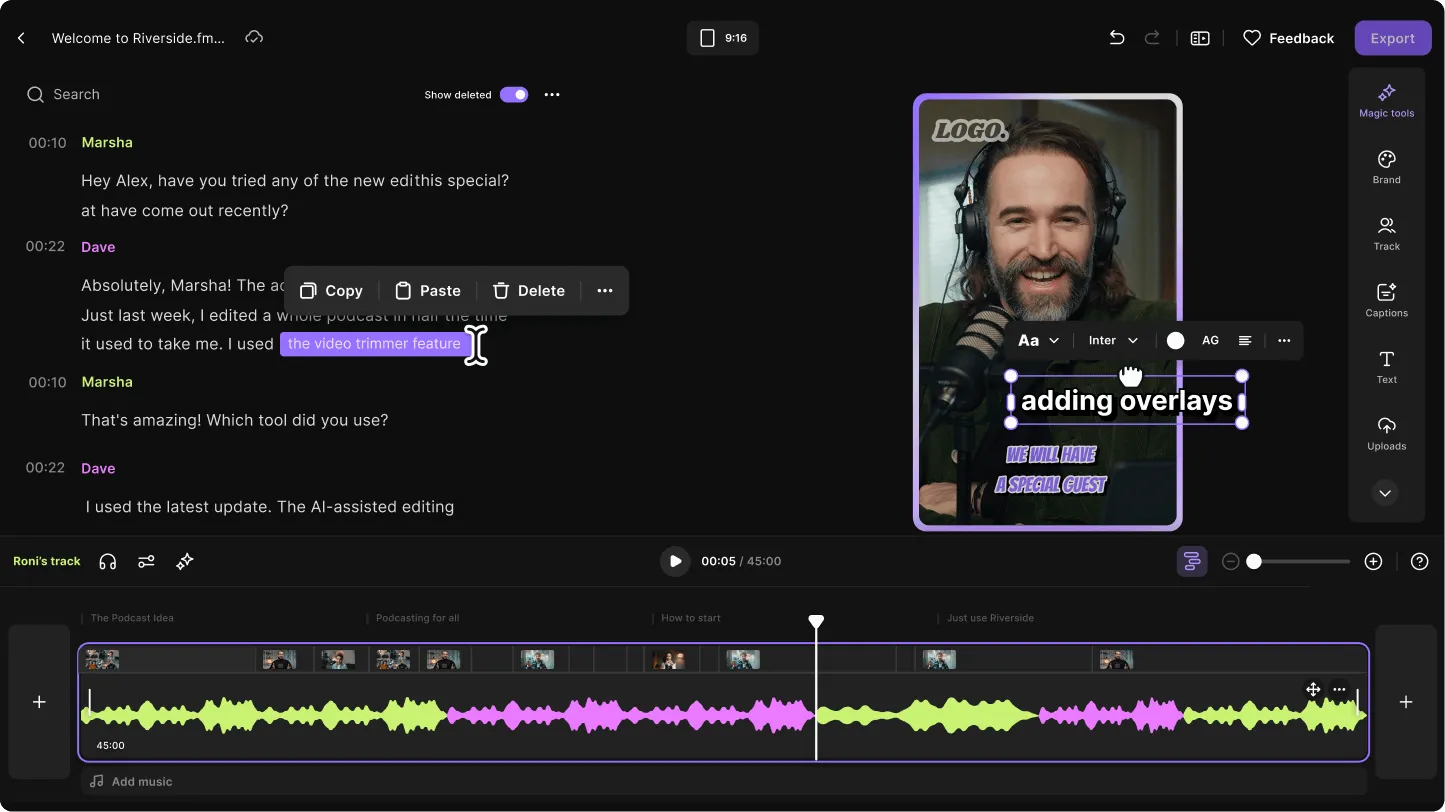
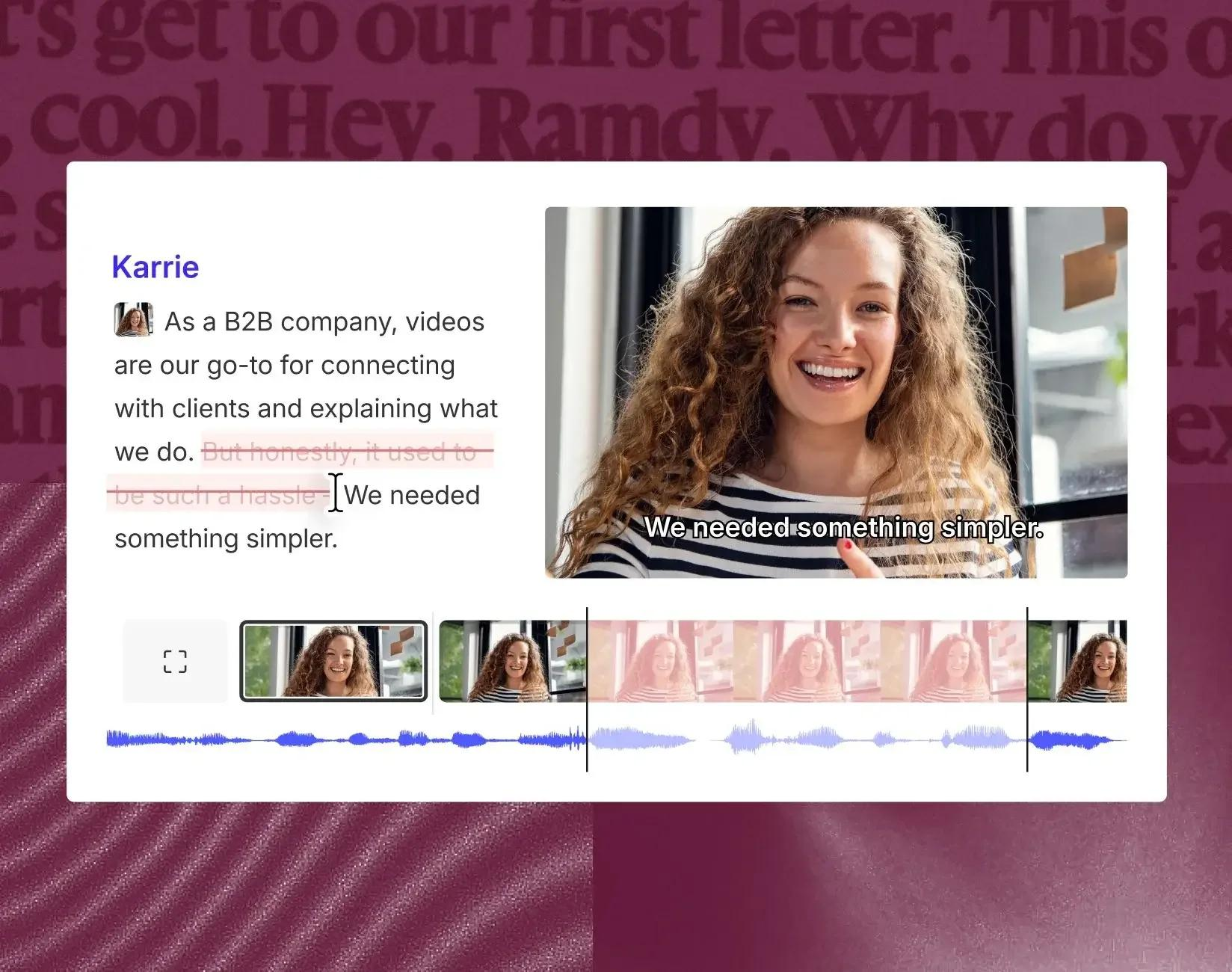
Instead of relying entirely on a traditional video timeline, users can make many edits through the spoken transcript.
Its Underlord assistant also includes capabilities for generating clips and highlights from longer content.
This makes Descript relevant when automatic clip selection is only one part of a larger editing workflow.
What Makes Descript Useful?
Imagine you’ve identified a strong interview exchange, but the automatic clip begins several seconds too late.
The opening line is missing, and without it the speaker’s conclusion sounds confusing.
In a transcript-based editor, you can locate the relevant sentence, adjust the selection, and refine the boundaries.
This may be more efficient than repeatedly generating different AI suggestions until one happens to include the correct context.
Descript also provides captioning, speaker-related editing tools, and features for cleaning up recordings.
Where to Pay Attention
Descript is a broader editing platform rather than a simple one-click clip generator.
That flexibility is useful when your team regularly makes detailed changes, but it may be unnecessary if you only need occasional automated shorts.
Also, transcript editing depends on accurate speech recognition.
If important terms are transcribed incorrectly, the editor still needs to review and correct them.
Pricing
Descript advertises a free plan and several paid subscription tiers, with features and usage allowances depending on the selected plan.
Check the current Descript pricing page for available transcription, AI, and export capacity.
Our assessment: Descript is worth evaluating when your main priority is retaining editing control after AI suggests potential highlights.
How Do You Actually Test AI Clip Selection?
A fair comparison starts with the same source recording.
If one platform receives a polished interview with obvious soundbites while another receives an unstructured monologue, you aren’t comparing the tools under equivalent conditions.
You’re comparing different source material.
A more useful benchmark begins with one long-form episode and a documented list of moments that human reviewers consider worth clipping.
The Proposed Test Episode
Use a 60-minute two-speaker interview containing several different types of content.
The recording should include:
A clear opening discussion.
Several useful explanations.
At least one self-contained practical takeaway.
An exchange where a speaker changes or qualifies an earlier position.
A loud but contextually unimportant reaction.
Natural pauses, interruptions, and overlapping speech.
For example, a strong candidate clip might occur around minute 18, when a guest reverses an earlier position and explains why.
The distractor could be a loud laugh at minute 31 that has little meaning outside the conversation.
The point is not to prove that AI tools always select loud sounds. Different systems use different selection signals, and the actual results need to be observed.
The point is to test whether the software can distinguish acoustic excitement from a meaningful standalone story.
Build a Human Reference List Before Using the Tools
Have two reviewers independently select their six strongest moments from the episode.
For each selected moment, record its approximate start and end times, main idea, and why it would be useful to the intended audience.
Then reconcile disagreements to create a reference set.
If the reviewers disagree about what qualifies as a good clip, document that uncertainty. Human editorial judgement isn’t perfectly objective either.
The important thing is defining the reference before seeing the AI suggestions, rather than choosing the moments that happen to favour a particular product.
The Five Criteria We Would Score
A useful AI clipping benchmark should evaluate more than whether the tool discovered a recognisable highlight.
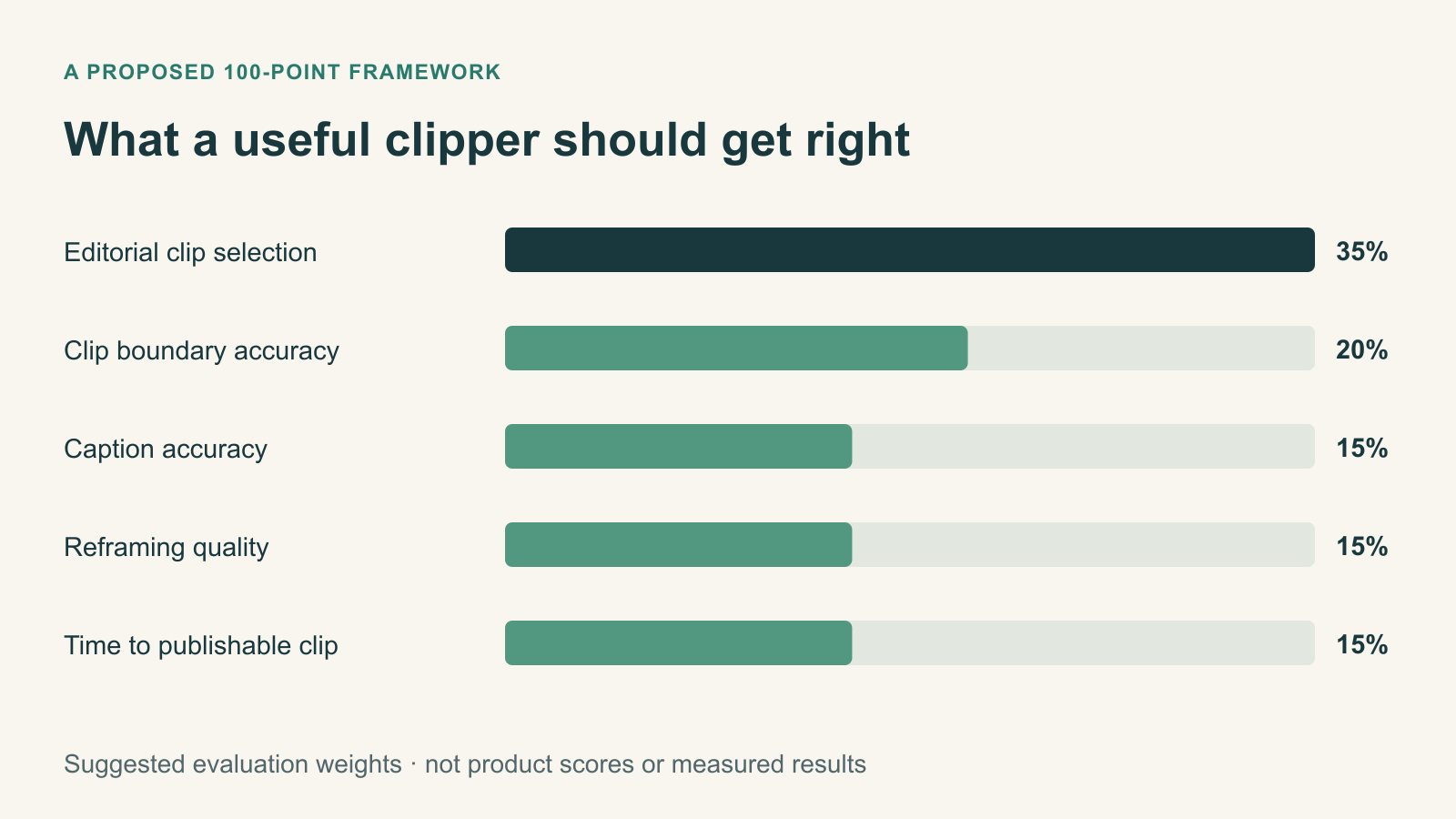
Here’s a proposed 100-point framework.
Criterion
Suggested Weight
What It Measures
Editorial clip selection
35%
Does the tool select meaningful, relevant moments?
Clip boundary accuracy
20%
Does it preserve the opening context and complete payoff?
Caption accuracy
15%
Are words, names, and technical terms transcribed correctly?
Reframing quality
15%
Does the output keep the relevant speaker or visual element visible?
Time to publishable clip
15%
How much work remains after automatic generation?
Total
100%
These are proposed weights, not scores earned by the six products in this article.
For a real benchmark, every tool should be evaluated using the same source file and clearly documented configuration.
1. Editorial Selection: Did the AI Find the Right Moment?
Start by reviewing the first five clips each tool recommends.
Do not consider its built-in virality score when judging whether a moment is valuable.
Instead, assess whether the clip communicates a meaningful idea without requiring the viewer to watch the full episode.
A good clip usually has a clear premise, enough context, a useful development, and a satisfying conclusion.
It doesn’t necessarily need to be dramatic.
For example, a calm explanation of why a common marketing strategy fails may be more useful than an enthusiastic reaction with no substance.
You can measure how many of the tool’s top five suggestions correspond to the human reference list.
If three of the five match, the observed Precision@5 is 60% under that matching definition.
But avoid treating the number as universal clip-selection accuracy.
A tool may find an excellent moment the reference reviewers overlooked, or select a different valid section of the same exchange.
Those cases should receive a manual review.
2. Boundary Accuracy: Did It Cut at the Right Time?
Even when a tool identifies the correct highlight, it may trim it poorly.
This is especially common in conversations where the payoff depends on something said a few seconds earlier.
Imagine a speaker says:
“I used to believe that posting more content always led to more growth. But after measuring our results, I realised distribution mattered much more than volume.”
If the generated clip begins at “But after measuring our results,” the viewer loses the setup.
The conclusion may still make sense, but it becomes less compelling.
For a controlled test, define a human-approved start and end point for each reference clip.
Then compare the tool’s generated boundaries against those references.
Record:
Start-boundary difference in seconds.
End-boundary difference in seconds.
Whether essential context was lost.
Whether the ending cuts off an explanation.
A small timing difference isn’t automatically a failure.
Some clips benefit from a slightly shorter opening or tighter ending.
The important question is whether the chosen boundaries preserve the meaning.
3. Caption Accuracy: Did It Preserve What the Speakers Actually Said?
Automatic captioning has improved, but errors still matter.
A subtitle can make a speaker look careless, change a technical explanation, or misrepresent an important statement.
Captioning should therefore be evaluated against a verified transcript.
One standard measure is Word Error Rate (WER).
The formula is:
WER = (Substitutions + Deletions + Insertions) ÷ Reference Word Count × 100
For example, suppose a reference transcript contains 500 words.
The tool makes six substitutions, four deletions, and two insertions.
Its WER is:
(6 + 4 + 2) ÷ 500 × 100 = 2.4%
That’s a hypothetical calculation, not an observed result from a product in this comparison.
However, WER alone doesn’t describe every important caption problem.
A single incorrectly transcribed company name or medical term may be more consequential than several minor filler-word errors.
Also evaluate timing, readability, punctuation, and whether captions obscure important visual content.
Don’t Test Only Clean American English
A captioning tool that performs well on a polished studio recording may behave differently with regional accents, Filipino English, code-switching, overlapping speakers, or technical terminology.
For this reason, I recommend a second caption test using a representative recording from your actual audience or production environment.
Research on automatic speech recognition has documented performance differences across accents and recording conditions.
For a dedicated evaluation, also compare the results with DigitalMarketingTools.ai’s existing article, “Captioning Tools and Word Error Rate on Accented English: How to Test Accuracy.”
4. Automatic Reframing: Did It Keep the Right Person Visible?
Turning a horizontal interview into a vertical short isn’t just a matter of cropping the centre of the video.
A two-speaker conversation might require the crop to follow whoever is speaking.
Sometimes a split-screen layout is more appropriate. Other times, the focus should remain on the person reacting rather than the person talking.
The tool needs to understand the visual context, not merely detect a face.
For testing, include a two-speaker segment where both people alternate speaking, interrupt one another, and react.
Review whether the generated clip:
Keeps the active speaker visible.
Avoids abrupt or unnecessary crop changes.
Handles overlapping speech appropriately.
Preserves important gestures and visual context.
Keeps captions clear of faces and other essential details.
Don’t assume that more frequent camera movement is better.
An aggressively reframed clip can feel distracting even when every speaker switch is technically correct.
5. Time to Publishable Clip: Did the Tool Actually Save Work?
This may be the most important metric for a working content team.
Start a timer when you begin processing the source recording.
Record the time required to identify usable clips, review their context, correct captions, fix framing, adjust boundaries, and export the final assets.
Separate automatic processing time from human editing time.
For example, a tool that generates 20 clips in three minutes but requires an hour of review may be less efficient than one that produces six strong candidates requiring only minor changes.
The correct unit of value isn’t minutes to first generated clip. It’s minutes to first approved, publishable clip.
The Loud Laugh Test: A Simple Way to Detect Weak Editorial Selection
The loud laugh example deserves its own test because it reveals a common risk in automated highlight discovery.
Imagine an interview discussing the challenges of launching a software product.
At minute 18, the guest explains a mistake that changed their strategy.
The exchange is valuable because the viewer learns something.
At minute 31, both speakers laugh loudly about an inside joke.
The moment is energetic but depends on context the short clip doesn’t include.
A weak editorial selection may overvalue the second moment because it has obvious audio and visual activity.
A stronger selection should recognise that the first moment delivers a useful standalone idea.
However, you cannot determine a tool’s underlying selection algorithm simply from one chosen clip.
It may analyse transcripts, audio patterns, speaker behaviour, visual changes, or other signals.
The right way to investigate is to record which moments it selected and whether those moments meet the editorial criteria defined beforehand.
What to Record
Observation
Meaningful Exchange at Minute 18
Loud Reaction at Minute 31
Selected in top five?
Record yes/no
Record yes/no
Complete context included?
Record yes/no
Record yes/no
Independently useful?
Human editorial judgement
Human editorial judgement
Correct start and end points?
Record differences
Record differences
Human review outcome
Publish, revise, or reject
Publish, revise, or reject
If a tool consistently recommends isolated reactions over useful explanations across multiple episodes, that is a meaningful finding.
But it needs repeated evidence, not a single anecdote.
How Much Editing Time Do AI Video Repurposing Tools Really Save?
Vendors often emphasise how quickly their software can generate clips.
That can be useful, but the financial benefit depends on the work that remains.
The team still needs to judge whether the selected moment is worth publishing.
It may also need to fix captions, adjust framing, remove filler words, correct subtitles, and add branded elements.
Let’s calculate a realistic example using clearly hypothetical costs.
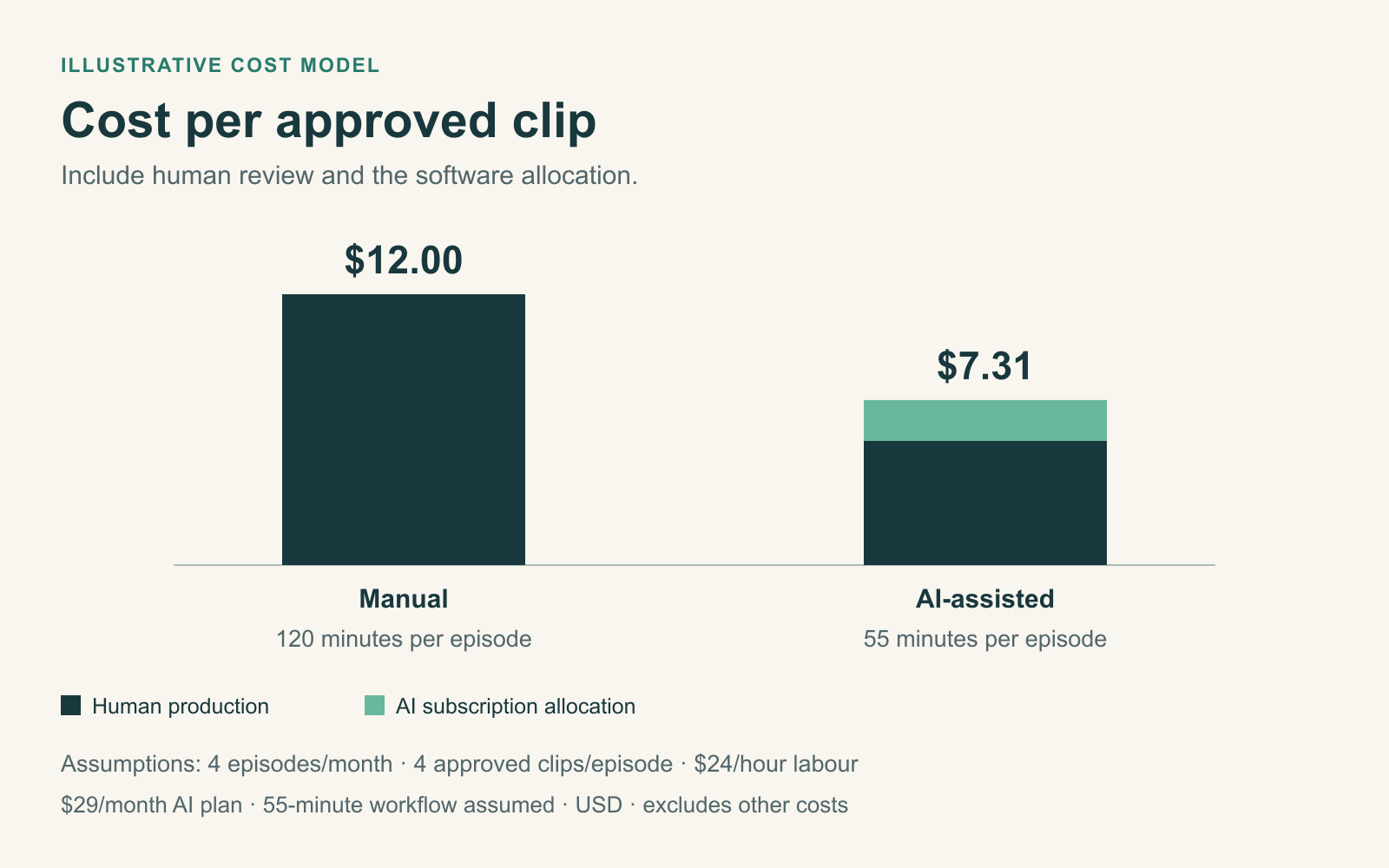
Example: Four Podcast Episodes per Month
Suppose your team produces four one-hour interviews per month.
Without automated clipping, an editor spends approximately two hours per episode finding highlights, trimming them, preparing captions, and exporting four usable videos.
With an AI repurposing tool, the editor’s review and correction time falls to 55 minutes per episode.
Assume an internal editing cost of $24 per hour and a $29 monthly AI subscription.
Cost Component
Manual Workflow
AI-Assisted Workflow
Editing and review time per episode
120 minutes
55 minutes
Labour cost per episode
$48.00
$22.00
Software cost allocation per episode
$0
$7.25
Total cost per episode
$48.00
$29.25
Approved clips per episode
4
4
Cost per approved clip
$12.00
$7.31
Illustrative model. It excludes other editing subscriptions, recording costs, taxes, and additional revisions. The 55-minute AI-assisted workflow is an assumption, not a measured product result.
Under those assumptions, the AI-assisted workflow saves $18.75 per episode, or $75 across four episodes.
That’s useful, but it’s much smaller than the impression created by a claim that clipping takes only a few minutes.
The savings also disappear if the editor must spend substantially longer correcting bad selections.
Why Cost Per Approved Clip Matters More Than Cost Per Generated Clip
Imagine one tool generates 30 candidate clips from a recording.
After review, only three are usable.
Another tool generates eight clips, but five are approved.
The first tool produced more content. The second produced more potentially valuable output.
A useful comparison should calculate:
Cost per Approved Clip = (Software Cost Allocation + Human Production Cost) ÷ Approved Clips
These metrics give content teams a better view of operational value than export counts alone.
When Should You Choose Each Tool?
The right product depends on where your current workflow slows down.
Your Main Problem
Tools to Investigate First
Why
You spend too long finding highlights
OpusClip, Klap
Focused automated clip generation
You produce many recordings each month
Vizard, OpusClip
Repeatable processing and editing workflows
You want editing and social scheduling together
quso.ai, Vizard
Combine video preparation with publishing features
You record your interviews in the same platform
Riverside
Generate clips within an existing recording workflow
You regularly refine clip boundaries and dialogue
Descript
Transcript-based editing control
You need brand-specific outputs
Compare the paid branding and template features of each
Maintain visual consistency across published clips
These are use-case recommendations, not the results of a completed comparative accuracy test.
If your budget is limited, start with the tool that solves your largest problem rather than buying an entire content suite.
For example, a podcast producer already using Riverside may have little reason to pay for another clipping subscription before evaluating Magic Clips.
An agency managing multiple social channels may place more value on scheduling, collaboration, and branded templates.
And an experienced editor may prefer a tool offering stronger manual control, even if another produces more automated suggestions.
A Better AI Video Repurposing Workflow
The most effective workflow is usually hybrid.
Use AI to reduce repetitive editing work, then apply human judgement before publishing.
Step 1: Identify the Episode’s Most Valuable Ideas
Before generating clips, review the episode’s outline or transcript.
Identify the main arguments, surprising moments, practical takeaways, and audience questions.
This creates a reference point for evaluating AI suggestions.
Step 2: Generate Candidate Clips
Process the recording using your selected AI tool.
Avoid publishing the first batch automatically.
Instead, treat it as a shortlist of potentially useful moments.
Step 3: Review Each Clip Without Relying on the Virality Score
Watch the generated clips and ask whether someone unfamiliar with the full episode would understand them.
Look for a clear opening, complete explanation, and meaningful ending.
Discard clips that depend on missing context or misrepresent the speaker.
Step 4: Correct Boundaries, Captions, and Framing
Extend or shorten the clip where necessary.
Check proper names, technical terminology, numbers, and any statements that could change meaning if transcribed incorrectly.
Review the vertical crop on a phone-sized screen.
Step 5: Approve and Publish
Only publish clips that meet your editorial standards.
Use the appropriate aspect ratio, captions, title, and description for the destination platform.
If your team uses a social management platform, our comparison of social media management tools explains how publishing, approvals, and reporting fit into the wider workflow.
Step 6: Learn From Actual Audience Performance
After publishing, investigate whether the clips reach the intended audience and keep viewers engaged.
Relevant metrics may include retention, average watch time, completion rate, shares, saves, and qualified traffic.
However, don’t assume the clip with the most views is automatically the most valuable.
A short video attracting broad entertainment interest might generate more views but fewer relevant enquiries than a specialised educational clip.
The performance metric should match the business objective.
Five Mistakes to Avoid When Using AI Video Clipping Tools
1. Publishing Every Generated Highlight
More clips don’t automatically produce a better content strategy.
Publishing weak or repetitive clips may dilute the value of the original recording.
Use automated suggestions as drafts, not guaranteed publishable content.
2. Treating Virality Scores as Predictions
A platform-generated score can help organise recommendations, but it doesn’t establish how many views a clip will receive.
Actual performance depends on the audience, topic, account, timing, competition, distribution, and the clip itself.
3. Ignoring Missing Context
A dramatic statement can become misleading when separated from its explanation.
Always verify that the clip represents the speaker’s intended meaning.
4. Trusting Captions Without Reviewing Them
Automated captions can contain incorrect names, numbers, or technical terms.
These errors are particularly important in educational, financial, legal, and product-related content.
Use a human-reviewed transcript where accuracy matters.
5. Measuring Generated Clips Instead of Approved Outputs
If a tool generates 50 candidates but your editor can only publish five, the other 45 still required processing and review.
Track time to approved clip and cost per approved clip instead of rewarding output quantity.
Our Review Methodology and Limitations
This article compares six AI video repurposing platforms using their publicly documented capabilities, pricing pages, and product descriptions.
The proposed evaluation covers five areas: editorial selection, clip boundary accuracy, captions, reframing, and production efficiency.
The one-episode benchmark is a recommended testing design, not a completed head-to-head experiment.
To publish comparative scores, the study would need the same source recording, a human-selected reference list, consistent settings, actual generated clips, transcription comparisons, and editing-time records.
Product-generated virality ratings should not be treated as independent performance measures.
Likewise, an individual tool shouldn’t receive a negative accuracy rating merely because a selected feature wasn’t accessible under a limited trial plan.
Any unavailable capability should be marked as not evaluated rather than assigned an invented score.
Frequently Asked Questions
What Are the Best AI Video Repurposing Tools in 2026?
OpusClip, Vizard, Klap, quso.ai, Riverside, and Descript are relevant options, but they serve different workflows.
OpusClip and Klap focus on automatic clip creation, Vizard and quso.ai combine repurposing with additional workflow features, Riverside integrates clipping with recording, and Descript provides extensive transcript-based editing.
Can AI Automatically Find the Best Moments in a Video?
AI tools can identify candidate highlights, but the quality of those selections varies with the source content and the system.
A high-energy reaction may not be a meaningful standalone clip.
Human review remains important when context and accuracy matter.
How Do AI Video Clippers Choose Highlights?
Vendors use different techniques and don’t necessarily disclose every detail of their selection systems.
Features may include analysis of spoken content, audio characteristics, visual activity, and other signals.
Evaluate the actual suggested moments rather than assuming every platform uses the same underlying method.
Are AI Video Clipping Tools Worth Paying For?
They can be valuable when they reduce the time needed to produce approved clips.
Calculate the software subscription, remaining human editing time, and number of publishable outputs.
A low monthly fee isn’t necessarily good value if every suggestion requires extensive corrections.
What’s the Difference Between OpusClip and Descript?
OpusClip emphasises automated highlight generation and social clip preparation.
Descript offers a broader transcript-based editing workflow, including AI-assisted clipping.
The better choice depends on whether you prioritise fast candidate generation or detailed editorial control.
Can AI Repurposing Tools Handle Two-Speaker Podcasts?
Many platforms support two-speaker recordings and automatic reframing.
However, performance can vary during interruptions, overlapping dialogue, speaker reactions, and changes in camera layout.
Test the software using your own recording conditions before choosing a subscription.
How Accurate Are AI-Generated Video Captions?
Accuracy depends on the software, language, speakers, terminology, and recording quality.
Word Error Rate is one useful measurement, but it doesn’t capture every meaning-changing error or caption-timing problem.
Review captions before publication.
Do AI Video Clippers Guarantee More Views?
No.
Automatic highlight selection and editing can improve production efficiency, but they don’t guarantee audience engagement.
Viewership also depends on content relevance, distribution, account history, timing, and platform recommendations.
Is AI Video Repurposing Better Than Hiring an Editor?
It depends on the work.
AI can reduce repetitive tasks such as creating first-cut candidates, captioning, and formatting.
Human editors remain important for selecting meaningful stories, preserving context, maintaining creative direction, and reviewing accuracy.
For many teams, using both is more practical than treating one as a complete replacement for the other.
Final Verdict: Good Clip Selection Is About Meaning, Not Volume
AI video repurposing tools are becoming capable content-production assistants.
They can process long recordings, suggest highlights, generate captions, reframe footage, and prepare content for social platforms.
But those capabilities don’t automatically solve the hardest part of editing.
The hardest part is knowing which moment deserves the audience’s attention.
An enthusiastic reaction might look exciting while communicating very little. A quieter exchange might explain an important lesson, challenge a common assumption, or provide a useful takeaway.
That’s the distinction that matters when choosing an AI video clipper.
Don’t buy based solely on how many clips the software generates, how attractive its captions look, or how confidently it predicts virality.
Test it against a recording you know well. Check whether it selects meaningful moments, preserves the beginning and end of each idea, handles captions accurately, and reduces the total work required to publish.
For creators and teams that perform this review consistently, AI repurposing tools can make production more efficient.
The best tool isn’t the one that finds the loudest moment. It’s the one that gets you closest to a clip an experienced editor would actually choose.
About the author
Tom Koh
Tom is the CEO of MediaOne, a leading digital marketing agency. He is a business-experienced SEO consultant as well as a Google Gold Search Expert serving the international community. He has consulted for MNCs like Canon, Maybank, Capitaland, SingTel, ST Engineering, WWF, Cambridge University, as well as Government organisations like Enterprise Singapore, Ministry of Law, National Galleries, NTUC, e2i, SingHealth. His articles are published and referenced in CNA, Straits Times, MoneyFM, Financial Times, Yahoo! Finance, Hubspot, Zendesk, CIO Advisor. Under his stewardship, MediaOne has won dozens of prestigious digital marketing awards.
Your website has 150 published articles. Some attract consistent organic traffic, others haven’t generated a meaningful visit in months, and several cover nearly identical…
Writing a good advertisement sounds simple until you have to create 15 different headlines, stay within character limits, communicate your product’s benefits, and make…
Verifiability matters more than speed when publishing AI-generated content. An AI content generator turns a short brief into draft copy, and its usefulness depends…