Creator collaboration looks straightforward until you’re running more than a handful of partnerships.
Finding influencers is usually the easy part. The real work begins when you need to contact them, negotiate deliverables, send products, approve content, secure usage rights, track performance, and make sure everyone gets paid.
That’s where creator collaboration platforms are supposed to help.
Most promise some version of the same thing: access to millions of creators, automated campaign management, and better influencer marketing results. But a large creator database doesn’t necessarily make a platform useful, and a polished dashboard won’t resolve a delayed approval or an unclear licensing agreement.
From the brand side, four capabilities matter most: creator discovery, collaboration workflows, content rights, and payments.
Get those right, and you can run a repeatable creator programme without coordinating every task through spreadsheets and email. Get them wrong, and you’re paying for software that moves your administrative problems into a more expensive interface.
This guide compares ten creator collaboration platforms in 2026, including Modash, GRIN, Aspire, CreatorIQ, Collabstr, Insense, Shopify Collabs, TikTok One, impact.com, and Upfluence.
We’ll look at what each platform is suited for, what its published pricing actually includes, the limitations worth investigating, and how to evaluate the options before committing your budget.
Research disclosure: This comparison draws on official platform documentation and published pricing reviewed in November 2026. It is not a controlled hands-on test of every product, and we have not independently validated vendors’ performance claims. Where pricing or capabilities require a sales demonstration, we’ve identified that limitation rather than assigning an unsupported score.
Which Creator Collaboration Platform Should Brands Choose?
Short answer: The right platform depends on how you work with creators, not simply how many creators it claims to index.
If you need to discover relevant influencers and organise outreach, Modash is worth considering. If you’re building a recurring product-gifting, affiliate, and creator programme, compare GRIN, Aspire, and Upfluence.
For one-off collaborations or purchasing user-generated content (UGC), Collabstr and Insense may be more appropriate. Larger teams handling several regions, approvals, and payments should investigate CreatorIQ or impact.com.
Shopify Collabs and TikTok One are useful when your programme is already concentrated on those ecosystems.
Prices are presented in the vendors’ advertised US-dollar notation where applicable. Starting subscription prices do not include creator compensation, advertising spend, applicable transaction fees, or optional services. Prices and plan limits may change.
This is a suitability comparison, not a tested performance ranking.
1. Modash — For Creator Discovery and Outreach
Best for: Brands that need to find influencers, evaluate audiences, and manage outreach across Instagram, TikTok, and YouTube.
Published pricing: Essentials from $199/month when billed annually, or approximately $299 with monthly billing.
Modash’s strongest proposition is discovery.
Its official website advertises access to more than 380 million creator profiles, with filtering by audience demographics, location, interests, engagement, and other characteristics.
That breadth can help when your team regularly needs new creators in different niches or markets.
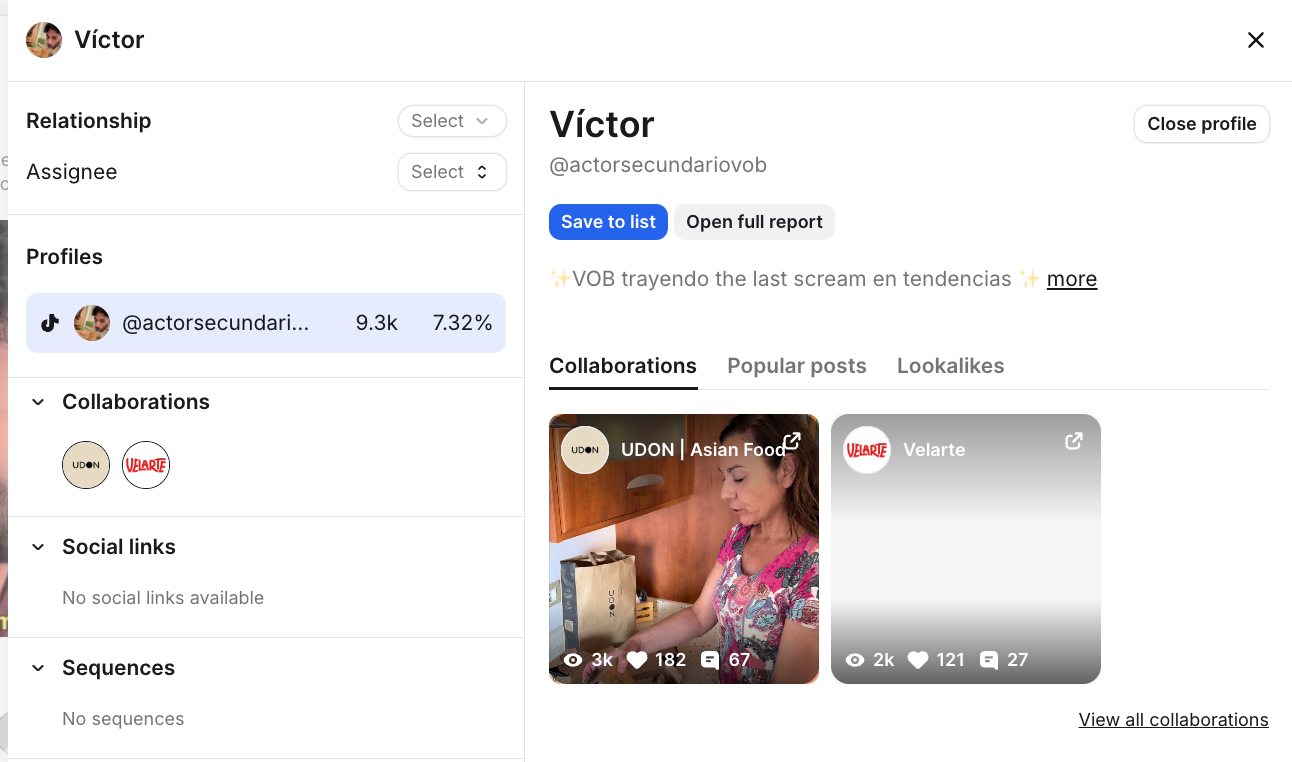
More importantly, Modash combines discovery with relationship management, campaign tracking, outreach, and payment capabilities.
What stands out
Modash’s Essentials plan includes 300 opened creator profiles, 150 unlocked creator emails, and tracking for 100 creators’ content per month.
Those limits are more useful to a buyer than the headline database size because they determine how much actual research and campaign monitoring your team can perform.
For brands running recurring influencer searches, the combination of discovery and creator CRM can reduce the need to maintain separate spreadsheets.
What to watch
A database containing millions of profiles doesn’t establish that every profile is suitable, contactable, or currently active.
The key questions are whether your team can find creators matching its actual audience requirements and how quickly those creators respond.
Also check which plan includes the payout, affiliate, and Shopify features you need. Some capabilities and fee arrangements differ by tier.
Our assessment: Modash deserves a shortlist position when discovery is a recurring task and the team needs a structured way to organise the resulting relationships. Validate its search results against creators you already know before buying.
2. GRIN — For Recurring Creator and Ecommerce Programmes
Best for: Ecommerce brands managing product gifting, paid partnerships, affiliates, and ongoing creator relationships.
Published pricing: Free, Starter $200/month, Growth $500/month, and Scale $1,500/month, plus applicable wallet management fees.
GRIN is positioned around the operating work behind creator marketing.
Instead of treating each collaboration as an isolated transaction, it combines creator search, outreach, relationship management, gifting, contracting, payments, and reporting.
Its newer Gia AI capabilities are intended to automate portions of that workflow.
What stands out
GRIN’s published pricing includes a free entry plan and paid self-service tiers.
Its pricing documentation lists wallet management fees of 20% on Free, 10% on Starter, 7% on Growth, and 5% on Scale.
That matters because the subscription is not the entire cost of operating a programme.
For example, if your team deposits $4,000 into its creator wallet on Starter, the published 10% management fee adds $400. The $200 monthly subscription brings the combined platform and deposit-related cost to $600 for that example, before any additional processing fees.
The creators’ actual compensation is funded separately through the wallet.
What to watch
GRIN’s pricing is tied to plan allowances and funding activity, so evaluate it using the amount you expect to pay creators—not just the number of users who need access.
Its official pricing page also distinguishes currently available features from roadmap items. Don’t assume planned functionality is already included.
Our assessment: GRIN is worth comparing when your brand expects repeat collaborations, product shipments, affiliate commissions, and recurring creator payments. The wallet fees need to be included in your financial model.
3. Aspire — For Creator Communities and Content Operations
Best for: Brands building ongoing influencer, ambassador, and affiliate communities.
Pricing: Custom quotation.
Aspire combines creator recruitment with campaign management, content approvals, product gifting, affiliate programmes, and performance reporting.
Its approach is particularly relevant to brands that want creators to become recurring partners rather than one-off sponsored-post suppliers.
Aspire supports both outbound creator discovery and inbound marketplace applications.
That gives teams two ways to build a creator pipeline: search for suitable people or publish an opportunity and review applications.
What stands out
Aspire’s campaign management documentation describes workflows for agreements, product gifting, content approvals, and creator asset management.
Its Content Hub also connects assets to licensing information, helping teams identify material that has been cleared for reuse.
This matters when creator content is intended for advertising, ecommerce pages, or future campaigns.
What to watch
Aspire publishes extensive capabilities but does not establish one standard subscription price for every brand configuration.
Ask whether the proposed package includes content approvals, rights tracking, payments, Shopify integrations, support, and the number of users your team needs.
Our assessment: Aspire is worth investigating when long-term relationships, product seeding, and content reuse are central to the programme. The buying decision depends on how much work its campaign workflows remove.
4. CreatorIQ — For Enterprise Creator Programmes
Best for: Large brands and agencies managing creators across teams, regions, and currencies.
Pricing: Custom quotation.
CreatorIQ is designed for organisations needing more than a creator marketplace.
Its platform combines influencer discovery, campaign management, collaboration, measurement, and payments.
The strongest reason to consider CreatorIQ is operational governance.
When multiple teams are hiring creators, the problems extend beyond finding talent. Finance teams need approval controls, brand managers need consistent reporting, and legal teams need documented permissions.
What stands out
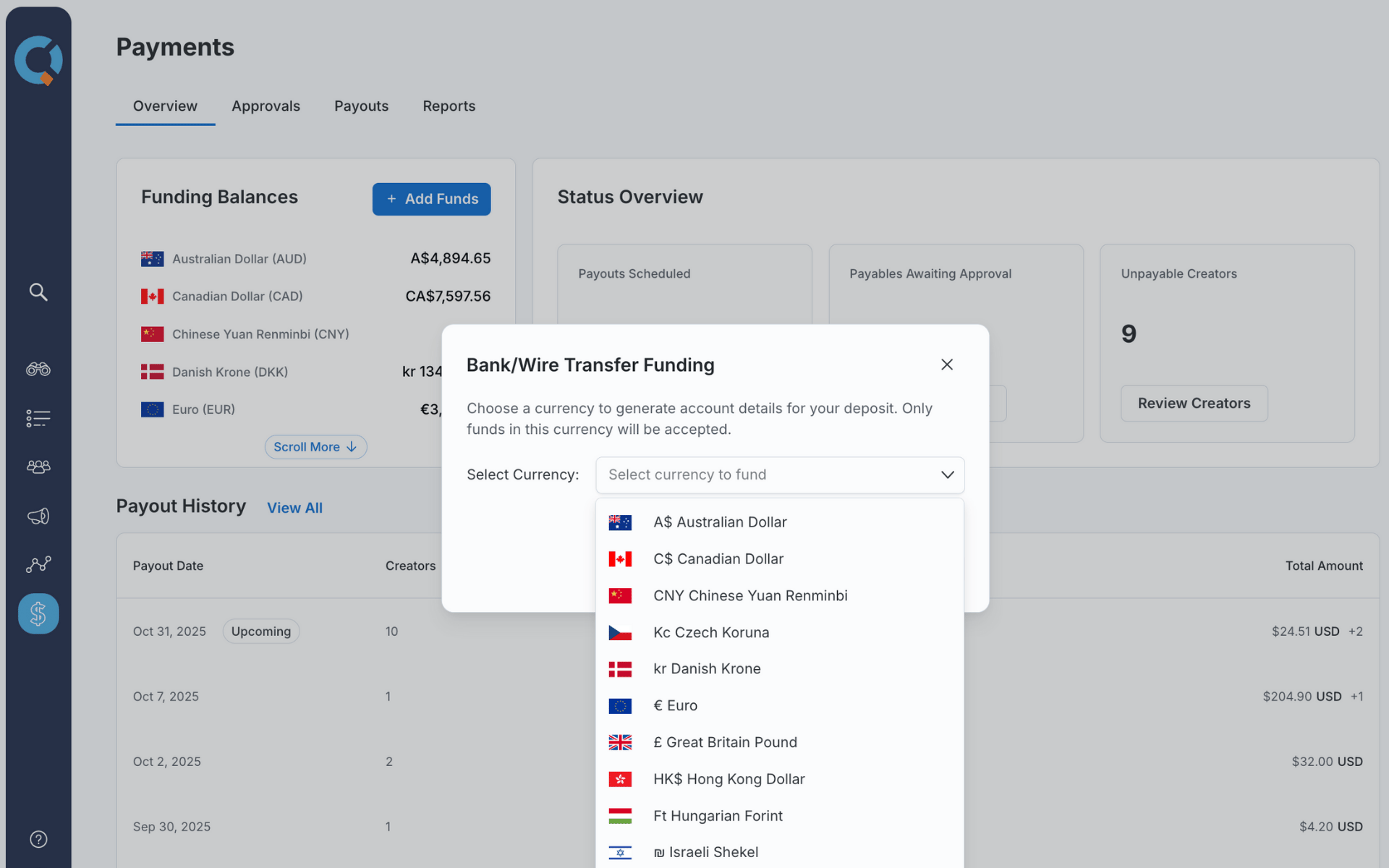
CreatorIQ’s creator payments documentation describes payments across more than 80 markets, funding in 22 currencies, and payouts in more than 60 currencies.
It also describes role-based permissions, approval controls, and payment reporting.
These are relevant capabilities for international programmes handling significant creator spending.
What to watch
Enterprise software can become expensive and difficult to implement if your process is still small.
Ask for a demonstration involving your own approval structure, business units, and payment requirements.
Also confirm the specific markets supported for payments and tax documentation. Global coverage shouldn’t be interpreted as identical functionality in every country.
Our assessment: CreatorIQ makes the most sense when coordination and governance have become substantial problems. A small team hiring five creators occasionally may not need this level of infrastructure.
5. Collabstr — For One-Off Creator Bookings
Best for: Small businesses, campaign teams, and brands purchasing individual influencer collaborations or UGC assets.
Published pricing: Free plan with a 10% hiring fee; Pro from $249/month annually; Premium from $333/month annually.
Collabstr works more like a marketplace than a conventional enterprise influencer management system.
Brands can browse creator profiles, evaluate packages, and hire creators directly.
Paid plans add campaign postings, messaging, audience reports, and more advanced management features.
What stands out
Collabstr publishes its subscription and transaction fees.
Free and Pro carry a 10% hiring fee, while Premium reduces that fee to 5%.
The platform also provides escrow-style payments, with funds released after the brand approves the creator’s work.
For a brand hiring only a few creators, this can be easier to understand than committing to enterprise software.
What to watch
A marketplace package price doesn’t automatically settle commercial usage rights.
If you want to reuse the creator’s video in paid ads, confirm the rights explicitly before purchasing.
Also calculate whether the paid subscription actually saves enough time or transaction fees to justify its cost.
Our assessment: Collabstr is a practical option for smaller, transactional campaigns. It is less compelling if your main problem is managing a large network of long-term ambassadors.
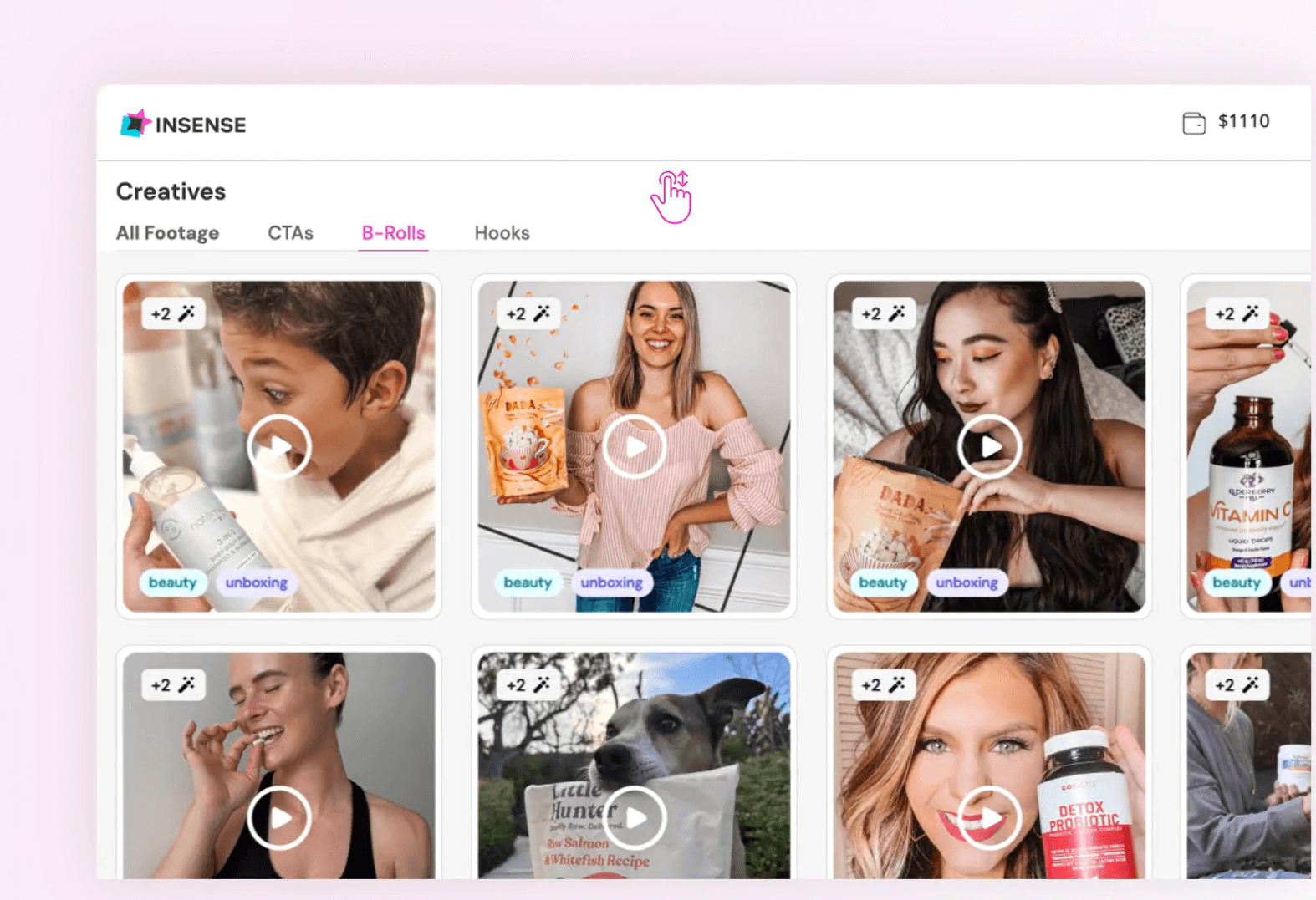
6. Insense — For UGC and Paid Social Creative
Best for: Ecommerce and advertising teams commissioning creator-made videos and images for organic or paid use.
Published pricing: Brand from $500/month billed quarterly, plus a 10% marketplace fee and creator compensation.
Insense focuses on getting content produced by creators and supporting its use in advertising.
That makes it relevant to brands that need a steady supply of product demonstrations, testimonials, and other creative assets.
What stands out
Insense’s official pricing page includes creator discovery, content libraries, paid collaboration workflows, and rights-related provisions.
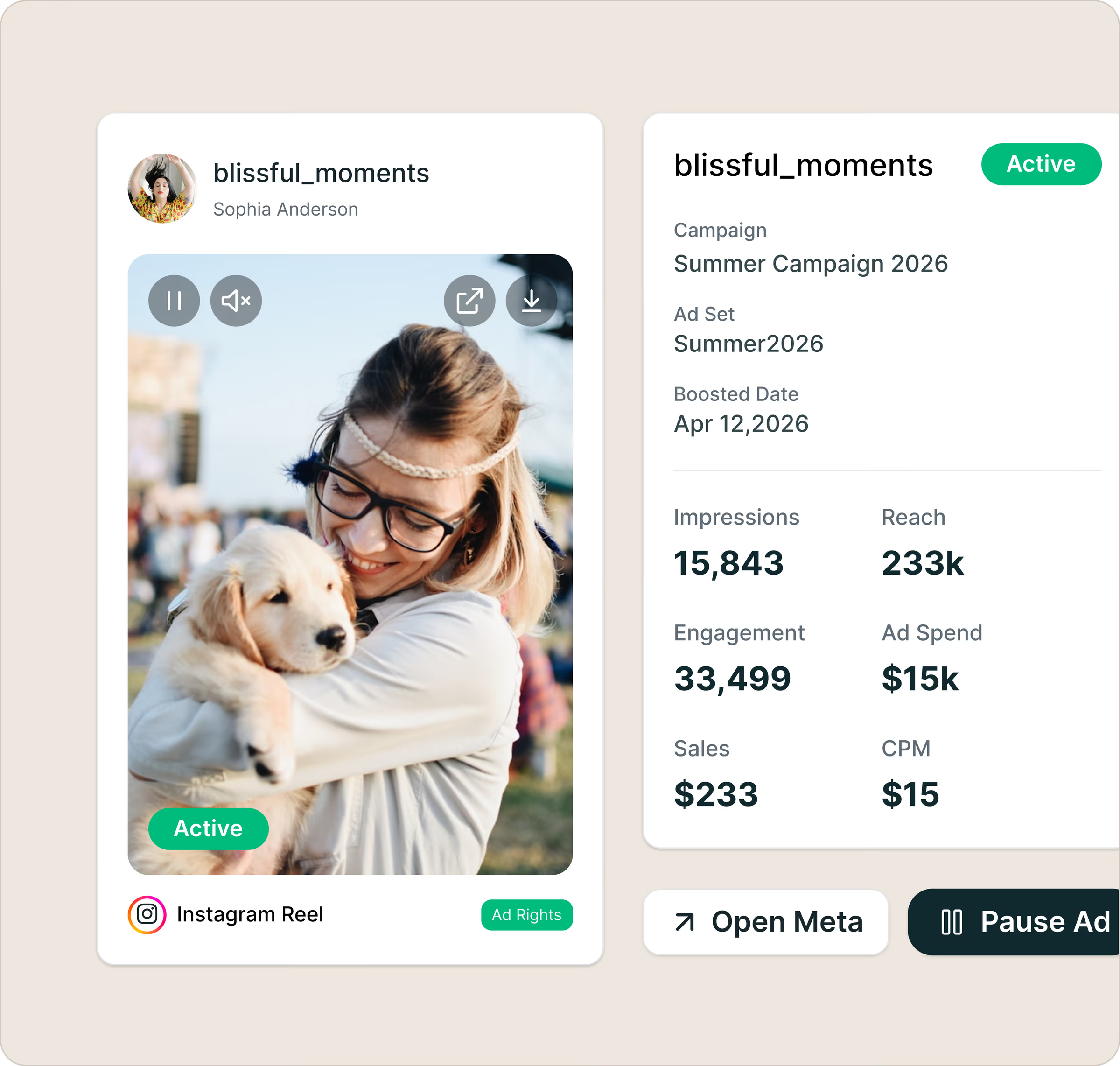
It advertises digital content rights for commissioned assets under its terms, along with support for Meta Partnership Ads.
The Brand plan is advertised at $1,500 billed quarterly, equivalent to $500 per month.
Its separate one-month trial option is advertised from $650.
What to watch
Insense charges creator fees separately from the platform subscription and adds marketplace fees to transactions.
On the Brand plan, the advertised marketplace fee is 10%.
A team commissioning $3,000 of creator work in a month would therefore need to account for $300 in marketplace fees, in addition to the monthly-equivalent subscription and the creators’ compensation.
Review the licensing terms carefully, especially for editing, paid amplification, duration, and any platform-specific advertising permissions.
Our assessment: Insense is most relevant when usable creative assets are the main output. Evaluate it on approved content delivered, not just creator applications received.
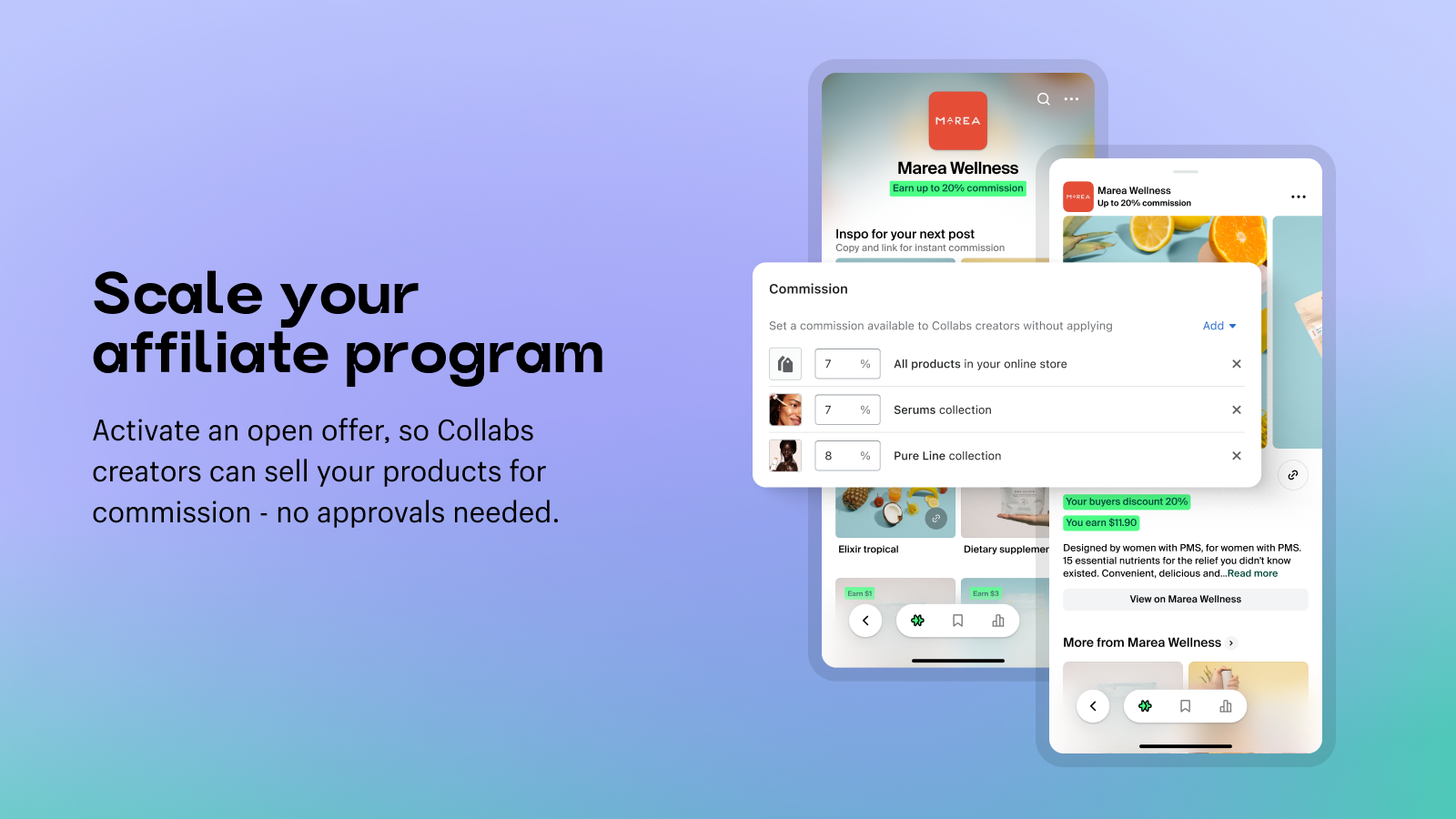
7. Shopify Collabs — For Shopify Affiliate Programmes
Best for: Shopify merchants using creator recommendations, gifts, discount codes, and affiliate commissions to drive sales.
Pricing: Available within eligible Shopify plans; automatic creator commission payments carry a 2.9% processing fee.
Shopify Collabs is more closely tied to ecommerce and affiliate marketing than general-purpose influencer sourcing.
Merchants can invite creators, manage applications, send gifts, issue discount codes, track referred sales, and arrange commissions.
That makes it attractive if Shopify already handles your store and customer transactions.
Its payments guidance confirms a 2.9% fee on automatic commission payments.
Because commissions can be associated with tracked orders, Shopify merchants may find it easier to connect creator activity with ecommerce transactions.
What to watch
Shopify Collabs is not a universal creator marketplace.
Shopify states that it is no longer accepting new general creator signups, although merchants can continue using direct invitations and accepting applications.
Its open-access creator programme also has geographic restrictions.
Before building your entire strategy around Collabs, verify which creator recruitment and payment functions are available for your store and intended markets.
Our assessment: A useful option for existing Shopify merchants prioritising affiliate sales. It is less suitable when your main requirement is contracting creators for complex, cross-platform content campaigns.
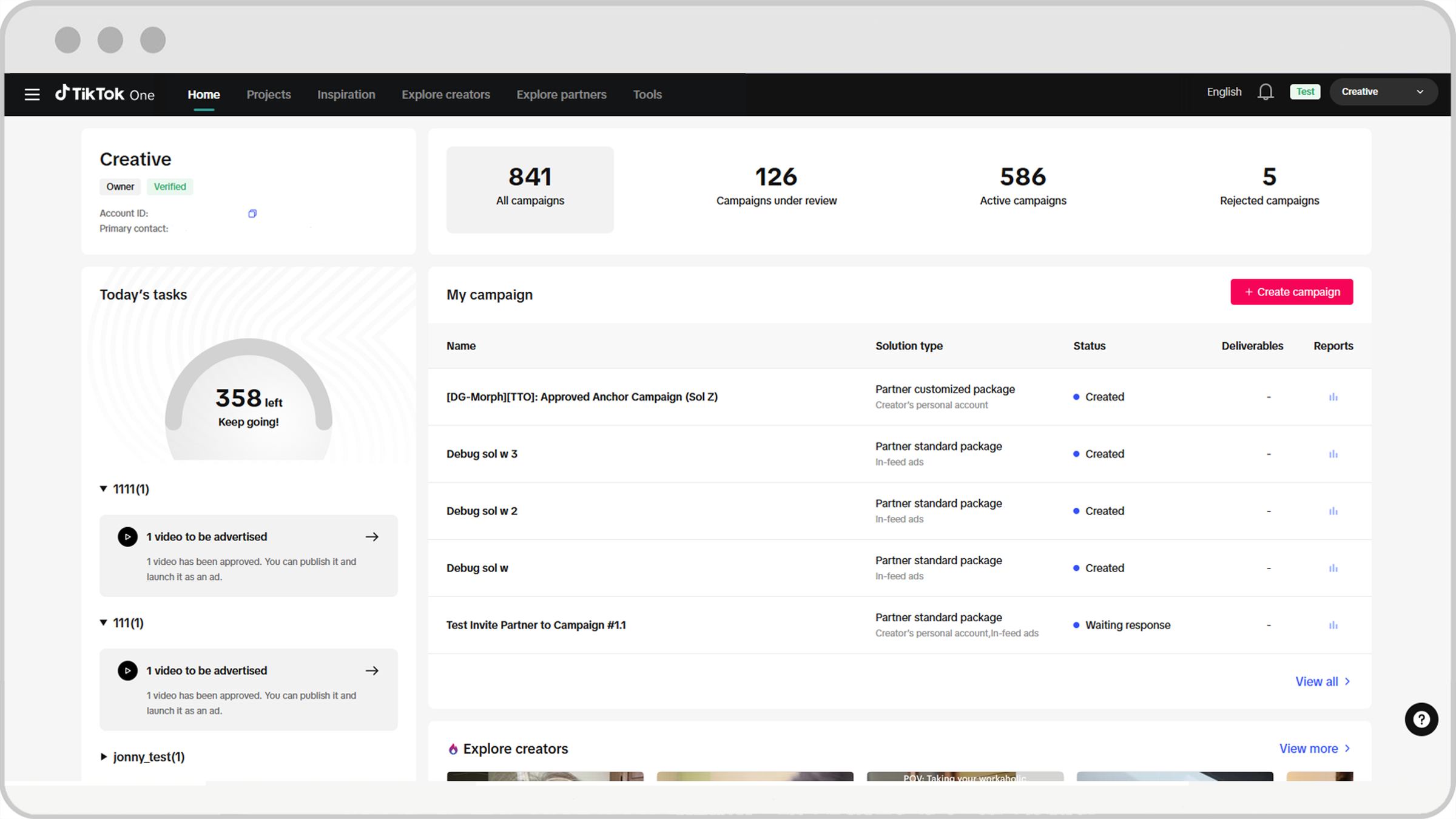
8. TikTok One — For TikTok Creator Campaigns
Best for: Brands running TikTok-native creator collaborations and Spark Ads.
Pricing: No universal monthly subscription price confirmed in the reviewed official material.
TikTok One brings creator discovery, campaign collaboration, and advertising-related creative tools into TikTok’s own business ecosystem.
It incorporates the former standalone TikTok Creator Marketplace experience.
For brands already allocating significant resources to TikTok, that can reduce the distance between finding a creator and activating their content through advertising.
The platform also supports opportunities for brands to collaborate with creators on content that may be used in TikTok advertising.
What to watch
TikTok One is not an all-platform creator management system.
Eligibility and available functions vary by market, account type, and project.
Access to a creator’s organic post doesn’t automatically mean you have every advertising or reuse permission you may need.
Our assessment: TikTok One is worth evaluating when TikTok is your main collaboration channel. Brands operating substantial programmes across several networks will likely need additional systems.
9. impact.com — For Creator and Affiliate Partnerships
Best for: Performance-focused brands managing creators and affiliates within the same partnership programme.
Pricing: Depends on the underlying impact.com plan and programme configuration.
impact.com combines partnership management, affiliate marketing, and creator collaboration.
Its creator capabilities are integrated into the wider Performance Platform rather than always sold as a completely separate software product.
This makes it particularly relevant for brands that want to manage creator relationships alongside performance-based partners.
Its documentation also describes flexible compensation models, including flat-fee and performance-based arrangements.
These capabilities can help brands coordinate creators whose value is measured through sales or other conversion activity.
What to watch
The availability of creator capabilities within a broader subscription doesn’t mean every programme has identical costs or service terms.
Ask about the base subscription, partnership fees, creator payout arrangements, attribution settings, and any implementation work.
Our assessment: impact.com deserves consideration when the brand’s existing partnership programme already includes affiliates and other performance partners.
10. Upfluence — For Ecommerce Creator Discovery and Affiliate Sales
Best for: Ecommerce brands looking to recruit creators from their customer base and connect partnerships to orders.
Its ecommerce positioning is a distinguishing feature.
Instead of starting every campaign with external influencer search, Upfluence encourages brands to identify influential customers and turn suitable relationships into partnerships.
These features may be particularly useful when repeat purchasing and attributable sales matter more than exposure alone.
What to watch
The platform publishes vendor-reported customer results, but those results should not be interpreted as outcomes every business can expect.
Request a detailed quotation covering implementation, integrations, support, payment handling, and contract length.
Our assessment: Upfluence is worth comparing with GRIN and Aspire when ecommerce revenue and recurring creator relationships are the primary goals.
What Actually Matters When Evaluating Creator Collaboration Platforms?
A useful platform needs to support the work your team performs every week.
I’d evaluate the following areas before being impressed by creator counts, AI features, or dashboard designs.
1. Creator discovery: Are the results usable?
A large database means little if the team can’t find suitable creators.
Test the platform using a realistic brief. For example, a skincare brand might need creators whose audience is primarily women aged 25–44 in the United States, who publish relevant product content, and who can produce short-form video.
Check how many results are relevant, whether audience information is sufficiently current, and how many creators can actually be contacted.
The useful metric is qualified creators found per hour, not total database size.
2. Briefing and approval: Can the platform handle revisions?
Most brands need more than a brief upload.
A collaboration may require a first draft, feedback, a revised submission, approval, and confirmation of the posting date.
Ask whether each stage is visible to the brand, creator, and relevant reviewers.
If changes still need to be coordinated through external messaging apps, the platform may not be removing as much work as it promises.
3. Content rights: Can the brand legally reuse the material?
This is one of the most important distinctions in creator marketing.
Paying a creator to publish a sponsored post does not automatically give the brand unlimited rights to use the content in advertising.
Before approving a campaign, document:
Whether the brand may publish the content on its own channels.
Whether it can run paid ads using the content.
The permitted platforms and countries.
The licensing period and renewal terms.
Whether editing, cropping, or creating variations is allowed.
Whether advertising through the creator’s account requires separate authorisation.
A searchable content library is useful. A content library showing exactly which assets are licensed for which uses is more useful.
4. Payment: Who is responsible for what?
Payment administration becomes difficult as a programme grows.
Some platforms use marketplaces and escrow. Others use wallets, affiliate commissions, or integrations with external payment systems.
Ask how the platform handles creator onboarding, tax details, payment approvals, refunds, failed transfers, and international payouts.
Also check whether its transaction fee applies to each payment, the amount deposited, or total campaign spending.
These are different cost structures.
5. Measurement: Can you connect activity to outcomes?
A creator campaign may aim to generate awareness, reusable advertising content, affiliate sales, or customer acquisition.
Those outcomes should not be measured identically.
Campaign Objective
Primary Metric
Supporting Metrics
Brand awareness
Qualified reach
Views, engagement, relevant audience
UGC production
Approved usable assets
Revisions, delivery time, licensing coverage
Ecommerce sales
Attributed revenue
Orders, commissions, acquisition cost
Affiliate programme
Incremental contribution
Sales, active partners, customer quality
Paid creator ads
Conversion performance
CPA, creative fatigue, landing-page conversion
A platform that reports engagement well may still provide limited evidence of incremental sales.
How to Test a Creator Collaboration Platform Before Buying
Rather than comparing vendor demonstrations, give shortlisted platforms the same campaign brief and workflow.
Here’s a practical test you can repeat.
Step 1: Build a baseline creator shortlist
Select ten creators you already know are relevant to your brand.
Record their locations, platforms, audience characteristics, and recent content. Use these as a known-reference sample.
Then search for them in each candidate platform.
A strong discovery tool should identify a useful proportion of the shortlist and help you find additional creators with similar characteristics.
This doesn’t prove the tool’s entire database is accurate, but it reveals obvious gaps early.
Step 2: Run one realistic discovery exercise
Use the same brief in each platform.
Find twenty potentially suitable creators, review their available information, and record why each might fit.
Measure how long the process takes and how many results survive manual review.
Don’t count the first twenty search results as twenty qualified creators.
Step 3: Test the collaboration workflow
Use a demonstration campaign with a real or simulated creator, depending on the platform’s trial terms.
Check whether you can:
Create a complete brief with deliverables and deadlines.
Send an invitation and manage responses.
Submit and review draft content.
Request a revision without losing the previous version.
Record content rights and approval status.
Identify when payment should be released.
Where trials do not expose a feature, mark it not evaluated rather than assuming it works.
Step 4: Inspect a sample report
Ask the vendor to demonstrate how a completed collaboration appears in reporting.
Can you identify which creators posted, what was delivered, which assets can be reused, and how much was spent?
Does the report distinguish organic content performance from paid amplification and affiliate conversions?
Step 5: Calculate the real cost
Add the subscription, creator fees, platform transactions, payment processing, implementation, additional user seats, and any required integrations.
Then divide that total by the useful output the system produces.
The point isn’t to find the lowest subscription. It’s to find the platform that helps your team complete collaborations without unnecessary cost or administrative work.
A Creator Platform Evaluation Scorecard
Use this scorecard during a trial or vendor demonstration.
Criterion
Weight
What You Need to Verify
Creator discovery quality
20%
Relevant, reachable creators found against your baseline
Collaboration workflow
20%
Briefs, revisions, deadlines, approvals, and handoffs
Content rights management
20%
Clear, retrievable licensing and advertising permissions
Payment operations
15%
Payouts, fees, approval controls, and accounting visibility
Reporting and attribution
15%
Meaningful outcomes and exportable evidence
Cost and implementation
10%
All-in costs, contract requirements, and setup effort
Score each criterion from 1 to 5 based on your own completed test and calculate the weighted total.
Where evidence is missing, mark the criterion as not evaluated. Don’t turn missing information into a low or high score.
This is a proposed purchasing framework, not a claim that we’ve independently tested and scored all ten platforms.
Creator Collaboration Platform Pricing: What Does a Campaign Actually Cost?
Subscription costs are often only one part of creator marketing.
Consider a hypothetical brand running a monthly programme with $4,000 in creator compensation.
Expense
Illustrative Cost
Creator compensation
$4,000
Software subscription
$200
Platform management or transaction fee at 10%
$400
Shipping, product costs, paid media, taxes
Additional
Total before additional costs
$4,600
This is an illustrative budget, not a quotation from a specific vendor.
It demonstrates why a platform advertised at $200/month may cost substantially more once creator payments and transaction fees are included.
Your actual cost also depends on whether you pay creators through the platform, what the fee is calculated against, and which services are covered.
Cost per approved asset
For UGC campaigns, one useful measure is:
Cost per approved usable asset = Total campaign cost ÷ Number of assets accepted with the required usage rights
Suppose you spend $3,000 and receive twelve approved videos that meet the brief and have the paid-use rights you need.
Your cost per usable asset is $250.
If another platform costs $2,600 but only eight videos meet the brief and licensing requirements, its cost per usable asset is $325.
The cheaper campaign produced more expensive usable content.
Cost per resolved operational task
For recurring programmes, also measure how much staff effort the software removes.
For example, count the number of creator-payment exceptions, missed deadlines, manual status checks, or rights disputes resolved through the system.
If a platform saves no meaningful staff time and does not improve campaign output, its feature breadth may not justify its cost.
Platform API Access: What Brands Should Check
Social platforms control the data and permissions available to third-party software.
This affects creator discovery, audience reporting, content collection, and campaign measurement.
API and permission changes can reduce coverage or require workflows to change, even when the software vendor hasn’t made a mistake.
Before choosing a platform, ask which information comes directly from authorised platform connections, which comes from public observations, and which requires creators to connect their accounts.
Also ask what happens when a creator disconnects an account or a platform changes its access rules.
This matters particularly for content tracking and attribution.
For additional context, our article on social scheduler API restrictions explains how third-party access can affect marketing software.
Creator collaboration platforms should be evaluated on how they handle missing data and broken permissions—not merely how many networks appear on their supported-platform list.
Creator Marketing Compliance and Content Rights
Brands also need to consider advertising disclosure requirements.
Disclosure responsibilities are not automatically satisfied simply because a platform provides a partnership-label feature.
Brands operating in other jurisdictions should check the applicable local rules as well.
In practice, your creator brief should specify disclosure requirements, claim substantiation, approval responsibilities, prohibited claims, and commercial usage rights.
A collaboration platform can make those requirements easier to document, but it cannot replace legal review or guarantee compliance.
When You Don’t Need a Dedicated Creator Platform
Not every brand needs specialised creator software.
If your team works with only two or three creators per quarter, direct outreach, a shared brief, a contract template, and a reliable payment process may be sufficient.
A general social management tool can still help with your own publishing calendar and reporting.
Dedicated creator software becomes more valuable when manual coordination starts creating recurring problems: missed deadlines, unclear rights, repeated sourcing work, lost creator information, or payment delays.
The buying trigger should be the operational problem you’re trying to solve, not the fact that influencer marketing software exists.
Which Creator Collaboration Platform Should You Choose?
The right choice depends on the job you’re trying to accomplish.
Choose a discovery-focused system if your main problem is finding suitable creators. Look at marketplace tools if you need occasional collaborations. Consider comprehensive creator management platforms when relationships, approvals, content reuse, and payments have become recurring operational challenges.
For ecommerce brands, the connection between creators and sales can be especially important. For paid social teams, properly licensed content may matter more than the creator’s follower count. For enterprise programmes, approval controls and international payment support can determine whether a platform is operationally viable.
If you already use a platform that handles these tasks reliably, switching for a larger creator database or a new AI feature may provide little benefit.
Before committing, run a realistic discovery and collaboration test, investigate the licensing terms, and calculate the total cost using your expected creator spending.
The best creator collaboration platform isn’t the one with the most creators. It’s the one that helps your team move from a suitable creator to an approved, usable, properly paid collaboration with the least unnecessary work.
That’s what deserves your budget.
Frequently Asked Questions
What is a creator collaboration platform?
A creator collaboration platform helps brands find creators, manage partnerships, organise briefs and deliverables, and often handle content approvals, payments, and reporting. Different platforms specialise in different parts of that workflow.
What is the difference between a creator marketplace and influencer marketing software?
A creator marketplace primarily helps brands find and hire creators. Broader influencer marketing software may also manage ongoing relationships, campaigns, licensing, affiliate programmes, payments, and reporting.
Which creator collaboration platform is best for small businesses?
Collabstr and Shopify Collabs are worth considering for simpler marketplace or affiliate arrangements. Modash and GRIN may suit small teams building more repeatable programmes. The best choice depends on transaction volume, platform coverage, and the work your team needs to manage.
Which platform is best for UGC content?
Insense and Collabstr are relevant options for commissioning UGC. Compare the licensing terms, creator selection process, revisions, delivery time, and total cost per approved asset.
Can brands reuse influencer content in paid advertising?
Not automatically. The rights depend on the agreement, permitted uses, licensing period, and any platform-specific permissions. Document paid advertising rights explicitly before activating content.
Do creator collaboration platforms handle creator payments?
Many do, but the payment arrangements differ. Some provide escrow, some process creator wallets, and others support affiliate commissions or third-party payment integrations. Confirm fees, geographic coverage, and approval controls.
Is Shopify Collabs free?
Shopify Collabs is available within eligible Shopify plans, but that doesn’t mean running an affiliate programme is entirely free. Creator commissions and payment processing fees may apply.
Is TikTok Creator Marketplace still available?
The former standalone marketplace experience has moved into TikTok One. Brands should use TikTok’s current business documentation to confirm available features and eligibility.
How should brands measure creator marketing ROI?
Start with the campaign’s objective. For UGC, measure approved assets and usable rights. For affiliate campaigns, examine tracked sales and contribution margins. For awareness, look at relevant reach and engagement. Attribution data alone may not establish the incremental effect of a creator partnership.
How often should brands review their collaboration software?
Review material changes whenever the vendor adjusts pricing, usage limits, payment rules, platform integrations, or licensing workflows. At a minimum, reassess whether the software is removing enough work to justify its cost at contract renewal.
About the author
Tom Koh
Tom is the CEO of MediaOne, a leading digital marketing agency. He is a business-experienced SEO consultant as well as a Google Gold Search Expert serving the international community. He has consulted for MNCs like Canon, Maybank, Capitaland, SingTel, ST Engineering, WWF, Cambridge University, as well as Government organisations like Enterprise Singapore, Ministry of Law, National Galleries, NTUC, e2i, SingHealth. His articles are published and referenced in CNA, Straits Times, MoneyFM, Financial Times, Yahoo! Finance, Hubspot, Zendesk, CIO Advisor. Under his stewardship, MediaOne has won dozens of prestigious digital marketing awards.
Your website has 150 published articles. Some attract consistent organic traffic, others haven’t generated a meaningful visit in months, and several cover nearly identical…
Writing a good advertisement sounds simple until you have to create 15 different headlines, stay within character limits, communicate your product’s benefits, and make…
Verifiability matters more than speed when publishing AI-generated content. An AI content generator turns a short brief into draft copy, and its usefulness depends…