SEO Audit
Competitor SEO Analysis Tool: How to Choose One and Use It to Outrank Rivals
Contents hide 1 Key Takeaways 2 How to Choose a Competitor SEO Analysis Tool 3 Introduction: Why a Competitor SEO Analysis Tool Matters in…

Keyword research is the foundation of every SEO strategy. Whether you’re building a blog, scaling organic traffic for an e-commerce site, or competing in a crowded niche, understanding what your audience searches for is essential to any SEO strategy.
The best free SEO keyword tools available in 2026 give you the core data you need to validate hypotheses, spot opportunities, and rank for terms that drive real traffic. Quick start: Begin with Google Search Console to audit what you’re already ranking for. Then layer Google Keyword Planner for volume validation, Answer the Public for question mining, and Google Trends for seasonality. This four-tool stack addresses most common keyword research needs without requiring a credit card. By the end of this guide, you’ll have a 30-minute workflow that delivers actionable keywords in your first session.
Searchers use specific language to find solutions. If you target “project management software” but your audience searches “tools to organize team tasks,” you’ll rank for the wrong intent. This means you attract cold visitors and experience higher bounce rates and lower conversion performance. Keyword research solves this by showing you the exact words people use and the intent behind those searches.
Free tools have real limits. Google Keyword Planner hides exact search volumes behind ranges. Ubersuggest caps you at searches per day. Answer the Public offers limited free searches monthly. These constraints aren’t flaws: they’re guardrails that force you to think strategically instead of running reports on keywords that sound relevant but lack validation.
Free tools excel at hypothesis validation. Test a keyword idea for free, validate it works, then invest paid tools or writer hours only on phrases with proven demand. This saves months of wasted effort chasing keywords that sound right but fail to convert. Many practitioners approach this backwards by buying enterprise tools immediately, running reports on hundreds of keywords, then discovering afterward that most keywords selected without validation fail to convert. You’ll avoid that trap by starting free, filtering ruthlessly, and graduating to paid tools only when ROI is clear.
Google Search Console (GSC) shows you what’s already working: the queries driving real clicks to your site, your ranking position for each query, and whether you’re capturing the traffic you deserve. Unlike traditional keyword research tools that predict what might rank, GSC reveals what’s actually ranking. Note: GSC data reflects Google’s measurement and may not capture all clicks.
Before you brainstorm new keywords or chase competitor rankings, answer this harder question first: are you winning the keywords you’re already visible for?
Add your website to Google Search Console if you haven’t already. Verify ownership via DNS record, HTML file, Google Analytics, or Google Tag Manager, then wait 24-48 hours for data to populate.
Navigate to the Performance report. This is your command center. You’ll see four core metrics: total clicks, total impressions, average click-through rate (CTR), and average position. Filter by country (United States if you target US traffic) and date range (last 90 days gives a solid sample without seasonal noise).
Sort by impressions descending. This shows which queries Google thinks your site is relevant for, ranked by how often your pages appeared in results.
The gap between impressions and clicks reveals opportunity. A query with 500 impressions but only 20 clicks signals poor ranking position, typically page 2 or 3, or weak title and meta description. A query with 100 impressions and 80 clicks means your title and snippet are compelling, and you’re probably in positions 1-3.
Average position below 5.0 is strong. Positions 6-10 on page 2 capture roughly one-third the clicks of top-three results in most verticals. Queries ranking 11+ are almost invisible to users unless they search a highly specific long-tail term.
CTR varies by intent. Informational queries such as how-to guides and definitions typically see 2-4% CTR based on documented patterns. Commercial and local queries such as “best X” or “near me” see 6-10% or higher. If your CTR is half the industry average for your query type, your title and meta description need rewriting.
View 1: High-volume, low-click opportunities
Filter to queries with position 6-15 and more than 50 impressions in the last 90 days. These keywords are already associated with your site. Based on documented CTR patterns, moving from position 8 to position 3 often means a 2-3x click increase, though results vary by industry and query type. Prioritize these for on-page optimization through title tags, headers, and opening paragraph rewrites.
View 2: Top converting keywords
Sort by clicks descending. Your top 20 converting queries are your proof points. Analyze what they have in common: query length, topic cluster, and intent. Replicate that pattern on related keywords one or two positions away in GSC.
View 3: Trending spikes
Filter by the last 7 or 14 days. Queries spiking in clicks this week are your edge. Check average position. If you’re ranking 4-8 for a trending query, creating a dedicated landing page or updating existing content could capture significant traffic before the spike flattens.
Other keyword research tools are predictive. They estimate demand and difficulty. GSC is observational. It shows demand already happening, tied to your site. Starting with GSC saves you from wasting weeks optimizing for keywords nobody in your market actually searches for. Most teams spend significant monthly fees on paid keyword tools while leaving 20-30% CTR improvement on the table by ignoring GSC data. Your first research move should always be: what am I already ranking for?
Google Keyword Planner is the most underrated free SEO tool available. While most marketers assume it requires active ad spending, the truth is simpler: you need a Google Ads account, but you don’t need to spend a dollar. This gives you access to actual Google search volume data that reflects real Google Ads activity.
Creating a Google Ads account takes about five minutes. Go to ads.google.com, set up an account with your email, and verify your payment method. You won’t be charged. Once verified, navigate to Tools in Google Ads and click Keyword Planner. No credit card charge, no monthly fee, no commitment.
Search volume shows how many times a keyword gets searched per month, but Google displays volume ranges instead of exact figures. A keyword might show “1K-10K” or “100K-1M” rather than “3,847.” This bucketing is intentional. Accept it and move forward.
Competition level, marked as Low, Medium, or High, tells you how many advertisers are bidding on a keyword in Google Ads. Higher competition means more advertisers see value in the term, which is a signal but not a guarantee of ranking difficulty. A keyword can have low ad competition and high organic ranking difficulty, or vice versa.
Bid estimate shows the average cost-per-click for advertisers bidding on that keyword. This number proxies for commercial intent. Keywords where advertisers pay $5 or more per click are usually buyer-intent keywords. Keywords where the bid estimate is $0.50 or less are often informational. US advertisers drive up bid prices, so this metric is especially useful for validating whether a keyword leads to conversions.
When you open Google Keyword Planner, set targeting to United States, not “All locations,” and English. This narrows results to what US searchers actually look for. For state-specific research, Google Ads targeting data from your own campaigns will eventually show state-level variation, but US-level data is precise enough to start.
Note: All metrics reflect US-level aggregates and may vary by device type and user segment.
Bucketed volumes frustrate new users, but they solve a real problem: SEOs spend weeks chasing inflated keyword volumes from third-party tools. Ubersuggest, Semrush, and Ahrefs estimate volumes. Google Keyword Planner doesn’t. When a keyword shows “1K-10K” in Planner but Ubersuggest claims 8,500 exact searches, which is right? Planner is accurate. You may never know if it’s 1,200 or 9,800, but you know the range. This forces you to validate assumptions with Google Trends and real SERP testing instead of gambling on estimated numbers.
For volume accuracy and intent signals via bid estimates, Google Keyword Planner offers data accuracy advantages because it reflects actual Google Ads activity. Third-party tools rely on different data sources and may show timing differences. Google Keyword Planner is always current and always grounded in real spending behavior.
Google Trends reveals what people are searching for right now and how that interest changes over time. Seasonal keywords can represent a significant portion of annual traffic in certain niches. Finding these keywords before they spike means you can publish content weeks ahead of demand instead of weeks behind competitors.
Type a keyword into Google Trends and look at the blue graph over the past 12 months. A flat line means consistent year-round interest. Spikes mean seasonality. That’s the difference between “project management software” (flat, always in demand) and “best holiday gifts” (seasonal, peaks in November-December).
Enter up to five keywords at once to see which has more seasonal variation. This helps you plan content calendars: create “evergreen” content for consistently-searched terms, and create seasonal content on a publishing calendar timed to demand peaks.
Answer the Public aggregates Google Autocomplete and People Also Ask data into a visual interface. You type a keyword, and it shows actual questions people ask about that topic. These become ready-made content angles: blog post titles, FAQ sections, and video topics that match what searchers actually want to know.
Tool limits are subject to change; verify current restrictions on each platform.
| Tool | Search Volume | Keyword Ideas | Rank Tracking | Question Mining | Free Limit |
|---|---|---|---|---|---|
| Google Search Console | Via click data | Actual ranking keywords | Yes, native | No | Unlimited |
| Google Keyword Planner | Bucketed ranges | Yes, with ad account | No | No | Unlimited |
| Google Trends | Year-over-year patterns | No | No | No | Unlimited |
| Answer the Public | No | Questions and suggestions | No | Yes, native | Limited free monthly searches |
| Ubersuggest | Estimated | Yes | Limited | Yes | Limited free daily searches |
Free browser extensions let you see keyword metrics directly in search results. SEO toolbar extensions display estimated difficulty, search volume, and CPC data without leaving the SERP. Use these for quick validation while researching keywords organically.
Free tools excel at validation and discovery. They show you what’s already working, what people actually search for, and whether demand exists. Paid platforms like Semrush, Ahrefs, and Moz add rank tracking, competitive analysis, backlink research, and API access. After you’ve validated keyword demand with free tools and confirmed there’s traffic worth capturing, paid tools help you monitor rankings over time and understand competitive landscape.
Start free. Validate ruthlessly. Graduate to paid tools only when your free research shows consistent traffic opportunity with low competitive barriers.
Google Trends is one of the most underused free SEO tools. Open it without a login, plug in any keyword, and you immediately see search volume movement across years, months, and weeks. For keyword researchers, this single insight solves a problem paid tools charge hundreds to fix: proving a keyword is worth your effort before you rank for it.
Start in Google Keyword Planner and find a keyword with decent volume (1,000 to 10,000 monthly searches). The Planner tells you it’s popular, but it doesn’t show seasonality. Switch to Google Trends with the same keyword.
If the graph is flat year-round, that’s consistent traffic you can count on. If it spikes in November and drops in summer, you’ve just identified a seasonal keyword. Missing this detail means you waste three months ranking for a keyword that will tank in two months.
The competitive advantage lives in what most free-tool users miss: seasonal keywords can represent a significant portion of annual traffic in certain niches, but they require different content strategy. Holiday shopping keywords peak in October and November. Tax-related keywords spike January through April. Allergy keywords surge March through May. If you’re in a seasonal niche, Trends is not optional.
Drop two related keywords into Trends and watch the lines. If you have limited time, should you target “best running shoes” or “running shoes for flat feet”? The second one may be smaller but steadier, while the first fluctuates wildly. That steadiness often means less competition and more predictable ranking payoff.
Combine Trends data with Google Keyword Planner geography filters for regional specificity. A keyword might show average US volume, but Trends reveals it’s concentrated in specific states. Target runners in Colorado might find “winter running shoes” dominates December through February in mountain states but barely registers in Florida.
Home heating keywords spike October through February in the US, but the actual peak varies by latitude. If you’re writing content on furnace maintenance, publishing in July when search volume is lowest means you rank by September and capture the entire season.
The limitation is honest: Trends shows relative popularity, not absolute search volume. It indexes to 100 at the peak, then scales everything else down. Pair it with Google Keyword Planner’s volume buckets. Planner says “1K to 10K searches per month.” Trends confirms the volume is stable or seasonal. Together they give confidence that your research is sound.
Note: All metrics reflect US-level aggregates and may vary by device type and user segment.
Answer the Public visualizes keyword relationships in a radial map: questions, prepositions, and comparisons branch out from your seed keyword like a mind map. For a query like “best SEO tools,” you’ll see sub-searches like “best SEO tools for beginners,” “best SEO tools free,” and structured questions your audience asks.
This visual layout is a superpower for content strategy. Instead of reading a flat list, you see keyword clusters and semantic relationships that suggest blog post angles, FAQ sections, and content gaps your competitors miss.
The free tier allows two searches per month. Tool limits are subject to change; verify current restrictions on each platform. This limit is restrictive if you’re managing multiple content pillars, but sufficient for weekly brainstorming sessions. Answer the Public doesn’t provide search volume or difficulty; use it alongside Google Keyword Planner to validate volume for the questions it surfaces.
Answer the Public excels for understanding keyword context and finding question-based keywords. These often have lower competition and higher intent-to-action ratios than traditional volume-focused research.
Ubersuggest offers a genuine free version without a credit card requirement. You get free searches per day, enough to spot-check keywords one or two at a time. Each search returns search volume in broad ranges, keyword difficulty on a 0-100 scale, and seasonal trend data over the past year. Tool limits are subject to change; check Ubersuggest’s current free tier documentation before relying on daily search caps.
The strength of Ubersuggest is simplicity. You enter a keyword, wait three seconds, and see actionable metrics. The difficulty score correlates well with real ranking effort; a difficulty of 65+ usually means competing against established domains and high-quality content.
Free keyword generators like Keyword.com let you type a seed keyword and auto-generate hundreds of long-tail variations, including modifiers (best, cheap, near me, how to). No daily limits, no signup required. You receive a bulk list of keyword ideas with rough SERP previews.
The trade-off is accuracy. Search volume estimates are educated guesses, not Google’s actual data. Keyword difficulty scores don’t account for backlink authority the way paid tools do. Use these for rapid brainstorming when you need 50+ keyword ideas and will validate volume separately.
| Tool | Search Volume | Difficulty Score | Question Data | Daily Limit | Best For |
|---|---|---|---|---|---|
| Google Keyword Planner | Yes (ranges) | No | No | Unlimited | Volume validation, intent signals |
| Ubersuggest | Yes (ranges) | Yes (0-100) | No | Limited | Single keyword verification |
| Answer the Public | No | No | Yes (visual map) | 2/month | Content strategy, question mining |
| Bulk generators | Estimates only | Estimates only | No | Unlimited | Brainstorming, idea generation |
| Google Trends | Relative only | No | No | Unlimited | Seasonality, trends, geography |
| Google Search Console | No | No | No | Unlimited | Current rankings, CTR data |
Browser extensions turn your search results page into a live data layer that works in real time as you browse.
MozBar overlays domain authority (DA) and page authority (PA) scores directly on each Google result. You’ll also see MozRank and keyword difficulty. The free tier isn’t feature-complete (paid subscribers get more granular data), but for quick SERP analysis, it answers: who’s ranking and how strong is their domain? If only sites with DA 60+ rank for a term and you’re starting from DA 15, you’ve just saved yourself months of wasted effort.
SEOquake focuses on on-page metrics. The free tier shows keyword density, heading structure, image counts, and a live SERP preview with estimated traffic for each ranking page. Unlike MozBar’s domain focus, SEOquake zooms into page-level signals. It’s especially useful when researching competitor content to understand what on-page elements (word count, subheading density, image use) correlate with top rankings in your niche.
Both extensions have real limits. They don’t track rankings over time. They don’t show search volume or keyword difficulty the way Google Keyword Planner does. They don’t replace rank-tracking software if you need to monitor 500+ keywords across weeks.
The ideal workflow: Use Google Keyword Planner or Answer the Public to generate candidate keywords. Then search each one manually in Google. As results load, MozBar and SEOquake fire up automatically, showing domain strength and on-page patterns in real time. You’ll immediately see whether the keyword is defendable (high-DA sites only, skip it) or accessible (mix of DA 20-40 sites, pursue it).
Treat extensions as verification layers, not discovery engines. Don’t rely on them alone for your keyword list. Pair them with Google Keyword Planner data and answers from Google’s autocomplete and People Also Ask boxes.
The best free SEO keyword tools available in 2026 give you core data you need without months of learning curves. This four-tool stack addresses most common keyword research needs. The best approach isn’t to pick one tool and stick with it, but to layer them so each fills a gap the others leave behind.
Pull your top 20 keywords by clicks this month. These are already converting for you. Protect them, optimize them, and expand into long-tail variants. You’ll find three to five quick wins (keywords ranking in positions 6-10 that need only a paragraph tweak to crack the top three) within your first 15 minutes.
Note: Google Search Console data reflects Google’s measurement and may not capture all clicks.
Take the keywords from Google Search Console and check their search volume buckets. Then brainstorm 10 related terms and run them through Planner. Look for high-volume, low-difficulty keywords your competitors might be ignoring. Note the bid estimates: high bids often correlate with commercial intent and traffic that converts.
Type your main keyword into Google and record what autocomplete suggests. Then click through the top three results and extract the questions in the People Also Ask boxes. These are the exact questions your audience is asking. Do the same with Answer the Public (your two free monthly searches). Copy questions into a spreadsheet.
Search your main keywords and any seasonal variants (for example, “gift ideas” for Q4 niches). Look for year-over-year spikes. If you see a significant bump in November, plan your content eight to ten weeks ahead to rank by October. This single step puts you ahead of competitors who ignore seasonality.
Install the free browser extension. Scan the current top 10 results for your target keyword. Note the domain authority of pages ranking first. If it’s 15 or below, you have a real shot. If it’s 50 or higher, this keyword is harder than Google Keyword Planner suggested.
Based on documented CTR patterns, moving from position 8 to position 3 often means a 2-3x click increase, though results vary by industry and query type.
| Phase | Action | Tool | Output |
|---|---|---|---|
| Research | Audit current rankings | Google Search Console | Top 20 keywords, CTR data |
| Research | Find high-volume targets | Google Keyword Planner | 15-20 candidate keywords |
| Research | Harvest questions | Answer the Public and People Also Ask | 30-50 question keywords |
| Validate | Check seasonality | Google Trends | Publish calendar dates |
| Validate | Inspect competition | MozBar and manual SERP | Difficulty relative to domain authority and backlinks |
| Optimize | Write and link | Your editor and CMS | Live content in two weeks |
| Rank | Monitor position | Google Search Console | Refine next quarter |
Free tools are enough if you’re targeting long-tail keywords (under 500 searches per month), your niche has fewer than 10 active competitors, or you’re building an internal knowledge base rather than chasing rankings. In these cases, Google Search Console and Google Keyword Planner with autocomplete will answer every question you need.
Invest in paid tools if you’re competing for keywords above 5,000 monthly searches, you need historical ranking data to spot trend shifts before they happen, your agency or in-house team runs more than 50 campaigns per quarter, or you want backlink analysis to understand why competitors outrank you. Keyword Planner offers data accuracy advantages because it reflects actual Google Ads activity, while third-party tools rely on different data sources and may show timing differences.
At that scale, a 200-dollar-per-month tool pays for itself in one extra top-10 ranking per month.
Your no-regret next step: Open Google Search Console right now and filter this month’s keywords by position. Show me positions 6-10. Pick the three with highest click potential. Spend 30 minutes improving those pages. Then open Google Keyword Planner tomorrow and run five related keywords. You’ll have concrete data to work from before lunchtime, and zero tool setup friction to slow you down.
Google Keyword Planner uses ranges (1K-10K) because exact monthly search volume varies by device type, user segment, and region. Showing precise figures would imply false accuracy. Bucketing protects against misinterpretation and reflects how search volume naturally fluctuates.
Yes, if you combine multiple free tools to validate keyword difficulty thoroughly. Many practitioners report success ranking for moderately competitive keywords (difficulty 20-40) by using Google Search Console to find ranking opportunities, MozBar to assess domain authority patterns, and Answer the Public to find lower-competition question variants that share the same user intent.
Compare results across multiple sources. If Google Keyword Planner says 1K-10K monthly searches and Google Trends shows steady interest over the past 12 months, that’s consistent. If Google Trends shows a 50% decline in the past three months and your tool still rates it highly, search volume may be dropping. Cross-reference before committing content resources.
You likely targeted the wrong intent. A keyword with high search volume doesn’t guarantee traffic that converts. If you target “project management software” but your audience searches “tools to organize team tasks,” you’ll rank for the wrong intent, attract visitors without buying intent, and experience higher bounce rates and lower conversion performance. Use Answer the Public and People Also Ask to validate that your keyword matches buyer behavior, not just search volume.
Freemium platforms like Semrush and Ahrefs offer limited free tiers with keyword research capabilities, but with significant daily search caps (usually 10-20 per month). If you’re starting out or validating one keyword per week, free tier access is useful. For ongoing research, the free tools listed here (Google Search Console, Google Keyword Planner, Google Trends, Answer the Public) offer the highest true-free-tier capability without conversion prompts.
Google Keyword Planner reflects actual Google Ads search traffic and advertiser bidding patterns. Ubersuggest builds its own estimates based on different data sources and sampling methods. Neither is “wrong.” Planner is more reliable for understanding commercial intent and absolute reach because it mirrors Google’s own ad systems. Ubersuggest is useful for spotting relative keyword difficulty quickly.
Yes. Use Google Keyword Planner with geographic and language filters to narrow results to your target location. Google Trends also filters by region. Search volume will be lower for location-specific keywords, which is expected. A dentist targeting “family dentist in Denver” will see lower volume than “family dentist” nationally, but lower volume also means less competition and higher conversion rates locally.
Search volume tells you how many people search for a term monthly. Intent tells you what they want to accomplish. “Best project management tools” (high volume, research intent) differs from “Asana pricing” (lower volume, commercial intent). Tools like Google Keyword Planner suggest intent through bid estimates; Answer the Public shows it directly through questions. Both matter because high-volume keywords with mismatched intent waste months of optimization effort.
No. Keywords under 500 monthly searches are often less competitive and convert higher (higher intent, fewer results ranking). Use them to build topical authority, establish inbound links from your own content, and eventually rank for higher-volume variations. Many practitioners ignore these “long tail” keywords, making them a low-effort ranking opportunity.
Rank fluctuations are normal and often temporary (Google refreshes core ranking signals). If your drop is sustained (two weeks or more), audit on-page changes. Did you remove keyword mentions while improving readability? Did you reduce word count? Use Google Search Console to see if impressions also dropped (meaning Google stopped showing your page) or if clicks dropped despite impressions remaining steady (meaning your snippet or position worsened). Answer the Public and People Also Ask can reveal if user intent shifted; you may need to update content to match new question patterns.

Tom is the CEO of MediaOne, a leading digital marketing agency. He is a business-experienced SEO consultant as well as a Google Gold Search Expert serving the international community. He has consulted for MNCs like Canon, Maybank, Capitaland, SingTel, ST Engineering, WWF, Cambridge University, as well as Government organisations like Enterprise Singapore, Ministry of Law, National Galleries, NTUC, e2i, SingHealth. His articles are published and referenced in CNA, Straits Times, MoneyFM, Financial Times, Yahoo! Finance, Hubspot, Zendesk, CIO Advisor. Under his stewardship, MediaOne has won dozens of prestigious digital marketing awards.
Run a free Digimetrics audit across SEO, AI search, content and technical health, and get a plan you can act on today.
Start free →Contents hide 1 Key Takeaways 2 How to Choose a Competitor SEO Analysis Tool 3 Introduction: Why a Competitor SEO Analysis Tool Matters in…
Multi-location businesses can get a misleading picture from a rank tracker that checks keywords from one central point. Customers in other neighborhoods may see…
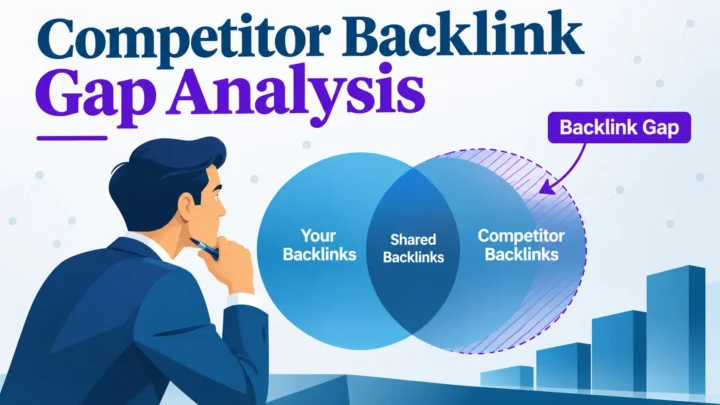
A competitor backlink gap analysis finds domains that link to your competitors but not to you, turning “get more links” into a ranked list…