SEO Audit
Free White Label SEO Audit Tool: What Agencies Actually Get
You’ve found a potential SEO client, reviewed their website, and identified several problems worth fixing. Now you need a professional audit report that explains…
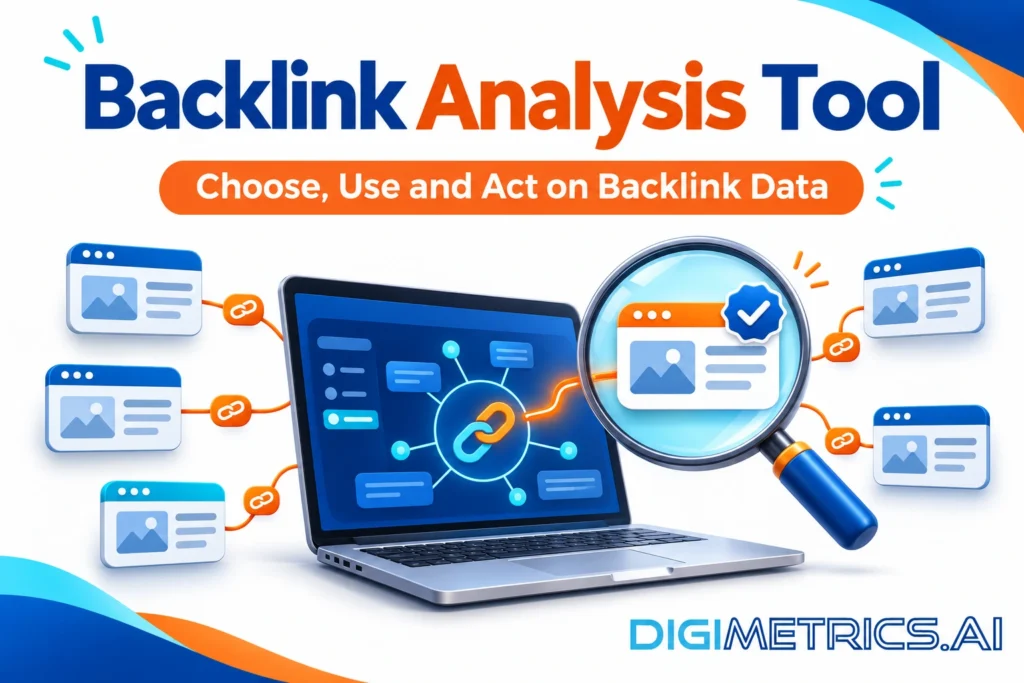
Backlinks are links from other websites to yours, and search engines read each one as a signal that another site points to your page. A backlink analysis tool shows you those links, scores their quality and helps you decide what to do next. Vendors each offer their own backlink checker tool, and free checkers and premium suites often report different numbers for the same site. Long metric lists can make a simple question feel hard to answer.
This guide gives you a practical way to choose a backlink analysis tool. Most small and mid-sized US sites do not need an expensive SEO tool suite to find and fix links that hurt rankings. A free backlink checker, used with a clear review rule and cross-checked against Google Search Console, is often enough. A paid suite earns its cost when you track several competitors or run link building at scale. Below you will find a decision question, a comparison of the main tools, a five-step audit workflow and a method for closing gaps against competitors. For more on how these tools fit into a wider search strategy, see digimetrics.ai.
The main decision question: how many competitors do you need to track, and how much would a missed lost link cost you? Please answer that, then match it to the scenarios in the comparison below.
Verdict up front: a solo site with one or two competitors should start with Google Search Console and a free backlink checker. An agency or multi-client team needs a paid suite with historic index access. A revenue-critical site tracking several competitors should pay for a suite and audit every two weeks. Among the tools covered, Ahrefs suits deep competitor research, SEMrush suits audit depth alongside keyword work, and Majestic suits historic and lost-link checks. Picking the best backlink checker means matching its backlink profile coverage to your needs, not chasing the longest feature list.
Backlinks are links from other websites to yours. Each one tells search engines that another site considers your page worth pointing to. The weight of that signal depends on the source. A link from a well-established, topically relevant site counts for more than one from an obscure, unrelated page. A backlink checker tool reveals which sites those are, and the resulting backlink data shows how your backlink profile changes over time.
A raw total of backlinks tells you little on its own. Ten thousand links from a single site are closer to one endorsement than ten thousand from ten different sites, because the source is the same. As one SEO commentator puts it, “a thousand links from ten sites is ten votes, not a thousand” (SEO Spring Training). Raw backlink volume most often misleads small sites because it looks like progress while the number of unique endorsing sites barely moves. Read your profile by referring domains first, then by volume. Referring domains are the distinct sites that link to you, and their relevance matters more than the number of links they send. You can export the full list and sort it by source to see which domains appear most often.
Most tools report a handful of proprietary scores. Domain Rating (DR) and Domain Authority (DA) are scores from 0 to 100 that estimate a site’s overall link authority. Page Authority (PA) and URL Rating (UR) do the equivalent for individual pages. Each vendor publishes its own version, and the scales are not identical, so check the scale your tool uses before reading a score. Third-party scores like these are estimates. They do not reflect Google’s ranking signals, so use them to compare sites within one tool rather than to predict rankings.
Majestic adds two flow metrics. Trust Flow estimates how trustworthy a site’s links are, based on how close it sits to a set of trusted seed sites. Citation Flow estimates how influential a site is by volume of links, regardless of quality. Comparing the two helps: a high Citation Flow with a low Trust Flow suggests many links of uncertain quality.
Spam score and toxicity scores estimate how likely a link is to be of low quality. These come from each vendor’s own model, so treat them as prompts for investigation, not verdicts. Thresholds vary by tool, so no single score marks a link as harmful. Compare scores across tools only with caution, since each vendor calculates them differently.
A backlink analysis tool crawls the web and records the links pointing at your domain or page. It reports where each link comes from, what anchor text it uses, when you first and last saw it, and how authoritative the source is. Good tools also flag links that have been lost or removed, which matters when you need to explain a sudden ranking change. A checker that shows lost links is especially useful after a traffic drop. Linking patterns that shift sharply over a short period are worth investigating, and a tool that tracks that history speeds up the work. Choosing the best backlink tool depends on whether you need deep history, speed or cost control. Platforms such as Semrush include backlink reports alongside other SEO data, so you can compare link trends with your organic traffic in one place.
Backlink checkers draw on large crawls, but they differ in index depth, refresh rate and what they add beyond link counts. Start with the question you need answered, then choose the tool that fits. The right backlink checker depends on how many competitors you track and how quickly you need to see changes. Each tool builds its own backlink profile, so the same site can look different in each one. A Moz Link Explorer view is one such profile, built from Moz’s own index. Teams searching for the best backlink checker should compare these profiles against their own Search Console data before deciding.
Begin with one question: what do you need the data to answer? Each scenario below points to a different tool, so the best option for one may not suit another.
Scenario 1: “Did a recent link disappear?” A solo site needs a recent index and lost-link reporting. Majestic Lost Links provides data for the root domain, subdomain, URL, and URL clusters over a four-month timeline, including deleted backlinks. Confirm the result against your Google Search Console export, which shows only what Google has found.
Scenario 2: “How far behind is each competitor?” An agency needs competitor counts and historic depth. Majestic’s Historic Index holds records dating back to 2006. A backlink checker can analyze backlink profiles for up to 5 websites without signing up, which covers this question for a small set of rivals.
Scenario 3: “Which links are risky, and which gaps are worth closing?” A revenue-critical site needs toxicity scoring and overlap data. Toxicity scores from SEO tools are helpful, but not always accurate, so flagged links should be verified manually. Each vendor scales its toxicity score differently, and 60 is one example of a review line, not an industry standard.
Ahrefs is a common reference point for crawl scale. According to OnSaaS’s comparison of backlink checker tools, Ahrefs crawls 14 billion pages daily, but that figure comes from a third party. Check it against Ahrefs’ own documentation before quoting it, and note the date you checked it. Its core use is competitor research and spotting new referring domains over time. Strengths: wide coverage and rapid discovery of new links. Limits: a paid plan is needed for full access, and the data volume can slow a small team down.
SEMrush’s strength is the backlink audit. It flags toxic links, groups them by risk and shows where competitors overlap with your link sources. It also connects linking domains to the keywords they help rank. Strengths: audit workflow and keyword context in one place. Limits: the full audit sits behind a paid plan, and its risk groupings are SEMrush’s own model.
Use Majestic when you need to see lost or deleted links. Its Lost Links report covers a four-month timeline. Its Historic Index holds records back to 2006. Match the index to your question: recent data for what changed, or historic data for long-term patterns.
Run the same domain through both to see the difference. A link that appears in Historic but not in the recent data likely indicates it has been lost within the last four months, making this case the most worth investigating. A link present in both is a stable profile signal. Strengths: index age and flow metrics. Limits: the recent view does not show full history, so use Historic for older trends.
Moz uses its own authority metrics, Domain Authority and Page Authority. Domain Authority is a score from 0 to 100 that estimates a site’s overall link authority, so check which scale a report uses before comparing numbers. Treat these as third-party estimates, not ranking factors Google reports. Strengths: familiar metrics many SEO teams already use, paired with Moz Link Explorer link data. Limits: Moz’s scores cannot be compared directly with Domain Rating or Majestic’s flow metrics.
SE Ranking’s Backlink Checker reports 2.9 trillion indexed backlinks, 411 million referring domains and 14 billion pages crawled daily. It refreshes 58% of its backlinks within 90 days, so check that cadence against SE Ranking’s own documentation before relying on it for fast-moving monitoring. SEO SpyGlass crawls 1.7 billion webpages daily and accepts backlinks imported manually from Google Search Console or from SE Ranking’s Backlink Checker, so you can cross-check two sources. RankParse builds its data from quarterly public-web snapshots, which suits periodic audits rather than daily alerts.
Google Search Console is a free tool from Google that lets you monitor your site’s presence in search results. It reports the links Google has actually found pointing to your pages, so use its export as the source of truth for what Google can see. Then use a third-party tool to widen the picture. The two sources rarely match exactly, and a link that appears in one but not the other is a prompt to investigate.
Free checkers fill the rest of the gap, but they cap results, hide some data behind signup and update less often. A free report usually shows the strongest links rather than every link, so use it to spot obvious problems, not to certify a clean profile. A thousand links from ten sites is ten votes, not a thousand, so count referring domains alongside raw link totals.
Paid suites earn their cost when you need more than that. Majestic’s indexes are a good example. Backlink data from a paid suite is most useful when it feeds a regular review, not a one-off check.
When the budget and competitor count point in different ways, let the competitor count decide the tier and the budget decide the cadence. A small team with several rivals gets more from a paid suite run monthly than from a free checker run weekly, because the free checker cannot cover that many profiles. If the budget only stretches to one tool, pick the one that answers your most urgent question, and fill the rest with Search Console, which costs nothing.
| Your situation | Recommended tier | Audit cadence |
|---|---|---|
| One site, one or two competitors, low revenue risk | Google Search Console plus a free checker | Monthly |
| Revenue-critical site, several competitors | Paid suite with Search Console import | Every two weeks |
| Agency or multi-client link building | Paid suite with historic index access | Weekly |
Verify current US$ plans on each vendor’s site before buying, since pricing changes often.
Pick competitors that rank for the same queries you care about, not every business in your industry. A backlink checker can compare up to four competitor backlink profiles at once, so choose the four that matter most. Mix one or two direct rivals with one or two sites that already rank well for your target terms. Sites that dominate on authority alone can skew the picture, because their backlinks often come from publications you will not reach. The best benchmark set reflects the search terms you are actually competing for.
Run the gap report with your domain as the baseline and competitors as comparisons. Most backlink analysis tools, including Ahrefs, SEMrush and Moz Link Explorer, can produce this comparison from your backlink data. Sort the output so that referring domains linking to two or more competitors appear first. A domain that links to several rivals has already shown it covers this niche, which makes it a stronger outreach target than a one-off link.
Then filter for relevance. A link from a site in your sector outweighs a higher authority score from an unrelated one. Checking the link profile of each candidate domain helps confirm it is a credible source before you pitch it.
Suppose a free backlink checker and a paid SEO tool both report on the same competitor. The free checker lists 40 referring domains, while the paid suite lists 65. The gap is not an error. The free report shows only the strongest links, and the paid suite crawls more widely and refreshes more often. Before taking action, please check the domains that appear in only one report. Verify those in the paid report alone, since the free checker may have skipped them rather than lost the link.
Turn the shortlist into a plan with three columns: domain, the page that links to a competitor and the angle you would pitch. Work through the top 20 domains each month, and record outcomes so you can see which pitch types earn backlinks. Re-run the gap report every quarter, as new competitor links are constantly appearing and your own wins will shift the baseline.
Usually not at first. For a small site with one or two competitors, a free backlink checker covers the essentials: the biggest referring domains, risky-looking links and anchor text patterns. Free tools cap results, hide some data behind signup and update less often, so they show the top of your profile rather than every link. Pay when you need to analyze several competitors at once, run link building at scale, or cannot afford a missed penalty risk on a revenue-critical site. Paid suites also add backlink data and keyword context that free checkers rarely show.
No single metric. Domain Rating and Domain Authority are useful estimates of a site’s overall link strength, scored from 0 to 100 by third-party tools. They are estimates, not what Google uses. Count referring domains before total backlinks, because a thousand backlinks from ten sites are ten votes, not a thousand. Then treat the toxicity score as a prompt to investigate, not a verdict.
Monthly for an active site, and after any sudden traffic drop. Tools refresh their indexes at different rates, so a quarterly check can miss recent losses. Pair each audit with a Google Search Console export to cross-check the two sources. Run the same five steps each month so your findings stay comparable over time.
Not with certainty. A checker flags links that look risky, usually through a toxicity or spam score. Each vendor scores toxicity differently, and no industry standard sets a cutoff, so a threshold such as 60 is one example, not a rule. Whether a flagged link is actually hurting you depends on context, so review each one before removing or disavowing it.
Yes. Google Search Console is free and reports on your site’s presence in search results directly from Google. Third-party tools show their own crawl data, which can differ from what Google sees. Importing Search Console data into a tool such as SEO SpyGlass lets you reconcile both sources instead of trusting one.

Tom is the CEO of MediaOne, a leading digital marketing agency. He is a business-experienced SEO consultant as well as a Google Gold Search Expert serving the international community. He has consulted for MNCs like Canon, Maybank, Capitaland, SingTel, ST Engineering, WWF, Cambridge University, as well as Government organisations like Enterprise Singapore, Ministry of Law, National Galleries, NTUC, e2i, SingHealth. His articles are published and referenced in CNA, Straits Times, MoneyFM, Financial Times, Yahoo! Finance, Hubspot, Zendesk, CIO Advisor. Under his stewardship, MediaOne has won dozens of prestigious digital marketing awards.
Run a free Digimetrics audit across SEO, AI search, content and technical health, and get a plan you can act on today.
Start free →You’ve found a potential SEO client, reviewed their website, and identified several problems worth fixing. Now you need a professional audit report that explains…
Your website has hundreds of pages, organic traffic is declining, and you’re not sure what’s causing the problem. Is Google struggling to crawl important…
The best SEO software for a small business is not necessarily the product with the most features. It is the tool that tells you…