SEO Audit
Free White Label SEO Audit Tool: What Agencies Actually Get
You’ve found a potential SEO client, reviewed their website, and identified several problems worth fixing. Now you need a professional audit report that explains…
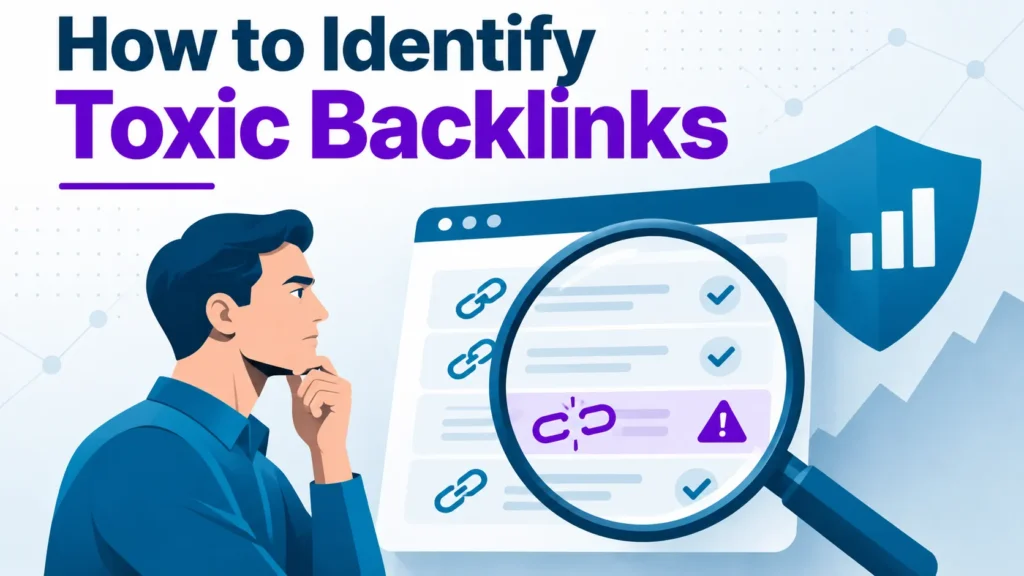
Most site owners first hear about toxic backlinks when traffic drops or a warning appears in Search Console. This guide gives you a repeatable method for deciding which backlinks are manipulative, so you disavow only the links that need it. Reviewing your link profile regularly helps you catch harmful patterns before they affect your SEO and your domain’s long-term authority.
Toxic backlinks are unnatural links from low-quality websites that can hurt your rankings and affect your SEO over time.
Quick checklist for spotting a toxic link:
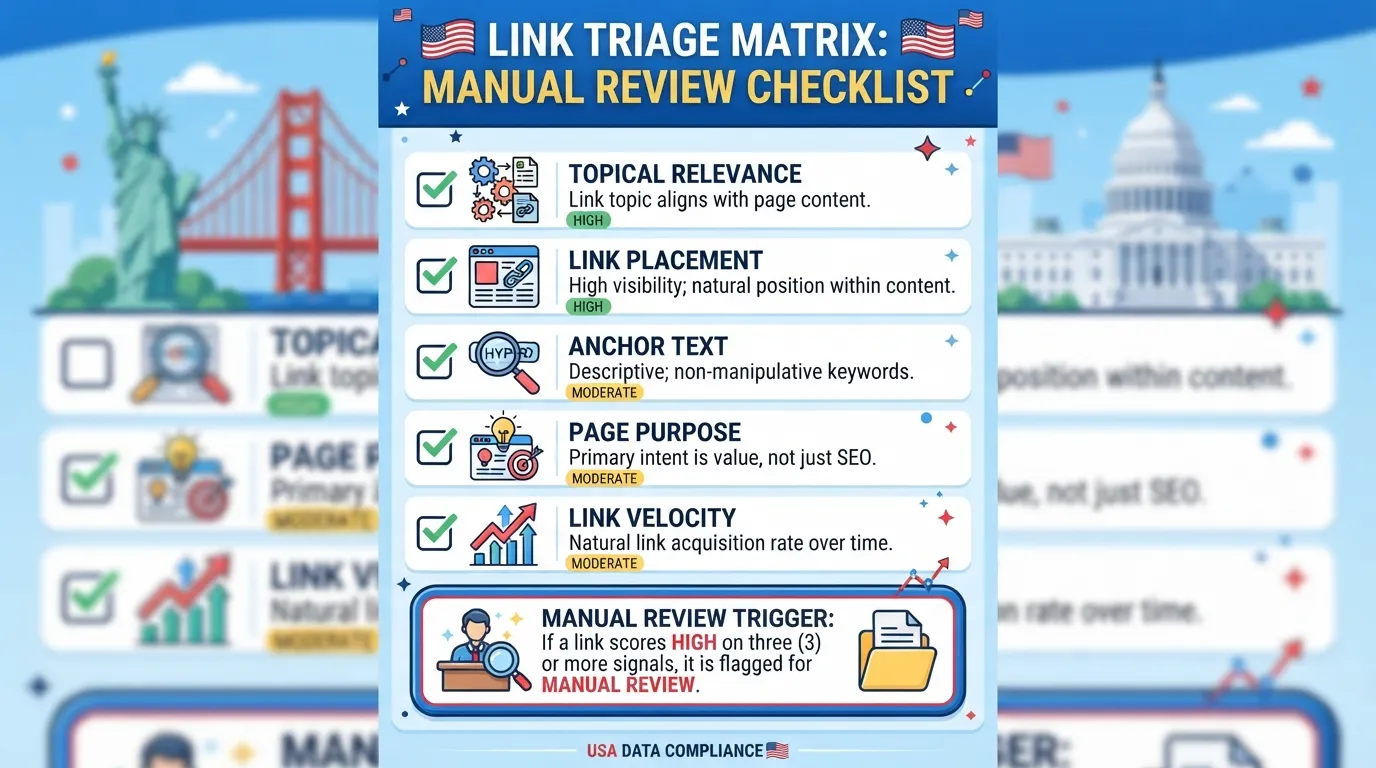
A link meeting three or more conditions goes to manual review.
Decision flow. Remove clearly spam links when you can contact the owner. Disavow manipulative links that cannot be removed. Leave editorial, relevant or weak links alone.
Learning how to identify toxic backlinks means reading the link pattern, placement and linking site context together.
Toxic backlinks are unnatural links from low-quality websites that can hurt a site’s ability to rank well on Google. Google’s guidance focuses on links built to manipulate rankings, not links that simply look weak. Read the full policy in Google’s link schemes guidance.
Most toxic links come from link farms, paid link sellers and spammy directories. A link farm is a group of sites built to inflate another site’s PageRank. US e-commerce reached $326.7 billion in Q1 2026, 16.9% of total retail sales, according to the Census Bureau.
A spam score is a starting point, not a verdict. Judge a link by the pattern it belongs to, where it sits on the page and what the linking site is for.
Real example. In one anonymised audit, 40 referring domains were flagged. Manual review kept 34 editorial links and disavowed 6 sitewide footer links from directory-style sites with exact-match anchors.
A natural link profile is dominated by brand names, bare URLs and generic phrases such as “click here”. When one commercial keyword appears as exact-match anchor text across dozens of unrelated domains, the profile looks engineered and may draw the attention of search engines. Sort anchors by frequency and investigate that pattern first.
Link farms have no readers or real topic. Private blog networks (PBNs) share a registrant, hosting or template and publish thin content. Paid link sellers often use sitewide footer links or undisclosed “sponsored” posts, which can undermine a site’s authority if left unchecked.
Since the December 2022 link spam update, Google’s SpamBrain system can identify sites that appear to sell links and neutralize their value, as a summary of the update explains. Links from such sites are unlikely to help and can weaken your link profile, and sites that have received manual actions for unnatural links may need cleanup.
Most SEO tools produce a backlink audit within minutes, but the report is only a starting point. The tool counts and scores links; the judgement about which ones matter is yours.
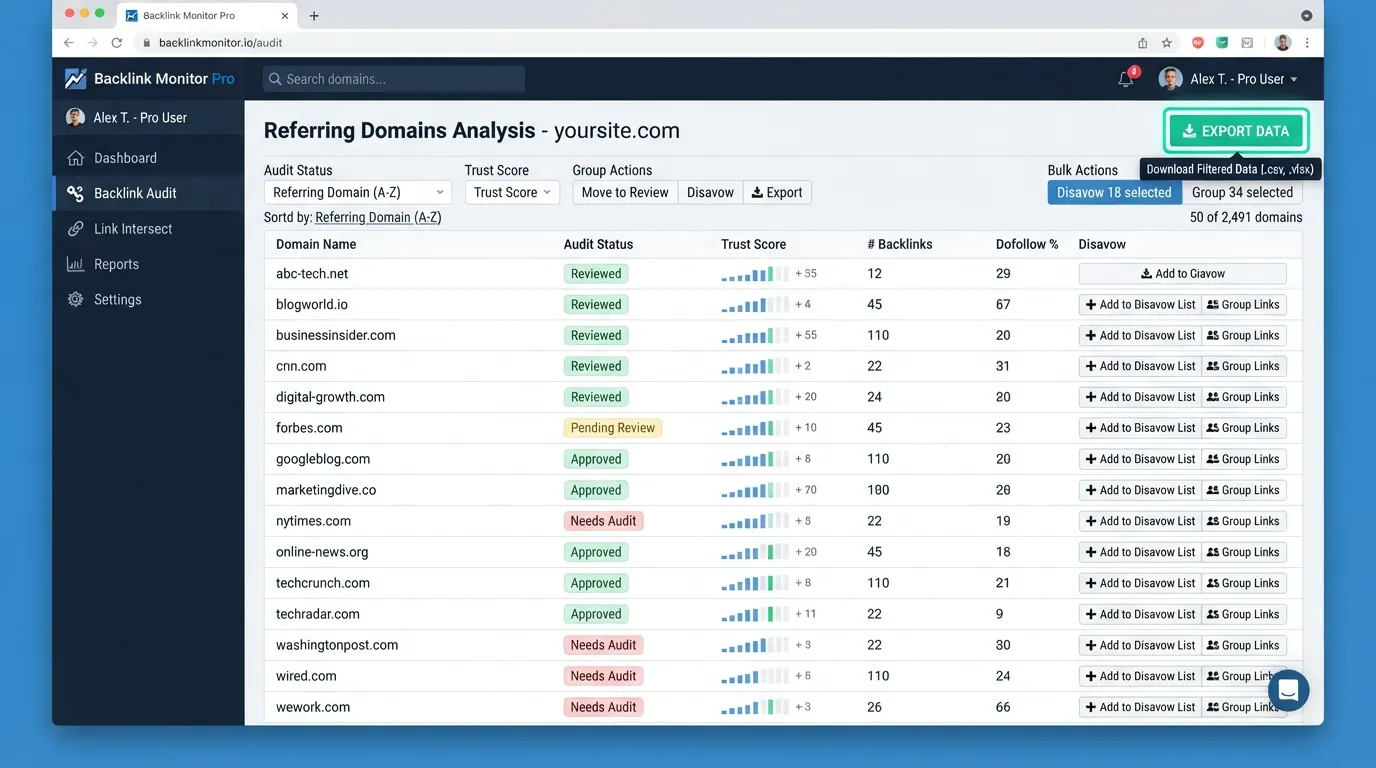
Connect your domain, let the crawler finish, and export the referring domains and links to a spreadsheet. Sort by referring domain rather than score, since one spammy domain often supplies dozens of links. Date each export so you can compare audits over time, and keep the spreadsheet as a record of your backlink profile at each point.
The SEO tools covered in our guide can produce a toxicity or risk score for each referring domain. Treat that score as a triage aid, not a verdict, and check the top domains by hand. Search engines weigh links differently, so a score is no substitute for judgement. Flagged domains often include toxic links, but a score alone cannot confirm them.
Ask whether a real editor would link to each suspicious domain. Check the page’s purpose, the link placement and whether the anchor text reads naturally. Links that pass these checks can stay, whatever their score, because they add to your site’s authority. If Search Console lists a manual action, disavow the links that caused it before you request reconsideration.
Score every inbound link against five signals, using 0 (clean) to 2 (strong spam signal):
Our view on weighting. Placement and clustering should carry the most weight. Weighting anchor text most heavily leads to over-disavowing well-optimised editorial mentions. Backlinks from genuinely editorial content deserve more credit than their anchor text alone suggests, since that is how search engines judge the content around them.
A link scoring high on three or more signals goes into a review queue. Only links confirmed on manual review go into a disavow file. Teams can check Google Search Console for manual actions before deciding on any disavow.
Worked outcome (illustrative). A sitewide footer link from “best-deals-hub” with the anchor “cheap loans online” scores 9 out of 10. Three high signals send it to manual review, where undisclosed paid placement leads to a disavow decision.
Decision scenario. A contextual link from a regional business association’s member profile scores 1 on placement and 0 elsewhere. It stays in place.
A high spam score alone tells you little. Reliable identification of how to identify toxic backlinks depends on reading link patterns, placement and site context together. The aim is to find links with a clear manipulative pattern, not to clear every low-scoring domain.
Sort inbound links by referring domain and look for clusters: many links from one template, one network or a sudden short burst. A profile dominated by exact-match commercial phrases on pages with no real editorial purpose is a warning sign, especially when the linking content offers little value to the site owner’s readers.
Compare the date range against any outreach, guest posting or promotion your team ran. Links your team placed or attracted legitimately are not toxic just because they arrived in a burst. Only links from sources you did not control and cannot explain warrant closer review, particularly when their link profiles show the same manipulative pattern.
Google does not set a fixed audit schedule. Review your profile after a traffic change, a manual action notice or a large burst of new links.
Disavow only links confirmed as manipulative, since over-disavowing a healthy profile removes value for no gain. A manual action is a separate penalty tied to review, and a disavow file alone will not lift it. Leave low-quality but harmless links alone.
The disavow tool is a corrective step, not routine housekeeping. Google can neutralize a link’s SEO value, so use it only when a manual review shows a clear manipulative pattern you cannot remove at the source. Filing a disavow for every low-scoring link is a common mistake, because it can strip out links that were doing no harm. Many backlinks of low quality are simply ignored, so treat toxic links as a narrow problem rather than a routine audit item.
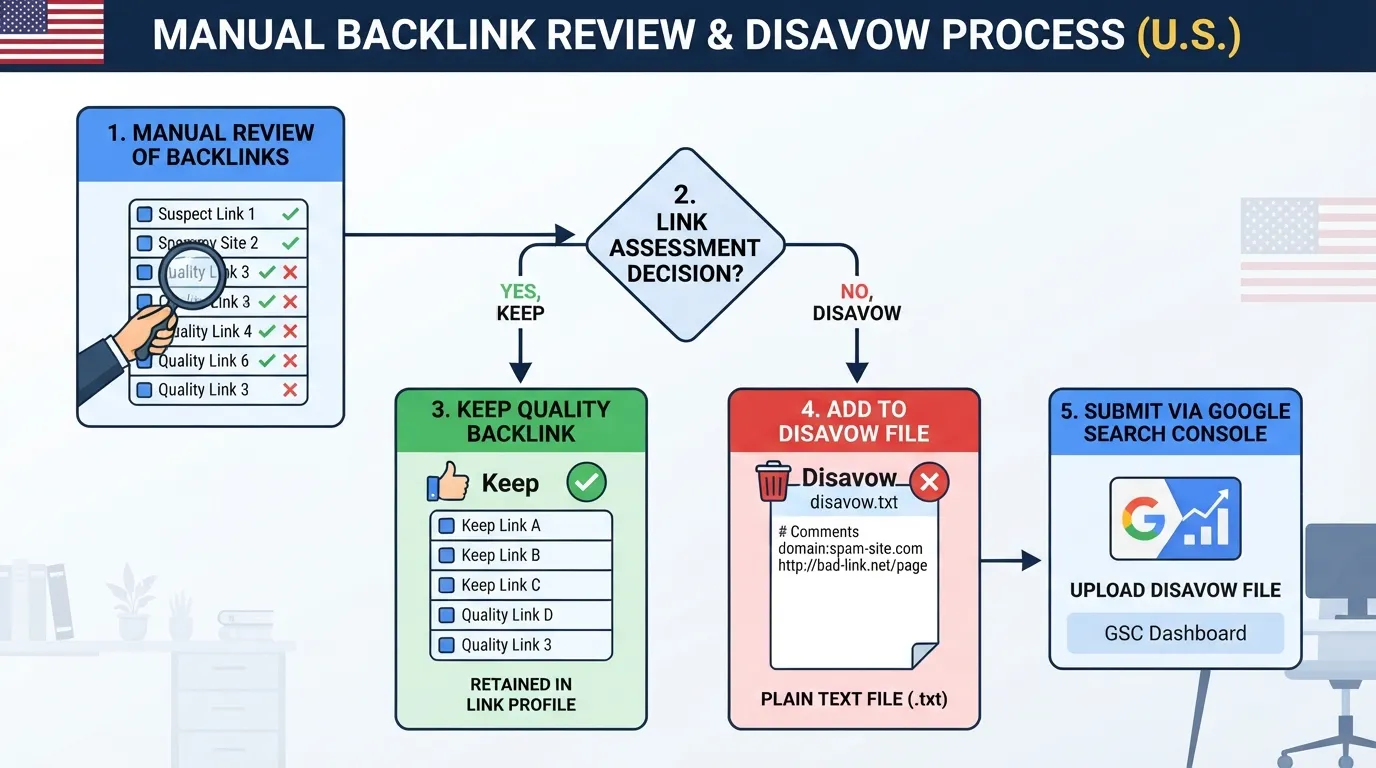
Submit a file only when three things are true. The links are clearly manipulative, such as a link farm or a paid placement you recognize. You have tried and failed to get them removed. They remain in the review queue after the five-signal triage. A manual action notice naming unnatural links may justify filing sooner.
The file is a UTF-8 plain text file with one entry per line. Lines starting with # are comments. List domains as domain:example.com to cover a whole site, or full URLs for individual pages. Submit it through the Disavow links tool in Search Console, as described in Google’s disavow links documentation. Keep a copy of every version you upload.
Google’s SpamBrain system can identify links from sites that appear to sell links, and a low-quality link that was never part of a scheme usually carries little weight already. A bulk disavow rarely helps with such links and can remove signals you wanted to keep. Good content earns links naturally, which makes a targeted approach more effective than a broad one.
Toxic backlink audits should be repeatable. Score each inbound link against the five signals in the triage matrix. Links scoring high on three or more signals go into a review queue, and only links confirmed as manipulative on manual review belong in a disavow file. Over-disavowing a healthy profile can remove helpful backlinks, so keep the audit proportionate and allow enough time for each review.
Next steps:
No. Google’s John Mueller said in 2019 that Google ignores links from sites where “there are unlikely to be natural links,” so many weak links carry no weight. A link is a real risk only when it forms part of a manipulative pattern, such as a paid placement or a link farm.
Score each link against five signals: referring site quality, placement, anchor text, the purpose of the linking page, and sudden clusters of links. Links scoring high on three or more signals go into a manual review queue.
Try removal first, and keep a record of each attempt. Use the Google Search Console disavow tool only for links you cannot get removed that show a clear manipulative pattern.
Google does not publish a fixed audit frequency. Review your profile on a regular schedule, and check again after a sudden jump in referring domains.
Rarely. Google can neutralize the SEO value of a link, so a competitor’s spam campaign usually has little effect. If you see a manual action in Search Console, disavow only the links that are clearly manipulative.

Tom is the CEO of MediaOne, a leading digital marketing agency. He is a business-experienced SEO consultant as well as a Google Gold Search Expert serving the international community. He has consulted for MNCs like Canon, Maybank, Capitaland, SingTel, ST Engineering, WWF, Cambridge University, as well as Government organisations like Enterprise Singapore, Ministry of Law, National Galleries, NTUC, e2i, SingHealth. His articles are published and referenced in CNA, Straits Times, MoneyFM, Financial Times, Yahoo! Finance, Hubspot, Zendesk, CIO Advisor. Under his stewardship, MediaOne has won dozens of prestigious digital marketing awards.
Run a free Digimetrics audit across SEO, AI search, content and technical health, and get a plan you can act on today.
Start free →You’ve found a potential SEO client, reviewed their website, and identified several problems worth fixing. Now you need a professional audit report that explains…
Your website has hundreds of pages, organic traffic is declining, and you’re not sure what’s causing the problem. Is Google struggling to crawl important…
The best SEO software for a small business is not necessarily the product with the most features. It is the tool that tells you…