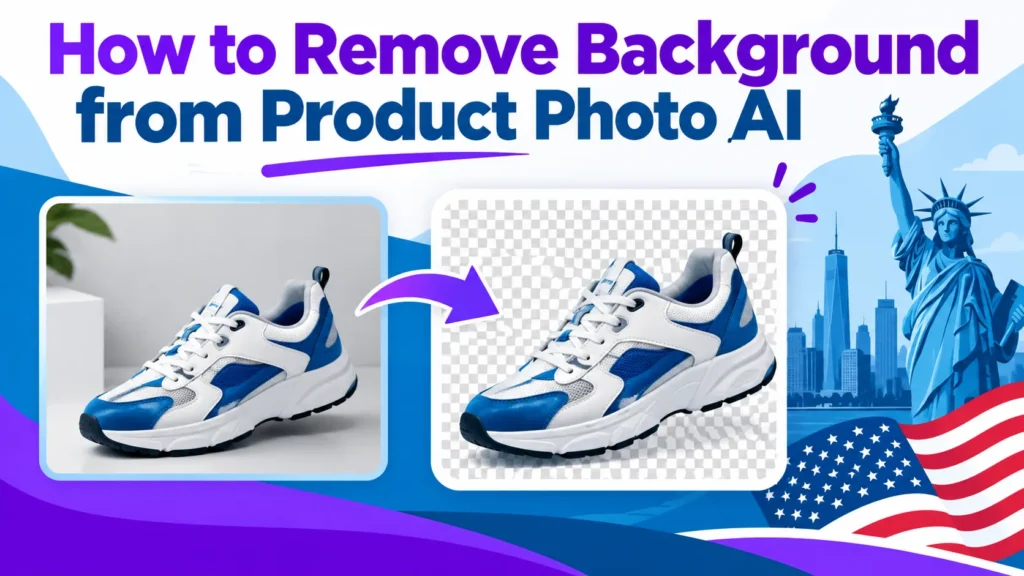
To remove background from product photo AI, upload the image, run the automated pass, inspect edges at 100% zoom, and refine the problem areas. Hard-edged products often finish in one pass. Hair, fur, glass and fine mesh may need a second pass or a different background remover tool.
Sorting photos into an Image Triage Matrix sends each one to the right workflow. Test candidate tools on the same hard product set before you commit to one.
Removing a background from a product photo with AI handles most routine images well. Hair, fur, glass and fine mesh need a second pass or a different tool.
Input quality predicts output quality more than the tool does. Check lighting, shadows and backdrop contrast before shooting.
Sort each SKU with the Image Triage Matrix: clean hard edges go to bulk tools, complex edges to refinement or outsourcing.
Inspect every cutout at 100% zoom for halos and clipped strands.
Keep original photos so failed results can be reprocessed without reshooting.
Compare tools on cost per usable image, and check current pricing pages, because free-tier limits change.
How AI Background Removal Works and What Output to Expect
Why Sorting Beats Tool Choice
Most guides rank tools first. This one sorts first, because the workflow decides the result. Failures in a batch cluster around a small set of edge types, so sorting before you run anything prevents most rework. Working professionals who sort first spend less time on rework across their [product images](#). The same habit applies to any [image editing](#) work for e-commerce and marketing. Sorting also keeps the content of each batch consistent, so every photo editing decision is made on the same criteria, and the results stay comparable from one batch to the next.
In a worked example, a batch of 100 mixed photos was sorted before processing. Hard-edged images went through the bulk tool in one pass, and only the soft-edged and enlarged images went to refinement. Routing the images this way kept the rework pile small, instead of sending every photo through the same full cycle. Teams that create listings at volume find this routing saves the most time.
The Image Triage Matrix
Sort every photo on two axes:
Edge complexity: hard (clean outlines, solid objects) or soft (hair, fur, lace, mesh, wire, glass, semi-transparent parts).
Hard edge, thumbnail only: bulk AI removal, one quick check at 100% zoom, export.
Hard edge, enlarged: bulk AI removal, then a light manual pass on any highlight or shadow edge.
Soft edge, thumbnail only: AI removal, accepting a slightly soft edge if it reads cleanly at listing size.
Soft edge, enlarged, or when the edge is the selling point: single-image refinement with a hair or refine-edge brush, or a professional retoucher.
Use zoom checks as the routing test. If an edge looks wrong at 100% zoom on a photo you will enlarge, it belongs in the refinement lane. Some teams send those edge cases to a desktop editor such as [Photoshop](#).
Cost per Usable Image
Measure cost per usable image as total tool spend plus rework time, divided by the number of images that pass review. The example below uses illustrative assumptions, not measured prices: a plan costing US$20 a month, processing 100 images, with 40% needing rework. Counting only first-pass successes, US$20 ÷ 60 = US$0.33 per usable image, versus US$0.20 before rework.
To measure your own rework rate, count the images that fail your 100% zoom check in one batch, divide by the batch size, and use that percentage in place of 40%. Substitute your own tool price and check each vendor’s current US$ pricing page, since plans change.
How the Technology Works
Most AI background removers rely on segmentation models. These networks label every pixel as subject or backdrop, then build a mask that cuts the product out. Judge the output by its edges.
General-purpose models handle matte objects well but can struggle with glossy bottles, chrome fittings and glass, where reflections may be read as background. Some tools are trained on product imagery, which may help them keep highlights as part of the subject. This is a hypothesis to test on your own photos, not a guaranteed outcome.
The Background Removal Process, Step by Step
Prepare the source image. Shoot on an evenly lit, neutral backdrop, ideally a clean [white background](#). Strong contrast predicts a clean mask more reliably than any later setting.
Run the automated pass. Batch tools such as Removal.AI’s bulk remover can handle hundreds of [product photos](#) at once, so test a representative sample first. For removing backgrounds at volume, a sample run shows the failure rate before you commit the full batch.
Review the mask at 100% zoom. Check edges, not the thumbnail.
Refine and export. Fix problem areas with a brush, then export. Consider a retoucher for complex jobs.
Five checks before publishing
No halos or light fringing along the outline. A halo of 1 pixel or less at 100% zoom is the working threshold used in this guide’s testing method, not an industry standard.
Fine strands, handles and thin parts are intact.
No clipped corners or missing reflective highlights.
Shadows follow your listing rules.
The file looks correct at mobile preview size.
Transparent Background Output and File Formats
PNG supports transparency through an alpha channel, giving each pixel up to 256 levels of transparency. JPEG does not, so a JPEG export fills the cutout with a solid colour, usually white. Confirm what your tool outputs before building a workflow around it.
Input limits also vary. MagicStudio’s background remover accepts JPEG and PNG and lets you edit 50 pictures at once. Free tiers often limit output resolution, so check both input and output caps before shooting at high resolution.
Which Products, Edges, and Tools Get the Best Results
Handling Intricate and Complex Image Edges
AI segmentation struggles with soft, semi-transparent or thin edges: hair, fur, lace, mesh, wire and glass. Feathering the mask by a pixel or two softens the transition, and a hair or refine-edge brush recovers dropped strands. If an edge still looks wrong, a manual touch-up is usually faster than rerunning the tool. Inspect each cutout at 100% zoom before exporting, and check that the background remover has not clipped any fine detail.
In one test batch, glass and chrome items produced the most rework, while matte items rarely needed a second pass. Record your own rework count per edge category to see where your catalog fails.
Products with Hair or Fur
Accept a slightly soft edge when the product appears at thumbnail size. Send the image to a retoucher when fur or hair is the selling point, since shoppers zoom in and spot fringing quickly.
Tool Comparison for E-commerce Sellers
Test each tool on the same hard product set, such as a glass bottle with a chrome cap and a fur-trimmed item, rather than comparing feature lists. For each tool, record the images needing rework, the halo width at 100% zoom and the refining time.
Tool type
Edge quality on hard cases
Batch support
Free-tier limits
Output resolution
Adobe Photoshop
Highest control
Via actions, 45-90 seconds per image
Trial only
Full source resolution
Clipping Magic, Cutout Pro
Strong on difficult subjects
Limited
Credit usage varies by tool
Varies by plan
Remove.bg and batch tools
Good on clean edges
Hundreds to thousands per run
Small trial credits
Varies by plan
Free tiers are limited, and high-volume sellers may find paid plans costly, according to Rewarx’s 2026 comparison of AI background removers. Check each vendor’s current documentation before relying on a figure.
Photoshop and Clipping Magic Workflows
In Photoshop, the Select Subject tool and the Refine Edge brush handle most hard-edged cutouts, and the Select and Mask workspace lets you recover hair and fine detail. Clipping Magic uses a separate workflow: upload, let the tool generate the mask, then use its manual brush to fix edges. Credit usage varies by tool, so check how each one charges before processing a large batch.
If you are a typical US seller starting out, begin with a batch AI tool on your hard-edged products and test it on a sample of your own photos. Switch to manual editing when a hair, fur or glass image will be enlarged.
AI Versus Manual Background Editing
Compare cost per usable image, not sticker price, including rework time for failed cutouts. Use an online background remover alone for hard-edged products on a plain white main image, and add a manual pass when strands or reflections need fixing. Choose manual photo editing only when hair, fur or glass is central and the image will be enlarged.
Using Clean Cutouts Across Your Store and Scaling the Workflow
Background Colours and Replacement Options for Product Photography
Once the subject is cut out, the backdrop matters. US marketplaces usually require a plain white background for main listing images. Storefronts you control have more freedom, and a light grey or muted brand colour can unify the catalog across e-commerce pages, social media and marketing material. A clean cutout also lets you place the product on any backdrop without reshooting it, and a professional result depends on the edges being clean before any new backdrop is applied. Good photo editing starts with that clean edge, so the cutout itself must be accurate before anything else is applied.
Check contrast before you standardise. Pale products suit mid-tone greys, and dark products need white or a light neutral. Verify each platform’s current image rules, since background and shadow requirements differ and change over time. Shoppers compare items more easily when every product shares one backdrop, and a reliable background remover makes that consistency practical at scale.
Use Cases and Scaling to Large Catalogs
Clean cutouts serve marketplace listings, catalog consistency, paid ads and lifestyle composites. Consistency is where background removal pays off: a catalog shot on different days and under different light looks uneven until every image shares one backdrop. Removing the original backdrop from every image, rather than fixing them one at a time, keeps the results uniform. Removal.AI’s bulk remover states it can process hundreds or thousands of images in one operation.
Batch limits vary sharply by tool. MagicStudio’s background remover advertises 50 pictures at once, which suits a small catalog but needs many runs for a large one. Test your worst images first, because free allowances are small. Removal.AI offers 1 free credit at sign-up, enough to check one difficult photo, not a catalog.
Conclusion
Shoot with even lighting and clear contrast between product and backdrop. Run the AI removal pass, then check edges at 100% zoom. A clean cutout shows no visible halo wider than 1 pixel, no clipped strands and no colour fringing. Export as PNG, then standardise the background your channel requires, such as pure white for a main listing image.
Sort first, then choose the tool. Let AI handle clean, hard-edged items. Route hair, fur and reflective products to a manual editing step. The Image Triage Matrix shows which SKUs belong in each group.
Your next step is a test batch. Pick ten representative SKUs, including at least two difficult ones, and run them through your chosen background remover. Judge each tool by rework time and halo width, not sticker price. Confirm current rates on each vendor’s site first, because pricing changes.
Can AI remove a background from a product photo without losing detail?
Yes, for hard-edged items such as packaged goods, bottles, jewellery and electronics. Fine edges such as hair, fur, lace and glass can lose strands or pick up a halo. Check each cutout at 100% zoom and clean the mask manually.
What file format should I export for a transparent background?
Export as PNG. PNG supports transparency through an alpha channel, giving each pixel up to 256 levels of transparency. JPEG does not support transparency.
Does AI background removal work on products with hair or fur?
Partially. Tools handle the body of a plush toy well but often miss loose fibres. Refine the mask or accept a slightly soft edge. For a main marketplace image, send the file to a manual editor.
Are free AI background removers good enough for an online store?
Free tiers suit prototypes and very small stores. Professional use usually requires paid plans, and costs can rise for high-volume sellers, according to Rewarx’s 2026 comparison of AI background removers. Test with your hardest images first.
How do I remove backgrounds from hundreds of product photos at once?
Use a batch-capable tool. Removal.AI offers a bulk remover for hundreds to thousands of images. Check about 20 files across your difficult categories at 100% zoom before publishing.
About the author
Tom Koh
Tom is the CEO of MediaOne, a leading digital marketing agency. He is a business-experienced SEO consultant as well as a Google Gold Search Expert serving the international community. He has consulted for MNCs like Canon, Maybank, Capitaland, SingTel, ST Engineering, WWF, Cambridge University, as well as Government organisations like Enterprise Singapore, Ministry of Law, National Galleries, NTUC, e2i, SingHealth. His articles are published and referenced in CNA, Straits Times, MoneyFM, Financial Times, Yahoo! Finance, Hubspot, Zendesk, CIO Advisor. Under his stewardship, MediaOne has won dozens of prestigious digital marketing awards.
Your website has 150 published articles. Some attract consistent organic traffic, others haven’t generated a meaningful visit in months, and several cover nearly identical…
Writing a good advertisement sounds simple until you have to create 15 different headlines, stay within character limits, communicate your product’s benefits, and make…
Verifiability matters more than speed when publishing AI-generated content. An AI content generator turns a short brief into draft copy, and its usefulness depends…