Imagine you’ve published 1,000 articles on a website.
Some are comprehensive guides. Others answer specific questions, compare products, or explain technical concepts. Over time, useful pages become buried beneath newer content, and hundreds of opportunities to connect related articles go unnoticed.
An internal linking tool promises to fix that.
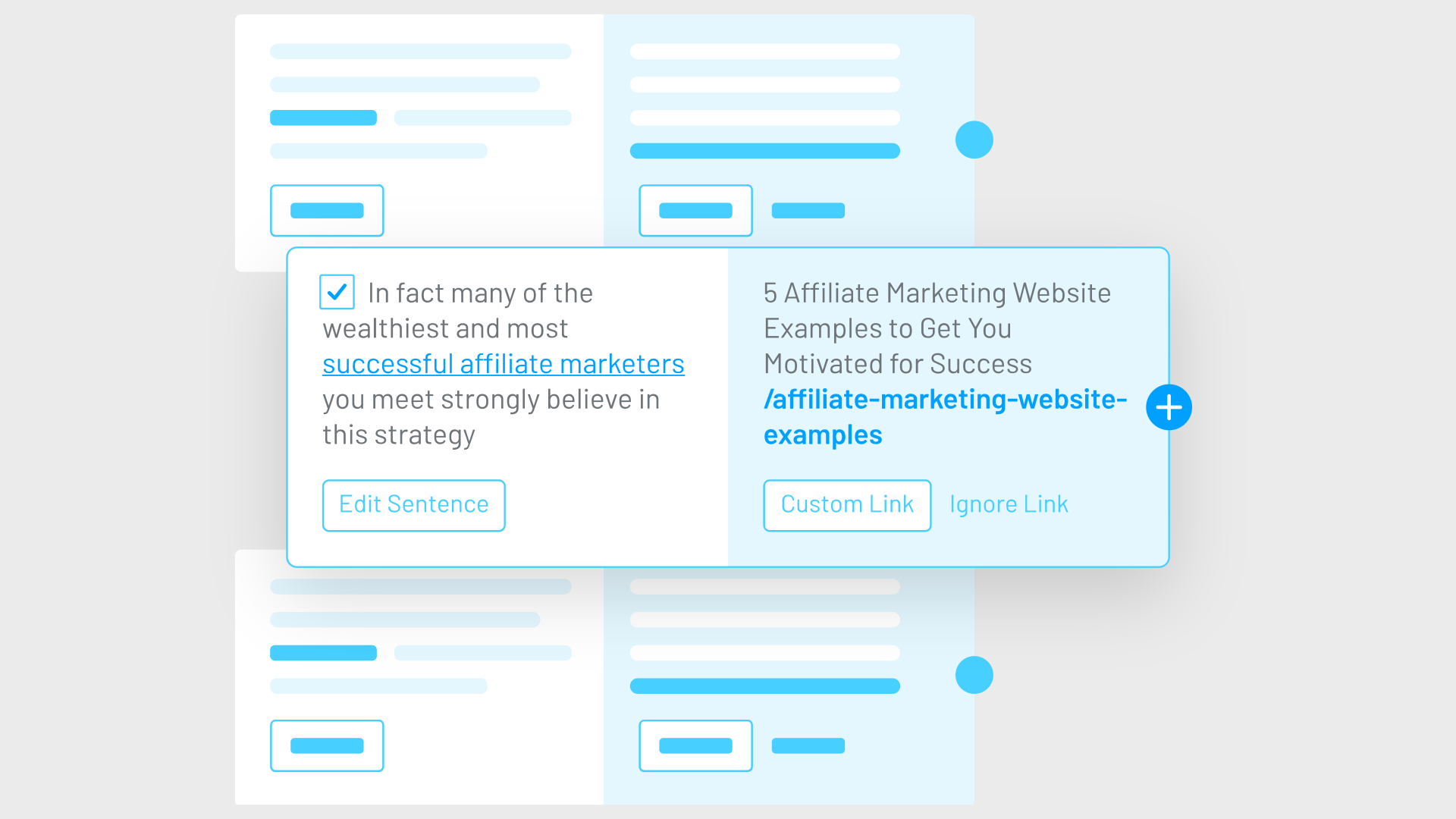
Depending on the product, it might scan your content, recommend relevant pages and anchor text, insert approved links, or flag problems in your existing structure. Instead of manually reviewing your entire library from scratch, you get a shorter list of places to investigate or changes to approve.
Sounds useful.
But here’s where the problem starts.
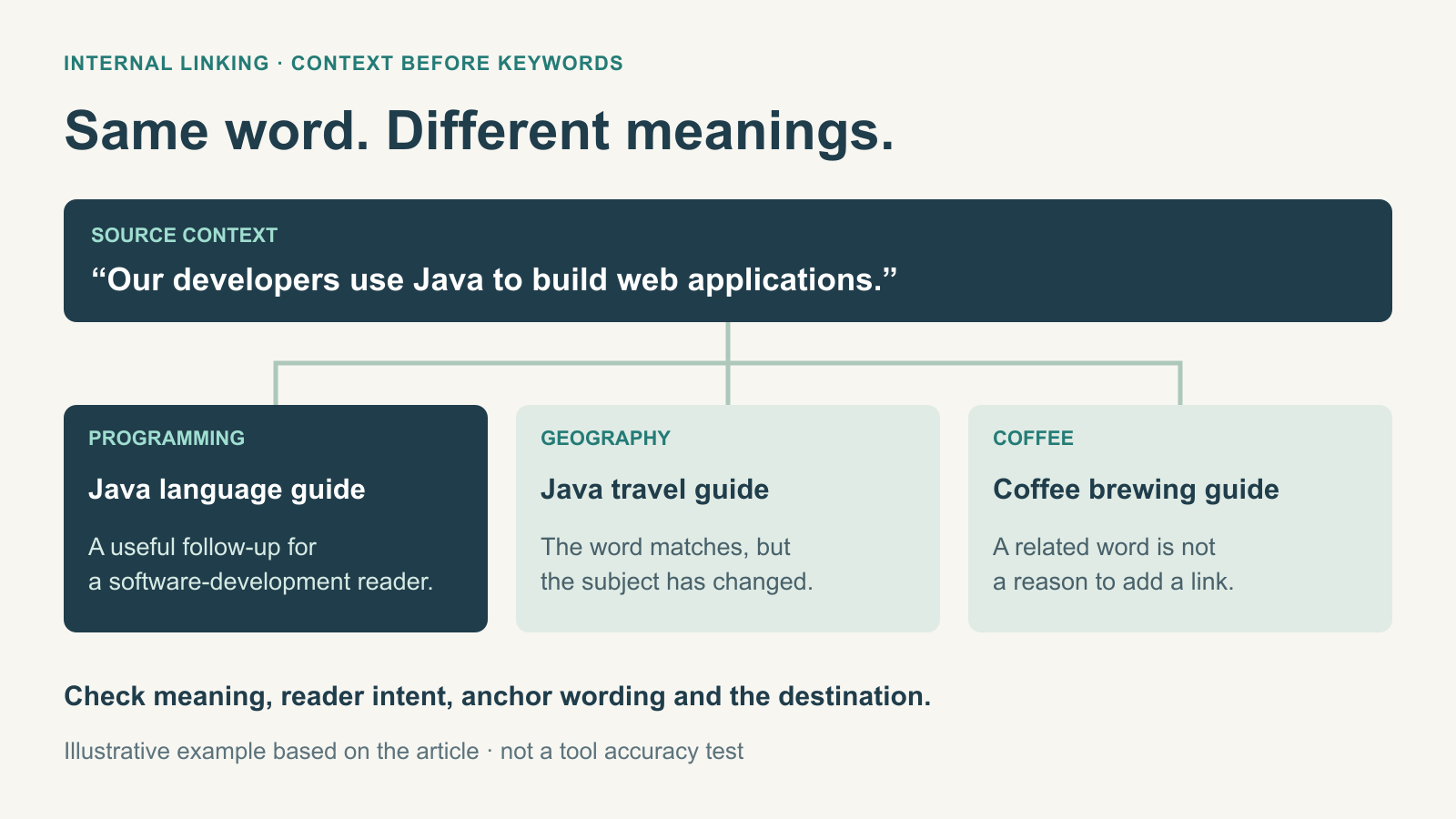
Suppose your website has three articles about the word “Java”: one about the programming language, another about the Indonesian island, and a third about coffee.
A basic keyword-matching system could recommend linking between all three because they mention the same term.
Technically, it found a match. Editorially, it missed the point.
The value of an internal linking tool isn’t how many opportunities it discovers. It’s how often it understands why two pages belong together.
That distinction becomes increasingly important as websites grow. A tool generating 500 suggestions may create more work than it saves if an editor has to reject most of them.
And even a contextually relevant suggestion can be wrong if it points to an outdated article, a redirected URL, or a page targeting a different search intent.
In this guide, we’ll compare nine internal linking tools that help with internal linking, including Link Whisper, LinkStorm, InLinks, Yoast SEO, Internal Link Juicer, Ahrefs, Screaming Frog, Semrush, and Digimetrics.ai. Some suggest or insert links; others audit anchors or diagnose linking problems.
We’ll explain their different approaches, what they can realistically automate, and how to evaluate their recommendations using a controlled set of content.
We’ll also show how to calculate the cost per approved link, identify misleading recommendations, and build a workflow that improves your website structure without turning every keyword into an anchor.
What Makes an Internal Link Contextually Relevant?
A good internal link connects two pages because the destination helps the reader understand, investigate, or complete something related to the current content.
That’s different from linking whenever a keyword appears.
Consider an article about choosing accounting software for small businesses.
A natural internal link might point to a guide explaining cloud accounting integrations, because the reader may need to understand how different software products connect to existing systems.
Another relevant link could lead to a comparison of accounting platforms for freelancers.
Both destinations extend the subject in a useful direction.
But linking the phrase “software” to an unrelated article about video editing would be a poor recommendation, even if both pages contain the same word.
Google’slink best practices explain that internal links help people and search engines discover pages and understand their relevance.
The guidance also recommends descriptive, concise anchor text and linking to resources that make sense in the surrounding context.
For practical evaluation, I’d separate contextual relevance into five questions.
Criterion
What It Means
Example
Topical relevance
The destination discusses a genuinely related subject
An SEO audit guide links to a crawler comparison
Search intent alignment
The destination answers a logical follow-up question
An introductory guide links to a more advanced tutorial
Anchor accuracy
The linked words accurately describe the destination
“Technical SEO auditing tools” leads to a crawler comparison
Destination suitability
The target is current, accessible, and appropriate
A live guide instead of an outdated or redirected page
Reader usefulness
The link adds information the current page doesn’t already provide
A pricing article links to a detailed product comparison
The best tools should make these decisions easier.
They don’t necessarily need to make every decision automatically.
In fact, a platform providing 20 carefully chosen suggestions with enough context to review them may be more useful than one that inserts 200 links indiscriminately.
Nine Internal Linking and Auditing Tools Compared
Before choosing a tool, it’s important to recognise that these products serve different purposes.
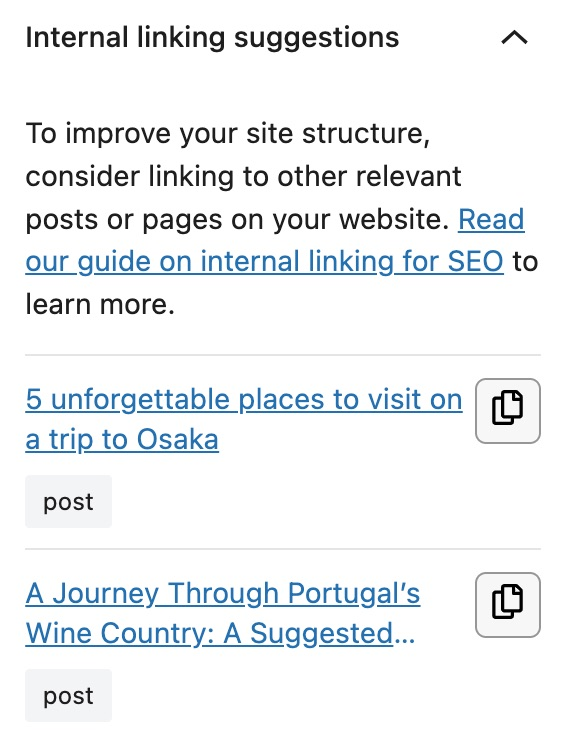
Some recommend links while you’re editing content. Others add links based on rules, analyse semantic relationships, or audit the existing website structure.
Technical SEO crawling and anchor-text auditing within a broader marketing toolkit
Teams reviewing internal-link health alongside content, SEO, and GEO workflows
Whether issue reports provide enough URL and contextual detail to support correct manual fixes; no publicly confirmed automatic link insertion
The table compares documented approaches, not measured contextual accuracy.
A rule-based plugin isn’t necessarily inferior to a semantic recommendation system. For a narrow, predictable linking task, a well-configured rule may be exactly what the website needs.
The important question is whether the tool’s method fits the problem you’re trying to solve.
1. Link Whisper: Best for WordPress Publishers Seeking Guided Automation
Best suited for: WordPress websites with substantial content libraries and recurring internal linking work.
Link Whisper is a WordPress plugin designed to find internal link opportunities, identify orphaned posts, and help users manage their linking structure.
Its current V4 documentation describes AI-powered link suggestions, content analysis, automatic linking, site-health reporting, and tools for managing existing links.
It also provides features for finding broken links and reviewing inbound and outbound links.
How Link Whisper Handles Context
Link Whisper analyses website content and recommends connections between relevant pages.
Its AI-assisted workflow is intended to improve matching beyond simple keyword occurrences.
For example, an article about technical crawling might receive recommendations pointing to guides about JavaScript rendering, redirect analysis, or indexing issues.
Users can review suggestions, adjust anchor text, and decide which links to insert.
Its keyword-to-URL auto-linking functionality is a separate approach, allowing recurring terms to link to predetermined destinations.
That distinction matters because an AI suggestion and a rule-based automatic link aren’t necessarily using the same reasoning.
What We’d Test
I’d test Link Whisper using a content library containing closely related articles with different search intents.
For example, a site might have separate articles explaining SEO tools, comparing SEO tools, and reviewing free SEO tools.
Would the plugin recommend the appropriate destination for each paragraph?
I’d also investigate how reliably it excludes irrelevant pages and whether it recommends repetitive links to the same destination.
Link Whisper’s current documentation also describes AI credit usage for certain advanced workflows, so buyers should check which functions are included in their selected plan.
Our assessment: Link Whisper is worth considering when the primary challenge is maintaining internal links across an established WordPress content library. Its usefulness should be judged by the quality of approved suggestions, not the number generated.
2. LinkStorm: Best for AI-Assisted Linking Across Different Website Platforms
Best suited for: Publishers, agencies, and websites that don’t necessarily use WordPress.
LinkStorm is an AI-powered internal linking platform that analyses website content and suggests connections between pages.
Unlike WordPress-only plugins, it is designed to work with different content management systems.
Its published features include link recommendations, anchor-text reporting, broken-link analysis, and Google Search Console integration.
It also supports automatic linking and a workflow for accepting and reviewing suggestions.
How LinkStorm Approaches Relevance
LinkStorm describes using two AI-based methods to generate internal linking opportunities from the content of a website.
Its analysis can connect technical link information with Search Console performance data.
For example, if an important article receives substantial search impressions but has few useful incoming internal links, that could be a page worth investigating.
However, search visibility alone doesn’t mean every related article should link to it.
The source paragraph must still provide a meaningful reason for the reader to visit the destination.
What We’d Test
I’d pay particular attention to anchor selection and destination accuracy.
Can the tool distinguish between an article explaining keyword research and one comparing keyword research software?
Does it avoid inserting links into awkward parts of sentences?
And when using its JavaScript-based implementation, are the links present as crawlable anchors in the rendered page?
That last question matters because Google can process many JavaScript-generated links, but the final markup still needs to be accessible and appropriate.
Pricing
LinkStorm currently advertises subscriptions beginning at $30 per month for 1,000 URLs and 1,000 credits, with higher tiers for larger websites.
Confirm how credits are consumed before choosing a subscription.
Our assessment: LinkStorm is particularly relevant for teams seeking contextual recommendations outside a WordPress-only workflow. Its AI suggestions and implementation method should be tested using representative pages before enabling broader automation.
3. InLinks: Best for Entity-Based Internal Linking
Best suited for: SEO teams focused on semantic relationships, topical architecture, and contextual linking.
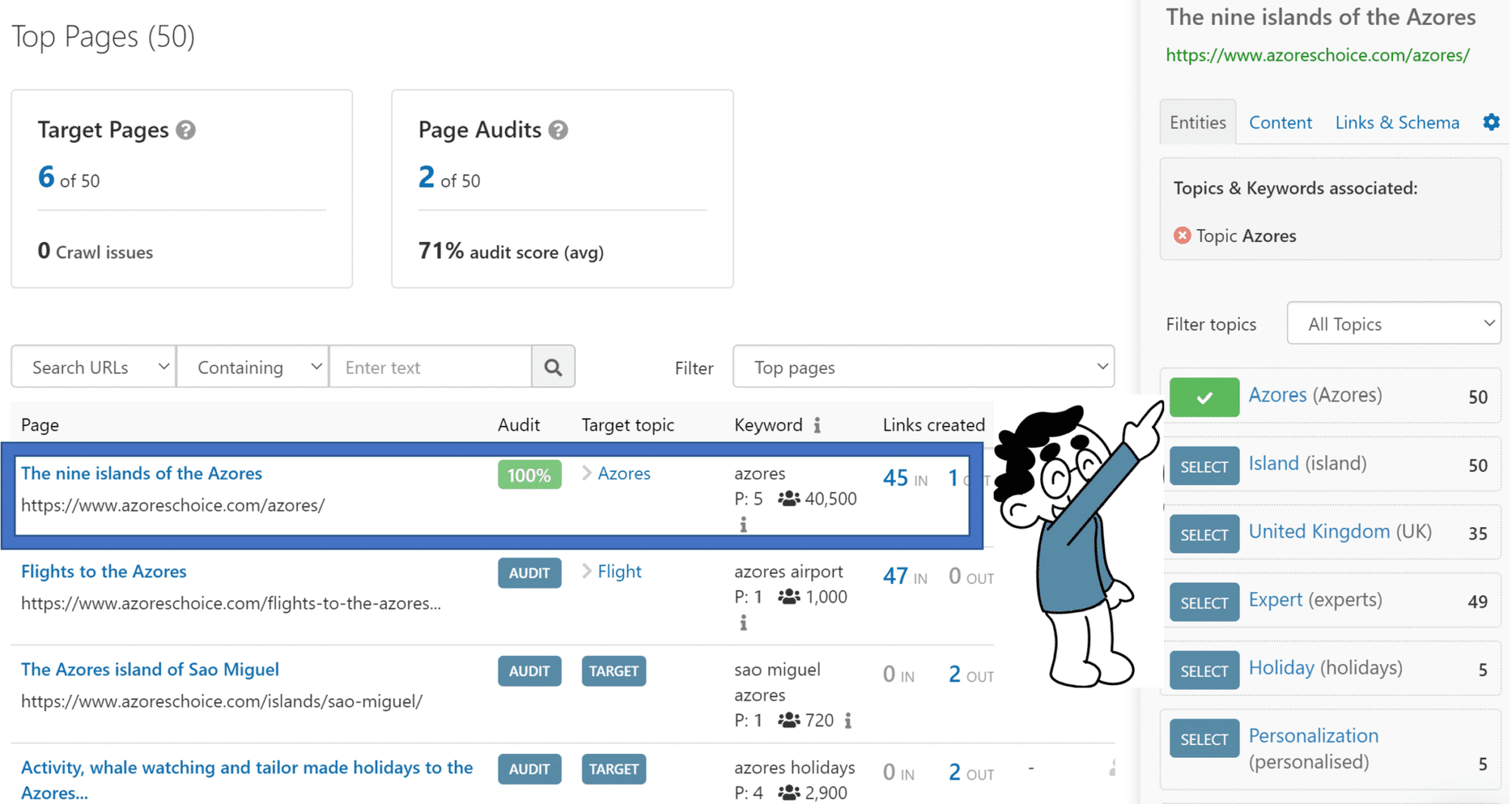
InLinks uses an entity-based approach to internal linking.
An entity is a recognisable concept such as a person, place, organisation, or subject.
The distinction matters because the same term can refer to several concepts.
Consider the word “Python.”
In a software tutorial, it likely refers to the programming language.
In a wildlife article, it may refer to a snake.
A semantic linking system attempts to recognise the intended concept instead of relying entirely on the word itself.
How InLinks Works
InLinks analyses content and identifies entities.
Users can associate important target pages with relevant entities. The system then looks for mentions and related terms that could provide contextual linking opportunities.
Its documentation describes support for entity synonyms and different linking architectures, including silo-based structures.
Users can review or edit proposed links before they are implemented through the platform’s JavaScript integration.
Where Entity-Based Linking Can Help
Imagine a website covering digital marketing.
One article discusses customer acquisition costs, while another explains marketing attribution.
The pages might not repeat the same target keyword, but they can still be meaningfully related.
Entity-based analysis may help identify those connections.
However, recognising related entities doesn’t automatically mean the link belongs in the specific paragraph.
The final decision should consider the reader’s intent and the role of the destination page.
What We’d Test
I’d build a small group of ambiguous terms, related concepts, and closely competing destinations.
Then I’d check whether InLinks identifies the correct entity and whether its selected target is appropriate.
I’d also inspect the rendered links and verify that important destinations remain accessible to users and search engines.
Our assessment: InLinks is worth evaluating when your content strategy depends on semantic relationships rather than exact keyword repetition. Its entity analysis is a useful differentiator, but contextual and destination accuracy still need validation.
4. Yoast SEO Premium: Best for Internal Linking During Content Editing
Best suited for: WordPress editors who want relevant suggestions without moving to a separate linking dashboard.
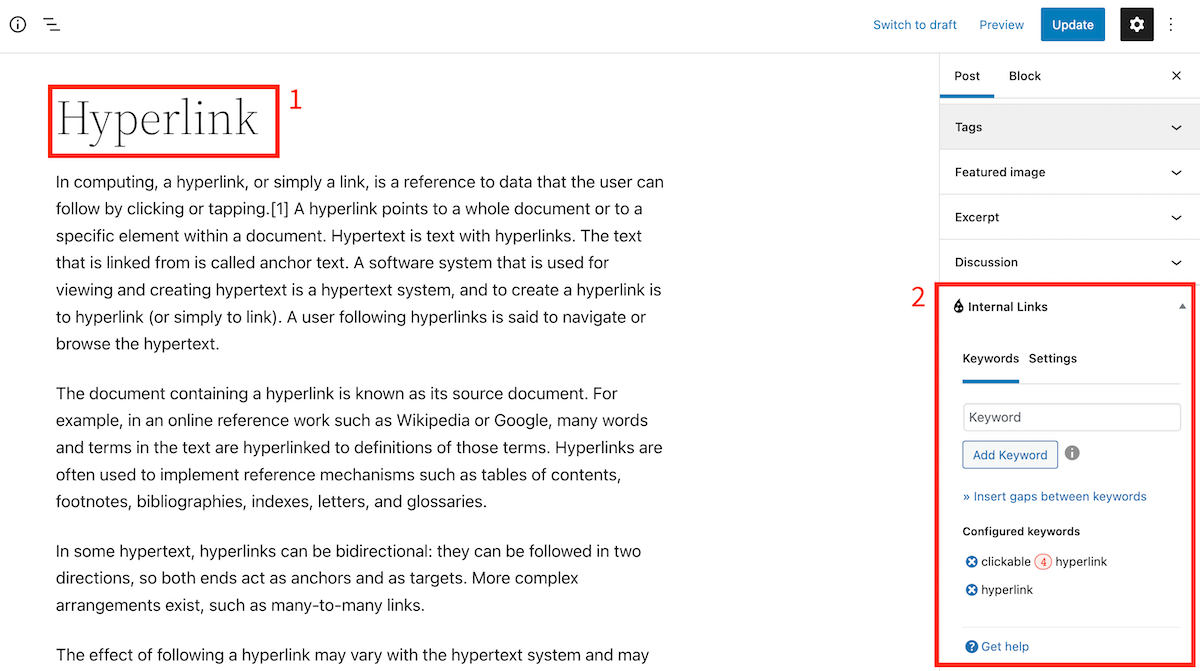
Yoast SEO Premium includes an internal linking suggestion feature within the WordPress editor.
The plugin analyses content, identifies prominent terms and related topics, and recommends relevant existing pages.
Its documentation describes providing up to five internal linking suggestions in the editing interface.
Why This Workflow Matters
Imagine a writer is completing an article about SEO software pricing.
While editing, Yoast suggests a related guide explaining how many SEO tools a business actually needs.
That could be a helpful reference for readers deciding whether another subscription is justified.
The writer can consider the recommendation while the surrounding paragraph is still fresh in mind.
This reduces the need to return to the article weeks later to add links.
Where It Has Limitations
Yoast’s suggestion system is based on content analysis and identified prominent terms.
That can surface relevant pages, but it doesn’t establish that every recommended page fits the specific sentence or paragraph.
For example, two articles might discuss the same subject but address very different audiences.
The editor must still decide whether the link improves the content.
Pricing
Yoast currently advertises its internal linking suggestion feature as part of Yoast SEO Premium, with an official listed price of $118.80 per year, excluding VAT.
Our assessment: Yoast is a practical option when your primary requirement is contextual guidance during writing. It doesn’t need to replace a full website-wide linking audit.
5. Internal Link Juicer: Best for Controlled Keyword-Based Automation
Best suited for: WordPress websites with clear, repeatable keyword-to-page relationships.
Users assign keywords to relevant destination pages, and the plugin automatically creates internal links where those keywords appear in eligible content.
It supports configuration options such as excluded pages, link counts, and anchor variations.
Where Rule-Based Automation Works
Suppose a website has a comprehensive guide explaining a branded software product.
The brand name is distinctive and consistently refers to the same destination.
A controlled rule could create relevant links whenever that product name appears in appropriate articles.
This can be efficient because the destination is predictable.
Where It Becomes Risky
Problems arise with ambiguous or generic phrases.
For example, automatically linking every mention of “content” to a content marketing guide would be excessive.
Likewise, assigning one destination to “SEO tools” could cause a pricing article to link to a beginner’s definition when a buyer’s guide would be more useful.
Keyword-based automation depends heavily on rule quality.
The plugin isn’t inherently making an editorial judgement about every sentence in which the keyword appears.
What We’d Test
I’d examine false matches, duplicate destinations, anchor variation, exclusion settings, and the ability to reverse changes.
I’d also check how links are generated and displayed in the final rendered page.
Our assessment: Internal Link Juicer can be economical for predictable linking requirements. It is less suitable as a fully automatic substitute for editorial judgement across ambiguous, overlapping topics.
6. Ahrefs Site Audit: Best for Finding Keyword-Informed Link Opportunities
Best suited for: SEO teams already using Ahrefs for organic search research.
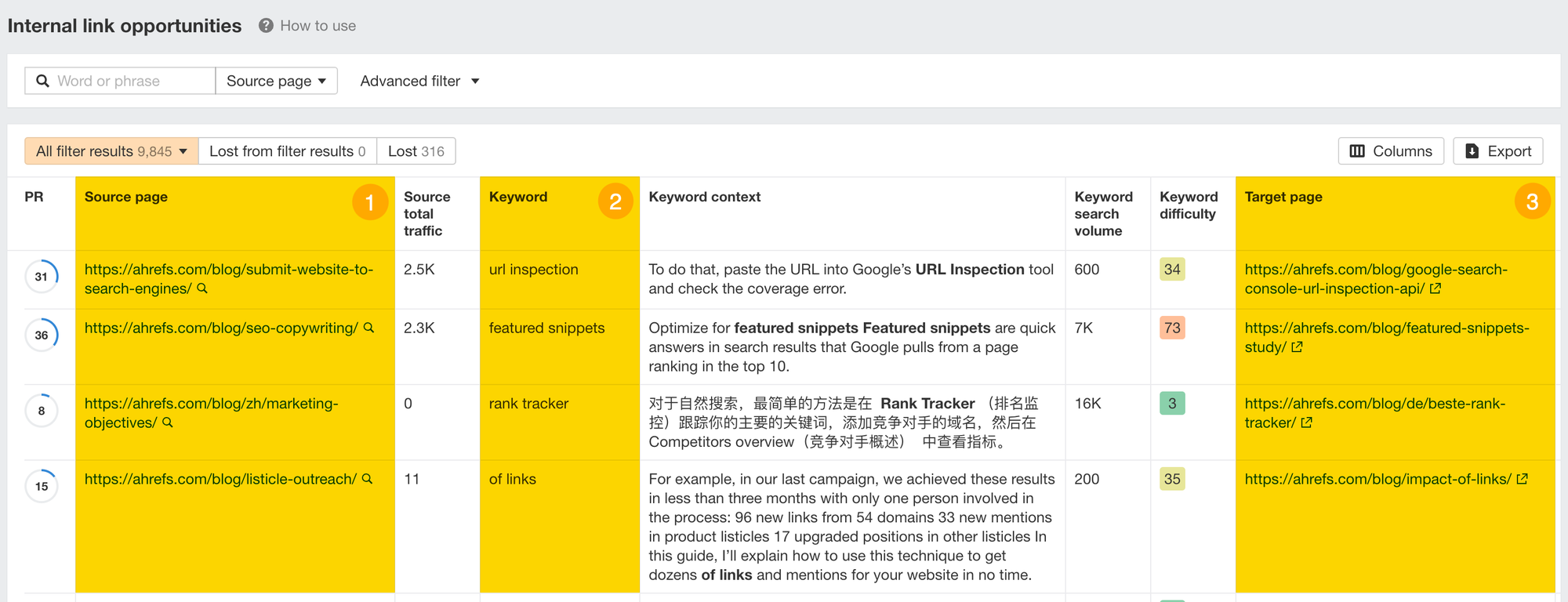
Ahrefs Site Audit includes an Internal Link Opportunities report.
Its documentation explains that the report examines the top ten traffic-generating ranking keywords for crawled target pages, then looks for mentions of those terms on other crawled pages.
The report identifies a potential source page, the relevant keyword, and a target page.
Why This Is Useful
Imagine you have a guide ranking for “technical SEO audit tools.”
Other articles on your website may mention that phrase without linking to the guide.
Ahrefs can surface those occurrences, helping the team find opportunities without searching the entire content library manually.
This is particularly useful for sites with substantial existing organic keyword data.
The Important Limitation
The method is transparent, but keyword relevance isn’t necessarily contextual relevance.
A phrase might appear in a paragraph where the linked destination doesn’t help the reader.
The tool also prioritises opportunities using its defined ranking-keyword dataset.
A newly published page without meaningful keyword traffic may therefore receive less coverage through that particular process.
Ahrefs’ own documentation explains the ranking-keyword basis for its suggestions.
What We’d Test
I’d measure how many recommendations lead to useful contextual links, then examine whether the tool overlooks important new pages or related pages that use different terminology.
Our assessment: Ahrefs provides a useful opportunity-discovery workflow, especially for sites with existing search performance. Its recommendations should be reviewed rather than treated as automatic editorial decisions.
7. Screaming Frog SEO Spider: Best for Auditing Internal Link Structure
Best suited for: Technical SEO specialists and teams investigating crawl depth, orphaned pages, internal link distribution, and site architecture.
Screaming Frog is different from the automated link suggestion products above.
It’s primarily a technical website crawler.
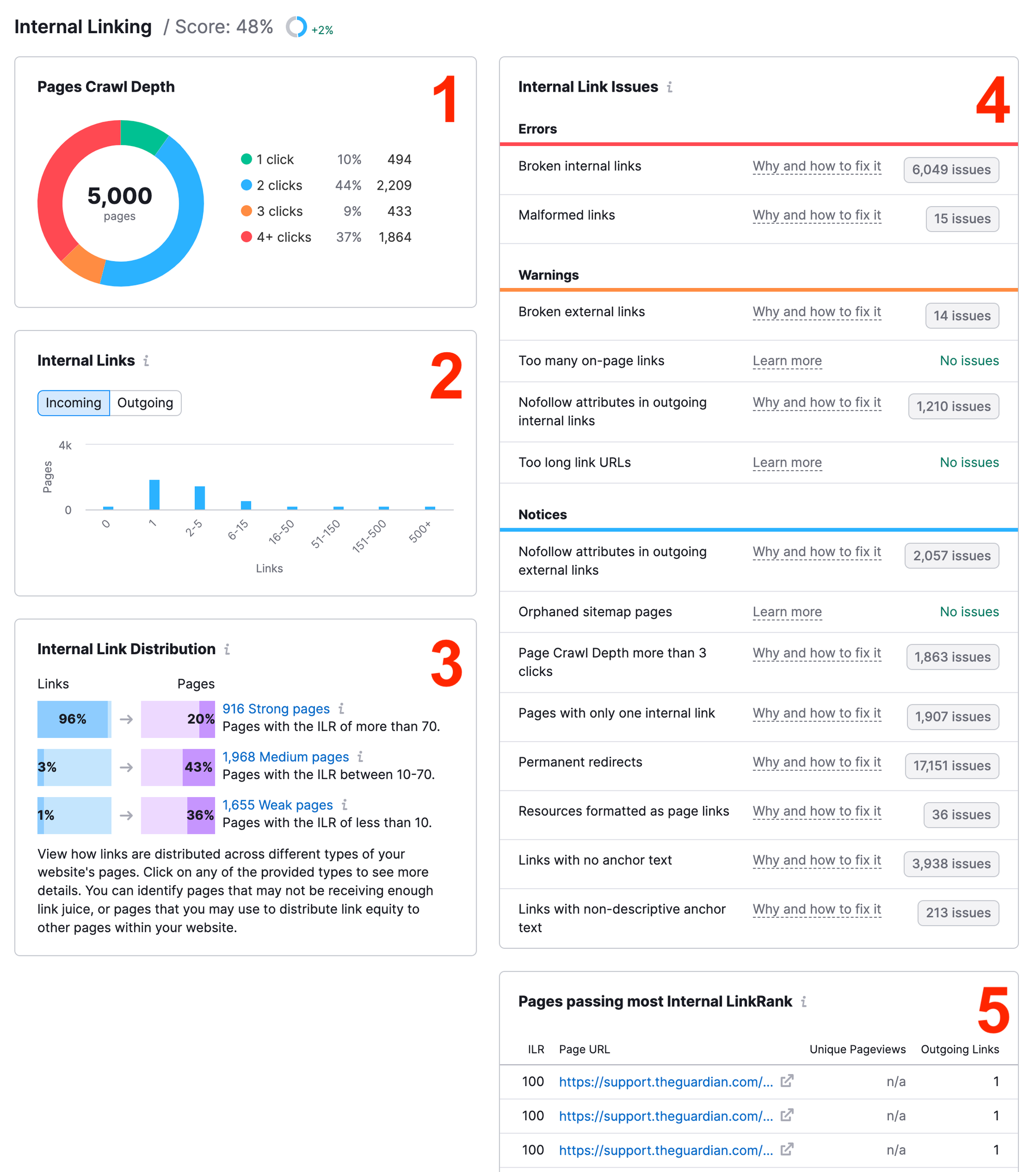
Its internal link reports help identify which pages link to one another, how deep pages sit within the site, and where structural problems may exist.
Its documentation describes metrics including crawl depth, unique internal inlinks, and a calculated Link Score.
What Screaming Frog Finds
Suppose an important commercial page sits five clicks away from the homepage and receives very few contextual links.
Screaming Frog can help reveal that structural condition.
The next step is to determine which relevant pages should link to it.
That is where editorial and SEO judgement enter the process.
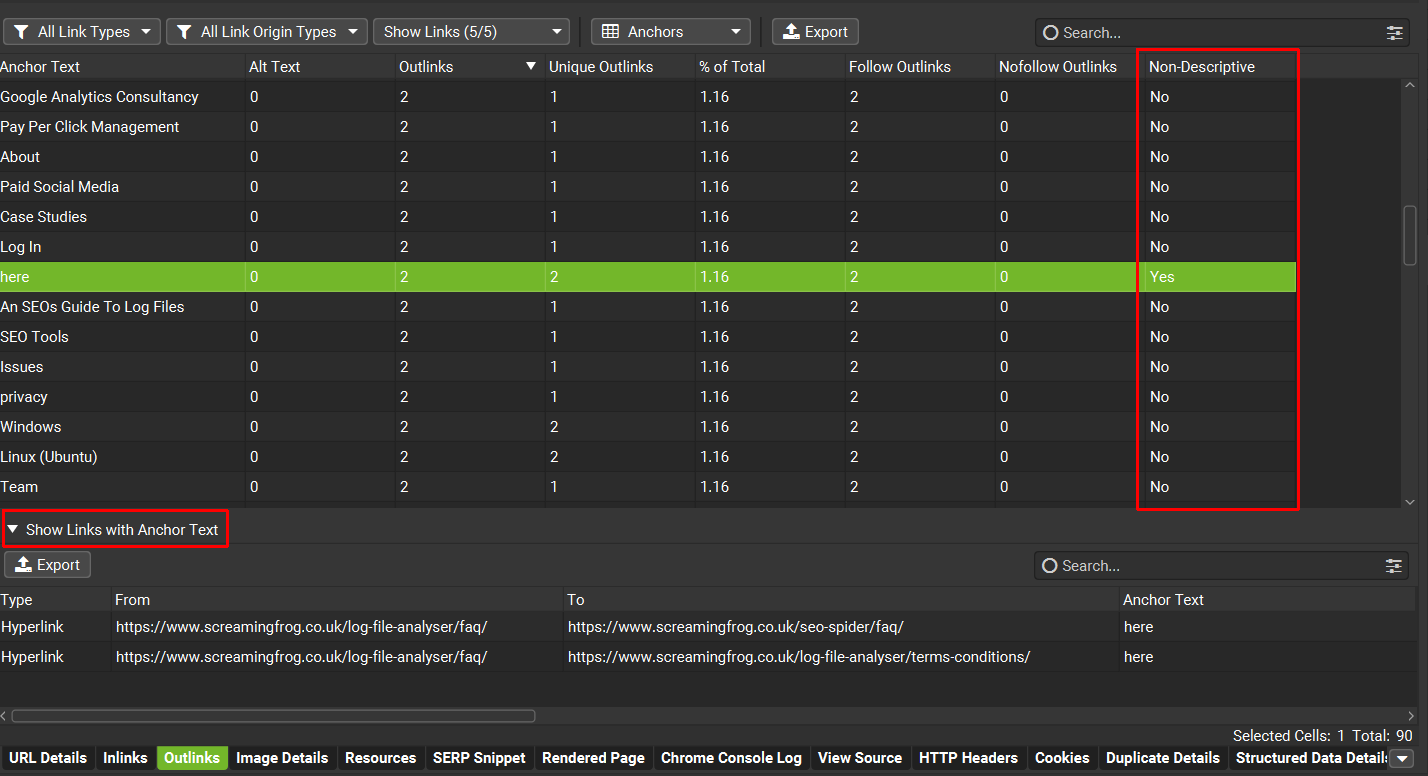
Screaming Frog can also help investigate unnecessary internal redirects, non-descriptive anchors, and pages without useful internal outlinks.
What It Doesn’t Automatically Do
Screaming Frog shouldn’t be evaluated as though it were a one-click semantic link insertion plugin.
Its strength lies in technical visibility and configurable crawling.
The reviewer still needs to identify the most appropriate source paragraphs and link destinations.
Pricing
Screaming Frog offers a free version that can crawl up to 500 URLs, with a paid licence available for larger and more advanced auditing requirements.
Our assessment: Screaming Frog is particularly valuable for diagnosing website structure. Combine it with editorial review or a dedicated linking tool when the objective is generating and implementing contextual links.
8. Semrush Site Audit: Best for Monitoring Internal Linking Problems
Best suited for: SEO teams using Semrush for regular technical audits.
Semrush Site Audit includes internal linking analysis within its wider technical SEO reporting.
Its documentation describes identifying structural problems such as orphaned pages, excessive click depth, and other internal linking issues.
This can help teams identify where website navigation and linking architecture need attention.
Where Semrush Helps
Imagine a publisher adds 50 articles in one month.
Several new pages may lack relevant links from older content.
Semrush can help investigate website structure and flag pages that require attention.
However, detecting a weak internal linking structure is different from automatically choosing the best contextual anchor and source paragraph.
What We’d Test
I’d compare its structural findings against an independent crawl and review how easily the team can move from a flagged page to a specific linking action.
Our assessment: Semrush is useful for identifying internal linking problems within a broader SEO workflow. A dedicated contextual linking product may still be valuable when the team needs to implement suggestions across a large library.
9. Digimetrics.ai: Best for Internal-Link Diagnostics Within a Broader SEO Workspace
Best suited for: Marketers, publishers, and agencies that want to investigate internal-link problems and anchor-text quality without separating those checks from their broader SEO and content workflow.
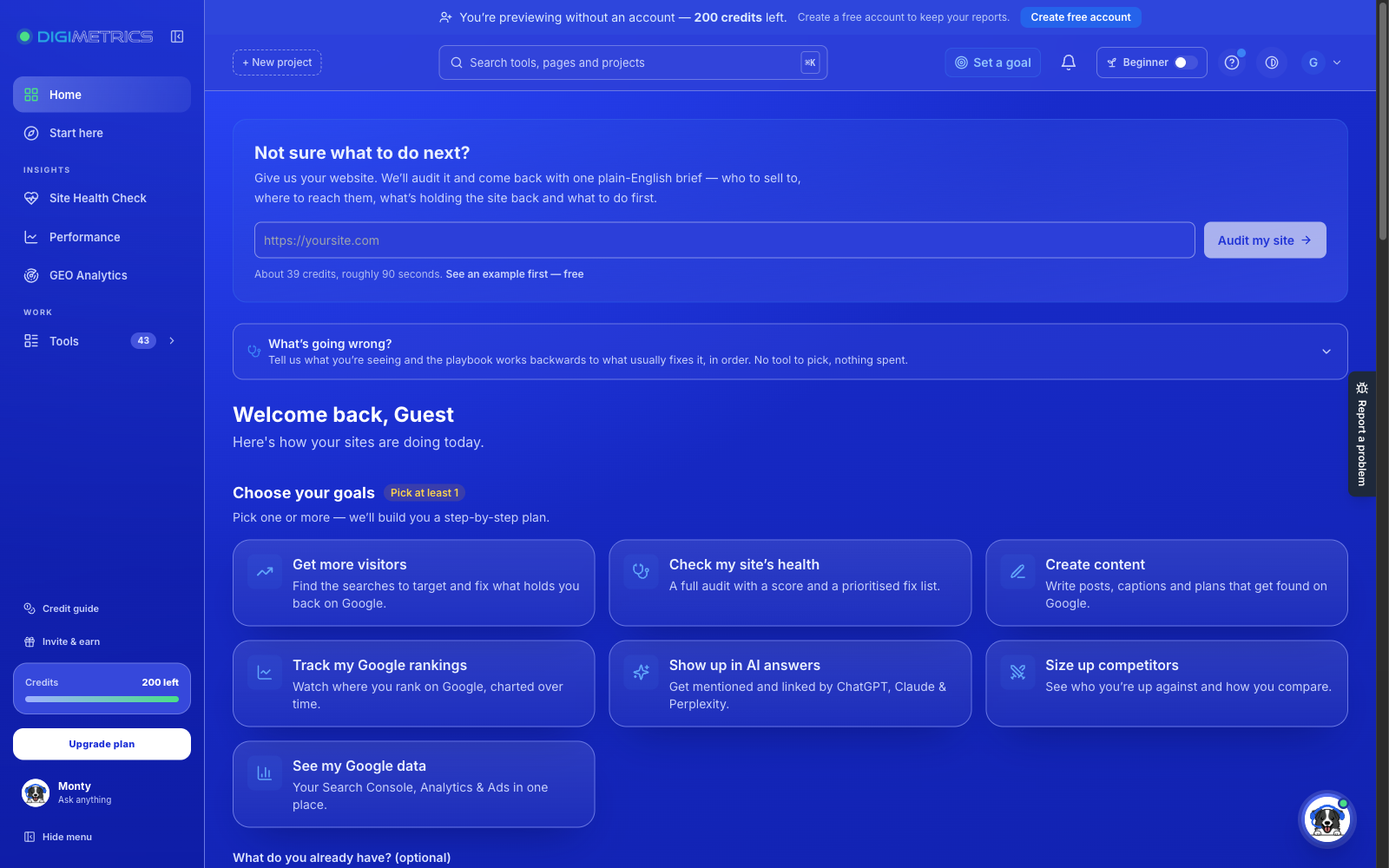
Digimetrics.ai is a wider digital marketing platform rather than a dedicated internal-link insertion plugin. Its published feature list includes a Technical SEO Crawler for technical and internal-link issues, plus an Anchor Text Cleaner for auditing link text. The platform also provides content optimisation, keyword analysis, and search performance tools, which may help teams assess linking problems alongside other page-level priorities.
This is a different proposition from Link Whisper or LinkStorm. Public documentation confirms the diagnostic tools, but does not establish that Digimetrics automatically chooses semantically appropriate source paragraphs, recommends every destination, or inserts internal links for users. Those capabilities should not be assumed without a product demonstration or test.
How Digimetrics Fits an Internal Linking Workflow
Consider a publisher with hundreds of articles, inconsistent anchor text, and important pages that are difficult to reach. A technical crawl can help the team investigate internal-link health, while an anchor-text audit can prompt a review of whether existing link wording is descriptive or repetitive. Editors can then use those findings to prioritise which pages and links deserve attention.
The unresolved question is contextual choice: does a reported issue tell you which specific source paragraph should link to which destination, and why? That is the difference between a useful diagnostic and a contextual recommendation system. Digimetrics should be assessed on the detail, reliability, and actionability of its reports, not credited with semantic linking automation simply because it uses AI elsewhere in the platform.
What We’d Test
I’d run the Technical SEO Crawler and Anchor Text Cleaner against a representative section of a site, then manually check whether reported issues are accurate. Does the output make it easy to identify the source page, destination page, existing anchor, and next corrective action? Can it distinguish a legitimately repeated brand anchor from an unhelpfully generic one? How easily can an editor verify whether a flagged link is broken, redirected, or merely less descriptive than it could be?
I’d also measure the time from opening a report to making and verifying a useful edit. If the workflow requires a separate crawler or spreadsheet to find the affected links, that extra time belongs in the cost calculation. A fair evaluation would score Digimetrics for structural diagnosis and anchor auditing, not penalise it for a one-click insertion feature it has not publicly claimed.
Pricing
Theofficial pricing page lists a 7-day free trial with 200 credits, followed by Starter at $39 per month, Pro at $109 per month, and Expert at $199 per month. These are platform subscriptions covering its broader toolkit; they are not stand-alone internal-linking prices. Credit, project, and usage limits should be reviewed before comparing value against specialist plugins.
Our assessment: Digimetrics is worth evaluating if your primary objective is to identify and prioritise internal-link or anchor-text problems as part of an ongoing SEO workflow. If your requirement is automatic, context-sensitive suggestions or link insertion, verify that functionality separately rather than treating the platform as a like-for-like alternative to dedicated link-building plugins.
The easiest way to understand the problem is to examine recommendations that look plausible until you read the surrounding text.
Example 1: Same Keyword, Different Meaning
Source paragraph:
“Our developers used Python to automate the data-processing workflow.”
Suggested destination: An article about python snakes.
The anchor text matches, but the meaning doesn’t.
The correct interpretation depends on the surrounding sentence.
Example 2: Same Topic, Different Search Intent
Source paragraph:
“Before choosing an SEO subscription, calculate the cost of the features you’ll actually use.”
Suggested destination: A basic article defining SEO software.
That destination is related to the subject, but a pricing comparison might be more useful to the reader.
The question isn’t whether both pages discuss SEO tools.
It’s whether the destination answers the next logical question.
Example 3: Relevant Topic, Wrong Destination
Source paragraph:
“Several technical crawlers can identify redirect chains and canonical inconsistencies.”
Suggested destination: An outdated article reviewing discontinued software.
The topic fits, but the destination is unsuitable.
A good linking process should verify that the target page is current, accessible, and appropriate.
These examples illustrate why contextual matching requires more than a keyword or similarity score.
How to Test Whether an Internal Linking Tool Understands Context
Rather than ranking products based on feature lists, I recommend a controlled evaluation using a representative website.
This is a proposed testing methodology, not a claim that all nine tools have already undergone the same experiment.
Step 1: Create a Reference Content Set
Select approximately 60 candidate linking situations from a website you own or have permission to analyse.
Include three groups.
Test Group
Number of Cases
Purpose
Clearly relevant links
20
Check whether the tool discovers obvious useful connections
Related but ambiguous situations
20
Check whether it selects the correct destination and intent
Misleading or unsuitable opportunities
20
Check whether it avoids false positives
Total
60
Make the examples representative of the site’s actual content.
For instance, an editorial website might include topic clusters, commercial comparisons, tutorials, definitions, and articles using overlapping terminology.
A product website might include categories, FAQs, support pages, and related product guides.
Step 2: Build a Human Reference Set
Before examining the software’s results, have two editors independently review the candidate situations.
For each case, record whether a useful internal link should exist and, if so, which destination is most appropriate.
Also record acceptable anchor text and the reason for choosing that destination.
Where the editors disagree, discuss the case and document the final judgement.
The reference set won’t be perfectly objective, but it provides a more defensible baseline than accepting every tool recommendation as correct.
Step 3: Run the Tools Under Comparable Conditions
Use equivalent site access, relevant content scope, and target-page lists wherever possible.
Record which products require keyword assignments, AI processing, manual configuration, or external integrations.
Not every tool is designed to perform the same task.
For example, Screaming Frog may identify structural weaknesses but not generate the same contextual suggestions as Link Whisper.
Those differences should be documented rather than forcing every product into an inappropriate test.
Step 4: Measure Useful Recommendations
For tools that generate specific link recommendations, measure how many are correct and useful.
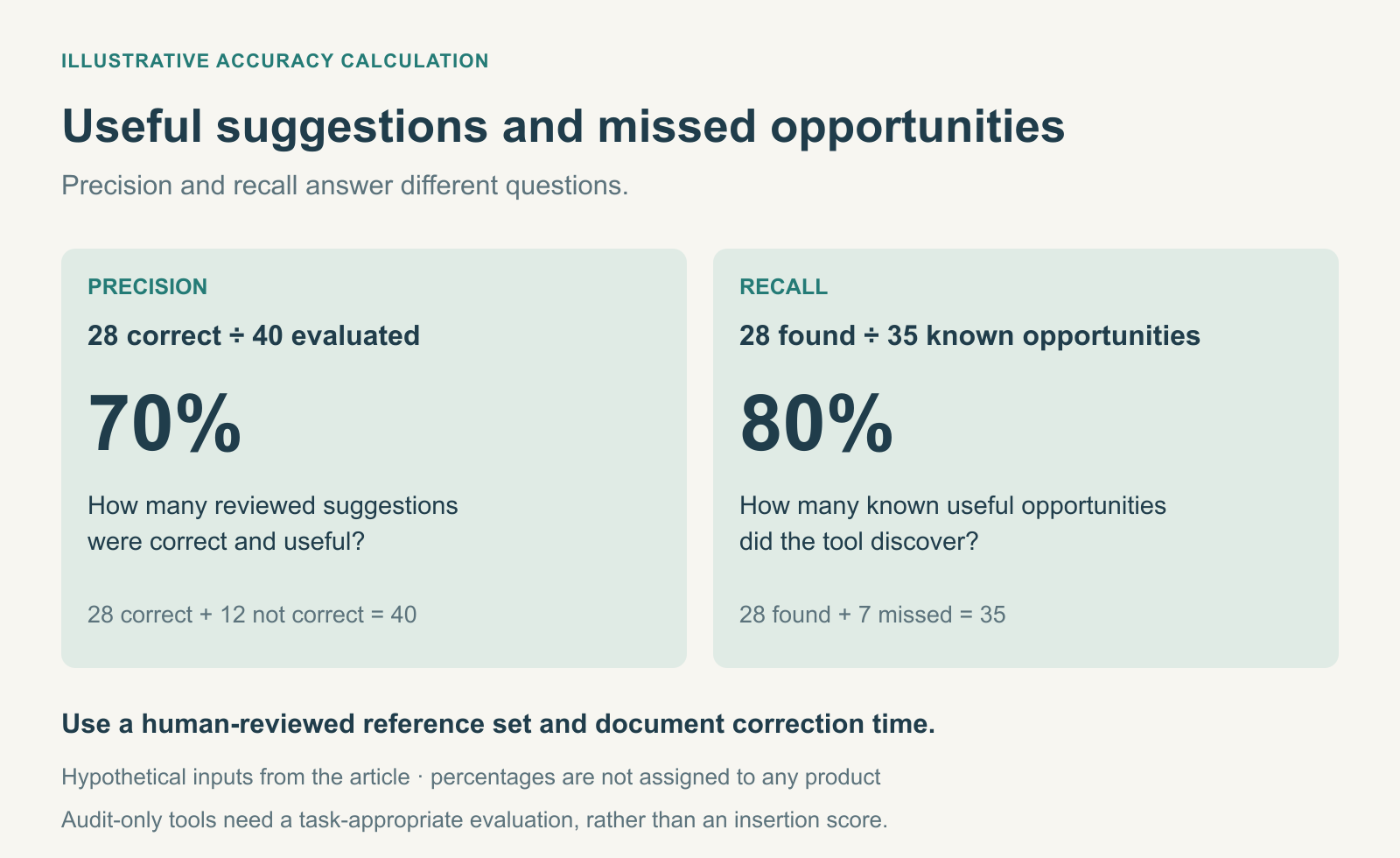
Two particularly valuable measurements are precision and recall.
Precision = Correct Recommendations ÷ Total Recommendations Evaluated × 100
Recall = Relevant Opportunities Discovered ÷ Total Known Relevant Opportunities × 100
For example, suppose a hypothetical tool recommends 40 links.
After editorial review, 28 are considered correct.
Its observed precision is:
28 ÷ 40 × 100 = 70%
If the reference set contains 35 relevant opportunities and the tool discovers 28, its recall is:
28 ÷ 35 × 100 = 80%
These are illustrative calculations, not product test results.
Precision tells you how much review work is likely to be useful.
Recall tells you how many known opportunities the tool managed to discover.
Neither metric alone establishes whether the product is the best choice.
Step 5: Measure the Cost of Correction
For every recommendation, record whether the editor:
Accepted it unchanged.
Changed its anchor text.
Selected a different destination.
Rewrote the surrounding sentence.
Rejected it.
This helps distinguish a useful suggestion from one that technically identifies a related page but still requires substantial editorial work.
An accepted link that needs ten minutes of rewriting may be less efficient than a correct suggestion requiring only a quick review.
Step 6: Check the Final Website
After approving a small group of links, verify that they appear correctly in the published pages.
Check the rendered HTML, destination URLs, anchor text, and surrounding sentences.
If the tool uses JavaScript to insert links, confirm that the final markup uses crawlable links with appropriate destinations.
Also make sure links don’t point to redirects, errors, or unintended canonical targets.
The test isn’t complete when the dashboard reports that the links were inserted.
It’s complete when the final pages contain the intended links.
A Practical Scoring Framework for Internal Linking Tools
For a balanced review, I’d use the following proposed weighting.
Evaluation Criterion
Suggested Weight
What It Measures
Contextual relevance
30%
Whether suggestions fit the meaning and intent of the source
Destination accuracy
20%
Whether the tool chooses the best appropriate target
Anchor-text quality
15%
Whether anchors are natural, descriptive, and accurate
Opportunity coverage
15%
Whether the tool finds useful links without overlooking important pages
Editing and implementation efficiency
10%
Time required to review, correct, and publish links
Pricing and scalability
10%
Value relative to site size, workflow, and subscription costs
Total
100%
These are editorial evaluation weights, not verified scores for the products above.
For a rule-based tool, evaluate whether its automation reliably follows the intended rules.
For a semantic suggestion platform, pay greater attention to contextual accuracy and destination selection.
For a technical crawler, evaluate discovery and structural diagnosis rather than assigning a low score because it doesn’t automatically insert links.
The purpose is to understand which product solves which problem.
Orphaned Pages: Why Finding Them Isn’t Enough
Many internal linking tools advertise orphan-page detection.
That’s useful, but the definition deserves attention.
An orphaned page is generally a page with no discoverable internal links pointing to it.
However, a crawler following only website links may never discover that the page exists.
To identify potential orphaned pages reliably, it may need an additional URL source such as an XML sitemap, Google Search Console data, analytics records, or a CMS export.
This creates two separate tasks.
The first is identifying pages with no discovered internal links.
The second is deciding which of those pages actually deserve more links.
For example, an old campaign landing page may be intentionally isolated or no longer relevant.
A newly published cornerstone guide, by contrast, may urgently need contextual links from supporting content.
Automatically linking every orphaned page isn’t necessarily a sensible strategy.
The best next step depends on why the page exists and whether readers should discover it.
This is also why internal linking should be considered alongside technical auditing. Ourbest SEO audit tools comparison explains how crawling and website diagnostics fit into a broader audit workflow.
Automatic Linking vs. Editorial Approval: Which Is Better?
Full automation is attractive because internal linking can become repetitive on large websites.
But automatic insertion introduces risks that suggestion-only tools don’t create in the same way.
A rule may generate the wrong link. A page may be updated without the system refreshing its recommendations. A similar keyword may point to an unsuitable destination.
For these reasons, I’d distinguish between three operating models.
Approach
How It Works
When It Makes Sense
Manual linking
Editors choose and insert each link
Small sites and high-value editorial content
AI-assisted suggestions
Software recommends links; editors review them
Growing content libraries and sites with overlapping topics
Rule-based or automatic insertion
Software inserts links according to configured rules or approved recommendations
Predictable relationships and larger-scale maintenance
A hybrid approach is often the most practical.
For example, a publisher could use automated linking for a small number of unambiguous branded terms while requiring editorial approval for contextual links between articles.
This reduces repetitive work without treating every potential match as equally safe.
Also, retain an audit trail showing which links were added, when, and how to reverse them.
A link automation system that cannot reliably undo changes creates unnecessary maintenance risk.
How Much Do Internal Linking Tools Really Cost?
The monthly subscription is only part of the expense.
An inexpensive plugin may require substantial setup and editorial review.
A more expensive platform may reduce that work, particularly on websites with thousands of pages.
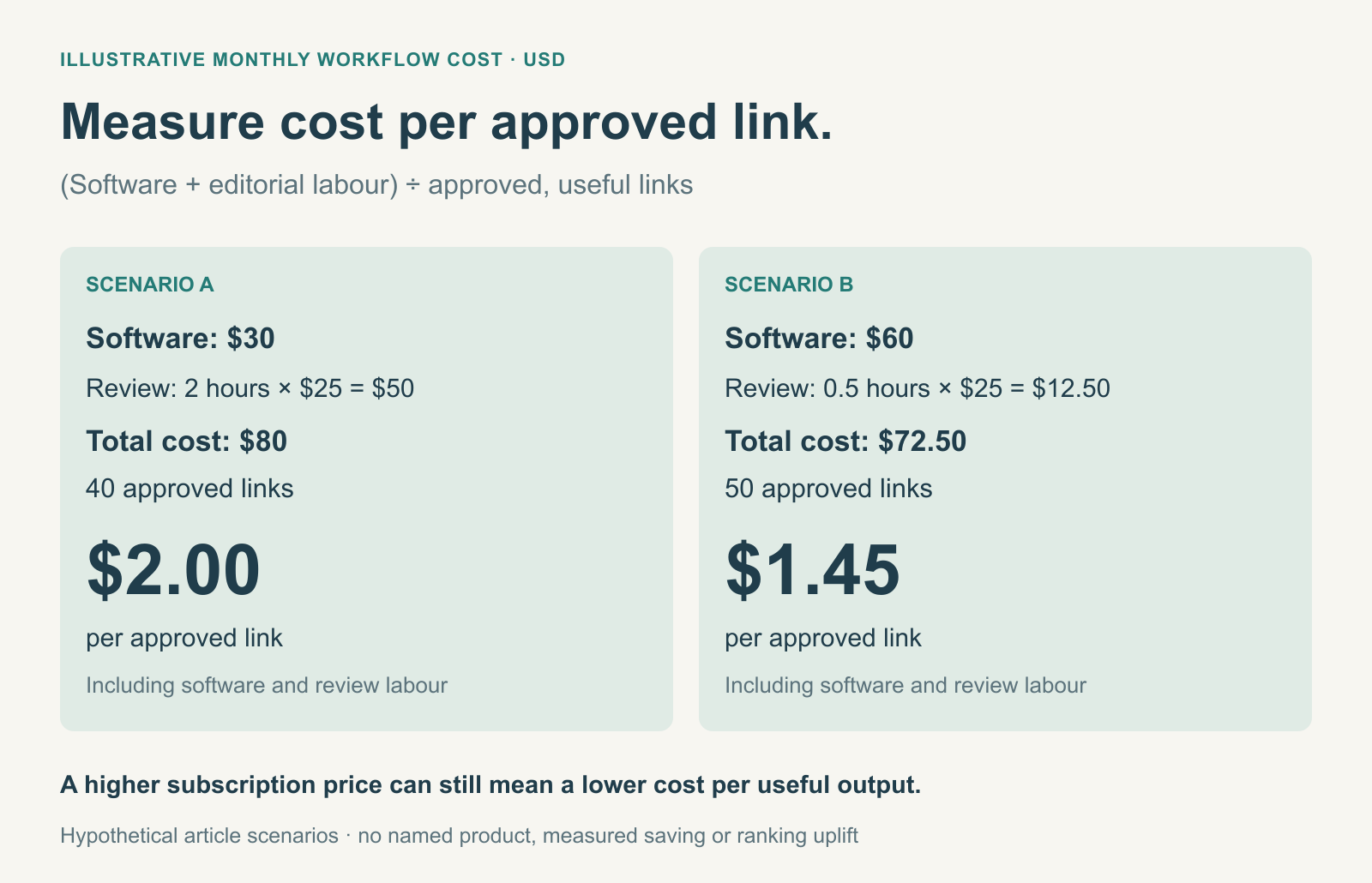
The useful measurement is cost per approved, useful link, rather than cost per suggestion.
Example: A Monthly Internal Linking Workflow
Suppose a website owner pays $30 per month for an internal linking service.
The tool generates 100 suggestions.
An editor spends two hours reviewing and correcting them at an internal labour cost of $25 per hour.
After review, 40 links are approved and published.
Cost Component
Illustrative Amount
Monthly software cost
$30
Editorial review and corrections
$50
Total monthly cost
$80
Generated suggestions
100
Approved links
40
Cost per approved link
$2.00
These figures are hypothetical.
Now imagine another product costs $60 per month but produces a more accurate set of recommendations.
If the editor spends only 30 minutes reviewing suggestions and approves 50 links, the total cost is $72.50, or $1.45 per approved link.
The higher-priced tool would be less expensive per accepted output under those assumptions.
That doesn’t mean it automatically improves rankings.
It means the workflow produces useful links with less labour.
Not every missing link deserves immediate attention.
A tool might generate hundreds of relevant opportunities, but your team still needs to decide which ones should be implemented first.
I’d use four practical priorities.
1. Important Pages With Weak Internal Discovery
Start with cornerstone content, key product categories, and commercially valuable pages that are difficult to reach through relevant site navigation.
Check whether existing articles can provide useful contextual links.
Don’t add links merely to increase a page’s inlink count.
2. Recently Published Content
New articles may have few internal links because older content was published before they existed.
Review related evergreen pages and add links where the new article genuinely improves the reader’s experience.
3. Related Articles With Different Levels of Detail
A broad introductory guide can naturally link to more specialised explanations.
For example, ourcomplete guide to SEO tools provides the wider context, while individual comparisons address specific software decisions.
That structure helps readers move from general understanding to more detailed evaluation.
4. Pages With Known Link Problems
Broken internal links, outdated redirects, and incorrect destinations deserve attention because they can interrupt navigation.
Fixing an existing bad link may be more valuable than inserting several new ones.
The key is prioritising based on the website’s actual structure and reader needs rather than automatically pursuing the highest number of recommendations.
Which Internal Linking Tool Should You Choose?
There isn’t one best platform for every website.
The most appropriate choice depends on your content management system, library size, existing SEO subscriptions, and how much automation you want.
Your Situation
Tools Worth Evaluating
Why
Small WordPress blog
Yoast SEO Premium, Link Whisper Free
Suggestions within the publishing workflow
Large WordPress publisher
Link Whisper, Internal Link Juicer
Site-wide management and configurable automation
Website using a different CMS
LinkStorm, InLinks
Cross-platform linking workflows
Entity-focused content strategy
InLinks
Linking based on recognised concepts and related terminology
SEO team already using Ahrefs
Ahrefs Site Audit
Keyword-informed opportunities within existing research
Technical SEO specialist
Screaming Frog
Detailed architecture and internal link investigation
Team already using Semrush
Semrush Site Audit
Structural monitoring before adding another subscription
Team wanting internal-link checks alongside SEO, GEO, and content tools
Digimetrics.ai
Technical crawling and anchor-text auditing in a broader workspace, rather than confirmed automatic contextual-link insertion
These are practical shortlists rather than rankings derived from measured contextual precision.
If your team already has a capable SEO platform, check its internal linking reports before paying for another product.
A dedicated tool becomes worthwhile when it solves a specific recurring problem your current software cannot handle efficiently.
Link Whisper, LinkStorm, InLinks, Yoast SEO Premium, Internal Link Juicer, Ahrefs, Screaming Frog, Semrush, and Digimetrics.ai are relevant options, although their purposes differ. Digimetrics belongs in the audit and anchor-text review category rather than the proven automatic contextual-link insertion category.
Some recommend or insert links, while others help diagnose structural problems and identify potential linking opportunities.
Can AI Tools Understand Internal Linking Context?
Some tools use semantic analysis or AI-assisted matching to recommend connections between related pages.
However, contextual accuracy varies with the content, settings, and destination options.
Human review remains important, particularly for ambiguous terms and overlapping search intents.
Is Automatic Internal Linking Good for SEO?
It can be useful when the links are relevant, accessible, and appropriate for readers.
However, automatic insertion can also create irrelevant links or excessive repetition.
Start with clear rules and verify the final published output.
Is Link Whisper Better Than Yoast SEO?
They serve different workflows.
Link Whisper provides broader link management, reporting, and automation features, while Yoast SEO Premium offers internal linking suggestions within its WordPress editing environment.
The better choice depends on whether you need site-wide maintenance or suggestions during content creation.
Can Digimetrics.ai Automatically Add Contextual Internal Links?
The publicly documented Digimetrics features include a Technical SEO Crawler that checks internal-link issues and an Anchor Text Cleaner that audits link wording. They do not, on their own, confirm that the platform automatically selects source paragraphs, chooses the right destination, and inserts contextual links. If those capabilities are required, ask for a demonstration and test them on your content before purchasing. Digimetrics.ai sponsors DigitalMarketingTools.ai.
Can Screaming Frog Automatically Add Internal Links?
Screaming Frog is primarily a crawling and auditing tool.
It helps analyse internal linking structures, crawl depth, inlinks, and related technical conditions.
It isn’t a direct replacement for software focused on automatically inserting contextual links.
What Is the Difference Between Keyword-Based and Semantic Internal Linking?
Keyword-based linking generally looks for configured terms or phrases.
Semantic linking attempts to consider the meaning of the content and relationships between concepts.
Semantic methods may help identify related pages using different language, but they still require validation.
How Many Internal Links Should an Article Have?
There is no universal ideal number.
The appropriate count depends on the article’s length, subject, structure, and available relevant destinations.
Prioritise links that help readers discover genuinely useful information.
How Do You Measure Internal Linking Tool Accuracy?
Build a human-reviewed reference set of appropriate linking opportunities.
Then evaluate the tool’s suggestions using precision, recall, anchor accuracy, destination suitability, and the time required to approve or correct the recommendations.
Are Internal Linking Tools Worth Paying For?
They can be worthwhile for websites with large content libraries or recurring linking work.
For small websites, manual linking or tools already included in an SEO subscription may be enough.
Calculate the cost per approved link and the time saved before deciding.
Can Internal Links Improve Website Rankings?
Internal links help search engines discover pages and understand relationships between content.
They can support a more useful website structure, but adding links doesn’t guarantee ranking improvements.
The effect depends on the content, relevance, site architecture, and many other factors.
Final Verdict: Context Matters More Than Automation
Internal linking tools have become more capable, but their value still depends on the decisions they support.
Some provide keyword-based automation. Others use semantic analysis to recommend related pages. Technical crawlers and tools such as Digimetrics help investigate structural or anchor-text problems, while integrated SEO suites surface opportunities through existing search data.
These approaches can all be useful.
But finding two pages that mention the same phrase isn’t the same as finding a link that helps the reader.
Before purchasing, test the software using your own content. Include ambiguous terminology, similar pages with different intents, and destinations that should be excluded.
Then measure how many recommendations are useful, how much editing they require, and whether the final links appear correctly on your website.
The best internal linking tool isn’t the one that adds the most links. It’s the one that helps your team build the right connections with the least unnecessary work.
If a tool improves discovery, supports sensible site architecture, and makes your content more useful to readers, it’s doing its job.
If it turns every repeated keyword into another anchor, it’s automating the wrong problem.
About the author
Tom Koh
Tom is the CEO of MediaOne, a leading digital marketing agency. He is a business-experienced SEO consultant as well as a Google Gold Search Expert serving the international community. He has consulted for MNCs like Canon, Maybank, Capitaland, SingTel, ST Engineering, WWF, Cambridge University, as well as Government organisations like Enterprise Singapore, Ministry of Law, National Galleries, NTUC, e2i, SingHealth. His articles are published and referenced in CNA, Straits Times, MoneyFM, Financial Times, Yahoo! Finance, Hubspot, Zendesk, CIO Advisor. Under his stewardship, MediaOne has won dozens of prestigious digital marketing awards.
Your website has 150 published articles. Some attract consistent organic traffic, others haven’t generated a meaningful visit in months, and several cover nearly identical…
Writing a good advertisement sounds simple until you have to create 15 different headlines, stay within character limits, communicate your product’s benefits, and make…
Verifiability matters more than speed when publishing AI-generated content. An AI content generator turns a short brief into draft copy, and its usefulness depends…