You don’t need ten different YouTube growth tools to build a successful channel. In fact, the more established a channel becomes, the more selective its team should be about the software it uses.
A channel with 2.5 million subscribers can have access to sophisticated analytics, keyword research platforms, competitor monitoring tools, and AI-powered optimisation software. Yet the original account behind this article describes a surprisingly simple working stack: thumbnail testing, title optimisation, audience retention analysis, and comment management.
The interesting part isn’t how few tools are involved. It’s how deliberately each one is used.
Many YouTube growth platforms promise to help creators increase views, improve rankings, or identify viral opportunities. Some provide genuinely useful capabilities. Others package information already available in YouTube Studio into attractive dashboards and proprietary scores.
The best YouTube growth tools are the ones that help you make a better decision about your next video. If a subscription produces more reports without changing your content strategy, it probably isn’t earning its place in your workflow.
This guide explains what an effective YouTube tool stack looks like in 2026, which features deserve attention, and when paid software becomes worth considering.
What Does a Mature YouTube Growth Stack Actually Need?
A mature YouTube channel generally needs to solve four recurring problems:
Getting viewers to click: Improving thumbnails and titles without misleading the audience.
Keeping viewers watching: Identifying where people lose interest and improving future videos.
Understanding audience behaviour: Tracking returning viewers, traffic sources, and the topics that attract sustained interest.
Managing production and engagement: Keeping content workflows organised and responding to an active community.
YouTube Studio already covers much of the first three.
Growth Task
Recommended Tool
When It’s Useful
Channel and video analytics
YouTube Studio
Every channel
Thumbnail and title A/B testing
YouTube Studio
Eligible long-form videos with enough impressions
Retention analysis
YouTube Analytics
Identifying weak openings and engagement problems
Content planning
Google Sheets or Notion
Maintaining an upload schedule and recording lessons
Keyword and topic research
vidIQ or similar tools
Search-focused channels needing additional research
Comment management
YouTube Studio
Regular community engagement and moderation
Video repurposing
OpusClip, Descript, or similar
Teams publishing long-form content across multiple platforms
These are tools for different jobs, not subscriptions every channel needs.
A creator publishing one tutorial per week might need only YouTube Studio and a spreadsheet. A media business publishing several videos daily may benefit from automation, collaborative editing, and dedicated moderation software.
The distinction matters because more capabilities don’t automatically produce better results.
1. YouTube Studio: The Most Important Growth Tool Is Already Free
YouTube Studio should be the starting point for almost every creator.
Its analytics provide direct information about how viewers discover videos, interact with them, and return to the channel. Unlike third-party estimates of another creator’s performance, these reports use the channel’s own data.
That makes YouTube Studio particularly valuable for diagnosing why an individual video performed differently from expectations.
The Metrics Worth Reviewing
Rather than monitoring every available number, focus on metrics connected to decisions.
Impressions and click-through rate (CTR) help evaluate whether viewers respond to a video’s packaging. A low CTR can indicate an unappealing thumbnail, unclear title, or mismatch between the topic and the audience receiving the impressions.
However, CTR should never be interpreted without context. A video reaching a broader audience may naturally receive a lower CTR than one shown primarily to loyal subscribers.
Average view duration and audience retention reveal how effectively the video holds attention. These metrics can expose problems with pacing, introductions, transitions, and content structure.
Traffic sources show whether views come from YouTube Search, suggested videos, browse features, or external websites. A video performing poorly in Search may need a different response from one losing traction on the homepage.
Returning viewers and audience composition help assess whether individual videos are building an audience that comes back. A large spike in views isn’t necessarily a long-term success if those viewers never watch another upload.
The goal is to interpret these metrics together.
For example, if a video earns plenty of impressions but relatively few clicks, investigate its title and thumbnail. If viewers click but leave immediately, the opening may not deliver what the packaging promised.
If both CTR and retention look healthy but impressions remain limited, investigate topic demand, audience fit, and traffic sources before assuming the video needs another optimisation tool.
These diagnoses aren’t guarantees about YouTube’s recommendation system. They’re practical starting points for finding problems worth fixing.
2. Thumbnail and Title A/B Testing: The Highest-Priority Experiment
Thumbnail testing remains one of the most useful capabilities available to a YouTube creator because it directly evaluates something viewers encounter before watching.
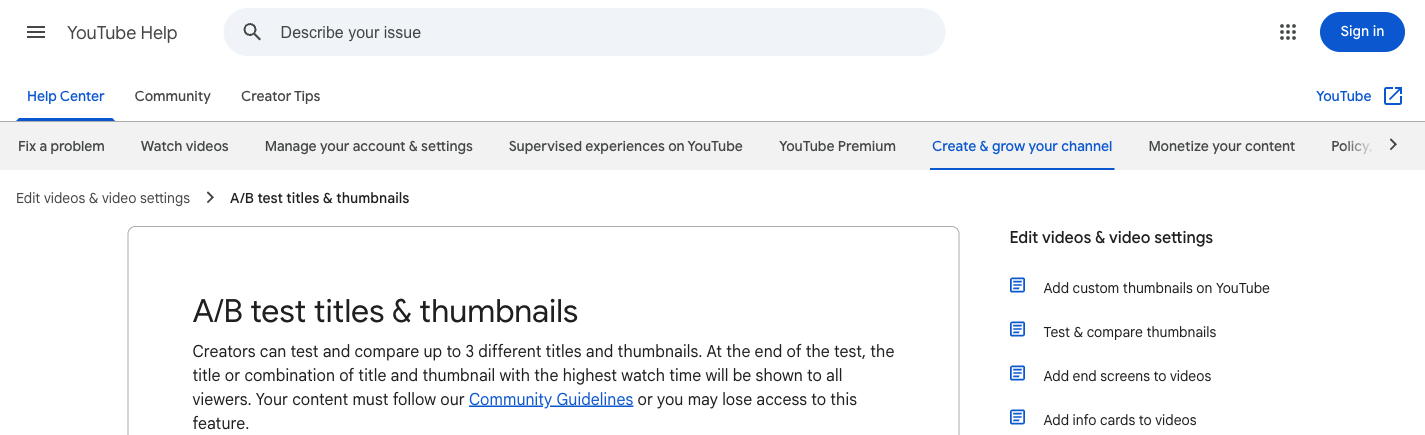
Importantly, YouTube’s native testing capabilities now extend beyond thumbnails.
YouTube evaluates results using watch-time performance rather than simply choosing the option with the highest CTR.
That distinction is important.
A dramatic thumbnail might attract more clicks but create expectations the video fails to satisfy. Another thumbnail may generate fewer clicks while attracting viewers who watch for longer.
Choosing solely by CTR could favour the more misleading creative.
How to Run a Useful Test
Suppose you’re publishing a video explaining how to improve smartphone battery life.
Instead of creating three nearly identical thumbnails, test genuinely different approaches:
Version A: A battery percentage graphic showing a clear before-and-after contrast.
Version B: A close-up of the phone’s battery settings with a specific problem highlighted.
Version C: A visual demonstration of a common battery-draining mistake.
Each version communicates the same underlying topic differently.
Run the experiment through YouTube Studio and review the results after the test finishes. YouTube says tests generally conclude within two weeks, although results may be inconclusive if differences are small or impressions are insufficient.
An inconclusive result isn’t a failed experiment. It means the available evidence didn’t establish a clear winner.
What Mature Channels Do Differently
Experienced teams treat thumbnail testing as a repeatable editorial process.
They document which visual approaches perform well across comparable videos, rather than treating each winning thumbnail as an isolated discovery.
For example, a technology channel might find that product demonstrations consistently outperform generic facial reactions. An educational channel might find that specific visual outcomes work better than abstract questions.
Those findings can inform future creative briefs, but they still need to be tested against new content.
Our recommendation: Use native title and thumbnail testing before paying for a separate tool whose main selling point is A/B testing. Third-party products may offer additional workflow features, but their testing methodology should be examined carefully.
3. Audience Retention: Fix the Opening, Then Diagnose the Rest
One of the most valuable reports in YouTube Analytics is audience retention.
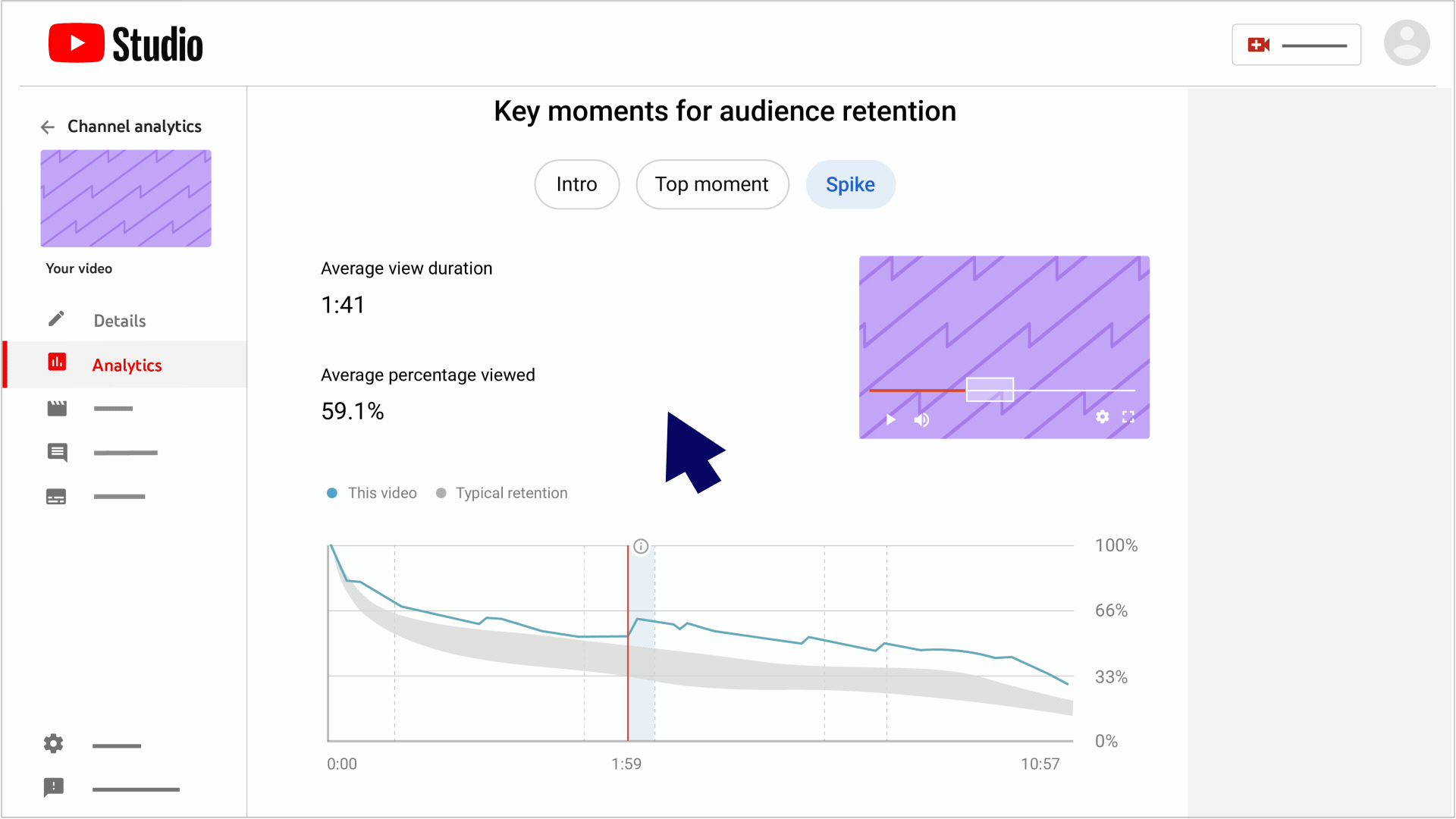
It shows how viewers move through an individual video, including moments when attention falls, remains relatively stable, or increases.
YouTube’s audience retention documentation specifically highlights the first 30 seconds as an important introductory performance indicator.
That’s a useful place to start because it helps answer two questions:
Does the video deliver on the expectation created by its title and thumbnail?
And does the opening give viewers a compelling reason to continue?
Why the First 30 Seconds Matter
Consider a video titled “Five iPhone Settings That Are Draining Your Battery.”
A weak opening might contain a lengthy greeting, channel introduction, sponsorship message, and explanation of why battery life matters.
A stronger opening might immediately demonstrate a setting that unnecessarily consumes battery power, explain the problem, and preview the remaining fixes.
Both videos could provide identical information after the first minute. Yet their opening sequences create very different viewing experiences.
The retention graph can help identify whether that difference matters to the channel’s audience.
Don’t Ignore the Rest of the Retention Curve
Focusing on introductions is useful, but ignoring everything after 30 seconds would miss other problems.
Review three additional patterns:
Sudden dips: Viewers may be skipping an unnecessary segment, losing interest during a transition, or leaving because the content no longer meets their expectations.
Retention spikes: A section may be getting replayed because it’s valuable, entertaining, surprising, or confusing. A spike is not automatically positive.
Strong later sections: If the most compelling material appears halfway through a video, consider moving that information earlier in future uploads.
The important limitation is that analytics reveal behaviour, not the full reason behind it.
A dashboard can show you where viewers left. It cannot reliably determine whether your explanation was boring, your example was confusing, or viewers simply found the answer they needed.
That interpretation requires editorial judgement.
4. YouTube SEO Tools: Useful for Research, Not Guaranteed Growth
YouTube keyword research tools are frequently marketed as essential subscriptions for creators.
The reality is more complicated.
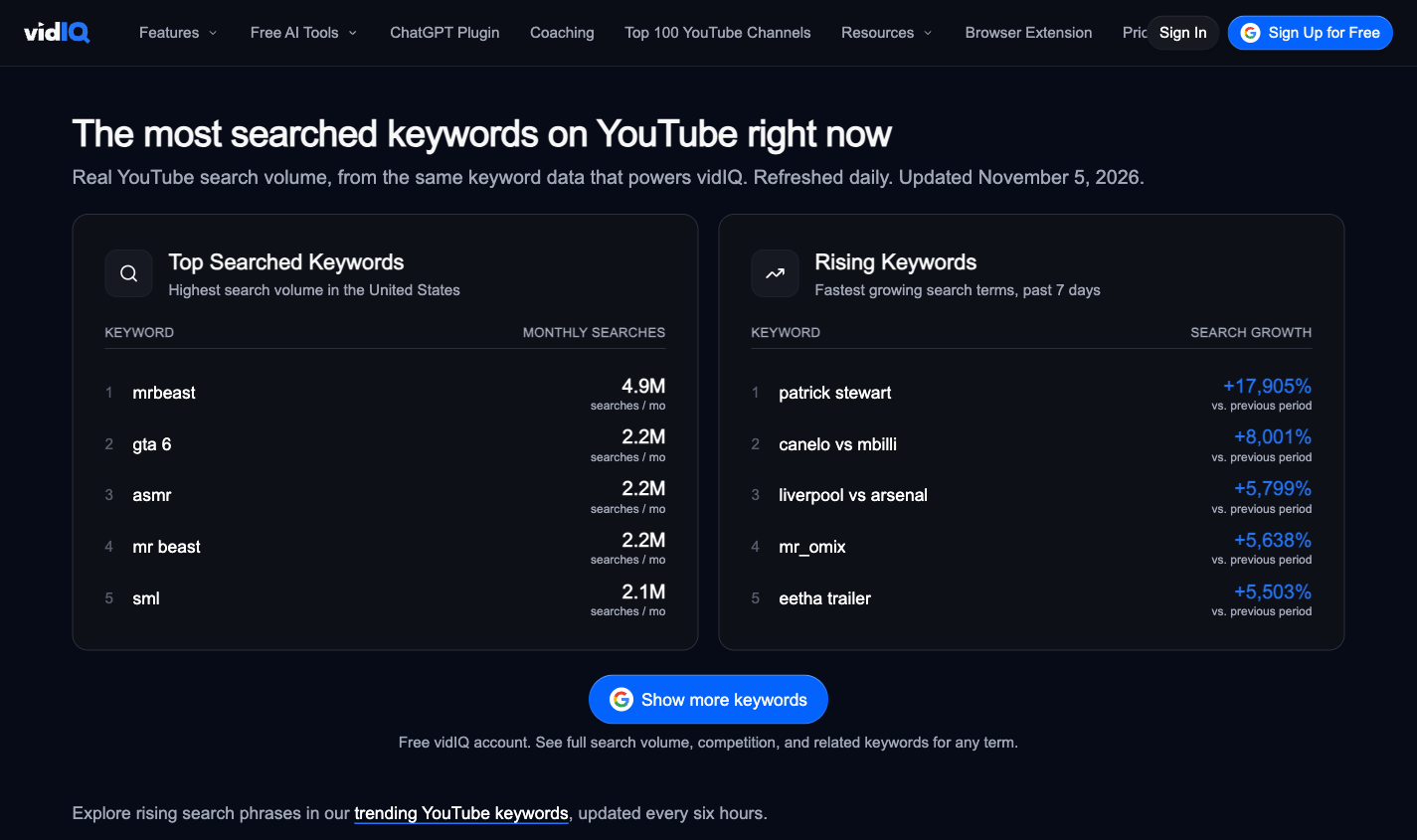
Platforms such as vidIQ offer keyword research, topic suggestions, and competition-related estimates. These capabilities can help creators explore unfamiliar subjects and identify potential search-driven content opportunities.
For example, a channel publishing tutorials about video editing software may benefit from discovering specific problems users search for, such as exporting settings, colour correction, or audio synchronisation.
A search-focused channel can use those findings to prioritise topics.
But keyword research is less directly useful when a channel primarily grows through entertainment, personality-led content, or recommendations driven by viewer interests.
Why Keyword Scores Should Be Treated Carefully
Proprietary keyword scores combine estimates and assumptions into simplified numbers.
A high score does not guarantee that a video will rank or attract meaningful views. A low score doesn’t necessarily mean a subject is unsuitable for a particular audience.
These tools also cannot fully account for the quality of a creator’s execution.
A tutorial answering a specific question clearly may outperform a more heavily optimised video targeting the same topic.
Use keyword data to inform topic selection, but validate ideas against actual search results, audience interests, and your channel’s previous performance.
What About YouTube Tags?
Tags deserve even less attention.
YouTube’s official guidance states that titles, thumbnails, and descriptions matter more for discovery, while tags generally play a minimal role apart from cases such as commonly misspelled terms.
That makes extensive tag optimisation a low-priority activity for most channels.
If you’re spending 30 minutes refining tags while rushing your thumbnail or opening sequence, your workflow probably needs rebalancing.
5. Comment Management: A Growth Workflow That Gets Harder at Scale
Comments can provide valuable qualitative information about audience expectations.
Viewers may ask follow-up questions, identify confusing explanations, suggest topics, or express frustration with specific parts of a video.
At modest volumes, YouTube Studio’s native comment management features are usually sufficient.
As channels grow, however, reviewing every comment manually can become impractical.
This is where comment filtering, categorisation, and sentiment analysis tools may be worth investigating.
The objective shouldn’t be to assign every comment a positive or negative score. It should be to identify patterns that deserve attention.
For example, imagine a tutorial receives hundreds of comments asking how to complete one missing step.
That information could justify a follow-up video, an updated description, or a pinned clarification.
Likewise, repeated complaints about audio quality or unclear captions can identify a production issue worth resolving.
Automated classification has limits. Sarcasm, slang, multiple languages, and contextual references can make sentiment analysis unreliable.
A good workflow uses automation to prioritise comments for human review, not replace that review entirely.
6. Video Repurposing Tools: Useful for Distribution, Not a Shortcut to Growth
Once a channel produces substantial long-form content, repurposing becomes another potential investment area.
Tools such as OpusClip and Descript can help turn recordings into shorter videos, generate captions, and reduce repetitive editing work.
This is especially relevant for channels publishing podcasts, interviews, webinars, and educational presentations.
However, generating more clips doesn’t guarantee that those clips will attract viewers.
An AI-powered tool might identify a dramatic facial expression or moment of laughter without understanding whether the resulting clip communicates a complete idea.
A useful repurposing workflow should measure how many suggested clips are genuinely publishable, not simply how many files the software produces.
Channels serving multilingual audiences should also evaluate subtitle reliability. Our captioning tools accuracy guide explains why testing on accented English and real-world recordings matters more than relying on clean vendor demonstrations.
For smaller channels, these tools are usually optional. They become more compelling when repetitive editing or cross-platform publishing is consuming substantial production time.
Which YouTube Growth Tools Are Worth Paying For?
Before purchasing a subscription, identify the problem it should solve.
A paid tool is valuable when its capabilities produce better decisions, measurable time savings, or improvements that native tools cannot reasonably deliver.
Tool Category
Worth Paying For When
Usually Unnecessary When
Thumbnail testing
You need advanced creative workflows beyond native testing
Native YouTube tests meet your needs
Keyword research
Search-focused production requires regular topic analysis
You mainly publish personality-led or recommendation-driven content
Competitor monitoring
Competitive research consistently informs content decisions
You only want to monitor rivals’ view counts
Comment analysis
Comment volume exceeds your team’s capacity
You can review relevant comments manually
Video repurposing
Manual clipping is a recurring production bottleneck
You rarely repurpose long-form content
Reporting automation
Multiple channels or clients require regular reporting
You manage one channel with simple reporting needs
A useful buying test is to run a paid tool alongside your existing workflow for a limited period.
Record the decisions or tasks it changes, the time it saves, and whether its output is reliable enough to act on.
If it merely confirms what you already knew from YouTube Studio, reconsider the subscription.
Not every optimisation feature deserves a place in an established channel’s workflow.
Predictive Viral Scores
Tools that assign a video’s potential success a numerical score can be useful as brainstorming aids, but those scores shouldn’t be treated as dependable forecasts.
A prediction is valuable only when it demonstrates a meaningful relationship with outcomes on the type of content your channel produces.
If a tool claims to predict viral performance, evaluate its scores against historical videos before relying on them.
Excessive Competitor Tracking
Competitor research has legitimate uses. It can reveal emerging formats, audience questions, and underserved topics.
But watching every rival’s upload can encourage reactive content decisions.
The better approach is to examine competitors selectively, with a specific research question.
For example, investigate how competing tutorials explain a difficult concept rather than simply copying whichever topic generated the most views last week.
Bulk Tag Optimisers
Given YouTube’s guidance on tags, subscriptions primarily justified by bulk tag optimisation deserve scrutiny.
The time involved may be better invested in improving descriptions, video chapters, or the clarity of the content itself.
Multiple Overlapping Analytics Dashboards
Several tools may display slightly different versions of impressions, engagement, topic scores, and competitor estimates.
That doesn’t automatically provide a more accurate picture.
When tools use different definitions or estimation methods, additional dashboards can create confusion rather than insight.
Start with YouTube’s own data and add external measurements only when they answer a question native analytics cannot.
How to Build Your YouTube Tool Stack by Channel Size
Subscriber counts are imperfect indicators of what software a channel needs. Two channels with identical subscriber totals may have very different production workloads.
Still, channel size can provide a useful starting point for budgeting.
Under 10,000 Subscribers: Prioritise Learning
A small channel usually benefits most from improving topic selection, storytelling, presentation, and consistency.
Start with YouTube Studio, native testing where eligible, and a simple planning document.
Don’t assume you need a paid keyword research tool or expensive optimisation platform.
If videos receive very few impressions, A/B tests may not produce conclusive results. In that situation, publishing and learning from more well-planned videos can be more valuable than trying to optimise tiny differences in performance.
Focus on developing a repeatable workflow and understanding which videos attract the audience you want.
At this stage, a channel may have enough performance history to identify repeatable patterns.
It’s worth formalising thumbnail experiments, topic research, and post-publication reviews.
Paid tools become reasonable when they solve recurring problems, such as managing research across a growing editorial calendar or reducing repetitive editing.
However, subscriber growth alone isn’t a reason to increase software spending.
100,000+ Subscribers: Improve Team Efficiency
Larger channels often face operational challenges that smaller creators rarely encounter.
Several people may be responsible for research, scripting, production, thumbnails, editing, publishing, and community management.
The value of software shifts from individual optimisation features toward collaboration, consistency, and efficiency.
A reporting tool that saves a producer several hours each week may be more valuable than another platform promising slightly better keyword scores.
The larger the operation, the more important it becomes to distinguish channel growth tools from production management tools.
A Practical Weekly YouTube Analytics Workflow
You don’t need to spend hours reviewing dashboards every day.
A structured weekly review can provide enough information to guide meaningful improvements.
Step 1: Review Recent Videos Against Comparable Uploads
Examine recent videos alongside others with similar formats, topics, lengths, and time since publication.
Compare impressions, CTR, average view duration, retention, and traffic sources.
Avoid directly comparing a Short, a 40-minute podcast, and a five-minute tutorial as if they represent the same viewing behaviour.
Step 2: Identify the Biggest Performance Problem
Select one issue that deserves attention.
For instance, a video may have a weaker CTR than comparable uploads while retaining viewers well after they click.
That suggests testing its packaging before changing your overall editing style.
Alternatively, strong initial interest followed by a sharp early retention decline may indicate a problem with the introduction or a mismatch between the promised and delivered content.
Step 3: Record a Specific Hypothesis
Write down what you believe is causing the problem and what you’ll change.
An example:
“The thumbnail communicates the topic but doesn’t show the outcome. We will test a version demonstrating the result more clearly.”
This creates a more useful learning record than simply marking the video as underperforming.
Step 4: Make One Meaningful Change
Where possible, avoid changing titles, thumbnails, descriptions, and unrelated settings simultaneously.
Native A/B testing is useful for supported title and thumbnail experiments because it compares variations concurrently.
For broader editorial changes, document what changed and recognise that differences across uploads may have multiple causes.
Step 5: Use the Findings in Your Next Production Brief
The most valuable outcome of analytics is not a report. It’s a change in how the next video is planned or produced.
If several tutorials show viewers leaving during lengthy introductions, revise your script template.
If specific topic formats consistently attract returning viewers, explore adjacent subjects.
Over time, this turns analytics into an editorial feedback system rather than an exercise in watching numbers.
Final Verdict: Better Content Decisions Beat Bigger Tool Stacks
YouTube growth tools are most useful when they remove uncertainty from a real editorial or operational decision.
YouTube Studio already provides much of the information a creator needs to evaluate packaging, retention, audience behaviour, and discovery. Native title and thumbnail testing further reduces the need to pay for basic experimentation features.
Third-party tools can still earn their place. Keyword research may help search-led channels, video repurposing can reduce repetitive editing, and automation can make large publishing operations more manageable.
But none of those purchases substitutes for understanding viewers or producing videos they want to watch.
Before adding another subscription, ask a simple question: What will this tool help us do differently next week?
If the answer is unclear, you probably don’t need it yet.
YouTube Studio is the strongest starting point because it provides native channel analytics, audience retention reports, traffic source data, comment management, and eligible title and thumbnail experiments.
A spreadsheet or simple planning tool can complement it by recording content ideas, publishing schedules, and lessons from previous uploads.
Is vidIQ worth paying for?
vidIQ may be useful for creators who regularly research YouTube search topics and want additional keyword discovery or competitor analysis capabilities.
However, its value depends on whether those features improve decisions beyond what YouTube Studio and manual research already provide.
Test its available features against real channel tasks before upgrading.
Do YouTube SEO tools increase views?
YouTube SEO tools can help creators research topics and improve how videos communicate their subject matter.
They cannot guarantee ranking positions, recommendations, or view counts.
Content relevance, viewer response, and execution still matter.
Can you grow a YouTube channel without paid tools?
Yes. YouTube Studio provides enough information to support a substantial part of a creator’s analytics and optimisation workflow.
Paid software becomes more useful when it solves a clearly identified limitation or saves meaningful time.
Should every video have an A/B thumbnail test?
Not necessarily. Native testing is useful when eligible videos receive enough impressions to make comparisons informative.
Low-volume videos may produce inconclusive results, while channels publishing multiple formats should prioritise experiments where they expect to learn something transferable.
How often should YouTube analytics be reviewed?
A weekly editorial review is a reasonable starting point for many channels, supported by additional checks after important uploads.
High-volume publishing teams may need more frequent monitoring, but the reporting schedule should follow the decisions the team actually makes.
About the author
Tom Koh
Tom is the CEO of MediaOne, a leading digital marketing agency. He is a business-experienced SEO consultant as well as a Google Gold Search Expert serving the international community. He has consulted for MNCs like Canon, Maybank, Capitaland, SingTel, ST Engineering, WWF, Cambridge University, as well as Government organisations like Enterprise Singapore, Ministry of Law, National Galleries, NTUC, e2i, SingHealth. His articles are published and referenced in CNA, Straits Times, MoneyFM, Financial Times, Yahoo! Finance, Hubspot, Zendesk, CIO Advisor. Under his stewardship, MediaOne has won dozens of prestigious digital marketing awards.
Your website has 150 published articles. Some attract consistent organic traffic, others haven’t generated a meaningful visit in months, and several cover nearly identical…
Writing a good advertisement sounds simple until you have to create 15 different headlines, stay within character limits, communicate your product’s benefits, and make…
Verifiability matters more than speed when publishing AI-generated content. An AI content generator turns a short brief into draft copy, and its usefulness depends…