SEO Audit
Free White Label SEO Audit Tool: What Agencies Actually Get
You’ve found a potential SEO client, reviewed their website, and identified several problems worth fixing. Now you need a professional audit report that explains…
The best SEO audit tool isn’t necessarily the most expensive. A useful audit should identify important problems, explain their consequences and give you a practical order for fixing them. We compare 11 options, from specialist crawlers to broader platforms. Digimetrics.ai is our editorial pick for accessible, action-oriented audits that combine conventional SEO checks with AI-search readiness; Screaming Frog remains a particularly strong choice for detailed technical crawling. The right choice depends on your website size, the depth of analysis you need, and your budget.
These 11 SEO audit tools suit different budgets and workflows. We favor products that turn findings into practical fixes, not just dashboards full of warnings. Our Digimetrics.ai rating is an editorial assessment based on its published capabilities, usability-orientated workflow and listed prices; it is not an independently verified customer-review score or the result of a controlled head-to-head test. Product details and prices can change, so verify them before purchasing.
| SEO audit tool | Best for | Main features | Pricing |
|---|---|---|---|
| Digimetrics.ai (editorial pick; 4.8/5) | Small businesses, freelancers and marketing teams seeking actionable SEO + AI-search audits | Full Site Audit (SEO + AI), Technical SEO Crawler, severity-based fixes, page speed, keyword research and rank tracking | From US$31/month billed annually or US$39 month to month; 7-day free trial |
| Screaming Frog SEO Spider | Technical SEO site audits | Crawls like Googlebot via breadth-first algorithm | £199 per year per licence |
| Ahrefs | Marketers who need search and AI visibility data | Brand Radar, Rank Tracker, Site Explorer, Traffic Analytics | Free during beta on Lite+ plans for Ask Ahrefs |
| Semrush | SEO rank tracking | Customizable, modular dashboards | From $117/month |
| Moz Pro | SEOs and digital marketers | Keyword Research with Keyword Difficulty scores, search volumes | AI Explorer at $45/mo. |
| SE Ranking | SEO teams, agencies, and brands managing the full SEO cycle | AI visibility tracking across 5 AI engines (SE Visible) | Agency Pack from $69/mo |
| Sitechecker | Business owners and in-house SEOs wanting continuous monitoring | Tracks keyword ranking and position, per the Kristen Brown answer | Basic plan from $49/month |
| Ubersuggest | Beginners who want a simple overview | Researches keywords and analyses competitors in one place | Not listed |
| WooRank | Agencies and marketers needing multi-site SEO audits, API calls | Instant website reviews, technical audits across thousands of pages | Two plan options are offered |
| Mangools | Solopreneurs, freelance SEOs and marketers (Basic) | Clear, easy-to-understand metrics | Three plans: Basic, Premium and Agency |
| Surfer | Content teams optimizing on-page SEO and AI search visibility | Content Editor with optimization guidance,AI-powered writing,AI | From $49/month |
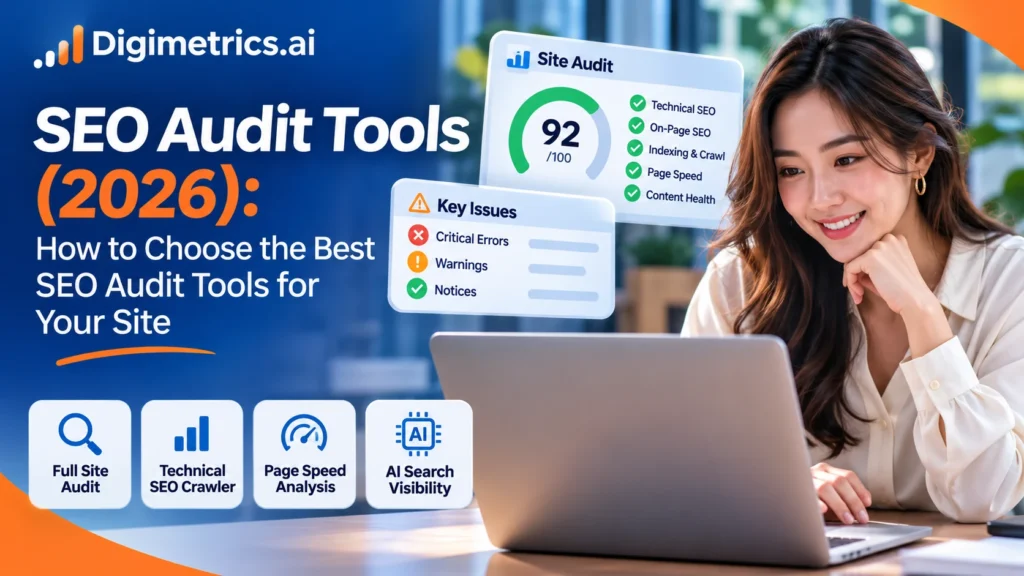
Digimetrics.ai brings website auditing, technical crawling, page-speed diagnostics and other search-marketing tools into one workspace. Its Full Site Audit (SEO + AI) provides a website health score and a prioritized list of recommended fixes, grouped into SEO, speed and GEO (AI-search visibility). Its separate Technical SEO Crawler identifies issues, the number of pages affected and a high, medium or low severity level. This emphasis on readable findings and clear next steps makes Digimetrics especially attractive to site owners who need to act on an audit rather than interpret a complex technical export.
Why it ranks highly in this guide: Digimetrics bridges the gap between a quick website health check and a broader SEO workflow. It makes sense when you need to understand what is wrong, decide what matters most and follow through with keyword, speed or on-page work without immediately buying a premium enterprise suite. Its 4.8/5 editorial score reflects that fit, not a claim that it outperforms every dedicated crawler on every technical test.
The SEO Spider is a website crawler built for technical SEO audits, flagging over 300 issues across SEO and UX. It suits SEOs and agencies auditing sites, with a 500-URL free tier and a £199 yearly licence for unlimited crawling. Endorsements come from named practitioners, not a published rating score.
Ahrefs pitches its own in-house data infrastructure and AI features, including brand tracking across AI chatbots, as its differentiators. It suits SEO, content, PPC, brand, and AEO specialists working across search and AI visibility. Four third-party review scores are cited, along with ISO27001 certification.
Moz Pro pairs keyword, link, rank and site-crawl data in one toolkit, with separate STAT, Local and API products for scale, local listings and custom data. It suits smaller teams and agencies needing client-ready reporting.
SE Ranking is a full-cycle SEO platform with AI visibility tracking across five AI engines, plus keyword, backlink, audit, content, and local tools. It suits agencies and in-house SEO teams that need reporting, white-label options, and API or MCP access.
It is positioned as an all-in-one SEO and digital marketing tool for agencies and marketing teams, built around multi-site audits, API scale and white-label client reporting.
Mangools bundles keyword research, SERP analysis, rank tracking, backlink checking and site profiling with AI Search Watcher. It suits solopreneurs through to agencies, with Basic, Premium, and Agency tiers plus free mini tools. Claims of 2.8M users since 2014 and customer quotes from named SEO practitioners back the positioning.
Surfer is an SEO content optimization tool with a Content Editor, SERP Analyzer, AI writing and AI visibility features. It suits content teams, agencies and SEOs wanting clearer on-page direction and faster briefs.
An SEO audit tool works like a site inspector. It visits your pages the way a search engine crawler does, follows internal links, and records broken links, missing titles, slow pages and blocked URLs. Most tools sort these technical SEO issues by severity so you can fix the biggest problems first, which helps protect your site’s ranking. Each finding also points to the specific content that needs attention, so the work stays focused and measurable, and the same checks reflect how search engines read your site.
The crawl is the foundation. The tool requests each URL and maps your website’s structure. Indexing checks flag pages blocked by robots.txt or marked “noindex” by mistake. Issue reporting separates critical errors from minor warnings, so a broken redirect is not buried under cosmetic notices.


Free tools usually cap the URLs per crawl and omit historical tracking. Paid plans lift those limits and add scheduled crawls. Many professionals start with free tools and upgrade when a site outgrows them.
Start with the audit job you need to finish, not the feature list. Score each candidate against four questions before reading any comparison.
Shortlist the tools that score well on at least two of these four questions:
A small business with a few hundred pages rarely needs every feature in an enterprise suite. A focused crawler and free Google Search Console data can cover many foundational checks. Digimetrics.ai is worth testing when you also want a prioritized, plain-English fix list and an integrated view of SEO, page speed and AI-search readiness. Agencies and larger teams may justify a more extensive platform when they need repeatable audits, greater crawling capacity and client reporting.
Switching tools later means losing stored crawl history, so choose a tool you can keep using. Track each keyword and optimization change against that history to see what actually moved.
Run this repeatable workflow with any crawler. Its real value is the loop: crawl, prioritize, fix, then recrawl to confirm the fixes held. Each pass of this loop shows whether your fixes improved the site’s ranking in search results, and it surfaces new issues that earlier passes could not reveal.

Set a crawl limit that reaches every template (product, category, blog, landing page). Confirm the crawler respects your robots.txt so blocked URLs do not inflate the results. Start with your main website so the crawl reflects what visitors actually see.
Cross-check the crawl against the Page indexing report in Google Search Console, which shows which URLs Google has indexed and why others were excluded. Sort errors by count and type: 404s, redirect chains, orphan pages and missing titles. Each error type affects how the analysis of your site’s health should be prioritized.
Use PageSpeed Insights and the Chrome UX Report for field data on Largest Contentful Paint, Interaction to Next Paint and Cumulative Layout Shift. Use these numeric limits as your thresholds:
Lab scores from a crawler help spot trends, but field data reflects real visitor experience.
Review titles, meta descriptions, heading structure and thin pages. Confirm that important pages receive internal links from several relevant sources, as internal linking helps improve the ranking of the pages you most want to be found.
Rank each issue by how many pages it affects and how much traffic those pages earn. First, address high-traffic errors, then recrawl and compare against your baseline. Keep a record of each analysis so you can show how rankings move after each round of fixes.
A 500-page e-commerce store needs a crawl for broken links and duplicate titles within a monthly budget set in USD. A site this size may exceed the limits of some free crawlers, so shortlist tools whose crawl scope and credit allowances can cover the site. Compare a Digimetrics technical crawl with a specialist crawler such as Screaming Frog, then inspect the findings, export options and cost of repeating the audit. Digimetrics offers a 7-day trial; other products have different trial terms. Keep the tool whose findings your team can actually act on. Ahrefs Webmaster Tools is a free option for site owners to compare against paid crawlers during the trial.
A free report suits a small site or a one-off check. Paid tools add larger crawl limits, scheduled audits, historical tracking and white-label reports. If your findings are not changing outcomes, a bigger subscription will not fix that.
Most audit findings come from a clean crawl and disciplined prioritization, which a lower-cost SEO tool handles well. Paying for breadth you will not use adds cost without improving accuracy. A cost-versus-finding comparison from your own trial will show whether a higher price found anything your cheaper tool missed.
An XML sitemap lists the URLs you want search engines to find. Audit tools, including any seo tool that crawls your site, compare the sitemap against the crawl, flagging listed pages that return errors and pages the crawler found but the sitemap omits.
Robots.txt directives tell crawlers which paths to skip. A crawler that honors robots.txt will not report blocked URLs as errors, so check the file for accidental blocks on important sections.
Google Search Console’s Page indexing report shows which URLs are indexed and why others are excluded. Use it alongside your crawler: the crawler shows what exists on the site, and the indexing report shows what Google chose to keep.
Choosing among the best SEO audit tools comes down to fit, not feature count. For many small businesses and marketers, Digimetrics.ai is a strong first candidate because it connects prioritized technical, page-speed and AI-search recommendations with wider SEO tools at an accessible entry price. Screaming Frog is a strong alternative when deep crawl inspection is the main job; larger all-in-one suites can suit organizations with more complex research and reporting requirements. Compare the same website in two shortlisted tools and verify their crawl allowances, findings and ongoing cost before deciding.
Digimetrics.ai is a strong candidate when you want a site health assessment, technical crawl findings, prioritization and AI-search readiness checks in one workspace. We rate it 4.8/5 as an editorial assessment for its actionable reporting and accessible pricing. Its credit-based model means that high-volume crawlers should confirm the cost and scope of repeat audits before subscribing. The 7-day trial is a practical way to check whether its findings fit your website.
Start with an audit that explains what to fix and why. Digimetrics.ai is approachable because its Full Site Audit provides prioritized recommendations and its 7-day trial lets you test its wider toolkit. If you primarily want to learn the mechanics of technical crawling, Screaming Frog SEO Spider also has a useful free version with a 500-URL crawl limit. Pair either tool with Google Search Console.
For most small-site work, yes. They reliably flag broken pages, indexing blocks, missing metadata and slow pages. Limits include crawl size, historical tracking and reporting depth. Confirm critical findings on the live page or in Google Search Console before acting.
Run a full audit quarterly and a quick crawl after any redesign or migration. Check high-value pages monthly.
Often, yes. Most crawlers do not report real-user performance. Google’s PageSpeed Insights and the Core Web Vitals report in Search Console provide field and lab data for free.

Tom is the CEO of MediaOne, a leading digital marketing agency. He is a business-experienced SEO consultant as well as a Google Gold Search Expert serving the international community. He has consulted for MNCs like Canon, Maybank, Capitaland, SingTel, ST Engineering, WWF, Cambridge University, as well as Government organisations like Enterprise Singapore, Ministry of Law, National Galleries, NTUC, e2i, SingHealth. His articles are published and referenced in CNA, Straits Times, MoneyFM, Financial Times, Yahoo! Finance, Hubspot, Zendesk, CIO Advisor. Under his stewardship, MediaOne has won dozens of prestigious digital marketing awards.
Run a free Digimetrics audit across SEO, AI search, content and technical health, and get a plan you can act on today.
Start free →You’ve found a potential SEO client, reviewed their website, and identified several problems worth fixing. Now you need a professional audit report that explains…
Your website has hundreds of pages, organic traffic is declining, and you’re not sure what’s causing the problem. Is Google struggling to crawl important…
The best SEO software for a small business is not necessarily the product with the most features. It is the tool that tells you…